1. Bubuka
The DOOGEE Fire 5 is a rugged smartphone designed for durability and extended use in challenging environments. It features a robust construction, a large capacity battery, and a responsive display, powered by Android 15. This manual provides essential information for setting up, operating, maintaining, and troubleshooting your device.
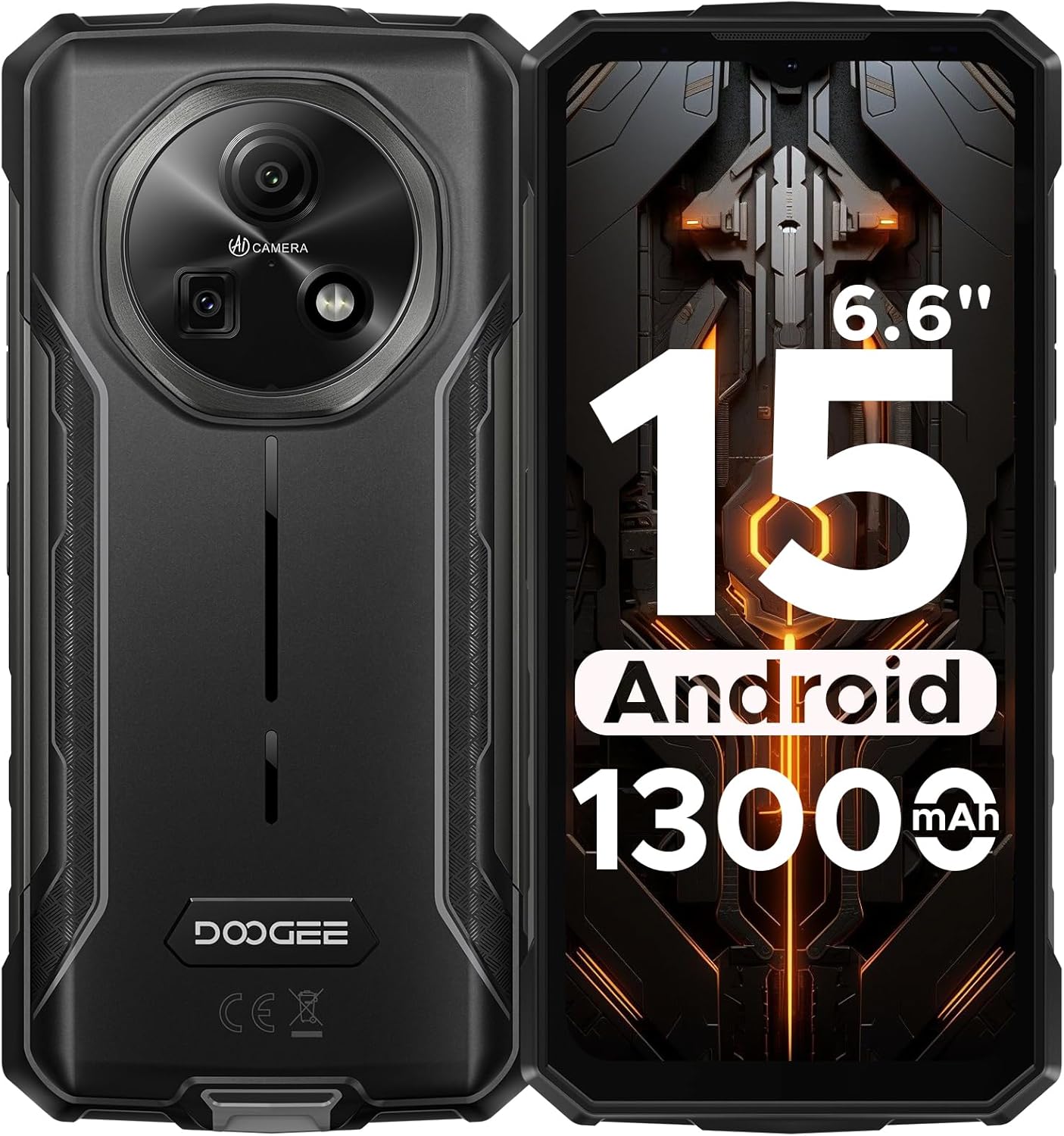
Gambar 1: Hareup jeung pungkur view of the DOOGEE Fire 5 Rugged Smartphone.
2. Naon dina Box
Pastikeun yén sadaya item aya dina pakét produk anjeun:
- 1x DOOGEE Fire 5 Rugged Smartphone
- 1x Kabel USB Tipe-C
- 1 x carjer
- 1x Pituduh Gancang
- 1 x Kartu Garansi

Figure 2: Package contents of the DOOGEE Fire 5.
3. Fitur Produk
3.1 Desain anu Kasar
The Fire 5 is engineered to withstand harsh conditions, meeting military standards IP68, IP69K, and MIL-STD-810H. This ensures resistance against drops, dust, and water immersion, making it suitable for outdoor work and adventurous activities.

Figure 3: The DOOGEE Fire 5 is built to withstand water, dust, and drops.
3.2 Unbeatable Battery Life & Reverse Charging
Equipped with a 13000mAh battery, the Fire 5 provides extended usage times. It also supports 5W reverse charging via its Type-C port, allowing you to power other devices like headphones or smartwatches.

Figure 4: The 13000mAh battery offers extensive power and reverse charging.
3.3 Vivid HD+ Display
Experience smooth visuals on the 6.6-inch HD+ IPS screen with a 90Hz refresh rate. The display's full lamination reduces glare, enhancing outdoor visibility.

Figure 5: The 6.6-inch HD+ 90Hz display provides a clear and responsive viewpangalaman.
3.4 Performance kuat
Running on Android 15 and powered by a UNISOC octa-core processor, the Fire 5 offers seamless app switching with 12GB (3GB + 9GB extended) of RAM and 64GB of internal storage, expandable up to 2TB.

Figure 6: The UNISOC SC9863A chipset ensures stable and efficient performance.
3.5 AI Camera System
Capture clear and vibrant photos with the 13MP main camera and 8MP front camera. The AI camera intelligently optimizes settings for various scenes, enhancing your photography experience.

Figure 7: The 13MP main camera and 8MP front camera for crisp shots.
3.6 Konéktivitas sareng Pakakas
The Fire 5 supports dual SIM functionality and is compatible with major carriers like T-Mobile and MetroPCS. It includes NFC for convenient payments, Face ID for secure unlocking, and a pre-loaded professional toolbox with utilities like a compass, sound meter, and gradienter.

Figure 8: Additional features include NFC, Face Unlock, and a 3-card slot.
4. Setélan
4.1 Pamasangan Kartu SIM
- Tangtukeun lokasi baki kartu SIM di sisi alat.
- Pake alat kaluaran SIM nu disadiakeun pikeun muka baki.
- Asupkeun kartu Nano-SIM sareng/atanapi kartu microSD anjeun kana baki, pastikeun orientasina leres.
- Gently nyorong baki deui kana alat nepi ka clicks kana tempatna.
4.2 Daya Awal Hurung
- Pencét terus tahan tombol Daya nepi ka logo DOOGEE némbongan.
- Turutan pitunjuk dina layar pikeun ngalengkepan setelan awal, kalebet pilihan basa, sambungan Wi-Fi, sareng login akun Google.
5. Ngoperasikeun Alat Anjeun
5.1 Napigasi Dasar
- Layar Utama: Gesek ka kenca atawa ka katuhu pikeun ngakses panel layar utama anu béda.
- Laci Aplikasi: Gesek ka luhur tina handapeun layar pikeun view sadaya aplikasi anu dipasang.
- Bewara & Setélan Gancang: Gesek ka handap ti luhur layar pikeun ngakses bewara sareng toggle setelan gancang.
- Multitasking: Gesek ka luhur jeung tahan ti bagean handap layar pikeun view aktip panganyarna.
5.2 Pamakéan kaméra
Buka aplikasi Kamera pikeun ngaksés sababaraha modeu:
- Modeu Poto: Standard mode for still images. The AI will automatically optimize settings.
- Modeu Video: Rékam pidéo.
- Modeu Potrét: Jieun poto kalawan latar tukang anu burem.
- Modeu Pro: Manually adjust settings like ISO, white balance, and exposure.
5.3 Pre-loaded Tools
The device includes a professional toolbox accessible from the app drawer. This toolbox contains useful utilities such as:
- Kompas
- Méter Sora
- Gradién
- Senter
- Kaca pembesar
- Plum Bob
6. Pangropéa
6.1 Cai jeung Lebu Résistansi
The DOOGEE Fire 5 is IP68/IP69K rated for water and dust resistance. Ensure all port covers are securely closed before exposing the device to water or dust. Avoid prolonged submersion in water or exposure to high-pressure water jets.
6.2 beberesih
Pikeun ngabersihkeun alat anjeun, usap ku kaén anu lemes,amp lawon. Ulah nganggo bahan kimia anu kasar atanapi bahan abrasif anu tiasa ngaruksak bagian luar atanapi layar alat anu kasar.
7. Cara ngungkulan
If you encounter issues with your DOOGEE Fire 5, try the following steps:
- Device Lagging or Freezing:
- Tutup aplikasi latar tukang pikeun ngosongkeun RAM.
- Uninstall unused applications to free up storage.
- Perform a restart by long-pressing the power button and selecting "Restart".
- Masalah Konektipitas Jaringan:
- Pastikeun kartu SIM anjeun leres diselapkeun.
- Verify that your carrier is compatible with the device's supported bands (GSM:B2/3/5/8 WCDMA:B1/2/4/5/8 TDD:B34/38/39/40/41 FDD:B1/2/3/4/5/7/8/18/19/20/25/26/28AB/66).
- Pariksa setélan jaringan anjeun sareng pastikeun data sélulér diaktipkeun.
- Masalah ngecas:
- Use the original charger and Type-C cable provided with the device.
- Pastikeun port ngecas beresih jeung bébas tina lebu.
Video 1: Hiji leuwihview of the DOOGEE Fire 5 Rugged Phone, highlighting its features and design.
8. Spésifikasi
| Dimensi produk | 6.95 x 0.74 x 3.25 inci |
| Item Beurat | 6.9 ons |
| Nomer Modél Item | Seuneu5 |
| Batré | 1 batré Litium Polimér diperlukeun (kaasup) |
| Sistem operasi | Android 15 |
| Téhnologi konektipitas | Bluetooth, Infrabeureum, NFC, USB, Wi-Fi |
| Fitur Témbongkeun séjén | Nirkabel |
| Fitur kaméra séjén | Hareupeun, Tukangeun |
| Faktor Bentuk | Bar |
| Warna | Hideung |
| Peunteun Daya Batré | 13000 Miliamp Jam-jaman |
| Kapasitas Panyimpenan Mémori | 64 GB |
| Ukuran Layar Ngadeg | 6.6 inci |
| RAM Mémori Dipasang Ukuran | 12 GB |
| Refresh Laju | 90 Hz |
| Pamawa nirkabel | Henteu dikonci pikeun Sadaya operator |
| Téhnologi sélular | 4G |
9. Garansi jeung Rojongan
The DOOGEE Fire 5 Rugged Smartphone comes with a comprehensive 2-year warranty, ensuring peace of mind with your purchase. For any technical assistance, product inquiries, or warranty claims, please contact DOOGEE's professional support team through their official channels or visit their websitus pikeun informasi rojongan lengkep.
You can find additional support and product information by scanning the QR code provided in the quick guide or visiting the official DOOGEE websitus.


