1. Produk Langkungview
The AstroAI P12 Jump Starter is a portable device designed to jump start vehicles with dead batteries. It also functions as a power bank for electronic devices and includes an LED flashlight. This unit is compatible with all gas engines and diesel engines up to 12L.
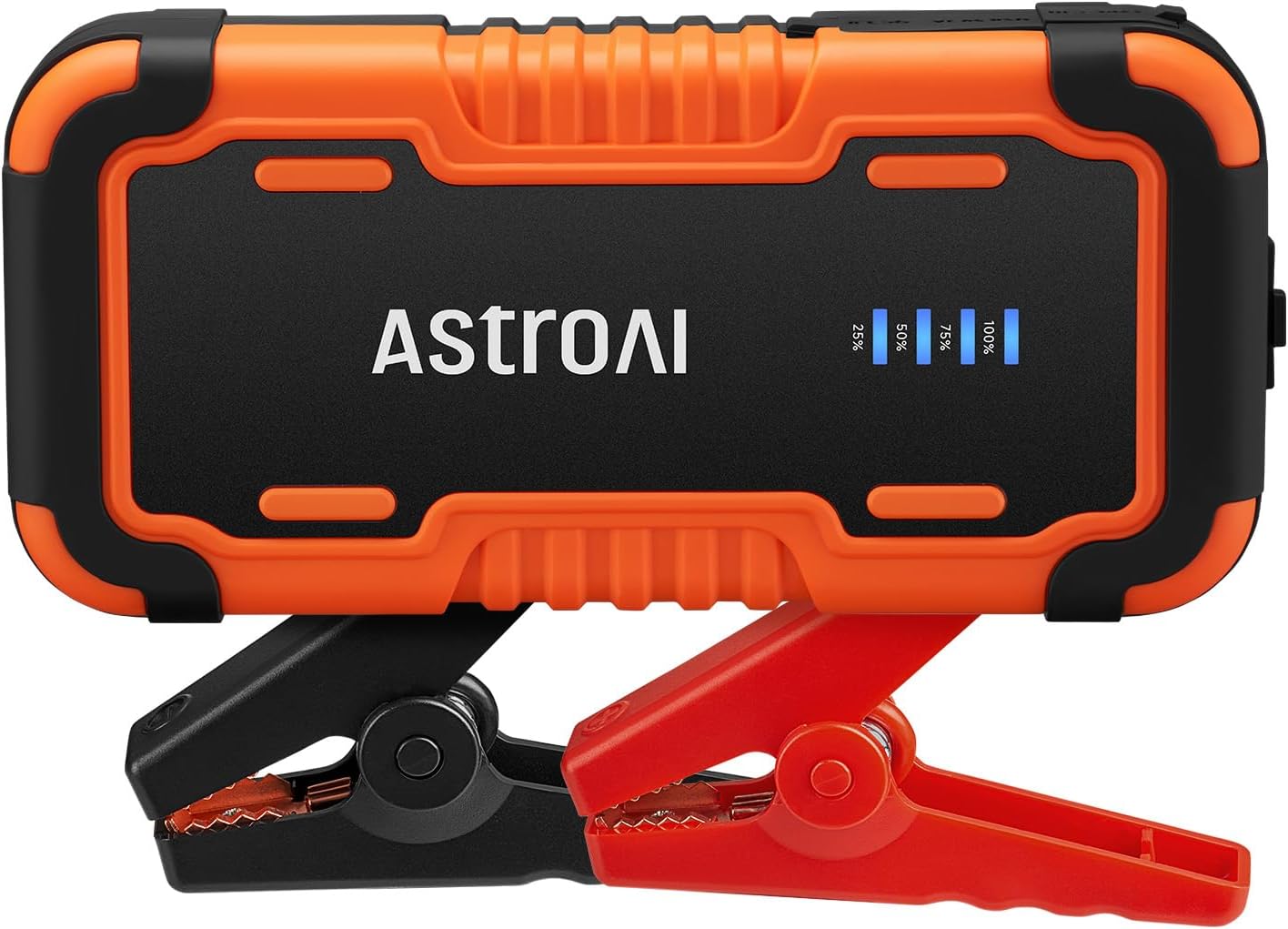
Image 1.1: AstroAI P12 Jump Starter with attached smart battery clamps.
2. Naon Kaasup
pakét ngandung item handap:
- AstroAI P12 Jump Starter Unit
- Batré Smart Clamps
- Kantong Panyimpen
- Kabel USB AC
- Manual pangguna (dokumén ieu)

Image 2.1: All components included in the AstroAI P12 Jump Starter package.
3. Émbaran Kasalametan
Baca sadaya peringatan sareng parentah kaamanan sateuacan nganggo produk ieu. Gagalna nuturkeun peringatan sareng petunjuk tiasa nyababkeun shock listrik, seuneu, sareng/atawa tatu anu serius.
Pancegahan Kasalametan Umum:
- Ulah ngoperasikeun jump starter upami parantos ruksak atanapi dirobih.
- Do not expose the jump starter to rain or wet conditions.
- Entong nganggo kantétan anu henteu disarankeun atanapi dijual ku produsén.
- Pastikeun ventilasi anu leres nalika dianggo.
- Jauhkeun tina jangkauan barudak.
- Wear eye protection when operating.
Protéksi anu diwangun:
The AstroAI P12 includes 10 comprehensive safety protections:
- Perlindungan Polaritas Terbalik
- Perlindungan arus leuwih
- Overcharge Protection
- Protection Overdischarge
- Luhur & Low Protection Suhu
- Protection Connection sabalikna
- Langkung Voltage panyalindungan
- Overload Protection
- Protection Circuit pondok
- Spark-Proof Clamps

Image 3.1: Visual representation of the 10 safety protections integrated into the device.
4. Ngecas Jump Starter
Before initial use, fully charge the AstroAI P12 Jump Starter. It is recommended to recharge the unit every few months to maintain battery health, especially if not used regularly.
- Connect the provided USB A-C cable to the USB-C input port on the jump starter.
- Connect the other end of the USB A-C cable to a compatible USB wall adapter (not included) or a powered USB port.
- The LED indicator on the jump starter will show the charging progress. Charge until the indicator shows 100% or full charge.
A full charge typically takes approximately 4-5 hours from empty.
5. Parentah Operasi
5.1. Ngahurungkeun Kandaraan sacara Langsung
Turutan léngkah-léngkah ieu sacara saksama pikeun ngamimitian kendaraan anjeun:
- Pastikeun jump starter dicas cekap (sahenteuna 75% disarankeun).
- Pareuman konci kontak kandaraan sareng sadaya asesorisna (lampu, radio, jsb.).
- Sambungkeun batré pinter clamps to the jump starter's output port. Ensure it is fully inserted.
- Gantelkeun ka beureum positip (+) clamp ka terminal positif (+) batré kendaraan.
- Gantelkeun ka hideung négatip (-) clamp ka terminal négatif (-) batré kandaraan.
- Observe the indicator on the smart battery clamps. If it glows héjo padet, the connection is correct and safe to proceed. If it flashes red/green or shows an error, recheck connections and refer to the troubleshooting section.
- Once the indicator is solid green, start the vehicle's engine.
- After the engine starts, immediately remove the smart battery clamps from the vehicle battery, first the negative (-) clamp, then the positive (+) clamp.
- Disconnect the smart battery clamps ti starter luncat.

Image 5.1: Step-by-step visual guide for jump starting a vehicle.

Image 5.2: AstroAI P12 Jump Starter connected to a vehicle battery.
5.2. Ngagunakeun salaku Power Bank
The AstroAI P12 can charge electronic devices via its USB-A output ports.
- Kaluaran USB-A (QC 3.0): 5V;3A, 9V;2A, 12V;1.5A (18W Max)
- Kaluaran USB-A: 5V;2A
- Connect your device's charging cable to one of the USB-A output ports on the jump starter.
- Sambungkeun tungtung kabel anu sanésna kana alat éléktronik anjeun.
- Jump starter bakal otomatis mimiti ngecas alat anjeun.

Image 5.3: The jump starter functioning as a power bank for various electronic devices.
5.3. Ngagunakeun Senter LED
The built-in LED flashlight offers three modes: illumination, SOS, and strobe.
- Press and hold the power button for approximately 3 seconds to turn on the flashlight (illumination mode).
- Press the power button again to cycle through the modes: SOS (flashing) and Strobe.
- Pencét terus tahan tombol daya deui salami 3 detik pikeun mareuman senter.

Image 5.4: The AstroAI P12 Jump Starter's LED flashlight in use.
6. Pangropéa
- beberesih: Lap unitna ku lawon anu garing sareng lemes. Entong nganggo bahan kimia anu kasar atanapi bahan anu abrasif.
- Panyimpenan: Store the jump starter in a cool, dry place, away from direct sunlight and extreme temperatures. The operating temperature range is -20°C to 50°C (-4°F to 122°F).
- Ngecas: Cas deui alatna unggal 3-6 bulan sakali, sanajan teu dianggo, pikeun manjangkeun umur batréna.
- Batre Clamps: Pariksa clamps and cables for any damage before each use.

Image 6.1: The AstroAI P12 Jump Starter is designed to operate in a wide range of temperatures.
7. Cara ngungkulan
| Masalah | Mungkin Cukang lantaranana | Solusi |
|---|---|---|
| Vehicle does not start after jump start attempt. |
|
|
| Cl pinteramps indicator shows red/flashing. |
|
|
| Jump starter not charging devices. |
|
|
8. Spésifikasi
| Fitur | Rincian |
|---|---|
| Modél | P12 |
| Puncak Arus | 6000 Amps |
| Voltage | 12 volt |
| Kasaluyuan engine | All Gas, up to 12L Diesel |
| Jenis Batré | Lithium Polymer (Lithium-Nickel Manganese Cobalt - NMC) |
| Kaluaran USB-A (QC 3.0) | 5V;3A, 9V;2A, 12V;1.5A (18W Max) |
| USB-A Kaluaran | 5V;2A |
| Diménsi | 183mm x 88mm x 39mm (7.20 inci x 3.45 inci x 1.53 inci) |
| Item Beurat | 800 g |
| Suhu Operasi | -20°C nepi ka 50°C (-4°F nepi ka 122°F) |

Image 8.1: The compact size of the AstroAI P12 Jump Starter.
9. Garansi jeung Rojongan
For warranty information or technical support, please contact AstroAI customer service.
- Pabrikan: Astro AI
- Email Kontak: Support@astroai.com
- Refer to the official AstroAI websitus pikeun kawijakan jaminan panganyarna.