1. Bubuka jeung Leuwihview
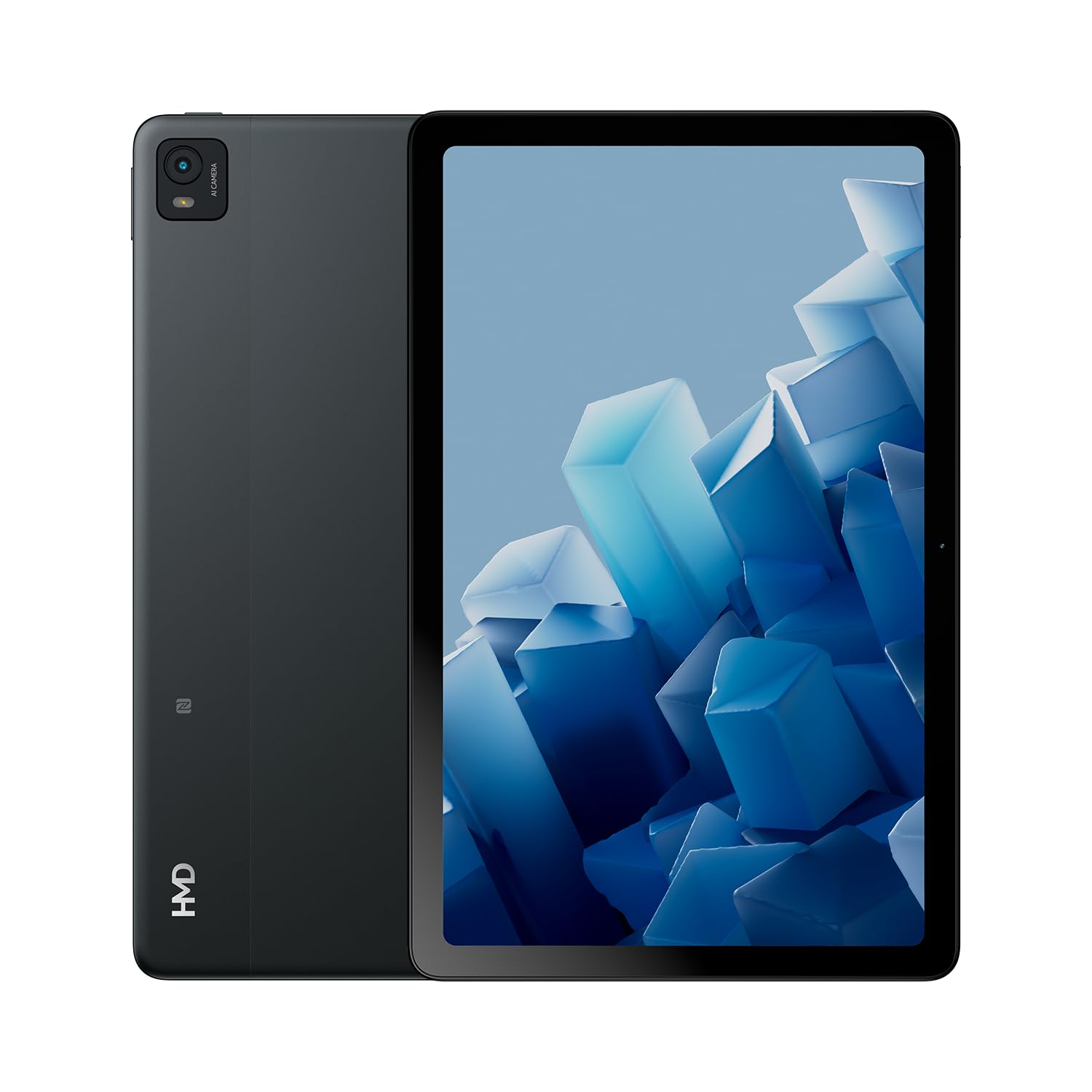
The HMD T21 tablet is designed for entertainment and productivity, featuring a clear 10.36-inch HD display and immersive audio. It supports an active pen for creative tasks and offers extended screen real estate for computer integration. Enjoy long-lasting battery performance with monthly security updates until summer 2027.
- Fortress of Security: Bank, surf, and shop online fearlessly with monthly security updates until the summer of 2027.
- Hiburan Imersif: Dive deep into entertainment on the clear 10.36-inch cover glass display with immersive audio.
- Manjangkeun Umur Batré: Stay powered up with an 8200 mAh battery, offering up to 3 days of usage and 18W fast charge support with 800 full charging cycles.
- Creative and Productive: Unleash your creativity with active pen support and enhance productivity by using the tablet as additional screen real estate for your computer.
- Crystal Clear Audio-Visuals: Enjoy HD video for calls and streaming, complemented by stereo speakers with OZO playback.

2. Naon dina Box
Your HMD T21 package includes the following items:
- HMD T21 Tablet
- Kabel USB
- Adaptor kakuatan
- Sim Pin
- Guide pamaké
- Gancang Mimitian Guide
- Buklet Kaamanan

3. Setélan
3.1 Daya Awal Hurung
- Press and hold the Power button (located on the side) until the HMD logo appears on the screen.
- Turutan ajakan dina layar pikeun milih basa anjeun, sambungkeun ka jaringan Wi-Fi, sareng nyetel akun Google anjeun.
3.2 Ngecas Alat
Before first use, it is recommended to fully charge your HMD T21 tablet.
- Sambungkeun kabel USB kana port USB-C tablet.
- Sambungkeun tungtung séjén kabel USB ka adaptor kakuatan.
- Colokkeun adaptor kakuatan kana stop kontak témbok.
- The battery icon on the screen will indicate charging status. The tablet supports 18W fast charging.
3.3 Inserting a SIM Card (if applicable)
If your model supports cellular connectivity, follow these steps:
- Panggihan tempat kartu SIM di sisi tablet.
- Insert the provided SIM pin into the small hole on the tray to eject it.
- Teundeun kartu Nano-SIM anjeun jeung/atawa kartu microSD kana baki kalayan kontak emas nyanghareup ka handap.
- Lebetkeun deui baki kana tablet kalayan ati-ati.
4. Parentah Operasi
4.1 Pintonan Napigasi
The HMD T21 features a 10.36-inch HD display. Navigate the interface using touch gestures:
- Ketok: Pilih hiji item atawa buka aplikasi.
- Gesek: Gulung ngaliwatan layar atawa daptar.
- Ciwit-pikeun-Zoom: Ngazum gede atawa leutik dina poto jeung web kaca.
- Pencét Panjang: Aksés ménu kontekstual atanapi pindahkeun ikon aplikasi.

4.2 Pamakéan kaméra
The tablet is equipped with an 8MP rear camera and an 8MP front camera for photos and video calls.
- Open the Camera app from the home screen.
- Ketok tombol jepret pikeun moto.
- Pindah antara kaméra hareup sareng pungkur nganggo ikon toggle kaméra.
- Pilih modeu pidéo pikeun ngarékam pidéo.
4.3 Audio jeung Konéktipitas
Enjoy clear audio through the stereo speakers with OZO playback. Connect to the internet via Wi-Fi (802.11a/b/g/n/ac) or cellular data (if supported by your model).
- Wifi: Buka Setélan > Jaringan & internét > Wi-Fi pikeun nyambung ka jaringan nu sadia.
- Bluetooth: Buka Setelan > Alat nu nyambung > Bluetooth pikeun masangkeun sareng asesoris Bluetooth.
- Jack headphone: Use the 3.5mm audio jack for wired headphones.
5. Pangropéa
5.1 Perawatan Batré
Pikeun maksimalkeun umur batre sareng umur panjang:
- Hindarkeun suhu anu ekstrim.
- Anggo carjer anu disayogikeun pikeun ngecas anu optimal.
- Periodically allow the battery to discharge below 20% before recharging.
5.2 Apdet parangkat lunak
HMD provides monthly security updates until summer 2027 to keep your device secure and up-to-date.
- Buka Setélan > Sistem > Apdet sistem pikeun mariksa sareng masang apdet anu sayogi.
5.3 Ngabersihan Alat Anjeun
Anggo lawon anu lemes sareng henteu lint pikeun ngabersihan layar sareng awak tablet. Hindarkeun bahan kimia anu kasar atanapi bahan abrasive.
6. Cara ngungkulan
If you encounter issues with your HMD T21, try the following basic troubleshooting steps:
- Balikan deui alat: Pencét jeung tahan tombol Daya, teras ketok Balikan deui.
- Pariksa apdet parangkat lunak: Pastikeun alat anjeun ngajalankeun vérsi parangkat lunak pangénggalna.
- Hapus cache aplikasi: If an app is misbehaving, go to Settings > Apps > [App Name] > Storage & cache > Clear cache.
- Factory reset (last resort): If problems persist, you may need to perform a factory reset. Back up your data first. Go to Settings > System > Reset options > Erase all data (factory reset).
7. Spésifikasi
| Fitur | Spésifikasi |
|---|---|
| Ngaran modél | T21 (TA-1597) |
| Sistem operasi | Android 13 |
| Ukuran layar | 10.36 inci |
| Resolusi layar | 2000x1200 Piksel |
| Prosesor | 1.8 GHz Unisoc |
| Mémori (RAM) | 4 GB |
| Kapasitas Panyimpenan | 64 GB (bisa dilegakeun ku microSD) |
| Tukangeun WebResolusi cam | 8 MP |
| Resolusi kaméra hareup | 8 MP |
| Kahirupan Batré (Rata-rata) | 24 Hours (up to 3 days with typical usage) |
| Fast Charge Support | 18W |
| Tipe Wireless | 802.11a, 802.11ac, 802.11b, 802.11g, 802.11n |
| Item Beurat | 1.04 pon |
| Dimensi produk | 6.19 x 9.75 x 0.3 inci |
| Warna | Hideung Steel |

8. Garansi jeung Rojongan
Your HMD T21 tablet comes with a manufacturer's warranty. Please refer to the warranty card included in your package for specific terms and conditions.
For technical support, troubleshooting assistance, or warranty claims, please visit the official HMD support website or contact customer service through the details provided in your product documentation.


