1. Bubuka
Thank you for choosing the Leapwell Portable Bluetooth Desktop CD Player, Model L-CD202B. This device offers versatile audio playback options, including CD, Bluetooth, FM Radio, USB, AUX, AB Repeat, and Optical modes. Designed for both home and portable use, it features integrated speakers and a rechargeable battery. This manual provides essential information for safe and effective operation of your new CD player.
2. Émbaran Kasalametan
- Baca sadaya parentah sateuacan dianggo sareng tahan pikeun rujukan ka hareup.
- Ulah ngalaan alat ka hujan, beueus, atawa suhu ekstrim.
- Ulah nempatkeun alat deukeut sumber panas kayaning radiators, registers panas, kompor, atawa aparat-ngahasilkeun panas lianna.
- Paké ngan kantétan / asesoris dieusian ku produsén.
- Ngabersihan ngan ku kaén garing.
- Ulah meungpeuk sagala bukaan ventilasi.
- Nangtayungan kabel kakuatan tina keur leumpang dina atawa pinched.
- Cabut colokan alat nalika badai kilat atanapi nalika henteu dianggo kanggo waktos anu lami.
- Rujuk sadayana jasa ka tanaga jasa anu mumpuni.
3. Naon dina Box
Saatos ngabongkar bungkusan, pastikeun sadaya barang aya sareng dina kaayaan anu saé:
- Leapwell Portable CD Player
- Kadali jauh
- Kabel Ngecas USB-C
- 3.5mm kabel AUX
- Instruksi Manual
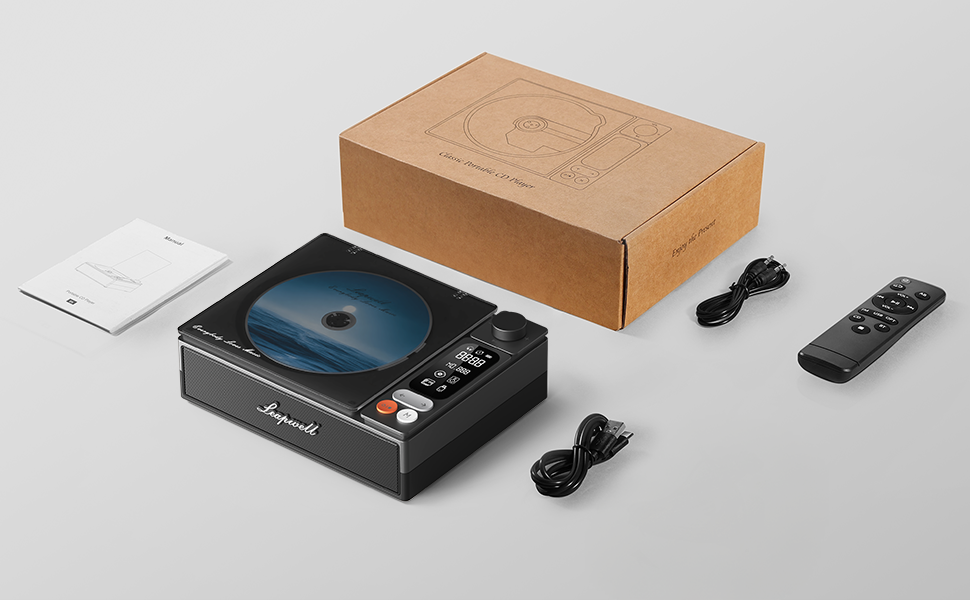
Image: All components included in the Leapwell CD Player package, including the player, remote, cables, and manual.
4. Produk Langkungview
The Leapwell L-CD202B is a compact and versatile audio device designed for various listening preferences.

Gambar: Hareupeun view of the Leapwell Portable Bluetooth Desktop CD Player with a CD inserted and the dust cover open.
Fitur konci:
- Modeu Putar 7-in-1: Supports CD Play, Bluetooth (Receive & Transmit), FM Radio, USB, AUX, AB Repeat, and Optical Mode.
- HiFi Speaker System: Features an independent sound cavity design and inner magnetic speaker unit for enhanced sound detail and bass.
- Bluetooth 5.1: Allows seamless connection to mobile phones, tablets, and external Bluetooth speakers or headphones.
- Batré anu tiasa dicas deui: Built-in USB-C fast-charging battery provides 4-5 hours of playback.
- Desain Klasik: Retro square design with a translucent CD dust cover, volume knob, and a 2.4-inch LCD display.
- Kaluaran optik: For connecting to external decoders for lossless audio.
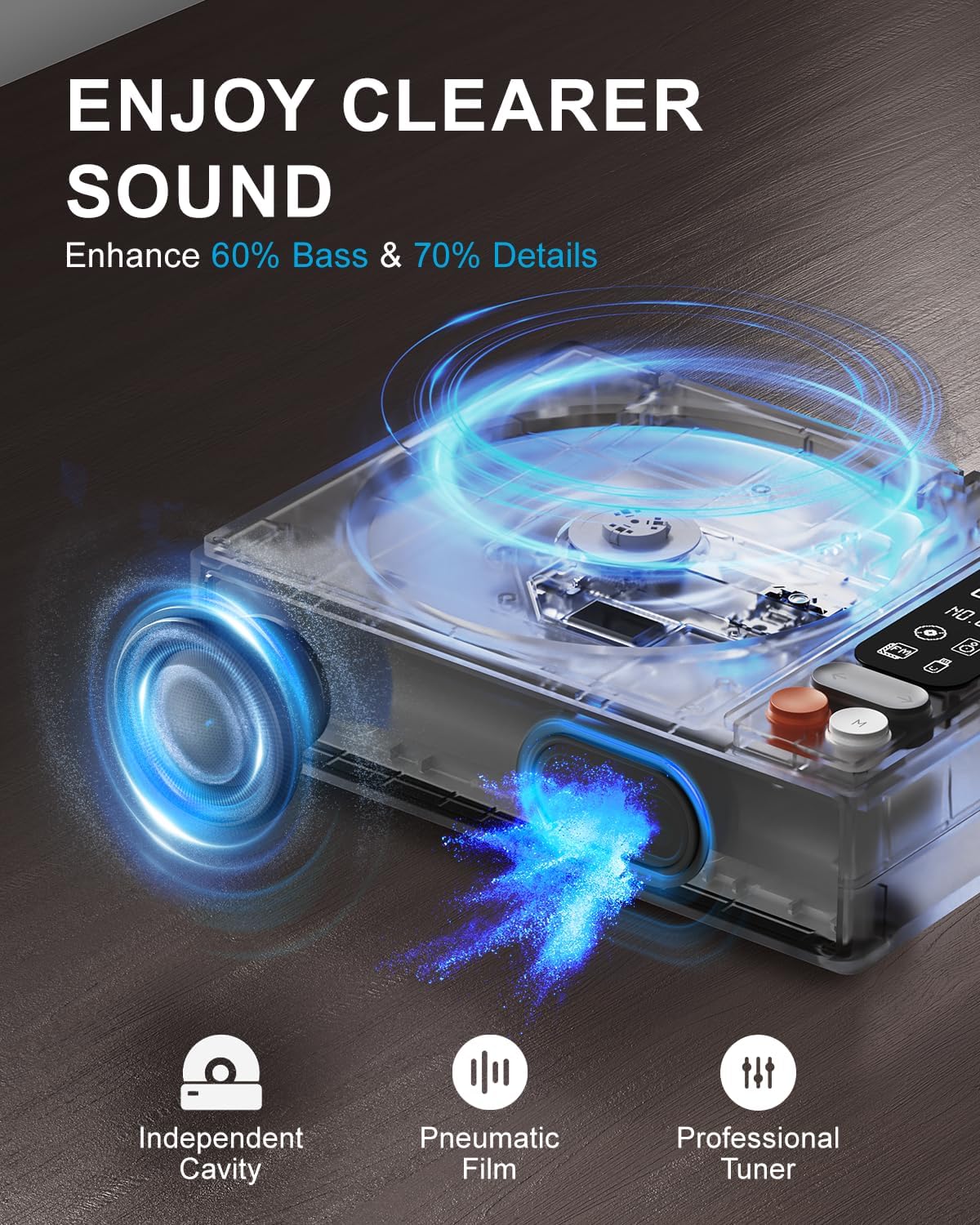
Image: Diagram illustrating the internal speaker design with independent cavity and pneumatic film for enhanced bass and sound detail.

Gambar: Deukeut view of the Leapwell CD Player highlighting its classic design, volume knob, and digital display.
5. Setélan
5.1 Ngecas Alat
Before first use, fully charge the CD player using the provided USB-C cable. Connect the USB-C end to the player's charging port and the other end to a 5V-2A USB power adapter (not included) or a computer's USB port. Charging via a computer's USB port will be slower.

Image: The Leapwell CD Player shown outdoors with battery indicators, emphasizing its portability and rechargeable battery.
5.2 Daya Hurung/Pareuman
To power on the device, press and hold the power button. To power off, press and hold the power button again.
5.3 Ngamuat CD
- Gently lift the translucent dust cover.
- Place a CD onto the spindle, ensuring it is centered and flat.
- Close the dust cover. The player will begin reading the CD automatically or after selecting CD mode.
Video: Demonstration of loading a CD into the Leapwell CD Player and initiating playback. The video also shows the Bluetooth pairing process.
6. Modeu Operasi
The Leapwell CD Player supports multiple audio playback modes. Use the 'M' (Mode) button on the device or remote control to switch between modes.
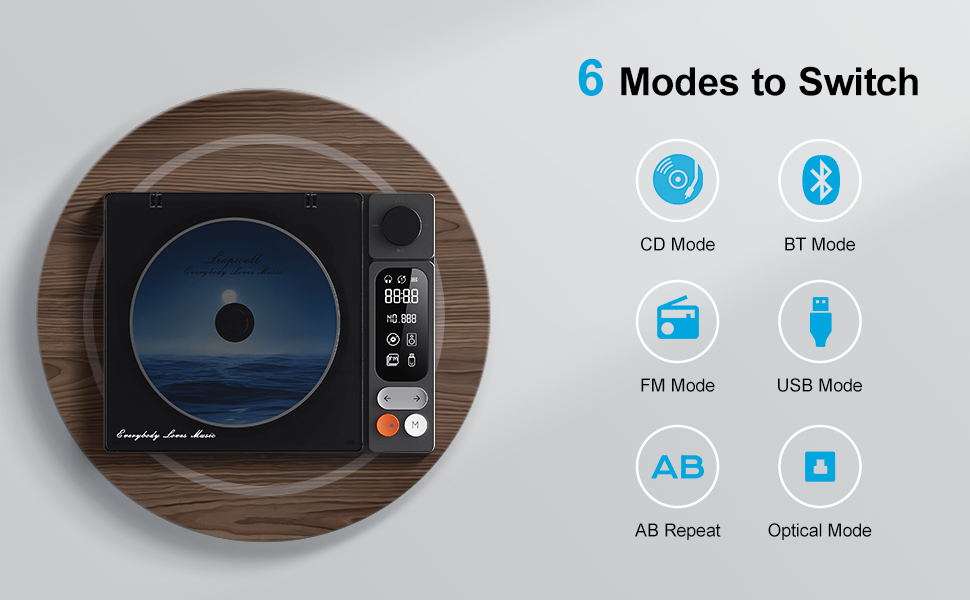
Image: Visual representation of the six main operating modes: CD, Bluetooth, FM, USB, AB Repeat, and Optical.
6.1 CD Play Mode
After loading a CD, the player will typically detect it and begin playback. Use the play/pause, next/previous track buttons, and the volume knob to control playback.
6.2 Modeu Bluetooth
The device supports both Bluetooth Receive and Transmit modes.
- Mode panarimaan: Allows you to connect your mobile phone or tablet to the CD player and use its built-in speakers for audio output. Activate Bluetooth mode on the CD player, then search for 'CD player' on your external device's Bluetooth settings and pair.
- Modeu Pangiriman: Enables the CD player to connect to external Bluetooth speakers or headphones. Activate Bluetooth mode on the CD player, then put your external Bluetooth device into pairing mode. The CD player will search and connect.

Image: A smartphone wirelessly connected to the Leapwell CD Player via Bluetooth, demonstrating the receive mode functionality.

Image: A woman enjoying music through Bluetooth headphones connected to the Leapwell CD Player, illustrating the transmit mode.
6.3 Modeu Radio FM
Switch to FM Radio mode. Use the next/previous track buttons to scan for radio stations. The display will show the current frequency.
6.4 Modeu USB
Selapkeun USB flash drive nu ngandung audio files into the USB port. The player will automatically switch to USB mode and begin playback. Use the track control buttons to navigate.
6.5 Modeu AUX
Connect an external audio device (e.g., smartphone, MP3 player) to the CD player's AUX input using the provided 3.5mm AUX cable. Switch to AUX mode to play audio from the connected device through the CD player's speakers.
6.6 AB Repeat Mode
This mode allows you to repeat a specific section of audio. During playback, press the AB Repeat button once to set point A, and press it again to set point B. The player will continuously repeat the section between A and B. Press a third time to cancel.
6.7 Optical Mode
Connect the CD player to an external decoder or amplifier via an optical fiber cable (not included) using the optical output port. Switch to Optical mode to transmit digital audio for enhanced sound quality.

Image: The Leapwell CD Player connected to an external audio amplifier using an optical cable, demonstrating the optical output feature.
7. Kadali
The CD player features intuitive controls for easy operation:
- Jilid Kenop: Puterkeun pikeun ngatur tingkat polumeu.
- Tombol Puter/Reureuh: Ngamimitian atanapi ngareureuhkeun playback.
- Tombol Lagu Saméméhna/Saméméhna: Ngaluncat ka lagu/stasion salajengna atanapi sateuacanna.
- Tombol Mode (M): Switches between different playback modes.
- Layar LCD: Displays track information, mode, time, and battery status.
- Kadali jauh: Provides convenient access to all functions from a distance of up to 15 feet.
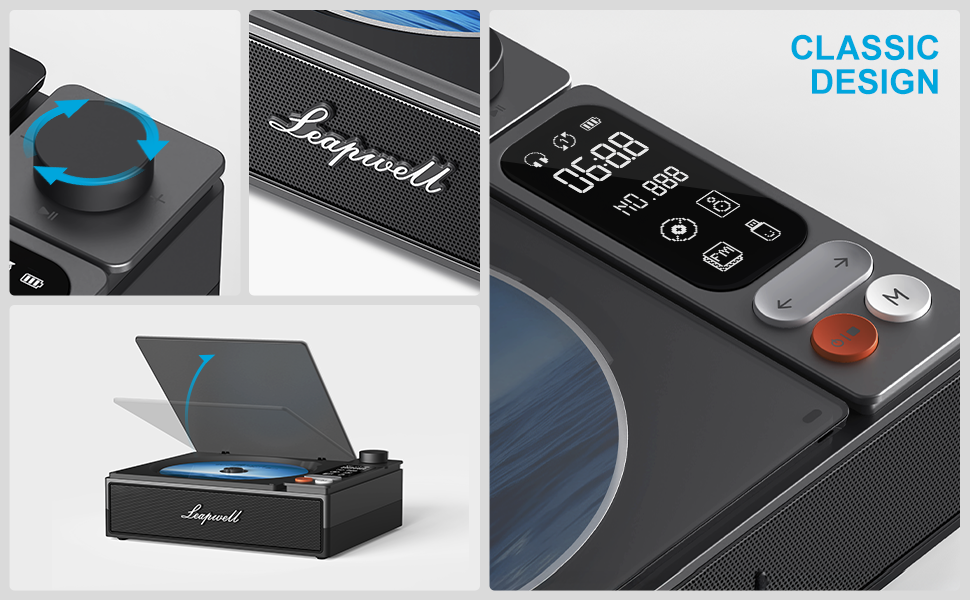
Gambar: Detil view of the control panel, including the volume knob, playback buttons, mode button, and LCD display.
8. Pangropéa
8.1 Ngabersihan Alat
Wipe the exterior of the CD player with a soft, dry cloth. Do not use liquid cleaners or abrasive materials. Keep the CD compartment free of dust and debris. Avoid touching the optical lens.
8.2 Kamanusaan sarta Studi CD
Handle CDs by their edges. Store them in their cases to prevent scratches and dust accumulation. Clean dirty CDs with a soft, lint-free cloth, wiping from the center outwards.
9. Cara ngungkulan
If you encounter issues with your Leapwell CD Player, refer to the following common problems and solutions:
- Henteu aya kakuatan: Pastikeun alat tos dieusi atanapi disambungkeun ka sumber listrik.
- CD teu diputer: Check if the CD is inserted correctly and is clean. Ensure the device is in CD Play mode.
- Henteu aya sora: Adjust the volume. Check if external speakers/headphones are properly connected or paired via Bluetooth. Ensure the correct mode is selected.
- Masalah Sambungan Bluetooth: Ensure the CD player is in Bluetooth mode and your external device's Bluetooth is enabled and in pairing mode. Try restarting both devices.
- Dupi éta tiasa dianggo nalika ngecas? Yes, it can. Please unplug the power when not in use for a long time.
- Can it connect to Bluetooth headphones? Yes, it can. It can also connect to a mobile phone and play music.
- Can it be charged via a computer's USB port? Yes, it can. However, charging will be very slow. It is recommended to use a 5V-2A adapter for charging.
10. Spésifikasi
| Dimensi produk | 7.3 x 5.7 x 2.5 inci |
| Item Beurat | 1.4 pon |
| Ngaran modél | L-CD202B |
| Warna | Hideung |
| Téhnologi konektipitas | Auxiliary, Bluetooth, Optik, USB |
| Fitur husus | Anti-Skip Protection, Auto Power-Off, Bluetooth, Portable, Rechargeable |
| Batré | 1 batré Litium Ion (kaasup) |
11. Garansi jeung Rojongan
Leapwell CD Players come with lifelong technical support and 24/7 professional customer service. For any inquiries or assistance, please contact Leapwell customer support through the official channels provided at the time of purchase or on the Leapwell websitus.


