1. Bubuka
This manual provides detailed instructions for the setup, operation, and maintenance of your GEEKOM Air12 Lite Mini PC. Please read this manual thoroughly before using the device to ensure proper functionality and longevity.
The GEEKOM Air12 Lite is a compact and efficient mini PC powered by the Intel 12th Gen Twin Lake N150 processor. It offers robust performance for various tasks, from office productivity to media streaming, and supports dual 4K displays. Its versatile connectivity, including multiple USB ports and a 9-pin serial interface, makes it suitable for both modern and legacy equipment.
2. Eusi Paket
Pastikeun yén sadaya item anu didaptarkeun di handap aya dina pakét anjeun:
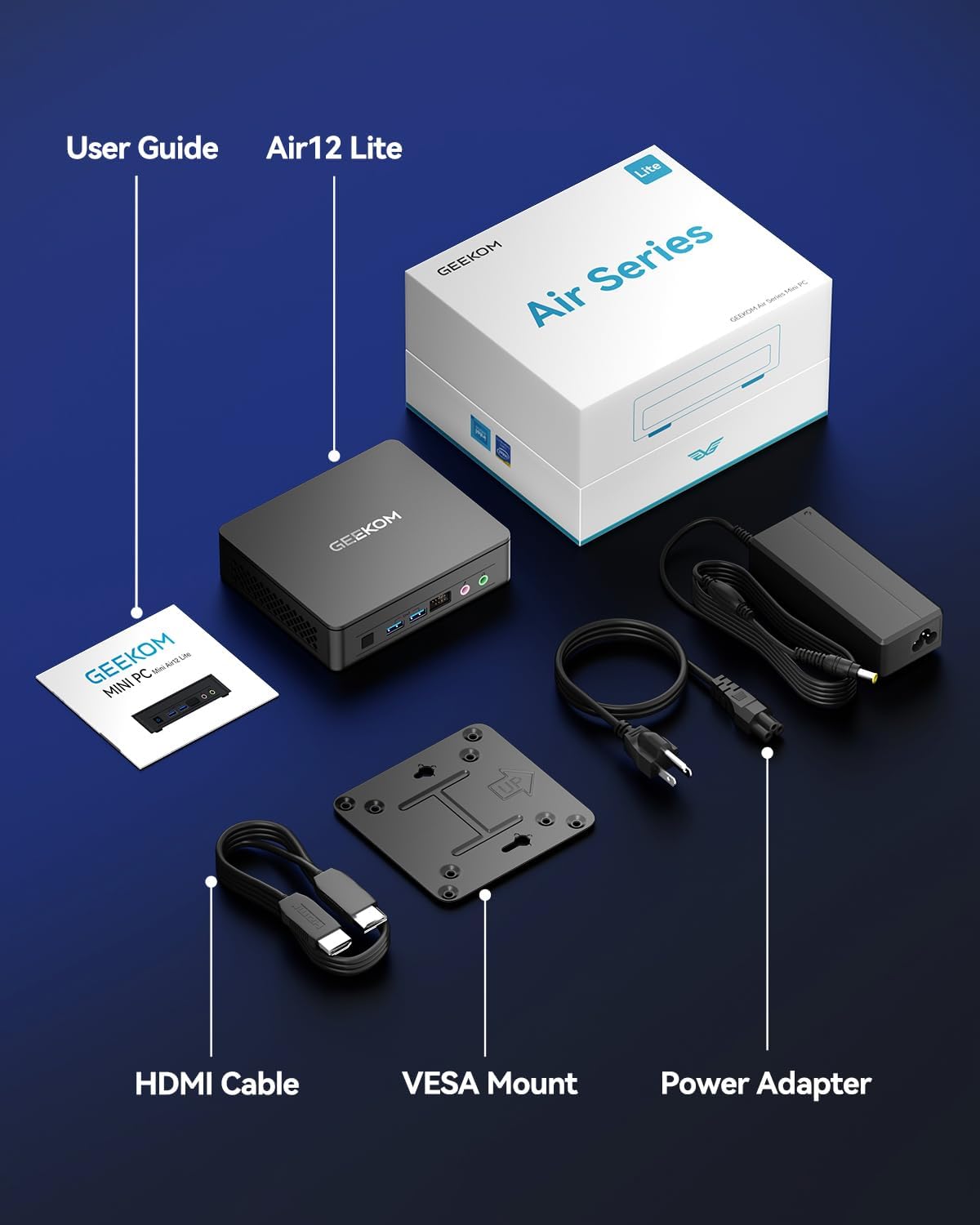
- 1 x GEEKOM Mini Air12 Lite
- 1 x Pituduh Pamaké
- 1 x Kabel HDMI
- 1 x Dudukan VESA
- 1 x adaptor kakuatan
3. Produk Langkungview
3.1 Panel payun
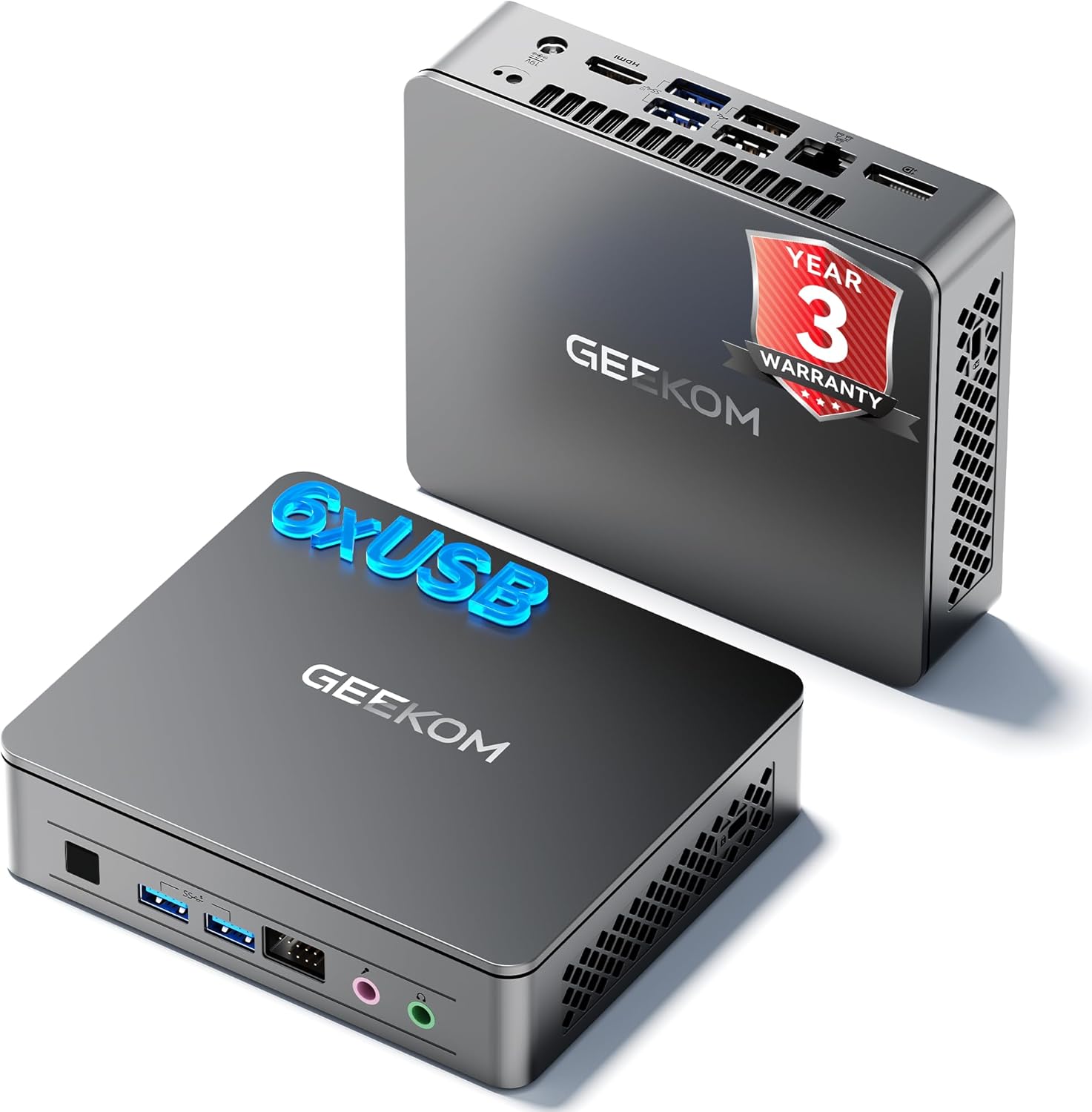
- Tombol Daya: Pencét pikeun ngahurungkeun atawa mareuman alat.
- Port USB 3.2 Gen 1 Tipe-A (x2): Pikeun nyambungkeun alat USB.
- Jack Headphone 3.5mm: Pikeun kaluaran audio.
- Soket Mikropon 3.5mm: Pikeun input audio.
- Front 9-pin Expansion Jack: For specialized peripheral connections.
3.2 Panel tukang
- Power Input (DC IN): Sambungkeun adaptor kakuatan di dieu.
- Port HDMI 2.0: Pikeun nyambungkeun ka tampilan.
- DisplayPort 1.4 (DP1.4): For connecting to a second display.
- Port USB 3.2 Gen 2 Tipe-A (x2): Pikeun alat USB-speed tinggi.
- Port USB 2.0 Tipe-A (x2): Pikeun alat USB standar.
- Port Ethernet RJ45: Pikeun sambungan jaringan kabel.
3.3 Panel Samping
- Pamaca Kartu SD: Pikeun kartu memori SD maca.
- Slot konci Kensington: Pikeun ngamankeun alatna.

4. Parentah Setup
- Sambungkeun tampilan: Connect your monitor(s) to the HDMI and/or DisplayPort on the rear panel using the provided HDMI cable or a compatible DisplayPort cable.
- Sambungkeun Periferal: Connect your keyboard, mouse, and other USB devices to the available USB ports.
- Sambungkeun Jaringan (Opsional): For a wired internet connection, connect an Ethernet cable to the RJ45 port. Alternatively, the device supports Wi-Fi.
- Sambungkeun Kakuatan: Plug the power adapter into the DC IN port on the rear panel, then plug the adapter into a power outlet.
- Daya Hurung: Pencét tombol daya dina panel hareup pikeun ngaktipkeun Mini PC.
- Setup Awal: Follow the on-screen instructions to complete the operating system setup (e.g., Windows 11).
4.1 Pamasangan Dudukan VESA
The GEEKOM Air12 Lite includes a VESA mount for attaching the Mini PC to the back of a compatible monitor or to a wall, saving desk space.
- Gantelkeun bracket VESA mount ka tukang monitor Anjeun make screws disadiakeun, aligning jeung VESA liang ningkatna.
- Geser Mini PC kana bracket nepi ka ngaklik aman kana tempatna.
5. Parentah Operasi
5.1 Daya Hurung/Pareuman
- Pikeun Ngahurungkeun: Pencét tombol daya sakali.
- Pikeun mareuman: From the operating system, select "Shut down". Alternatively, press and hold the power button for 5 seconds to force a shutdown (use only when necessary).
- Modeu Bobo: Briefly press the power button to put the PC into sleep mode. Press again to wake it up.
5.2 Setélan tampilan ganda
The Air12 Lite supports connecting two 4K displays simultaneously via its HDMI 2.0 and DisplayPort 1.4 outputs. This allows for an extended desktop experience.
- Sambungkeun monitor utama anjeun ka port HDMI.
- Connect your secondary monitor to the DisplayPort.
- Once both monitors are connected and powered on, the operating system should automatically detect them.
- Adjust display settings (resolution, orientation, extension/duplication) through your operating system's display settings.

5.3 Kasaluyuan System Operasi
The GEEKOM Air12 Lite comes with Windows pre-installed and is fully compatible with Ubuntu and other Linux distributions.
6. Pangropéa
6.1 beberesih
- Pastikeun alat dipareuman sareng dicabut colokan sateuacan beberesih.
- Use a soft, dry cloth to wipe the exterior of the Mini PC.
- Pikeun tanda pengkuh, enteng dampen lawon ku cai atawa hampang, cleaner non-abrasive.
- Avoid spraying liquids directly onto the device or into any openings.
- Use compressed air to gently clear dust from ventilation grilles.
6.2 Sistim cooling
The Air12 Lite features GEEKOM's Iceblast cooling system. To ensure optimal performance and longevity:
- Pastikeun aliran hawa di sabudeureun alatna lancar. Ulah ngahalangan liang ventilasi.
- Operate the Mini PC in a well-ventilated area.
- Regularly check and clean dust from the vents to prevent overheating.

6.3 Component Upgrades
The Air12 Lite supports tool-free upgrades for certain components. Refer to the detailed exploded view for component locations.

7. Cara ngungkulan
- Henteu aya kakuatan:
- Pastikeun adaptor kakuatan disambungkeun sacara aman ka Mini PC sareng stopkontak listrik anu tiasa dianggo.
- Pastikeun stop kontak listrik berpungsi ku cara nyolokkeun alat sejen.
- Coba colokan listrik anu béda.
- Henteu aya tampilan:
- Check that the HDMI/DisplayPort cable is securely connected to both the Mini PC and the monitor.
- Ensure the monitor is powered on and set to the correct input source (HDMI/DisplayPort).
- Coba sambungkeun ka monitor anu béda atanapi nganggo kabel anu béda.
- Performance Lambat:
- Tutup aplikasi anu teu perlu jalan di latar tukang.
- Check for available operating system updates and install them.
- Pastikeun Mini PC ngagaduhan ventilasi anu nyukupan sareng henteu panas teuing.
- Run a disk cleanup or defragmentation tool (if applicable to your storage type).
- Periferal Teu Dideteksi:
- Pastikeun periferalna disambungkeun kalayan leres kana port anu leres.
- Coba sambungkeun periferal ka port USB anu béda.
- Update or reinstall the drivers for the peripheral.
8. Spésifikasi
| Fitur | Spésifikasi |
|---|---|
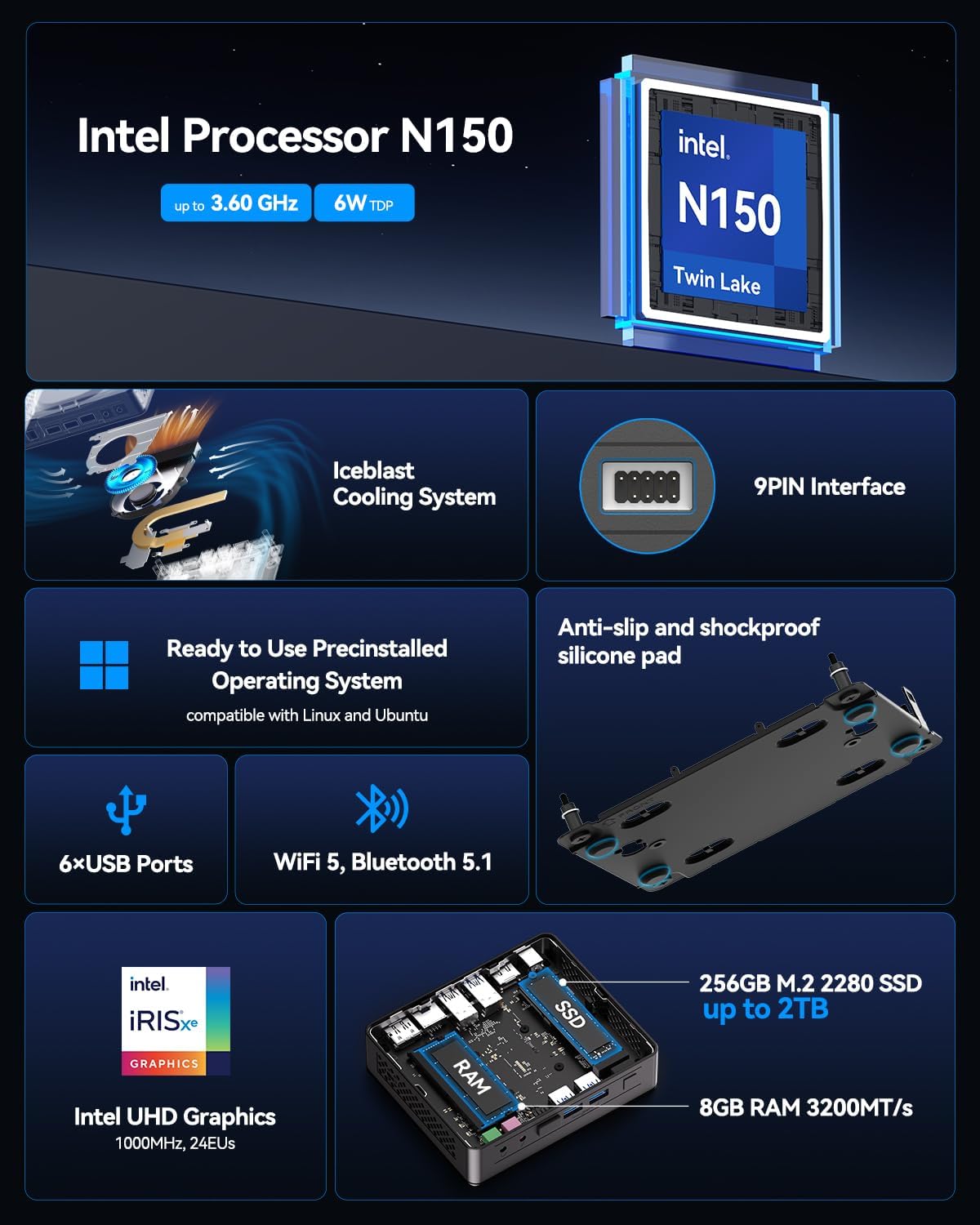
| Prosesor | Intel 12th Gen Twin Lake N150 (4 Cores / 4 Threads, up to 3.6GHz, 6MB Cache) |
| Grafika | Intel UHD Graphics (Terpadu) |
| Ram | 8GB DDR4 3200MHz SDRAM |
| Panyimpenan | 256GB M.2 2280 SSD (PCIE x 4) |
| Sistem operasi | Windows (Pre-installed), compatible with Ubuntu/Linux |
| Kaluaran Video | 1x HDMI 2.0, 1x DisplayPort 1.4 (Supports Dual 4K@60Hz) |
| palabuhan USB | 2x USB 3.2 Gen 1 Type-A (Front), 2x USB 3.2 Gen 2 Type-A (Rear), 2x USB 2.0 Type-A (Rear) |
| Palabuhan anu sanés | 1x 9-pin Serial Interface, 1x RJ45 Ethernet, 1x 3.5mm Headphone Jack, 1x 3.5mm Microphone Jack, 1x SD Card Reader |
| Konéktipitas Wireless | 802.11ax (Wi-Fi), Bluetooth 5.1 |
| Ukuran (L x W x H) | Kira-kira. 5.3 x 4.5 x 1.4 inci (13.5 x 11.5 x 3.5 cm) |
| Beurat | Kira-kira. 2.81 pon (1.27 kg) |
9. Garansi jeung Rojongan
GEEKOM provides a garansi 3 taun for the Air12 Lite Mini PC from the date of purchase. This warranty covers failures caused by design or craftsmanship.
9.1 Rojongan Palanggan
For technical assistance, warranty claims, or any other inquiries, please contact GEEKOM customer service:
- Surélék: shirley.li@geekom.tw
- Online: Kunjungi situs resmi GEEKOM website or your Amazon order page to find seller contact options.
When contacting support, please provide your product model (Air12 Lite) and purchase details to expedite assistance.


