1. Bubuka
Thank you for choosing the Baseus Qi2 Certified 15W Wireless Magnetic Power Bank. This device is designed to provide convenient and efficient charging for your compatible mobile devices, featuring both wireless and wired charging capabilities. Please read this manual thoroughly before use to ensure proper operation and to maximize the product's lifespan.

Image 1.1: The Baseus Qi2 Certified 15W Wireless Magnetic Power Bank.
2. Produk Langkungview
2.1 Eusi pakét
- Baseus Qi2 Certified 15W Wireless Magnetic Power Bank (10000mAh)
- USB-C kana Kabel Ngecas USB-C
- Manual pamaké
2.2 Fitur konci
- Qi2 Certified Wireless Charging: Provides up to 15W wireless charging for compatible devices.
- High-Speed Wired Charging: Features a USB-C port with up to 22.5W Power Delivery (PD) output.
- Attachment magnét: Strong magnetic connection compatible with MagSafe-enabled devices (iPhone 12-17 series).
- Kapasitas 10000mAh: Offers substantial power for multiple charges.
- Fitur kaamanan canggih: Equipped with AI temperature monitoring and graphene for enhanced heat dissipation, preventing overheating.
- Desain kompak sareng portabel: Pro langsingfile pikeun gampang dibawa.
- Ngeusi batre: Allows simultaneous charging of the power bank and a connected device.
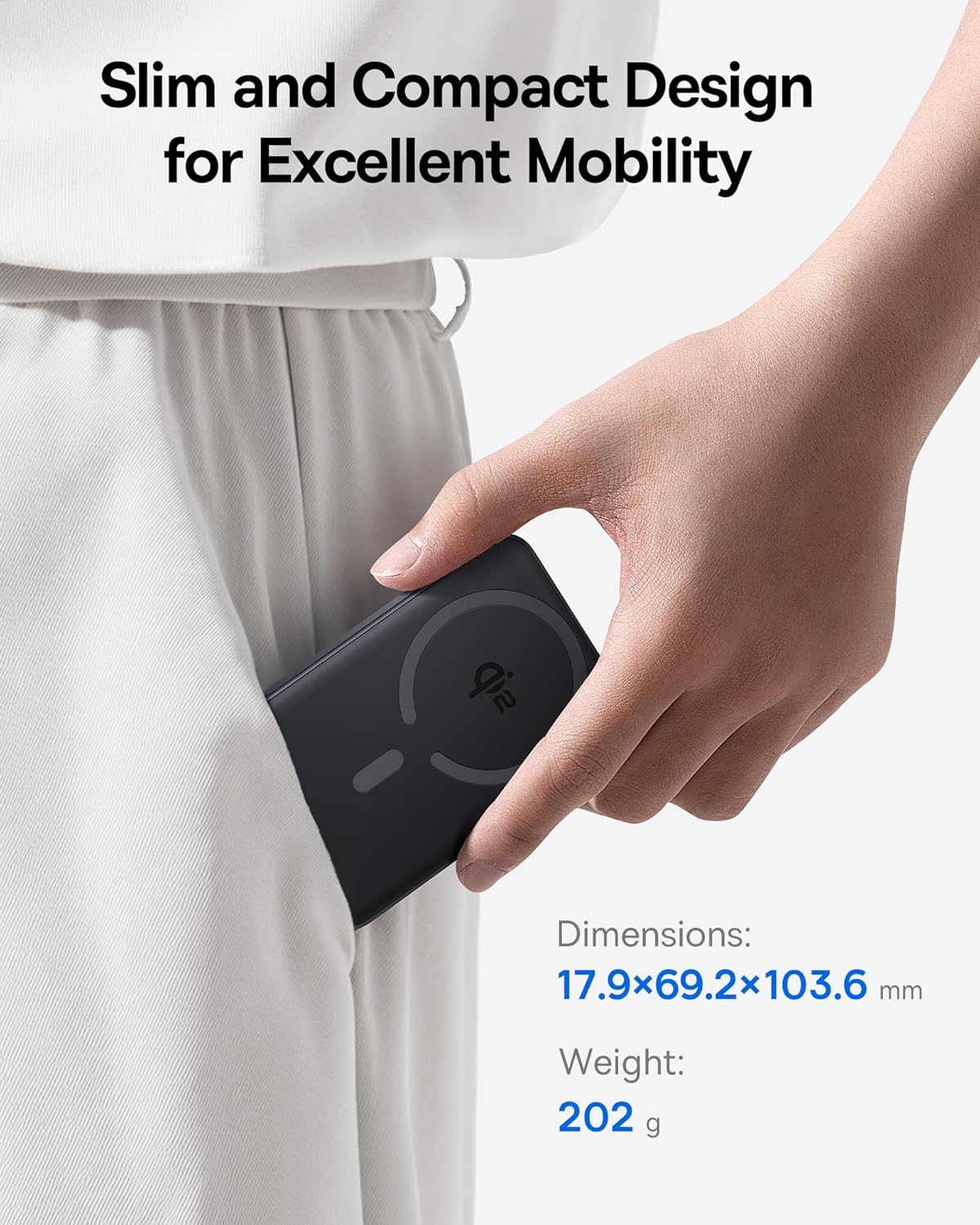
Image 2.1: The power bank's compact design allows for easy portability.
3. Setélan
3.1 Muatan Awal
- Saméméh dipaké munggaran, ngeusi batre kakuatan pinuh.
- Connect the provided USB-C cable to the power bank's USB-C port.
- Sambungkeun tungtung kabel USB-C anu sanésna kana adaptor daya USB anu cocog (henteu kalebet).
- The LED indicators on the power bank will illuminate to show the charging status. All LEDs will be solid when fully charged.
4. Parentah Operasi
4.1 Ngecas Bank Daya
To recharge the power bank, use the included USB-C cable and connect it to a power source. The power bank supports fast input charging.
4.2 Wireless Charging Your Device
- Ensure your device is compatible with MagSafe or Qi2 wireless charging (e.g., iPhone 12-17 series).
- Align the back of your compatible device with the magnetic charging area of the power bank. The magnets will snap into place, securing the connection.
- Wireless charging will begin automatically. The power bank does not require a power button for wireless charging.

Image 4.1: Wireless charging in progress, demonstrating the magnetic connection.

Image 4.2: Magnetic attachment for effortless charging.
4.3 Wired Charging Your Device
- Connect one end of the USB-C cable to the power bank's USB-C port.
- Sambungkeun ujung kabel USB-C nu sejen ka port ngecas alat Anjeun.
- Bank kakuatan bakal otomatis ngadeteksi alat nu disambungkeun tur mimitian ngecas.
4.4 Ngaliwatan Ngecas
The power bank supports pass-through charging, allowing you to charge both the power bank and a connected device simultaneously. Connect the power bank to a wall adapter, and then connect your device to the power bank via either wireless or wired connection.

Image 4.3: The power bank supports both wired and wireless charging simultaneously.
4.5 Kompatibilitas Universal

Gambar 4.4: Kasaluyuan leuwihview for wireless and wired charging.
5. Émbaran Kasalametan
To ensure safe operation and prevent damage to the device or injury, please observe the following safety guidelines:
- Ulah nepi ka power bank kakeunaan suhu anu ekstrim, sinar panonpoé langsung, atanapi seuneu.
- Ulah ngabongkar, ngaropéa, atawa ngalereskeun alat.
- Jauhkeun bank daya tina cai sareng cairan sanés.
- Hindarkeun ragrag atanapi ngagentoskeun alat kana tabrakan anu kuat.
- Anggo ngan ukur kabel sareng adaptor ngecas anu disertifikasi.
- Jauhkeun tina jangkauan barudak.
- The power bank features multiple built-in protections, including over-voltage, handapeun-voltage, overcharge, over-discharge, over-temperature, over-current, short circuit, recovery, and over-power protection.

Image 5.1: Advanced thermal management for safe charging.

Image 5.2: Comprehensive safety protections integrated into the power bank.
6. Pangropéa
Proper maintenance ensures the longevity and optimal performance of your power bank:
- Bersihkeun alat ku kaen anu lemes sareng garing. Ulah make cleaners abrasive atawa pangleyur.
- Simpen bank kakuatan dina tempat anu tiis sareng garing upami henteu dianggo.
- Upami disimpen kanggo waktos anu lami, ngecas bank daya dugi ka sakitar 50% unggal tilu bulan pikeun ngajaga kasehatan batréna.
7. Cara ngungkulan
7.1 Alat Teu Ngecas Nirkabel
- Ensure your device is Qi2 or MagSafe compatible.
- Check for proper alignment of your device on the power bank's charging surface.
- Remove any thick cases or metallic objects between your device and the power bank.
- Verify the power bank has sufficient charge.
7.2 Alat Teu Ngecas Via USB-C
- Pastikeun kabel USB-C disambungkeun pageuh kana power bank sareng alat anjeun.
- Try using a different USB-C cable to rule out cable malfunction.
- Verify the power bank has sufficient charge.
7.3 Power Bank Henteu Ngecas
- Ensure the USB-C cable is securely connected to the power bank and the wall adapter.
- Try a different wall adapter and/or USB-C cable.
- Ensure the wall adapter provides sufficient power output.
8. Spésifikasi
| Nomer modél | E00285 |
| Kapasitas batré | 10000 mAh (3.7V/37Wh) |
| Input USB-C | 5V=3A; 9V = 2.22A |
| Kaluaran USB-C | 5V=3A; 9V=2.22A; 12V=1.5A; 10V=2.25A (Max 22.5W) |
| Kaluaran nirkabel | 5W/7.5W/15W (Max 15W) |
| Total Kaluaran | 5V = 3A |
| Dimensi produk | 4.6 x 2.7 x 0.7 inci (17.9 x 69.2 x 103.6 mm) |
| Item Beurat | 8.8 ons (202g) |
| Warna | Black (also available in Moon White, Baby Pink) |
9. Garansi jeung Rojongan
Baseus products are designed and manufactured to the highest quality standards. This product is covered by a limited warranty from the date of purchase. For detailed warranty information, product support, or to register your product, please visit the official Baseus websitus atanapi ngahubungan layanan palanggan maranéhna.
Punten tahan bukti pameseran anjeun pikeun klaim garansi.


