1. Bubuka
Thank you for choosing the BUGANI OWSB11 Open Ear Wireless Bluetooth Headphones. These headphones are designed to provide a comfortable listening experience while maintaining awareness of your surroundings. Featuring advanced Bluetooth 5.4 technology, immersive HiFi sound, and an IPX5 waterproof rating, they are ideal for various activities including workouts, cycling, and daily use. This manual provides detailed instructions for setup, operation, and maintenance to ensure optimal performance and longevity of your device.

Image: BUGANI B18 Open Ear Headphones banner. This image displays the product name and a tagline, showcasing the sleek design of the headphones and charging case.
2. Eusi Paket
Mangga parios pakét kanggo barang-barang ieu:
- BUGANI OWSB11 Open Ear Wireless Bluetooth Headphones (Left & Right)
- Ngecas Case
- Kabel Ngecas USB-C
- Manual pamaké
3. Produk Langkungview
Familiarize yourself with the components of your BUGANI OWSB11 headphones and charging case.

Image: BUGANI OWSB11 Open Ear Wireless Headphones in their charging case. This image shows both earbuds securely placed within the compact charging case, ready for use or charging.
Komponén Earbud:
- Pancing Ceuli: Nyayogikeun pas anu aman sareng nyaman kana ceuli.
- Wewengkon kontrol: Touch-sensitive surface for various functions.
- Mikropon: Pikeun nelepon jeung paréntah sora.
- Indikator LED: Displays status (pairing, charging, etc.).
Komponén Kasus Ngecas:
- Port Ngecas (USB-C): Pikeun nyambungkeun kabel ngecas.
- Indikator ngecas LED: Némbongkeun status ngeusi batre kasus.
4. Ngamimitian
4.1. Ngecas Alat
For optimal performance, fully charge your headphones and charging case before first use.
- Ngecas Kasus: Connect the provided USB-C cable to the charging port on the case and to a USB power adapter (not included). The case's LED indicator will show charging status and turn solid when fully charged.
- Ngecas Earbuds: Place the earbuds into the charging case. Ensure they are correctly seated. The earbuds will automatically begin charging. The LED indicators on the earbuds will show their charging status.
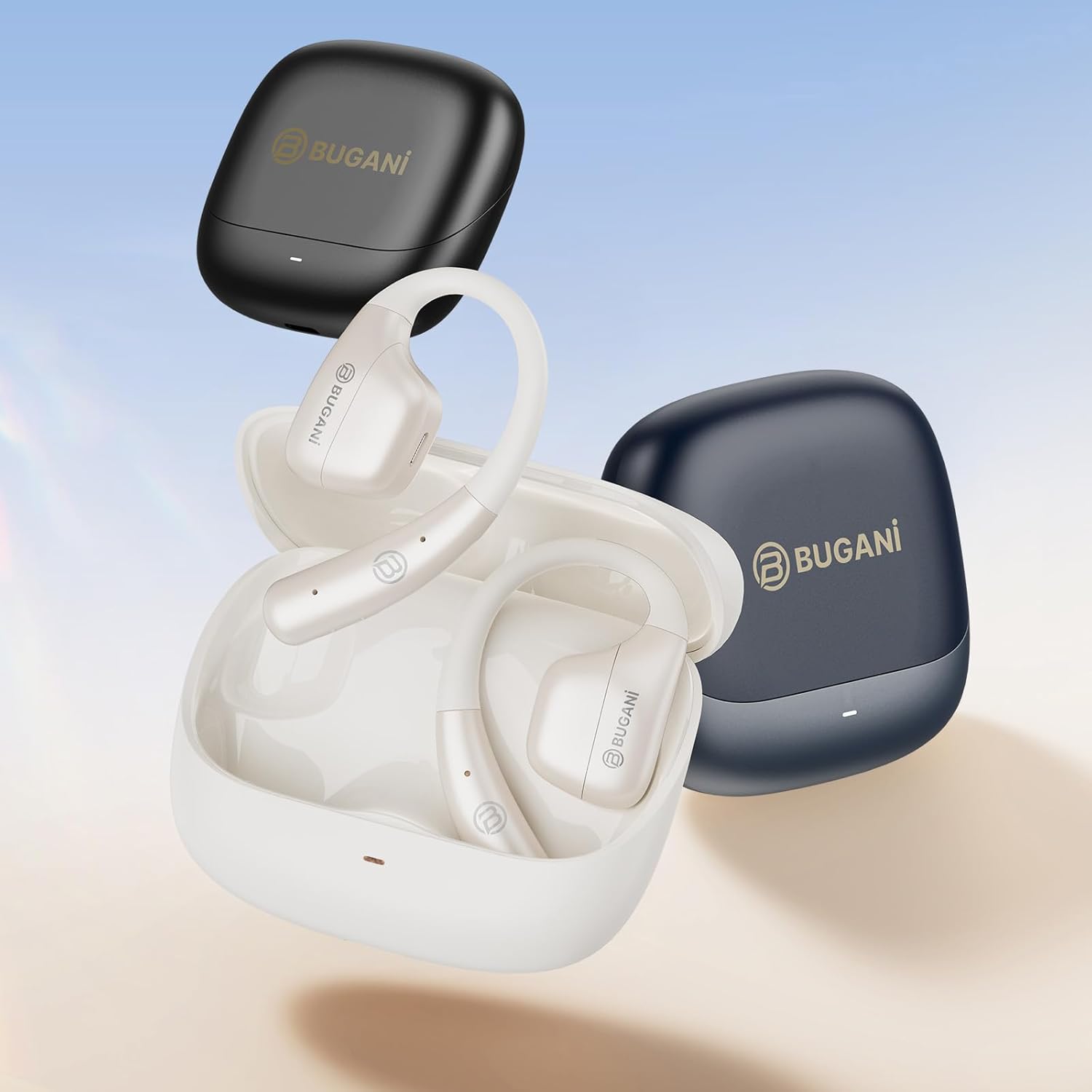
Image: An illustration showing the extended battery life cycle of the BUGANI OWSB11 headphones and charging case. This graphic highlights the 6.5 hours of music time, 1.5 hours of charging time, and 26 hours of total cycle playtime.
4.2. Powering on / Pareum
- Daya Hurung: Buka wadah ngecas, teras earbud bakal otomatis hurung. Alternatipna, pencét sareng tahan area kontrol toél dina kadua earbud salami 3 detik.
- Pareum listrik: Lebetkeun deui earbud kana wadah ngecas teras tutup. Éta bakal otomatis pareum. Alternatipna, pencét sareng tahan area kontrol toél dina dua earbud salami 5 detik.
4.3. Papasangan Bluetooth
The BUGANI OWSB11 headphones utilize Bluetooth 5.4 for a fast and stable connection.
- Papasangan Pertama Kali:
- Buka wadah ngecas. Earbud bakal otomatis asup kana modeu pairing, sareng indikator LED-na bakal kedip-kedip.
- Dina alat Anjeun (smartphone, tablet, jsb), aktipkeun Bluetooth.
- Milarian pikeun "BUGANI OWSB11" in the list of available Bluetooth devices and select it to connect.
- Once connected, the earbud LED indicators will turn off or flash slowly.
- Nyambungkeun deui: Saatos dipasangkeun awal, earbud bakal otomatis nyambung ka alat anu terakhir dipasangkeun nalika dicabut tina wadah ngecas sareng Bluetooth diaktipkeun dina alat anjeun.

Image: Diagram illustrating the Bluetooth 5.4 technology chip for stable connectivity. This image highlights the advanced Bluetooth 5.4 chip, emphasizing its role in providing a fast and reliable wireless connection.
5. Ngoperasikeun Headphone Anjeun
The touch control area on each earbud allows you to manage music playback, calls, and other functions.
5.1. Puterkeun Musik
- Puter / Reureuh: Ketok tunggal dina boh earbud.
- Lagu salajengna: Ketok dua kali dina earbud katuhu.
- Lagu Sateuacanna: Ketok dua kali dina earbud kénca.
5.2. Manajemén nelepon
- Ngajawab / mungkas Telepon: Ketok tunggal dina boh earbud.
- Nolak Telepon: Pencét jeung tahan boh earbud salila 2 detik.
5.3. Volume Control
Volume control is typically managed directly from your connected device. Some models may support earbud-based volume control; refer to specific product details if available.
5.4. Situational Awareness (Open-Ear Design)
The open-ear design of the BUGANI OWSB11 allows you to hear your audio while remaining aware of your surroundings. This feature enhances safety during outdoor activities and allows for easy conversations without removing the earbuds.

Image: A person wearing the BUGANI OWSB11 Open Ear Wireless Headphones, demonstrating the secure and comfortable fit. This image illustrates how the open-ear design sits on the ear, allowing for situational awareness.
6. Perawatan sareng Pangropéa
6.1. beberesih
Regular cleaning helps maintain the performance and hygiene of your headphones.
- Ngusap earbuds sareng wadah ngecas ku lawon anu lemes, garing, teu aya serat.
- Ulah make cleaners abrasive, alkohol, atawa pangleyur kimiawi.
- Pastikeun kontak ngecas beresih jeung garing.
6.2. Tahan cai (IPX5)
The BUGANI OWSB11 headphones are rated IPX5, meaning they are protected against low-pressure water jets from any direction. This makes them suitable for workouts and light rain.
- Ulah beuleum headphone dina cai.
- Avoid exposure to saltwater or other corrosive liquids.
- If wet, dry thoroughly before placing them back in the charging case or charging.

Image: The BUGANI OWSB11 Open Ear Wireless Headphones with water droplets, highlighting their IPX5 waterproof rating. This image visually confirms the product's resistance to sweat and splashes.
6.3. Panyimpenan
Simpen headphone dina wadah ngecas nalika henteu dianggo pikeun ngajagi sareng tetep dicas.
7. Cara ngungkulan
Upami anjeun mendakan masalah, mangga tingal solusi umum ieu:
| Masalah | Solusi anu mungkin |
|---|---|
| Earbuds teu hurung. | Ensure the charging case and earbuds are charged. Place earbuds in the case and close/open the lid. |
| Teu tiasa dipasangkeun sareng alat. | Make sure Bluetooth is enabled on your device. Ensure earbuds are in pairing mode. Forget "BUGANI OWSB11" from your device's Bluetooth list and try pairing again. |
| Taya sora ti hiji atawa duanana earbuds. | Check device volume. Ensure earbuds are properly paired. Try resetting the earbuds (refer to manufacturer's websitus pikeun parentah reset husus lamun diperlukeun). |
| Masalah ngecas. | Check the USB-C cable and power adapter. Ensure charging contacts on earbuds and case are clean and dry. |
8. Spésifikasi
Technical details of your BUGANI OWSB11 Open Ear Wireless Bluetooth Headphones:
- Jumlah modél: OWSB11
- Vérsi Bluetooth: 5.4
- Kapasitas Batré Earbud: 70mAh (masing-masing)
- Kapasitas Batré Ngecas Kasus: 500 mah
- Waktu maén Earbud: 8-10 jam (ngisi daya sakali)
- Total Waktu Maén (kalayan wadahna): Nepi ka 60 jam
- Rating waterproof: IPX5
- Beurat barang: 6.3 ons
- Ukuran Paket: 5.12 x 4.45 x 1.85 inci
9. Émbaran Kasalametan
Please read and follow these safety guidelines to prevent damage or injury:
- Ulah ngabongkar, ngalereskeun, atawa ngaropéa produk.
- Jauhkeun produk tina suhu anu ekstrim, sinar panonpoé langsung, sareng seuneu anu muka.
- Hindarkeun dengekeun dina tingkat polumeu luhur pikeun période anu panjang pikeun nyegah karusakan dédéngéan.
- Jauhkeun tina jangkauan barudak sareng piaraan.
- Buang produk sareng batré sacara tanggung jawab nurutkeun peraturan lokal.
10. Garansi jeung Rojongan
BUGANI products are designed for reliability and performance. For warranty information, technical support, or customer service inquiries, please refer to the contact information provided on the BUGANI official website or your purchase platform. Please retain your proof of purchase for warranty claims.
Pikeun pitulung salajengna, buka di BUGANI Store on Amazon.


