1. Bubuka
This manual provides detailed instructions for the setup, operation, and maintenance of your ChunHee Smart Dog Door Bells. This system is designed to assist in dog potty training by allowing your pet to signal when they need to go outside.
The package includes a receiver unit and multiple dog buttons (transmitters). The system features customizable ringtones, adjustable volume levels, and a touch-sensitive design for ease of use by dogs.
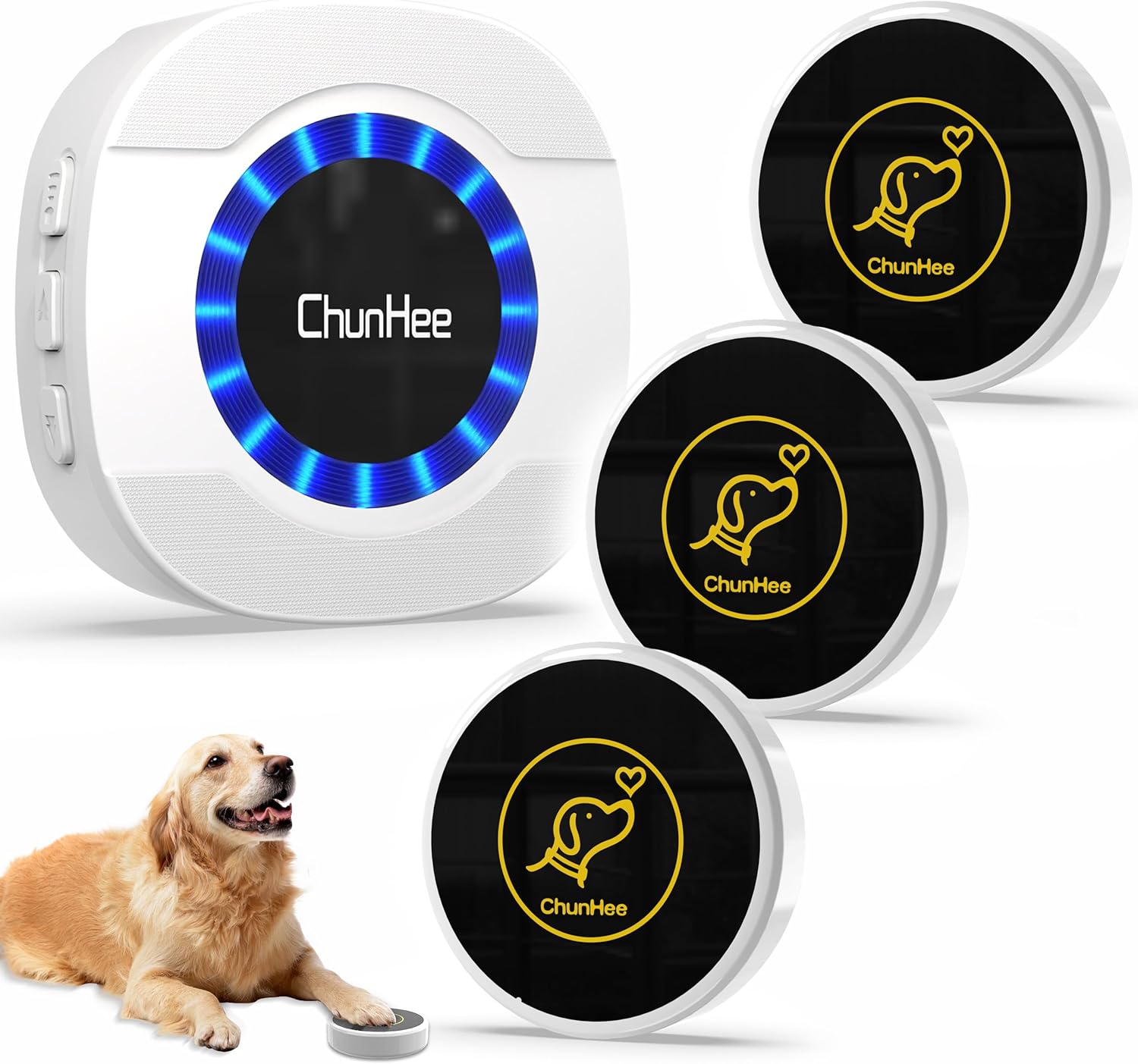
Image 1.1: ChunHee Smart Dog Door Bells System Overview
This image displays the main components of the ChunHee Smart Dog Door Bells system, including the central receiver unit and three circular dog buttons. A golden retriever is shown interacting with one of the buttons, illustrating its intended use.
2. Eusi Paket
Punten parios yén sadaya barang aya dina pakét anjeun:
- 1 x Unit panarima
- 3 x Dog Button Transmitters
- Mounting Adhesive Patches (for buttons)
- Manual pangguna (dokumén ieu)
- Pitunjuk Latihan
3. Fitur
- Nada Dering Anu Tiasa Disaluyukeun: 32 distinct sound options, including voice commands.
- Volume saluyukeun: 5 levels, ranging from 0 to 110 decibels.
- Touch-Sensitive Buttons: Large and responsive contact area for easy activation by pets.
- Hirup batré anu panjang: Buttons feature a battery life of over 3 years.
- Pamasangan Gampang: Plug-and-play receiver and adhesive-backed buttons.
- Weatherproof Buttons: IP55 rated for outdoor use, operating between -4°F and 140°F.

Image 3.1: Key Features of the Smart Dog Door Bell
This image highlights the advantages of the ChunHee Smart Dog Door Bell, including 0-110dB 5-level volume, 32 ringtones, 3-year usage time, and a smooth, one-piece design. It contrasts these with limitations of traditional dog doorbells such as non-adjustable volume, single ringtones, and potential for damage or pet injury.
4. Setélan
4.1 Pamasangan panarima
- Plug the receiver unit into a standard electrical outlet in a central location within your home.
- Ensure the outlet is easily accessible and not obstructed.
4.2 Button Installation
- Choose a suitable location for each dog button, typically near a door where your dog will signal to go outside.
- Clean the surface thoroughly to ensure proper adhesion.
- Peel the backing from the adhesive patch and firmly press the button onto the desired surface (door, wall, or floor). Ensure the adhesive does not cover any screws on the button's back if present.

Image 4.1: Button Installation Methods
This image illustrates how to install the dog button using the provided adhesive patch. Examples include mounting on a door, glass, or placing it on the floor, emphasizing the ease of installation.
4.3 Pairing Buttons with Receiver
Follow these steps to pair each dog button with the receiver:
- Colokkeun panarima kana stop kontak kakuatan.
- Press the "Forward" or "Backward" button on the receiver to select your desired melody.
- Press and hold the "Volume" button on the receiver for approximately 3 seconds until it makes a "Ding" sound and the receiver indicator light flashes.
- Within 8 seconds, touch the transmitter (dog button) quickly. The receiver will make a "Ding Ding" sound, and its indicator light will flash, confirming successful pairing.

Image 4.2: Pairing Process
This visual guide details the four steps for pairing a dog button with the receiver: plugging in the receiver, selecting a melody, holding the volume button, and then touching the dog button.
5. Parentah Operasi
5.1 Nyaluyukeun Volume
Press the "Volume" button on the side of the receiver to cycle through the 5 available volume levels (0-110 dB) and mute option. Select the volume appropriate for your household.

Image 5.1: Volume Adjustment
This image illustrates the various volume levels (110 dB, 85 dB, 65 dB, 45 dB, and Mute) that can be set on the receiver, indicating its audibility throughout a multi-story house.
5.2 Changing Ringtones/Voice Commands
Use the "Forward" and "Backward" buttons on the receiver to browse through the 32 available ringtones and voice commands. Choose a sound that is clear and distinct for your dog's training.
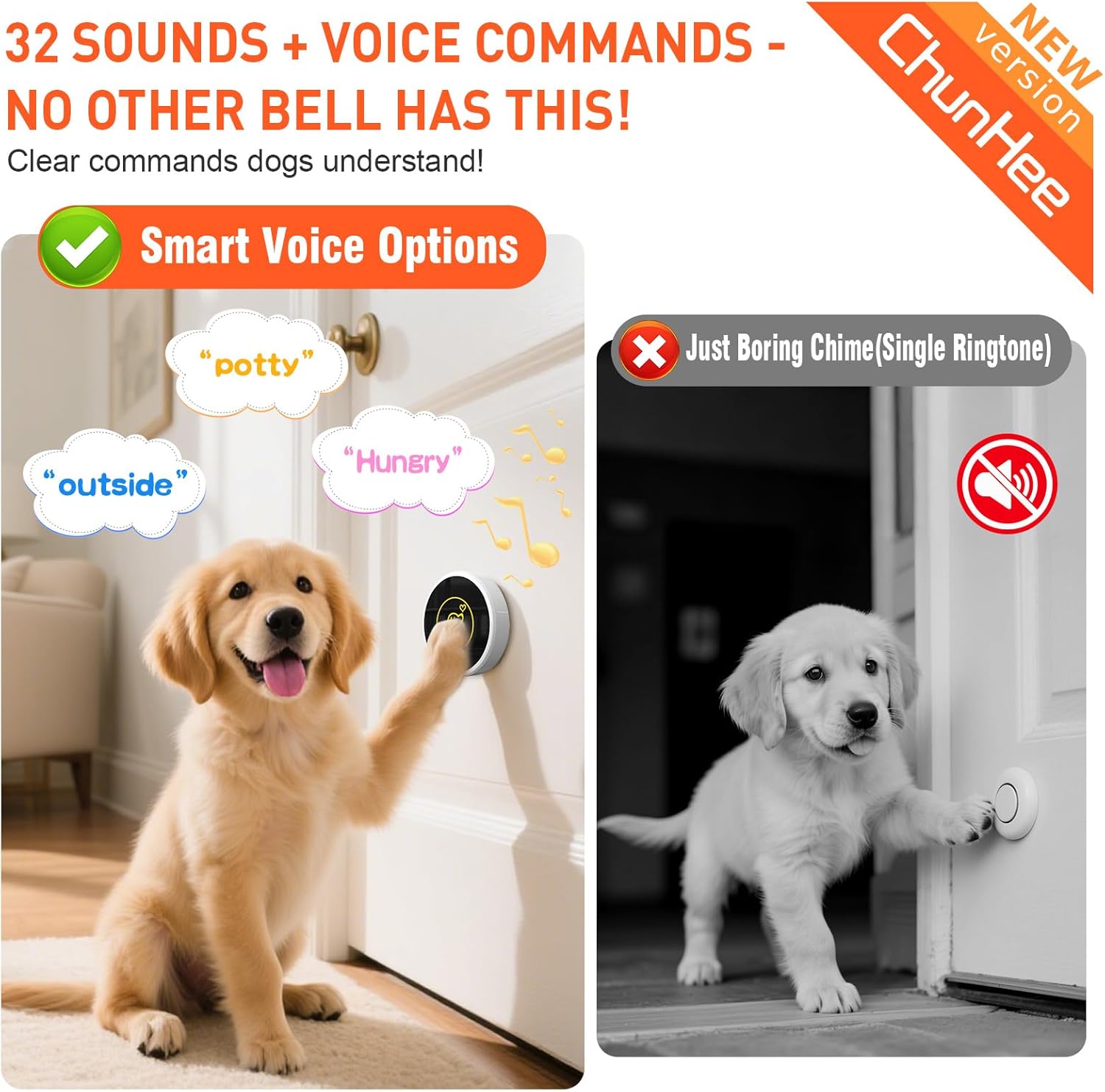
Image 5.2: Ringtones and Voice Commands
This image demonstrates the availability of 32 sounds and voice commands, such as "potty," "outside," and "hungry," which dogs can be trained to associate with their needs.
5.3 Dog Training Guidance
A dedicated training guide is included with your product to help you effectively train your dog to use the doorbells. Consistent training is key to success.
- Encourage your dog to touch the button with their paw or nose when they need to go outside.
- Reward your dog immediately after they successfully activate the button and you respond to their signal.
- The large, sensitive touch area of the button is designed for easy activation by pets.

Image 5.3: Training Guidance
This image shows a person guiding a dog to press the doorbell button, emphasizing that a training guide is included to facilitate faster learning for pets.
6. Pangropéa
6.1 Battery Replacement (Buttons)
The dog buttons use CR2032 batteries, which typically last over 3 years. When the button's performance diminishes or it stops responding, replace the battery:
- Carefully open the back cover of the dog button.
- Leupaskeun batré CR2032 heubeul.
- Selapkeun batré CR2032 anyar, mastikeun polaritasna bener.
- Tutup panutup tukang kalawan aman.

Image 6.1: Battery Type and Life
This image displays a ChunHee dog button alongside a CR2032 battery, highlighting the product's 2-3 year battery life and the use of common, easily replaceable batteries.
6.2 beberesih
Wipe the receiver and buttons with a soft, dry cloth. Avoid using abrasive cleaners or solvents, as these can damage the product's finish or internal components. The buttons are IP55 weatherproof, but direct exposure to high-pressure water jets should be avoided.
7. Cara ngungkulan
- Button not ringing the receiver:
- Check if the receiver is plugged in and powered on.
- Ensure the receiver's volume is not set to mute.
- Verify that the button is within range of the receiver (typically up to 1000 feet in open air, but walls and obstacles can reduce range).
- Replace the battery in the dog button (CR2032).
- Re-pair the button with the receiver following the steps in Section 4.3.
- Receiver not sounding:
- Confirm the receiver is securely plugged into a working power outlet.
- Adjust the volume level (refer to Section 5.1).
- Ensure the button is paired correctly (refer to Section 4.3).
- Button is difficult for dog to activate:
- Ensure the button is placed at an appropriate height for your dog.
- Re-evaluate your training method; consistent positive reinforcement is crucial.
- The button is designed to be sensitive; ensure no debris is obstructing the touch area.
8. Spésifikasi
| Nomer modél | CC15WH-CB09BL 3-2 US |
| Item Beurat | 0.3 Kilogram (10.6 ons) |
| Ukuran Paket | 4.96 x 4.21 x 3.46 inci |
| Ngaran Brand | ChunHee |
| Produsén | ChunHee |
| Button Battery Type | CR2032 |
| Peunteun Weatherproof | IP55 |
| Suhu Operasi | -4°F nepi ka 140°F |
9. Garansi jeung Rojongan
For warranty information or technical support, please refer to the contact details provided on the product packaging or visit the official ChunHee websitus. Simpen resi pameseran anjeun pikeun klaim jaminan.


