1. Bubuka
This manual provides detailed instructions for the safe and efficient use of your Gembird TWST-01-W Transparent Bluetooth Earbuds. These earbuds feature a unique transparent design, offering up to 4 hours of listening time per charge. Key functionalities include automatic music muting for incoming calls, an LCD battery indicator, and a color-changing backlight. Please read this manual thoroughly before operating the device.
2. Eusi Paket
Pastikeun sadaya item anu didaptarkeun di handap aya dina pakét anjeun:
- Gembird TWST-01-W Transparent Bluetooth Earbuds (Left and Right)
- Ngecas Case
- Charging Cable or Connector
- Instruksi Manual
3. Produk Langkungview
Familiarize yourself with the components of your Gembird TWST-01-W earbuds.

Gambar 3.1: The Gembird TWST-01-W Transparent Bluetooth Earbuds shown within their charging case. The case features a clear design, revealing the internal components and an LCD display indicating battery levels for both earbuds (L and R) and the case itself.
Fitur konci:
- Desain transparan: Unique clear housing for both earbuds and charging case.
- Ngadangukeun Anu Diperpanjang: Up to 4 hours of continuous listening per charge.
- Manajemén Telepon: Automatically mutes music for incoming calls.
- Indikator batré: LCD display on the charging case shows battery levels.
- Lampu tukang dinamis: Charging case features a color-changing backlight.
- Kontrol Toél: Intuitive touch-sensitive controls for various functions.
- Tahan cai: Dirancang pikeun tahan cipratan sareng késang.
4. Setélan
4.1 Ngecas Awal
Saméméh dipaké munggaran, eusian pinuh ku earbuds jeung wadah ngecas.
- Tempatkeun duanana earbuds kana kotak ngeusian.
- Sambungkeun kabel ngecas kana port ngecas dina casing sareng kana sumber daya USB.
- The LCD display on the case will show the charging status. Allow sufficient time for a full charge.

Gambar 4.1: Samping view of the Gembird TWST-01-W charging case, highlighting its transparent construction and the integrated LCD battery display. The charging port is typically located at the bottom or rear of the case.
4.2 Nyapasangkeun Bluetooth
Pikeun nyambungkeun earbud anjeun ka alat:
- Pastikeun yén earbuds dieusi sareng disimpen dina wadah ngecas.
- Buka wadah ngecas. Earbud bakal otomatis asup kana modeu pairing (ditunjukkeun ku lampu kedip-kedip dina earbud).
- Dina alat Anjeun (smartphone, tablet, jsb), buka setelan Bluetooth jeung ngahurungkeun Bluetooth.
- Milarian pikeun available devices and select "Gembird TWST-01-W" from the list.
- Sakali disambungkeun, earbud bakal nunjukkeun pasangan anu suksés (contona, aya paréntah sora atanapi lampu anu tetep).
- Pikeun pamakean saterasna, earbuds bakal otomatis nyambung ka alat anu dipasangkeun terakhir nalika dikaluarkeun tina wadahna.
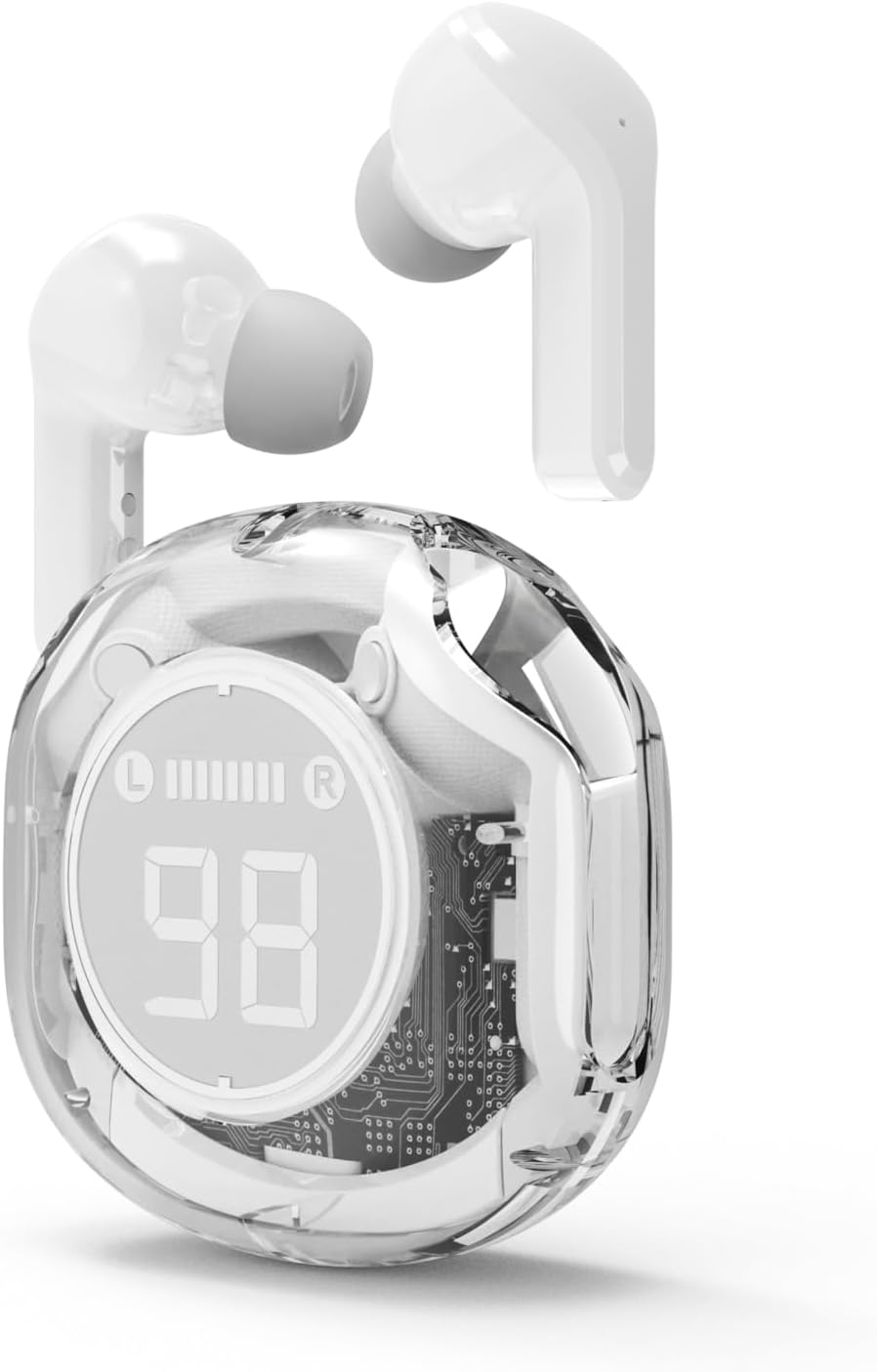
Gambar 4.2: The Gembird TWST-01-W Transparent Bluetooth Earbuds shown outside their charging case, ready for use or pairing. The transparent design of the earbuds themselves is visible.
5. Parentah Operasi
The Gembird TWST-01-W earbuds utilize touch controls. Specific gestures may vary slightly; refer to the quick start guide included in your package for precise commands.
| Fungsi | Aksi (Kontrol Toél) |
|---|---|
| Daya Hurungkeun | Kaluarkeun tina wadah ngecas. |
| Daya Pareum | Lebetkeun deui kana wadah ngecas. |
| Puter/Reureuh Musik | Ketok tunggal dina boh earbud. |
| Lagu salajengna | Ketok dua kali dina earbud katuhu. |
| Lagu saméméhna | Ketok dua kali dina earbud kénca. |
| Ngajawab / mungkas Telepon | Ketok tunggal dina boh earbud nalika aya telepon asup. |
| Nolak Telepon | Pencet jeung tahan boh earbud salila 2 detik dina mangsa telepon asup. |
| Aktipkeun Asisten Sora | Triple tap on either earbud (functionality depends on device support). |
Note: Touch control sensitivity and specific functions may vary. Experiment to find the optimal touch points.
6. Ngecas
6.1 Ngecas Earbuds
To charge the earbuds, simply place them into their designated slots within the charging case. Ensure the charging contacts align. The LCD display on the case will show the individual battery levels of the left (L) and right (R) earbuds.
6.2 Ngecas Casing
When the charging case battery is low, connect the provided charging cable to the case's charging port and to a standard USB power adapter (not included) or a computer's USB port. The LCD display will show the charging progress of the case. The color-changing backlight indicates active charging.
A full charge for the case typically takes a few hours. The earbuds provide up to 4 hours of listening time, and the fully charged case can provide multiple additional charges, extending total playback time.
7. Pangropéa
7.1 beberesih
- Anggo lawon anu lemes, garing, henteu lint pikeun ngabersihan earbuds sareng wadah ngecas.
- Ulah make cleaners abrasive, alkohol, atawa pangleyur kimiawi.
- Bersihkeun kontak pangisi daya dina earbud sareng wadahna sacara saksama pikeun mastikeun sambunganna leres.
7.2 Panyimpenan
- Simpen earbuds dina wadah ngecas nalika henteu dianggo pikeun ngajagi sareng tetep dicas.
- Ulah disimpen dina suhu anu ekstrim (panas atanapi tiis) atanapi dina lingkungan anu lembab pisan.
7.3 Tahan cai
The earbuds are water resistant, meaning they can withstand splashes and sweat. They are not designed for submersion in water. Do not use them while swimming or showering. Ensure the earbuds are dry before placing them back into the charging case to prevent damage.
8. Cara ngungkulan
Upami anjeun mendakan masalah, cobian solusi ieu:
| Masalah | Solusi |
|---|---|
| Earbuds teu dipasangkeun |
|
| Teu aya sora ti hiji earbud |
|
| Masalah ngecas |
|
| Kualitas audio goréng |
|
9. Spésifikasi
| Fitur | Rincian |
|---|---|
| Modél | TWST-01-W |
| merek | Manuk permata |
| Bahan | palastik |
| Beurat | 80 g |
| Jenis Batré | Lithium Ion (1 AAAA battery included) |
| Waktos Dengekeun | Dugi ka 4 jam per muatan |
| Métode kontrol | Toél |
| Speaker Diaméterna | 5 cm |
| Tahan cai | Water resistant (splash and sweat proof) |
| Konektipitas | Bluetooth (USB for charging) |
| Dianjurkeun Paké | jero rohangan |
10. Garansi jeung Rojongan
Your Gembird TWST-01-W Transparent Bluetooth Earbuds come with a jaminan tilu taun against manufacturing defects. This warranty covers defects in materials and workmanship under normal use.
For warranty claims or technical support, please contact your retailer or the official Gembird support channels. Keep your proof of purchase for warranty validation.


