Bubuka
The MCHOSE Mix 87 is a wired magnetic switch TKL gaming keyboard designed for high-performance gaming and efficient daily use. It features advanced Hall effect switches, rapid trigger technology, and extensive customization options to enhance your computing experience.

Figure 1: MCHOSE Mix 87 Magnetic Switch Rapid Trigger Gaming Keyboard (Red variant).
Naon dina Box
- MCHOSE Mix 87 Keyboard
- USB-C Wired Cable
- Keycap Puller
- Manual pamaké
- Saklar Tambahan (2 buah)
Disetél
- Buka bungkus kibor: Carefully remove the MCHOSE Mix 87 keyboard and all accessories from the packaging.
- Sambungkeun kabel USB: Insert the USB-C end of the provided cable into the keyboard's USB-C port. Connect the other end (USB-A) to an available USB port on your computer.
- Pangenal Sistim: Your computer should automatically detect and install the necessary drivers for the keyboard. No additional software download is required for basic functionality.
- Tés awal: Buka éditor téks atanapi panyungsi teras cobian ngetik pikeun mastikeun sadaya konci fungsina leres.

Figure 2: MCHOSE Mix 87 keyboard connected via USB-C to a computer setup.
Parentah Operasi
Fitur konci na Performance
- Téhnologi Pemicu Gancang (RT): The Mix 87 supports Rapid Trigger, allowing keys to react instantly upon actuation and reset immediately upon release. This feature is crucial for competitive gaming, enabling faster repeated inputs.
- Aktuasi anu tiasa disaluyukeun: Equipped with Hall effect Apollo magnetic switches, the keyboard offers ultra-precise 0.001 mm adjustment of the trigger point, ranging from 0.01-3.4 mm. Key travel is dynamically calibrated with each trigger.
- Tingkat Polling Ultra-Luhur: Experience minimal input latency with an 8000 Hz polling rate and a 256K ultra-high scan rate, ensuring every keystroke is registered with extreme speed.
- Advanced Gaming Functions: Supports SOCD (Simultaneous Opposite Cardinal Directions), DKS (Dynamic Keystrokes), MT (Macro Toggle), TGL (Toggle), and RS (Rapid Stop) functions for enhanced control and customization beyond traditional macros.

Figure 3: Visual representation of the MCHOSE Mix 87's high performance metrics including 0.001mm precision and 8K Hz polling rate.
Layout and Controls
The Mix 87 features a compact 80% TKL (Tenkeyless) layout with 87 keys, balancing functionality with a smaller footprint. It includes a multi-function knob and three practical function keys.
- Knob multi-fungsi: Located on the top right, this knob primarily controls volume.
- Tombol Fungsi: Three dedicated keys provide quick access to:
- One-click return to desktop (customizable)
- Mode switching (e.g., gaming/office)
- Adjusting light brightness
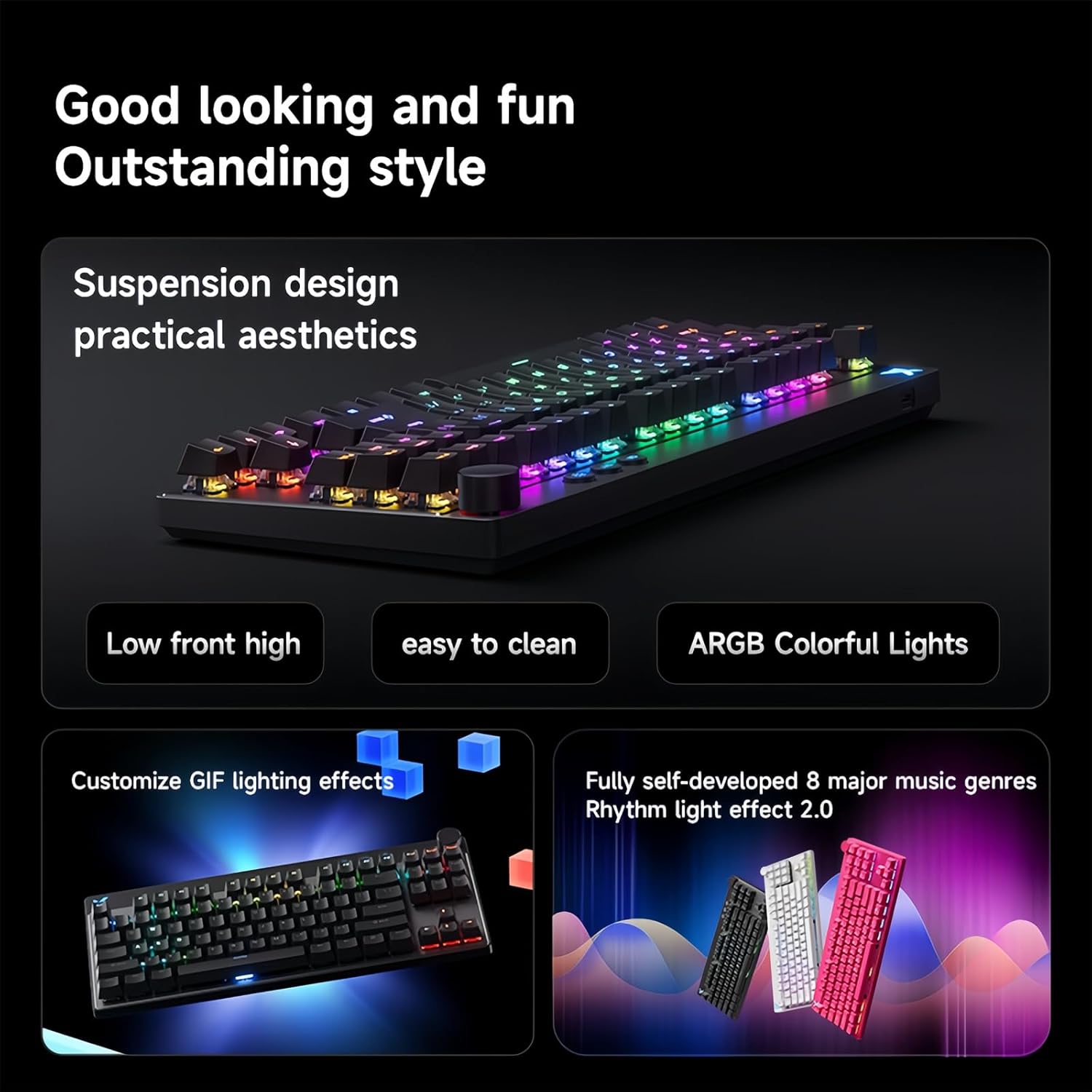
Figure 4: The MCHOSE Mix 87 keyboard seamlessly transitions between office and game modes.
Kustomisasi Lampu Latar RGB
The keyboard features 16 million colors with north-facing LEDs. You can personalize lighting effects using FN shortcut keys or the websupir anu dumasar kana.
- FN Shortcut Keys: Use combinations of the FN key with other keys to cycle through various lighting modes, adjust brightness, and change colors. Refer to the included quick start guide for specific combinations.
- Music Rhythm Support: The RGB lighting can be synchronized with music for an immersive experience.

Figure 5: MCHOSE Mix 87 keyboard showcasing éfék cahaya RGB na anu caang.
Bisa diprogram Web Driver (MCHOSE HUB)
The MCHOSE Mix 87 supports customization via a web-based HUB driver, eliminating the need for software downloads. This ensures compatibility across various operating systems.
- Accessing the Driver: Kunjungi MCHOSE resmi websitus pikeun ngakses web-alat konfigurasi dumasar.
- Pilihan Kustomisasi: Within the driver, you can:
- Personalize individual key functions.
- Adjust actuation points for each key.
- Configure macros and advanced gaming functions.
- Sesuaikeun épék sareng kacaangan lampu RGB.
Figure 6: Screenshot of the MCHOSE HUB web-based driver for advanced keyboard settings.
Pangropéa
- Ngabersihan Keycaps: Anggo alat panyabutan konci anu disayogikeun pikeun nyabut konci sacara saksama. Bersihkeun nganggo lap anu lemesamp lawon jeung sabun hampang lamun perlu. Pastikeun aranjeunna tos rengse garing saméméh reattaching.
- Ngabersihan awak keyboard: Use a soft, lint-free cloth to wipe down the keyboard body. For dust between keys, use compressed air.
- Pangropéa switch: The Hall effect switches are designed for durability. Avoid exposing them to excessive moisture or dust.
Pamérésan masalah
- Keyboard Teu Ngabales:
- Pastikeun kabel USB-C disambungkeun sacara aman ka kibor sareng komputer.
- Coba sambungkeun kibor ka port USB anu béda dina komputer anjeun.
- Nguji keyboard dina komputer sejen pikeun ngaluarkeun masalah husus sistem.
- Lampu RGB Teu Jalan/Salah:
- Check FN key combinations for lighting control (refer to quick start guide).
- Pastikeun kibor disambungkeun leres sareng nampi kakuatan.
- Access the MCHOSE HUB web driver to verify lighting settings.
- Keys Not Actuating Correctly:
- Verify actuation point settings in the MCHOSE HUB web supir.
- Ensure no debris is obstructing the switch mechanism.
- If a specific switch is faulty, replace it with one of the provided extra switches using the keycap/switch puller.
spésifikasi
| Ngaran modél | Mix 87 Keyboard |
| Sambungan | Kabel USB-C |
| Jumlah konci | 87 keys (80% TKL Layout) |
| Pindah Tipe | Hall Effect Apollo Magnetic Switch |
| Aktuasi adjustable | 0.01-3.4 mm (0.001 mm precision) |
| Laju Scan | 256K |
| Laju Polling | 8K Hz |
| Latén | 0.08 ms |
| Lampu tukang RGB | 16 million colors, North-facing LEDs |
| Struktur | Gasket Mount Keyboard |
| NKRO | Dirojong |
| Kasaluyuan Sistim | Windows / Mac / ios / Android |
| Dimensi produk | 14.1 x 6 x 1.4 inci |
| Item Beurat | 2 pon |
Video Produk Resmi
Video 1: Hiji leuwihview of the MCHOSE Mix 87 TKL Wired Magnetic Keyboard, demonstrating its features and functionality.
Garansi sareng Rojongan
For warranty information, technical support, or further assistance, please refer to the official MCHOSE websitus atanapi ngahubungan layanan palanggan maranéhanana langsung. Simpen resi pameseran anjeun pikeun klaim jaminan.


