1. Bubuka
Thank you for choosing the Pro Breeze 40L Smart Dehumidifier. This manual provides important information regarding the safe operation, installation, use, and maintenance of your appliance. Please read this manual thoroughly before use and retain it for future reference.
This dehumidifier is designed to efficiently remove excess moisture from the air, helping to prevent mold, mildew, and condensation in spaces up to 50 m².
2. Parentah Kasalametan penting
Salawasna turutan pancegahan kaamanan dasar nalika nganggo alat-alat listrik pikeun ngirangan résiko kahuruan, kejutan listrik, sareng tatu.
- Baca sagala parentah taliti saméméh operasi alat.
- Pastikeun voltage dituduhkeun dina labél rating cocog vol mains Anjeuntage.
- Entong neuleumkeun alat, kabel listrik, atanapi nyolok kana cai atanapi cairan sanés.
- Do not operate the appliance with a damaged cord or plug, or after it malfunctions or has been dropped or damaged in any manner.
- Jauhkeun alat tina jangkauan barudak sareng piaraan.
- Always unplug the appliance when not in use, before cleaning, or before moving.
- Pastikeun alat disimpen dina permukaan datar anu stabil.
- Ulah meungpeuk inlets hawa atawa outlet. Jaga jarak sahenteuna 20 cm di sabudeureun unit.
- Perkakas ieu kanggo panggunaan jero rohangan wungkul.
- Do not use in bathrooms or other excessively humid environments where water may splash onto the unit.
3. Produk Langkungview
3.1 Komponén
The Pro Breeze 40L Smart Dehumidifier features a compact design with integrated controls and a water tank. It includes a continuous drainage option and mobility wheels for easy placement.
Gambar: Hareupeun view of the Pro Breeze 40L Smart Dehumidifier, highlighting its dimensions (52cm height, 28cm depth, 35.5cm width) and key features like smart app control, laundry mode, 5.5L tank, and low energy consumption.
3.2 Panel kontrol jeung tampilan
The dehumidifier is equipped with an intuitive touch control panel and an LED display for easy operation and monitoring of humidity levels.

Image: A hand interacting with the touch control panel of the dehumidifier, showing the digital display and various function buttons.
4. Setélan
4.1 Ngabongkar bungkusan
- Sacara saksama piceun dehumidifier tina bungkusanna.
- Cabut sadaya bahan bungkusan, kalebet pilem atanapi pita pelindung.
- Pariksa alatna pikeun tanda-tanda karusakan. Upami ruksak, ulah dioperasikeun sareng hubungi dukungan palanggan.
4.2 Nempatkeun
Place the dehumidifier on a firm, level surface in the desired room. Ensure there is at least 20 cm of clear space around all sides of the unit to allow for proper airflow.

Image: A person easily moving the dehumidifier across a wooden floor in a living room, demonstrating its portability with four swivel wheels.
4.3 Sambungan Daya
Plug the power cord into a grounded electrical outlet. Ensure the outlet meets the power requirements specified in the 'Specifications' section.
4.4 Drainase Kontinyu (Opsional)
For continuous operation without needing to empty the water tank, attach the included drainage hose. Connect one end to the drainage port on the back of the unit and the other end to a suitable drain or container that is lower than the drainage port.

Gambar: Deukeut view of the dehumidifier's side, showing the continuous drainage hose connected and leading to a floor drain.
5. Parentah Operasi
5.1 Daya Hurung/Pareuman
Pencét éta Kakuatan tombol dina panel kontrol pikeun ngahurungkeun atanapi mareuman unit.
5.2 Nyetel kalembaban anu dipikahoyong
The dehumidifier features an automatic sensor that continuously measures room humidity. Use the Kalembaban buttons to set your desired humidity level between 30% and 80%.

Image: A family relaxing in a living room with the dehumidifier operating. An overlay illustrates the humidity indicator lights: Blue for >50% (Low), Green for 50-70% (Medium), and Red for <70% (High).
5.3 Modeu operasi
- Modeu otomatis: The unit will automatically adjust its operation to maintain the set humidity level.
- Mode Kontinyu: The dehumidifier will operate continuously regardless of the humidity level, ideal for very damp kaayaan.
- Mode cucian: This mode is designed to accelerate the drying of clothes indoors by running at maximum fan speed and continuous dehumidification.
- Modeu Bobo: Reduces fan speed and dims the display for quiet operation during the night.

Image: A woman smiling while placing clothes on a drying rack next to the dehumidifier, illustrating the accelerated laundry drying feature.

Image: A family watching television in a dimly lit living room, with the dehumidifier operating quietly in the foreground, indicating its silent operation and night mode features.
5.4 Fungsi Timer
Ngagunakeun éta Timer button to set a 24-hour timer for automatic power on or off. This allows you to schedule operation according to your needs.

Image: A close-up of a smartphone screen displaying the Pro Breeze app's 24-hour timer function, allowing users to schedule the dehumidifier's operation.
6. Konéktivitas Wi-Fi sareng Kontrol Aplikasi
The Pro Breeze 40L Smart Dehumidifier can be controlled remotely via the free Pro Breeze app, compatible with both Alexa and Google Home.
6.1 Pamasangan Aplikasi sareng Papasangan
- Download the Pro Breeze app from your smartphone's app store.
- Follow the in-app instructions to create an account and pair your dehumidifier.
- Ensure your dehumidifier is powered on and your smartphone is connected to a 2.4GHz Wi-Fi network during the pairing process.
6.2 Fitur Remote Control
Ngaliwatan aplikasi, anjeun tiasa:
- Hurungkeun / pareumkeun dehumidifier.
- Adjust humidity settings.
- Select operating modes (Auto, Continuous, Laundry, Sleep).
- Set and manage the 24-hour timer.
- Monitor current room humidity.

Image: A woman using a smartphone to control the dehumidifier, with icons for Amazon Alexa and Google Home indicating voice control compatibility.
7. Pangropéa
Pangropéa rutin ngajamin kinerja optimal sareng umur panjang dehumidifier anjeun.
7.1 Ngabersihan Saringan Udara
Saringan hawa kedah dibersihkeun unggal dua minggu atanapi langkung sering gumantung kana panggunaan sareng kualitas hawa.
- Pareuman sareng cabut dehumidifier.
- Cabut saringan hawa tina bagian tukang unit.
- Ngumbah saringan ku cai haneut, sabun. Bilas sacara saksama sareng ngantepkeun hawa dugi ka garing sateuacan diselapkeun deui.
- Do not operate the dehumidifier without the filter installed.
7.2 Ngosongkeun sareng Ngabersihkeun Tangki Cai
When the water tank is full, the unit will automatically shut off and an indicator light will illuminate. Empty the tank and clean it regularly to prevent mold and bacteria growth.
- Taliti tarik kaluar tank cai ti hareup unit.
- Tuang kaluar cai dikumpulkeun.
- Clean the tank with mild detergent and water. Rinse thoroughly.
- Reinsert the dry tank firmly into the dehumidifier.

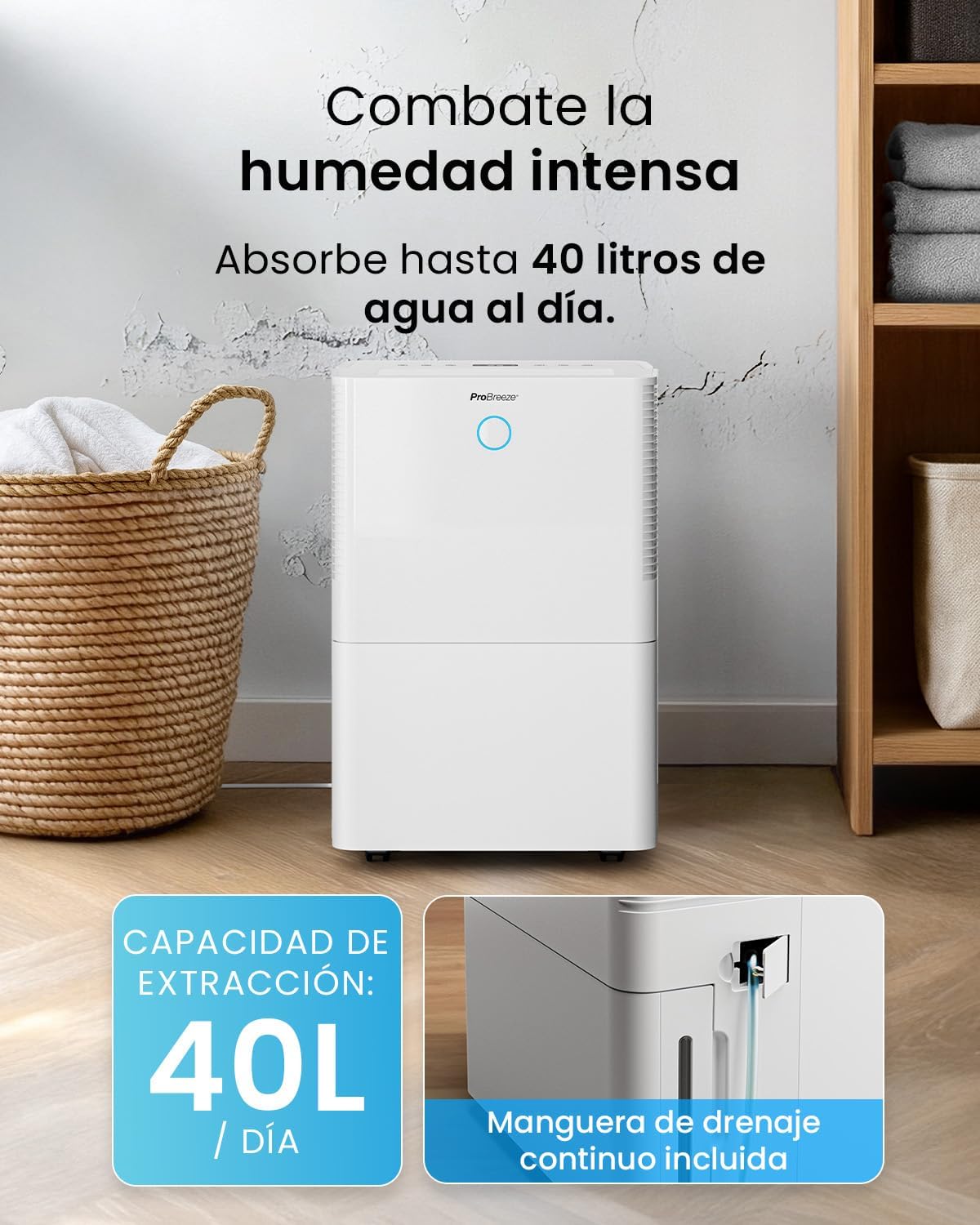
Image: The dehumidifier in operation, with an overlay indicating its 40L/day extraction capacity and the continuous drainage hose option.
7.3 beberesih éksternal
Ngusap bagian luar tina dehumidifier ku lemes, damp lawon. Ulah make cleaners abrasive atawa pangleyur.
8. Cara ngungkulan
If you encounter issues with your dehumidifier, refer to the following table before contacting customer support.
| Masalah | Mungkin Cukang lantaranana | Solusi |
|---|---|---|
| Dehumidifier teu hurung. | No power; Power cord not plugged in; Water tank full or not correctly inserted. | Pariksa catu daya; Colokkeun kabel daya; Kosongkeun teras pasang deui tangki cai kalayan leres. |
| Taya cai dikumpulkeun. | Room humidity too low; Temperature too low; Air filter blocked; Continuous drainage hose connected. | Increase desired humidity setting; Ensure room temperature is above 5°C; Clean air filter; Disconnect continuous drainage hose if collecting water in tank. |
| Unit ribut. | Unit not on a level surface; Air filter blocked; Fan obstruction. | Tempatkeun dina permukaan anu datar sareng stabil; Bersihkeun saringan hawa; Pariksa aya anu ngahalangan di daérah kipas. |
| Masalah sambungan Wi-Fi. | Sandi Wi-Fi salah; Teu nyambung ka jaringan 2.4GHz; Router jauh teuing. | Verify password; Connect to 2.4GHz Wi-Fi; Move unit closer to router or use a Wi-Fi extender. |
9. Spésifikasi
- merek: Pro angin ngahiliwir
- Ngaran modél: PB-D-32W-W
- Moisture Extraction: Nepi ka 40 Liter / dinten
- Kapasitas Tangki Cai: 5.3 liter
- Ukuran Kamar Disarankeun: Nepi ka 50 m² (538 sq ft)
- Ukuran (L x W x H): 27.5 x 35.5 x 52.2 cm
- beurat: 16.36 kg
- Jumlah Laju: 3
- Fitur husus: Smart App Control, Automatic Humidity Sensor, Automatic Shut-off, 24-hour Timer, Laundry Mode, Sleep Mode, Continuous Drainage
- Tingkat Noise: <49dB
10. Garansi jeung Rojongan
For warranty information and customer support, please refer to the documentation included with your purchase or visit the official Pro Breeze website. Ensure you have your model number (PB-D-32W-W) and proof of purchase available when contacting support.
Pabrikan: Hiji Grup Retail


