1. Bubuka
Thank you for choosing BUGANI Buds True Wireless Earbuds. This manual provides detailed instructions on how to set up, operate, and maintain your earbuds to ensure optimal performance and longevity. Please read this manual thoroughly before using the product.
2. Eusi Paket
- 1 pair of BUGANI B09 True Wireless Earbuds
- 1 Kabel Ngecas USB-C
- 3 pairs of Eartips (S, M, L)
- 3 pairs of Silicone Ear Hooks (S, M, L)
- 1 Pitunjuk Pamaké
3. Produk Langkungview
Familiarize yourself with the components of your BUGANI Buds.
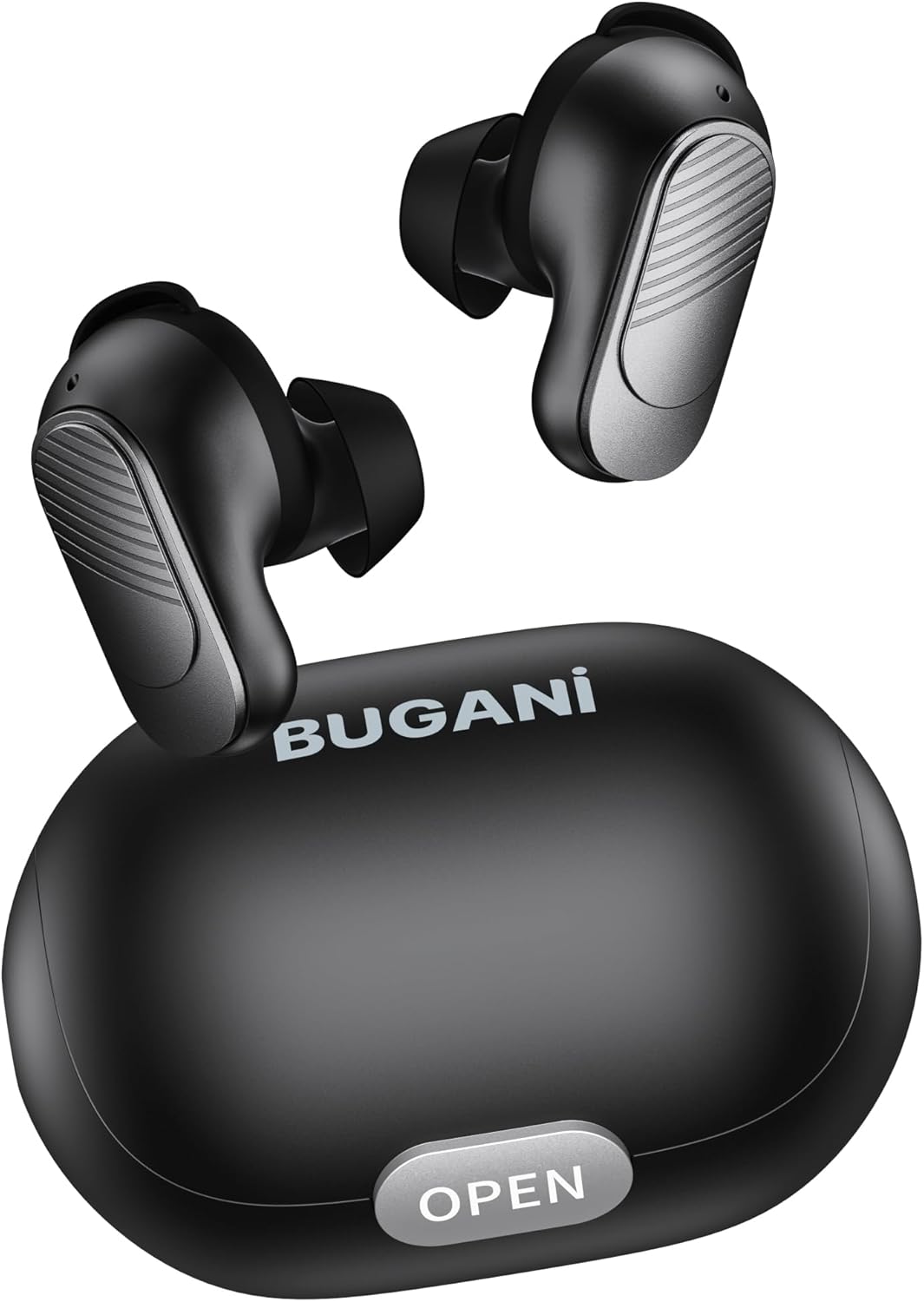
Image: BUGANI Buds True Wireless Earbuds with their charging case. The earbuds are black with silver accents, and the case is a sleek black oval shape with an "OPEN" button.

Image: An exploded diagram showing the internal components of a BUGANI Bud earbud, highlighting the driver and circuit board for enhanced sound quality.

Image: Illustration demonstrating the battery life of BUGANI Buds. It shows 6 hours of playback on a single charge and an additional 24 hours with the charging case, totaling 30 hours.

Image: A woman using BUGANI Buds during a phone call, with an inset showing the earbud and the "MIC" label, indicating the dual microphone for clear calls.

Image: A woman exercising while wearing BUGANI Buds, with an overlay showing the IPX6 water resistance icon, signifying protection against sweat and splashes.

Image: A woman wearing BUGANI Buds, with insets highlighting the lightweight design (3.9g) and the ergonomic fit with proper ear wingtips for comfort.
4. Setélan
4.1 Ngecas Awal
Before first use, fully charge the earbuds and the charging case. Connect the USB-C charging cable to the charging port on the case and a power source. The indicator lights on the case will show charging status.
4.2 Choosing the Right Eartips
Select the eartips (S, M, L) and silicone ear hooks that provide the most comfortable and secure fit for your ears. A proper seal is crucial for optimal sound quality and noise isolation.
5. Parentah Operasi
5.1 Daya Hurung/Pareuman
- Daya Hurung: Buka wadah ngecas, sareng earbuds bakal otomatis hurung.
- Pareum listrik: Teundeun earbuds deui kana wadah ngecas sareng tutup tutupna. Aranjeunna bakal otomatis pareum sareng ngawitan ngecas.
5.2 Nyapasangkeun Bluetooth
- Pastikeun earbud aya dina wadah ngecas sareng tutupna dibuka.
- Dina alat Anjeun (smartphone, tablet, jsb), aktipkeun Bluetooth.
- Milarian pikeun "BUGANI Buds" in the list of available Bluetooth devices.
- Select "BUGANI Buds" to connect. Once connected, you will hear a confirmation tone.
- Earbuds bakal otomatis nyambung deui ka alat dipasangkeun panungtungan sawaktos nyandak kaluar tina wadahna, upami Bluetooth diaktipkeun dina alat.
5.3 Kontrol Toél
The BUGANI Buds feature intuitive touch controls on each earbud:
| Aksi | Earbud kénca | Earbud Katuhu |
|---|---|---|
| Play / Reureuh | Ketok Tunggal | Ketok Tunggal |
| Lagu salajengna | Ketok dua kali | |
| Lagu saméméhna | Ketok dua kali | |
| Ngajawab / mungkas Telepon | Ketok Tunggal | Ketok Tunggal |
| Nolak Telepon | Pencét Panjang (2s) | Pencét Panjang (2s) |
| Aktipkeun Asisten Sora | Ketok Triple | Ketok Triple |
5.4 Ngecas Earbuds sareng Case
- Earbuds: Lebetkeun earbud kana wadah ngecas. Éta bakal otomatis dicas.
- Kasus ngecas: Connect the USB-C cable to the charging port on the case and a USB power adapter (not included). The indicator lights will show the charging status.
6. Pangropéa
- Bersihkeun earbud sareng wadah ngecas sacara rutin nganggo lawon anu lemes sareng garing.
- Ulah make cleaners abrasive atawa pangleyur.
- Keep the charging contacts on both the earbuds and the case clean to ensure proper charging.
- Simpen earbuds dina wadah ngecas nalika henteu dianggo pikeun ngajagi sareng tetep dicas.
- Ulah nepi ka earbud kakeunaan suhu anu ekstrim, kalembaban, atanapi sinar panonpoé langsung.
- While IPX6 water-resistant, do not immerse the earbuds in water.
7. Cara ngungkulan
| Masalah | Solusi anu mungkin |
|---|---|
| Earbuds teu dipasangkeun |
|
| Ngan hiji earbud jalan |
|
| Kualitas sora goréng |
|
| Earbuds teu ngecas |
|
8. Spésifikasi
| Fitur | Rincian |
|---|---|
| Ngaran modél | B09 |
| merek | BUGANI |
| Téhnologi konektipitas | Nirkabel (Bluetooth 5.3) |
| Téknologi Komunikasi Nirkabel | Bluetooth |
| Tipe Kontrol | Toél Control |
| Tingkat Résistansi Cai | IPX6 (Tahan cai) |
| Rentang Frékuénsi | 20 Hz - 20,000 Hz |
| Komposisi batré | Litium-ion |
| Batré Rechargeable | Sumuhun |
| Panempatan Ceuli | Dina-Ceuli |
| Faktor Bentuk | Dina-Ceuli |
| Bahan | palastik |
| Warna | Hideung |
| ASIN | B0FBRKTKTS |
9. Garansi jeung Rojongan
For warranty information and technical support, please refer to the official BUGANI websitus atanapi ngahubungan layanan palanggan maranéhna. Simpen resi pameseran anjeun pikeun klaim jaminan.
Return Policy: This product typically has a 30-day refund/replacement return policy.
Manufacturer: BUGANI


