1. Bubuka
This manual provides essential information for setting up, operating, and maintaining your NIMO 17.3 Gaming Laptop. Please read this manual thoroughly to ensure proper usage and to maximize the performance and longevity of your device. Keep this manual for future reference.

Gambar 1.1: Hareupeun view of the NIMO 17.3 Gaming Laptop. The laptop features a large display, a full-sized keyboard, and a sleek design.
2. Eusi Paket
Pastikeun yén sadaya item aya dina bungkusan:
- 1 x NIMO 17.3 Gaming Laptop (Model Nimo N175)
- 1 x Type-C 100W PD Fast Charger
- 1 x Manual Pamaké (dokumén ieu)
- Windows 11 Home Operating System (pre-installed)
3. Produk Langkungview
3.1. External Components and Ports
Familiarize yourself with the various ports and components of your NIMO laptop:
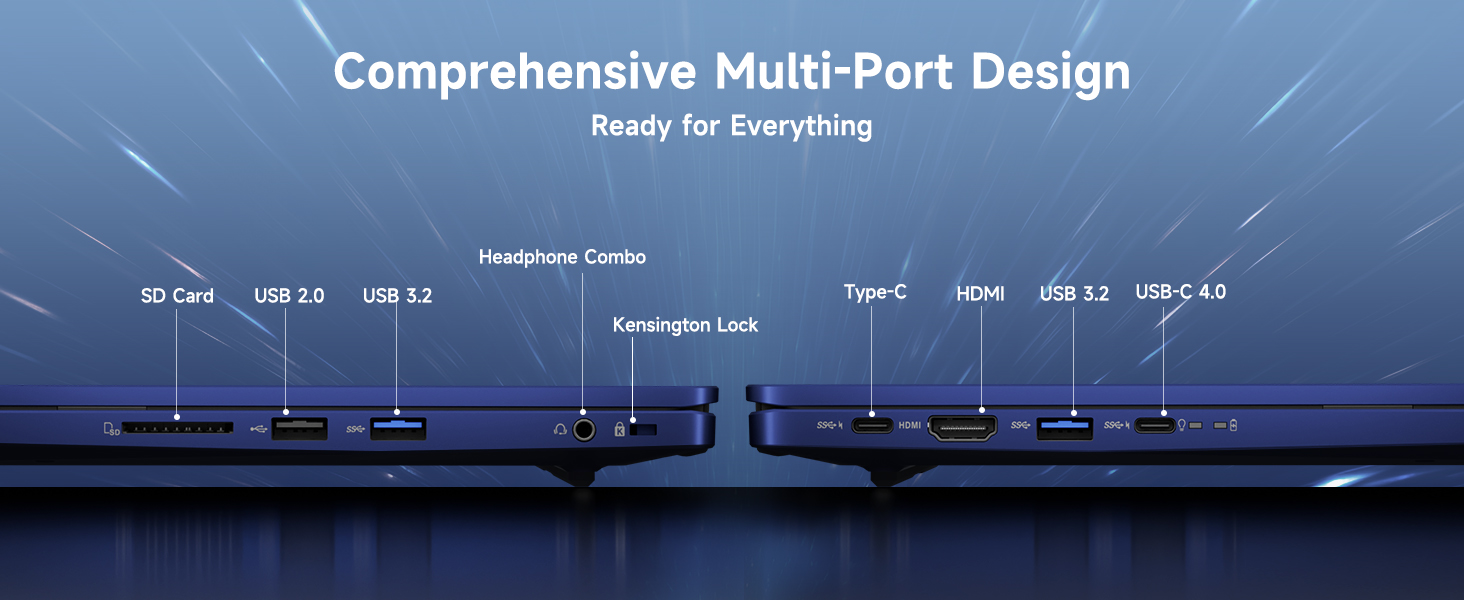
Gambar 3.1: Leuwihview of the comprehensive multi-port design on the NIMO laptop. Ports include SD Card reader, USB 2.0, USB 3.2, Headphone Combo jack, Kensington Lock slot, Type-C, HDMI, and USB-C 4.0.
- Sisi kénca: SD Card Reader, USB 2.0 Port, USB 3.2 Port, Headphone Combo Jack, Kensington Lock Slot.
- Sisi katuhu: Type-C Port, HDMI Port, USB 3.2 Port, USB-C 4.0 Port.
- Top (Display): terpadu Webcam with Privacy Switch.
- kibor: Backlit Keyboard, Fingerprint Reader (integrated into power button or touchpad area).
4. Setélan
4.1. Daya Awal Hurung
- Connect the 100W Type-C PD Fast Charger to the laptop's USB-C port and a power outlet.
- Buka tutup léptop.
- Pencét tombol daya pikeun ngahurungkeun laptop.
- Follow the on-screen instructions to complete the Windows 11 initial setup, including language, region, network connection, and user account creation.
4.2. Nyambungkeun périferal
Use the available USB ports (USB 2.0, USB 3.2, USB-C 4.0) to connect external devices such as a mouse, keyboard, or external storage drives. The HDMI port allows connection to an external monitor or TV.
4.3. Sambungan jaringan
During initial setup, you will be prompted to connect to a Wi-Fi network. You can also manage network settings via Windows Settings > Network & Internet.
5. Parentah Operasi
5.1. Manajemén kakuatan
- Hurungkeun/Pareuman: Pencét tombol daya pikeun ngahurungkeun. Pikeun mareuman, klik tombol Mimitian, teras Daya > Pareuman.
- Modeu Bobo: Tutupkeun panutupna atanapi klik tombol Mimitian, teras Daya > Sare.
- Uihan deui: Klik tombol Mimitian, teras Daya > Mimitian Deui.
5.2. Ngagunakeun Kibor sareng Touchpad
The laptop features a full-sized keyboard with a numeric keypad and a precision touchpad. The keyboard is backlit for use in low-light conditions. Adjust backlight settings via function keys (refer to your specific model's key layout).
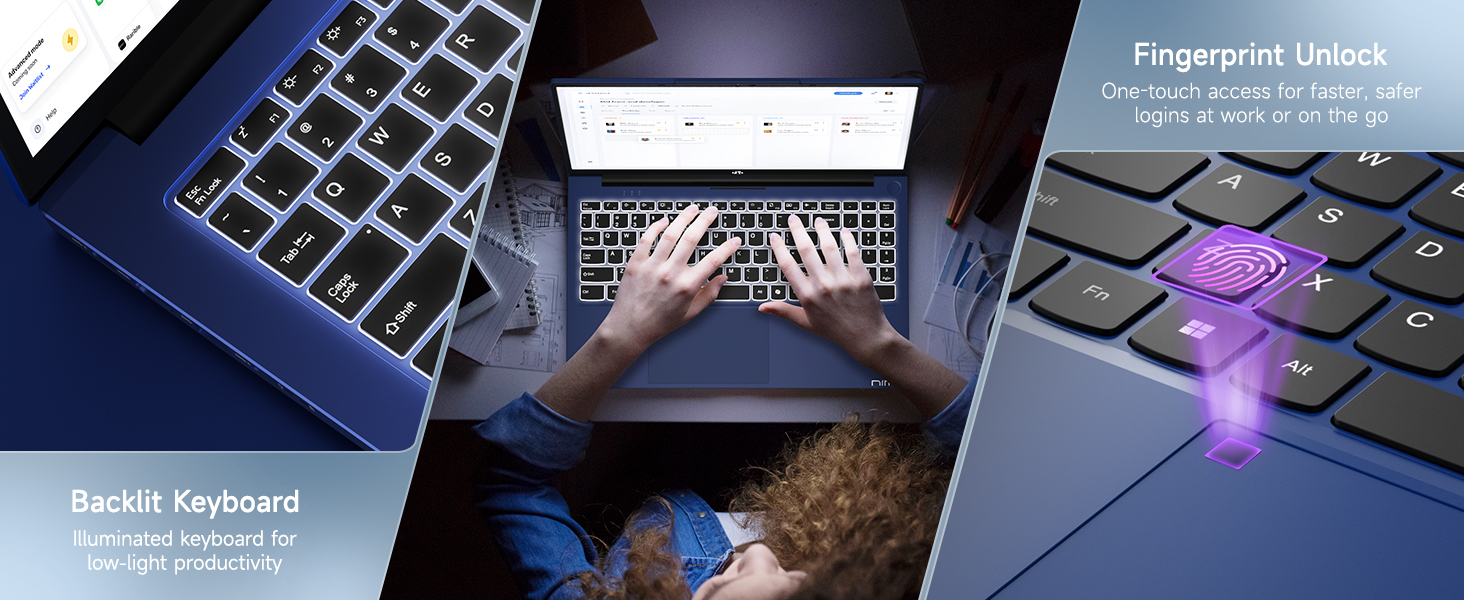
Image 5.1: The backlit keyboard illuminates for visibility in dim environments, and the fingerprint sensor provides quick, secure access.
5.3. Buka Konci Sidik
For enhanced security and quick access, configure the fingerprint reader:
- Buka Setélan Windows> Akun> Pilihan asup.
- Under 'Windows Hello Fingerprint', click 'Set up' and follow the on-screen instructions to register your fingerprint.
5.4. WebSaklar Privasi kaméra
The terpadu webcam includes a physical privacy switch to ensure your privacy. Slide the switch to cover or uncover the camera lens as needed.
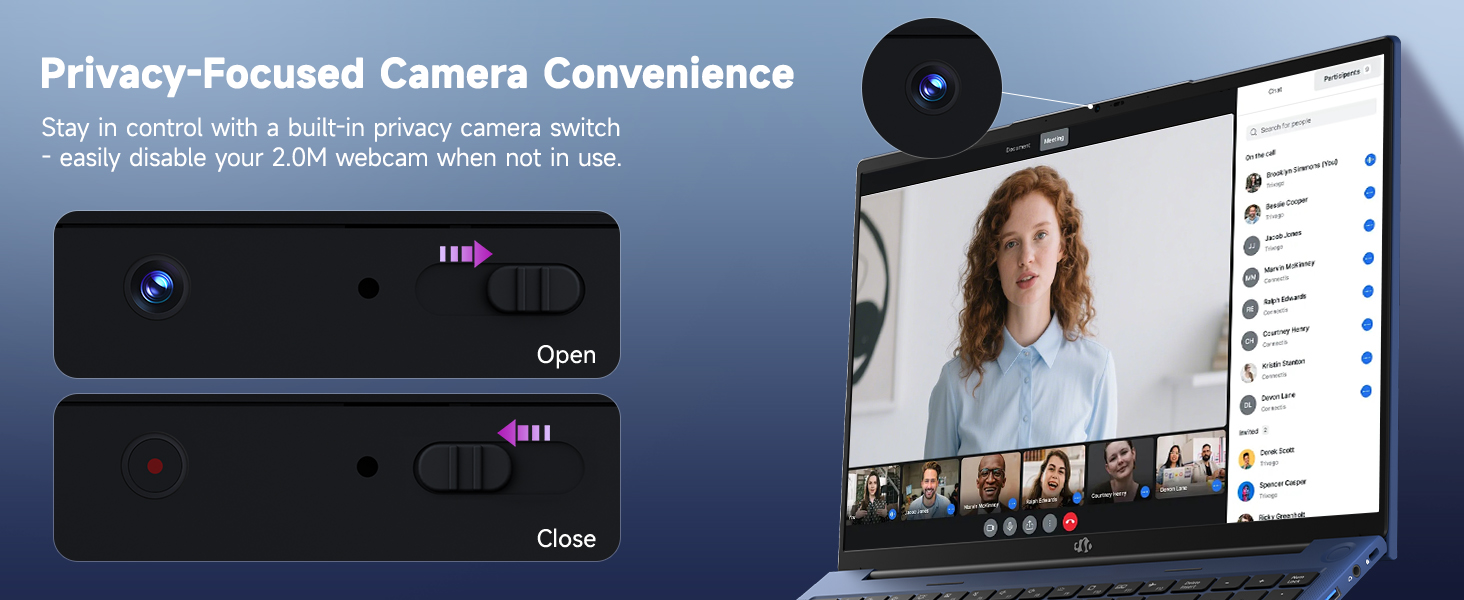
Gambar 5.2: The webcam features a physical privacy switch, allowing users to disable the camera when not in use for enhanced security.
5.5. USB-C 4.0 Functionality
The USB-C 4.0 port offers versatile connectivity:
- Mindahkeun Data: Supports high-speed data transfer with compatible devices.
- Tampilan éksternal: Connects to external monitors using a compatible USB-C to display adapter (not included).
- Pangiriman Daya (PD): Used for charging the laptop with the provided 100W PD charger.
- eGPU Support: Compatible with external GPU (eGPU) docks for enhanced graphics performance (eGPU dock not included).
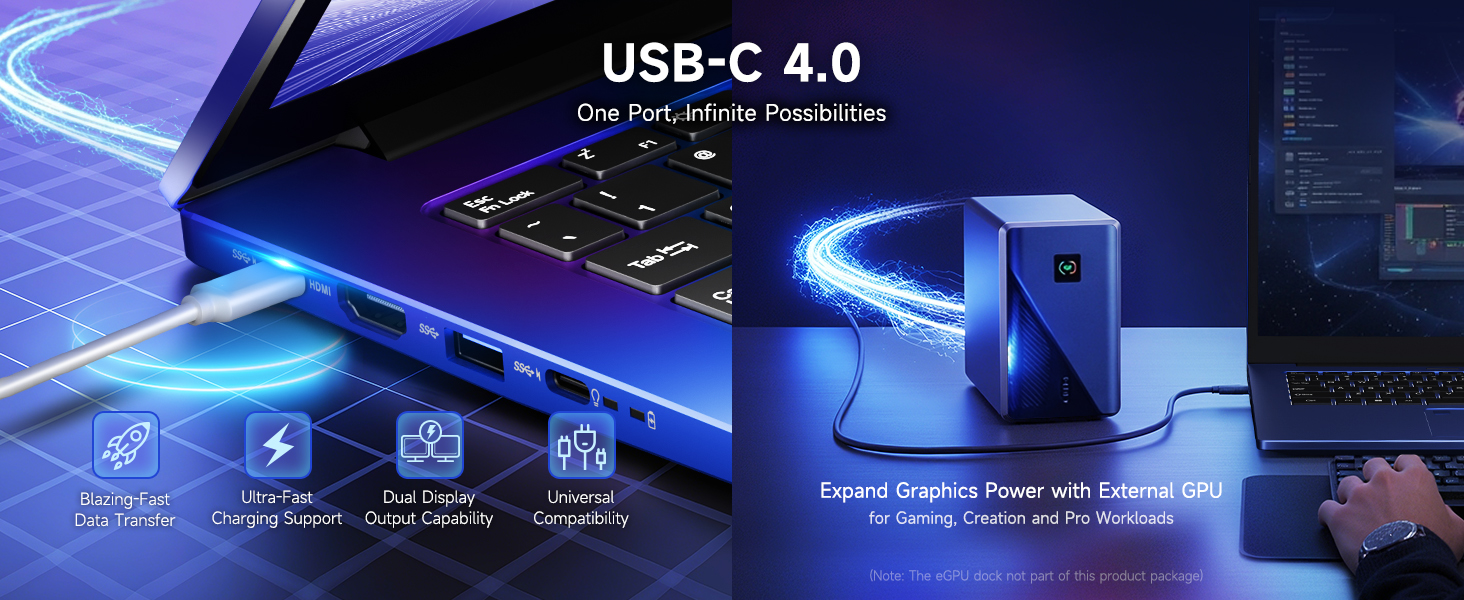
Image 5.3: The USB-C 4.0 port provides blazing-fast data transfer, external display output, charging support, and compatibility with external GPU docks.
6. Pangropéa
6.1. beberesih
- Anggo lawon anu lemes sareng henteu buluan pikeun ngabersihkeun layar sareng permukaan luar.
- Pikeun tanda nekad, rada dampen lawon kalayan cai atanapi solusi beberesih layar.
- Ulah nganggo bahan kimia, bahan abrasif, atanapi pangleyur anu kasar.
- Anggo hawa anu dikomprés pikeun ngabersihan lebu tina tombol sareng ventilasi kibor.
6.2. Kaperawatan batré
Pikeun manjangkeun umur batre:
- Hindarkeun sering-sering ngeusi batre.
- Simpen laptop dina tempat anu tiis sareng garing upami henteu dianggo kanggo waktos anu lami.
- Use the provided 100W PD charger for optimal charging.
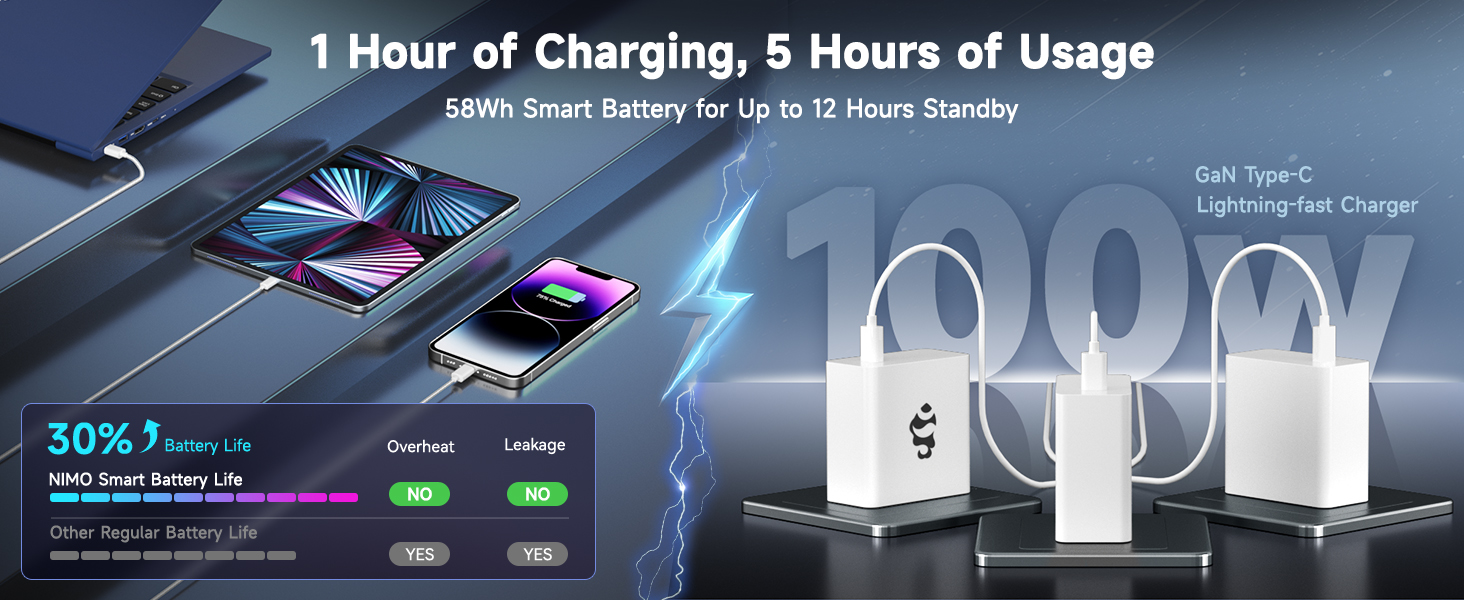
Image 6.1: The 100W GaN charger provides efficient power delivery, contributing to the laptop's smart battery optimization for extended usage.
6.3. Apdet parangkat lunak
Regularly check for and install Windows updates and driver updates to ensure optimal performance and security. Go to Windows Settings > Windows Update.
7. Cara ngungkulan
Bagian ieu ngabahas masalah umum anu anjeun tingali.
- Laptop teu hurung: Ensure the charger is properly connected and the power outlet is functional. Try holding the power button for 15-20 seconds to perform a hard reset.
- Layar kosong atanapi kedip-kedip: Restart the laptop. If connected to an external display, try disconnecting it. Check display settings in Windows.
- Masalah sambungan Wi-Fi: Ensure Wi-Fi is enabled in Windows settings. Restart your router and the laptop. Update network drivers if necessary.
- kinerja slow: Close unnecessary applications. Check for background processes in Task Manager. Ensure sufficient free space on the SSD. Run a system scan for malware.
- Fingerprint reader not working: Ensure your finger is clean and dry. Re-register your fingerprint in Windows settings if the issue persists.
Pikeun masalah anu teu katutupan di dieu, mangga tingal bagian Garansi sareng Dukungan kanggo inpormasi kontak.
8. Spésifikasi
| Fitur | Rincian |
|---|---|
| Ngaran modél | Nimo N175 |
| tampilan | 17.3-inch Full HD (1920x1080) IPS |
| Prosesor | AMD Ryzen 9 8945HS (5.2 GHz Max Boost, 8 Cores) |
| Grafika | AMD Radeon 780M |
| Ram | 16GB DDR5 (4800 MHz) |
| Panyimpenan | 1TB SSD |
| Sistem operasi | Windows 11 Imah |
| Konéktipitas Wireless | 802.11a/b/g/n/ac |
| Palabuhan | 1x USB 2.0, 3x USB 3.0 (or 3.2), 1x USB-C 4.0, 1x HDMI, 1x SD Card Reader, 1x Headphone Combo, 1x Kensington Lock |
| Kahirupan batré | Approximately 6 hours (up to 12 hours standby) |
| Charger | 100W Type-C PD Fast Charger |
| Ukuran (L x W x H) | 14.07 x 8.98 x 0.76 inci |
| Beurat | 3.8 pon |
| Fitur husus | Backlit Keyboard, Fingerprint Reader, HD Audio, Numeric Keypad, WebSaklar Privasi kaméra |
9. Garansi sarta Émbaran Rojongan
NIMO is committed to providing reliable products and customer service.
9.1. Garansi
Your NIMO laptop comes with a garansi 2 taun from the date of purchase, covering manufacturing defects and hardware malfunctions under normal use conditions.
9.2. Kawijakan Balik
A 90 poé bebas kawijakan balik is provided, allowing returns for any reason within 90 days of purchase.
9.3. Rojongan Palanggan
For technical assistance, warranty claims, or any product-related inquiries, please contact our U.S.-based support team:
- Surélék: service@nimopc.com
- Online: Visit the official NIMO website for support resources and contact options.

Image 9.1: NIMO offers 2-year support, 90-day free returns, and dedicated customer service to ensure user satisfaction.


