Bubuka
This manual provides essential information for setting up, operating, maintaining, and troubleshooting your new RCA 8-inch Tablet. Please read this guide thoroughly to ensure optimal performance and longevity of your device. This tablet features a MediaTek MT8781/G99 Octa-Core processor, 4GB RAM, 64GB storage, and runs on Android 14.
1. Setélan
1.1 Eusi pakét
- RCA 8-inch Tablet
- Kabel Ngecas USB
- Adaptor kakuatan
- Gancang Mimitian Guide
1.2 Ngecas Tablet
Before first use, fully charge your tablet. Connect the USB charging cable to the tablet's charging port and the power adapter, then plug the adapter into a wall outlet. The battery indicator on the screen will show charging status.
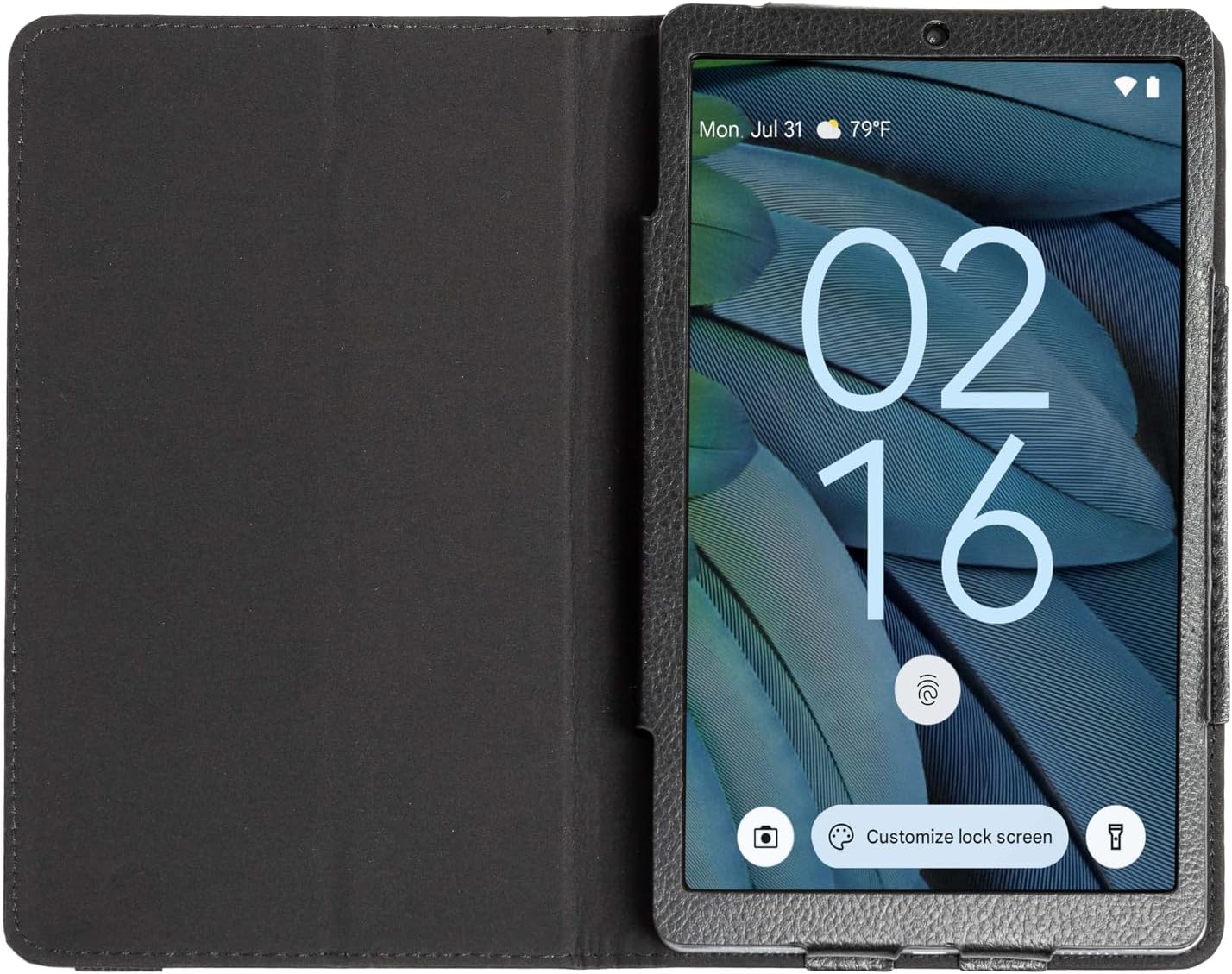
Image: The RCA 8-inch Tablet shown within its black folio case, displaying the lock screen. This illustrates the device's appearance during initial setup or general use.
1.3 Powering on / Pareum
- Pikeun Ngahurungkeun: Press and hold the Power button until the RCA logo appears.
- Pikeun mareuman: Pencét jeung tahan tombol Daya, teras pilih 'Pareuman' tina pilihan dina layar.
1.4 Wizard Setup Awal
Saatos dihurungkeun pikeun anu munggaran, tablet bakal nungtun anjeun dina prosés setelan awal. Ieu kalebet:
- Pilihan Basa: Pilih basa anu anjeun pikaresep.
- Sambungan Wi-Fi: Pilih jaringan Wi-Fi anjeun teras lebetkeun kecap akses pikeun nyambung ka internét.
- Akun Google: Sign in with your Google account or create a new one. This is necessary for downloading apps from the Google Play Store and accessing Google services.
- Tanggal & Waktos: Setel tanggal sareng waktos anu leres, atanapi hayu jaringan nyetelna sacara otomatis.
- Kaamanan: Setel konci layar (PIN, pola, atanapi kecap akses) pikeun kaamanan alat.
1.5 Nyelapkeun Kartu MicroSD (Opsional)
The tablet supports storage expansion up to 512GB via a microSD card. Locate the microSD card slot on the side of the tablet. Gently insert the card with the gold contacts facing down until it clicks into place.
2. Ngoperasikeun Tablet
2.1 Napigasi Dasar
The RCA 8-inch Tablet uses a capacitive touchscreen for navigation:
- Ketok: To open an app, select an item, or press a button.
- Toel & Tahan: Pikeun ngaksés ménu kontékstual atanapi mindahkeun item.
- Gesek: To scroll through lists, switch between home screens, or navigate within apps.
- Ciwit: Pikeun ngagedekeun atanapi ngaleutikan gambar sareng web kaca.

Image: A user interacting with the RCA 8-inch Tablet, demonstrating typical handheld use and touchscreen interaction.
2.2 Ngagunakeun Kaméra
Your tablet is equipped with a 5 MP rear camera and a 2 MP front camera for photos and video calls.
- Buka aplikasi Kamera tina layar utama atanapi laci aplikasi.
- Ketok ikon kaméra pikeun pindah antara kaméra hareup sareng kaméra tukang.
- Ketok tombol jepret pikeun nyandak poto atanapi ngamimitian/ngeureunkeun ngarékam pidéo.
- Access settings within the app to adjust modes, filters, and other camera options.

Gambar: A lengkep view of the tablet's rear camera, highlighting its placement and design.
2.3 Fitur Android 14
The tablet runs on Android 14, offering enhanced features:
- Dasbor Privasi: Monitor and manage app permissions for your data.
- Notification Controls: Customize how and when you receive notifications.
- AI-Driven Optimizations: The system intelligently manages background processes and battery usage for improved performance.
2.4 Google Assistant Integration
Your tablet seamlessly integrates with Google Assistant. Say "Hey Google" or "Ok Google" to activate the assistant and use voice commands for tasks such as:
- Getting information (weather, news).
- Setting alarms and reminders.
- Ngontrol alat-alat bumi pinter.
- Making calls or sending messages.
3. Pangropéa
3.1 Ngabersihan Tablet
Pikeun ngabersihkeun tablet anjeun, pareuman heula teras anggo lawon anu lemes sareng henteu ngaganggu. Pikeun noda anu bandel, radaampen lawon kalawan cai atawa cleaner layar husus dirancang pikeun éléktronika. Hindarkeun bahan kimia anu kasar atanapi bahan abrasive.
3.2 Perawatan Batré
- Hindarkeun suhu anu ekstrim, anu tiasa ngirangan umur batre.
- Ulah ninggalkeun tablet pinuh discharged pikeun période nambahan.
- Paké ngan carjer disadiakeun atawa carjer cocog Certified.
3.3 Apdet parangkat lunak
Pariksa apdet sistem sacara périodik pikeun mastikeun tablet anjeun ngagaduhan fitur sareng patch kaamanan pangénggalna. Buka Setélan > Sistem > Apdet sistem pikeun mariksa tur masang apdet sadia.
3.4 Nyadangkeun Data
Regularly back up important data to a cloud service (like Google Drive) or a computer to prevent data loss.
4. Cara ngungkulan
4.1 Alat Henteu Hurungkeun
- Pastikeun batréna geus dieusian. Sambungkeun tablet ka carjer na sahenteuna 30 menit.
- Pencét jeung tahan tombol Daya salila 10-15 detik pikeun ngalakukeun balikan deui paksa.
4.2 Masalah Sambungan Wi-Fi
- Balikan deui router Wi-Fi anjeun sareng tablet.
- Pohokeun jaringan dina setélan Wi-Fi teras sambungkeun deui.
- Pastikeun anjeun aya dina jangkauan sinyal Wi-Fi.
4.3 Performance slow
- Tutup aplikasi anu henteu dianggo jalan di latar tukang.
- Clear cache data for frequently used apps (Settings > Apps > [App Name] > Storage > Clear cache).
- Pastikeun aya rohangan panyimpen anu cekap. Pupus teu perlu fileatanapi pindahkeun kana kartu microSD.
- Balikan deui tablet périodik.
4.4 Reset Pabrik (Pamungkas)
Upami masalah tetep, reset pabrik tiasa ngabéréskeun seueur masalah anu aya hubunganana sareng parangkat lunak. Perhatosan: Ieu bakal mupus sadaya data dina tablet anjeun. Nyadangkeun data penting sateuacan neraskeun.
- Pindah ka Setélan> Sistem> Pilihan Reset> Pupus sadaya data (reset pabrik).
- Turutan pituduh dina layar pikeun mastikeun reset.
5. Spésifikasi
Below are the key technical specifications for the RCA 8-inch Tablet:

Image: An infographic summarizing the main technical specifications and features of the RCA 8-inch Tablet.
| Fitur | Spésifikasi |
|---|---|
| Prosesor | MediaTek MT8781/G99 Octa-Core |
| Sistem operasi | Android 14 |
| Ukuran tampilan | 8 inci |
| Resolusi layar Max | 800x1340 Piksel |
| Ram | 4GB |
| Panyimpenan internal | 64GB |
| Panyimpenan Expandable | Up to 512GB via MicroSD (card not included) |
| Kaméra tukang | 5 MP |
| Kaméra hareup | 2 MP |
| Rata Kahirupan Batré | 10 Jam |
| Item Beurat | 1.71 pon |
| Dimensi produk | 8.68 x 5 x 0.39 inci |
| Warna | kulawu |
6. Garansi jeung Rojongan
6.1 Émbaran jaminan
Your RCA 8-inch Tablet is covered by a limited manufacturer's warranty. Please refer to the warranty card included in your product packaging for specific terms and conditions. Keep your proof of purchase for warranty claims.
6.2 Rojongan Palanggan
For technical assistance, troubleshooting beyond this manual, or warranty inquiries, please visit the official RCA support website or contact their customer service. Contact details can typically be found on the RCA brand websitus atanapi dina dokuméntasi produk Anjeun.


