1. Bubuka
This manual provides essential information for the proper use and maintenance of your TECLAST T65 Android 15 Tablet. Please read it thoroughly before using the device to ensure optimal performance and longevity.

2. Naon dina Box
Pastikeun yén sadaya item aya dina bungkusan:
- Tablet Android 15 T65 x 1
- Carger x 1
- Kabel Ngecas x 1
- Buku pituduh x 1
- Pin ejeksi x 1
3. Fitur Produk
3.1 Tampilan sareng Visual
- Layar IPS 13.4 inci: Ngalegaan viewing area with narrow bezels for an immersive experience.
- 1920x1200 HD Resolution: Delivers clear and detailed visuals.
- TDDI Technology: Reduces touch layers for brighter images and faster response.
- Laju Refresh Luhur 120Hz: Ensures smooth animations and agile touch response.
- Rojongan Widevine L1: Enables streaming of 1080P content from platforms like Netflix and YouTube.
- Modeu panyalindungan panon: Includes Reading Mode, Eye Protection Mode, and Dark Mode for comfortable viewing.

3.2 Performance sarta Panyimpenan
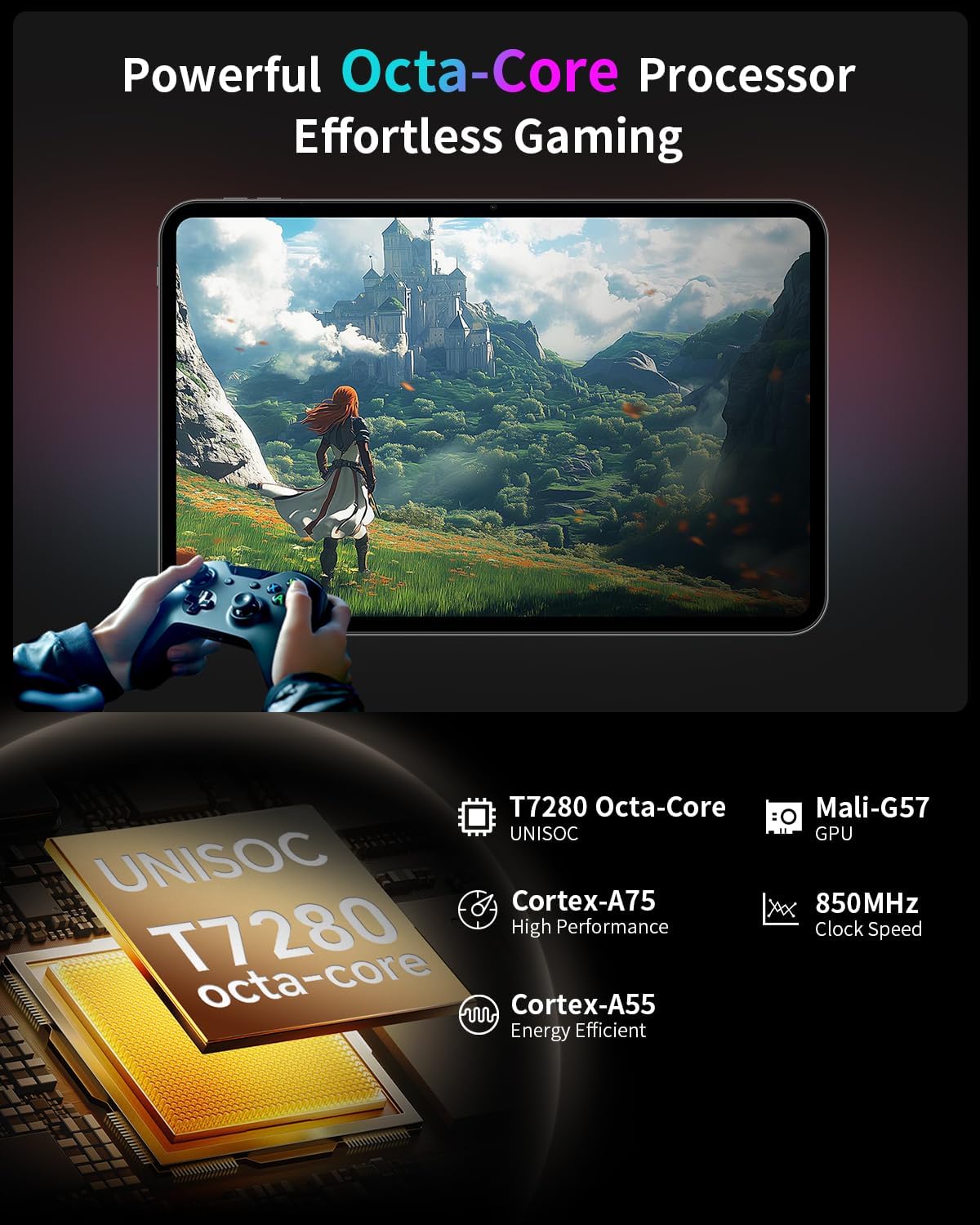
- Octa-Core Processor: Features a Unisoc T7280 CPU with A75 and A55 cores, clocking up to 2.2GHz for efficient performance.
- Mali-G57 GPU: Integrated graphics coprocessor for enhanced visual processing.
- 20GB (8GB+12GB Expansion) RAM: Nyadiakeun ample memory for multitasking.
- Panyimpenan Internal 128GB: Sufficient space for applications and media.
- Panyimpenan anu tiasa dilegakeun: Supports up to 1TB via TF (microSD) card (sold separately).
3.3 Operating System and User Experience
- Android 15 (GMS Certified): Offers a smooth, fast, and secure operating experience with enhanced privacy features.
- AI Intelligent Optimization: Improves system efficiency.
- Productivity Features: Includes split-screen function, Quick Sidebar for fast app launch, and Assistive Control for quick system navigation.
- Kadali kolot: Built-in Google Family Link for managing screen time, app usage, and device location for children.

3.4 Konéktivitas sareng Batré
- Batré 8000 mAh: Provides extended usage, up to 8 hours of video playback.
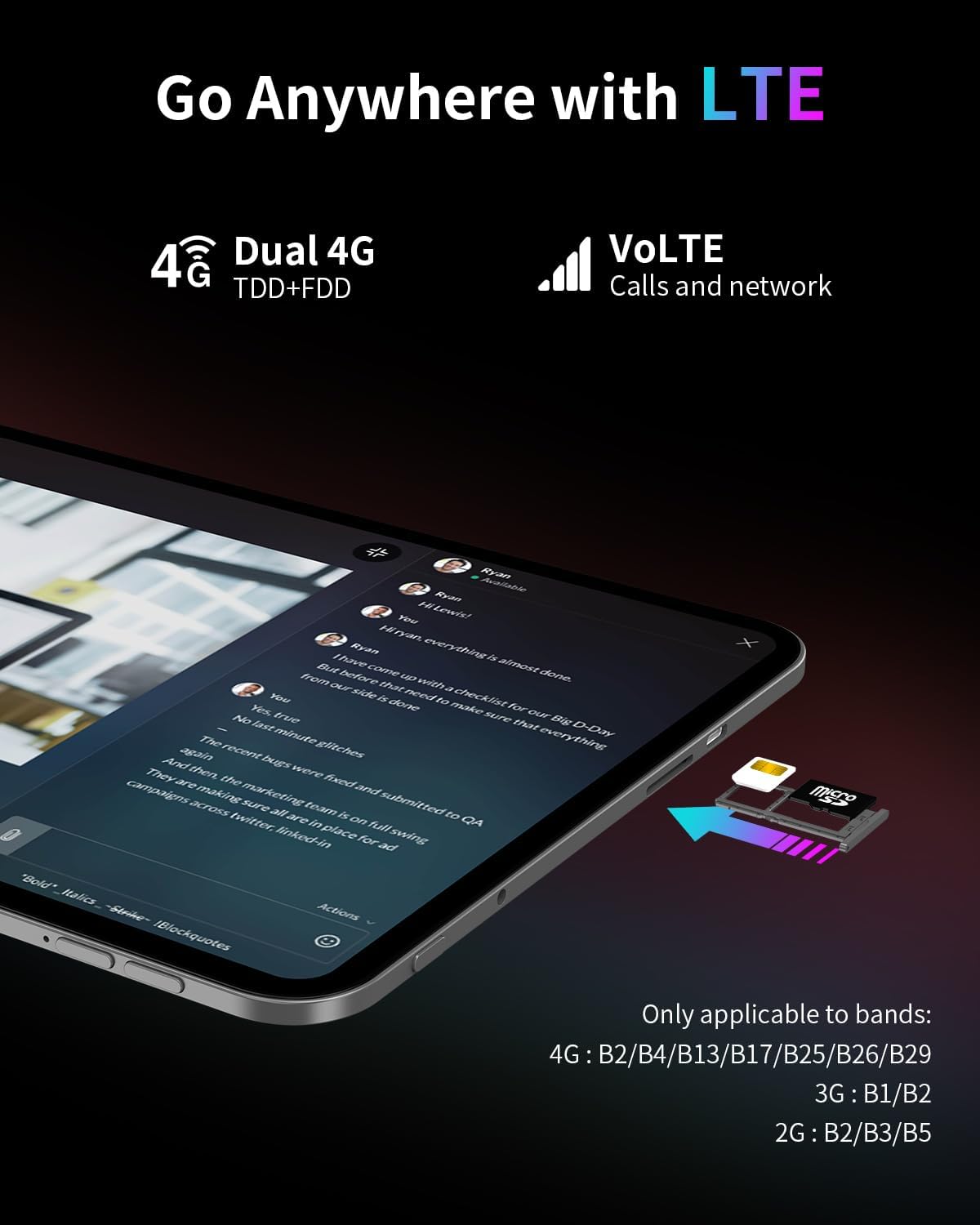
- Konektipitas 4G LTE: Supports mobile data for on-the-go internet access (bands: 4G: B2/B4/B13/B17/B25/B26/B29; 3G: B1/B2; 2G: B2/B3/B5).
- Dual-Band Wi-Fi (2.4GHz+5GHz): Supports 802.11a/b/g/n/ac for stable wireless internet.
- Bluetooth 5.0: Pikeun nyambungkeun asesoris nirkabel.
- GPS: Supports BeiDou, GPS, GLONASS, and GALILEO for accurate navigation.
- Fungsi OTG: Allows connection of USB peripherals.
- USB Tipe-C: Pikeun ngecas sareng mindahkeun data.
3.5 Audio
- SWEET 4 Sound System: Enhanced audio output.
- Smart K Intelligent Ampchip pangkuatna: Improves sound clarity.
- Jack Headphone 3.5mm: Pikeun sambungan audio kabel.
4. Setélan
4.1 Daya Awal Hurung
- Pencét terus tahan tombol daya anu aya di sisi tablet dugi ka logo TECLAST némbongan.
- Turutan ajakan dina layar pikeun milih basa anjeun, sambungkeun ka jaringan Wi-Fi, sareng nyetel akun Google anjeun.
4.2 Nyelapkeun SIM / Kartu TF
- Panggihan slot kartu SIM/TF di sisi tablet.
- Use the provided ejection pin to gently press into the small hole next to the tray until it pops out.
- Place your Nano-SIM card(s) and/or TF card into the tray, ensuring correct orientation as indicated on the tray.
- Carefully reinsert the tray into the slot.
4.3 Ngecas Tablet
- Connect the charging cable to the USB Type-C port on the tablet.
- Plug the other end of the cable into the provided charger, and then into a power outlet.
- Ikon batré dina layar bakal nunjukkeun status ngecas.
5. Parentah Operasi
5.1 Napigasi Dasar
- Sapuan Toél: Ketok pikeun milih, gesek pikeun ngagulung, ciwit pikeun ngazum.
- Layar Utama: Aksés aplikasi, widget, sareng bewara.
- Quick Sidebar: Swipe inward from the edge of the screen to access frequently used apps and system controls.
- Assistive Control: A virtual button providing quick access to system functions.
5.2 Setélan tampilan
- Penyesuaian Caang: Drag the brightness slider in the quick settings panel or navigate to Settings > Display.
- Laju Refresh: The tablet automatically adjusts to 120Hz for smoother visuals. This can be managed in Display settings.
- Modeu panyalindungan panon: Activate Reading Mode, Eye Protection Mode, or Dark Mode from quick settings or Display settings to reduce eye strain.
5.3 Konéktipitas
- Wifi: Buka Setélan > Jaringan & internét > Wi-Fi pikeun nyambung ka jaringan nu sadia.
- Data Seluler: Ensure a SIM card is inserted and mobile data is enabled in Settings > Network & internet > Mobile network.
- Bluetooth: Masangkeun sareng alat Bluetooth liwat Setélan > Alat nu disambungkeun > Bluetooth.
- GPS: Layanan lokasi tiasa diurus dina Setélan > Lokasi.
5.4 Kadali Kolot
To set up parental controls, navigate to Settings > Digital Wellbeing & parental controls. You can use Google Family Link to manage screen time, monitor app usage, and set content restrictions for children's profiles.
6. Pangropéa
6.1 beberesih
- Anggo lawon anu lemes sareng henteu lint pikeun ngabersihan layar sareng awak tablet.
- Hindarkeun ngagunakeun bahan kimia kasar, pembersih abrasive, atanapi semprot aerosol.
- Pikeun smudges nekad, rada dampen lawon kalayan cai atanapi solusi beberesih layar.
6.2 Perawatan Batré
- Ulah ngalaan tablet ka suhu ekstrim.
- Ulah ninggalkeun tablet dieusi pinuh atawa pinuh discharged pikeun période nambahan.
- Anggo ngan ukur carjer sareng kabel asli anu disayogikeun sareng alat ieu.
6.3 Apdet parangkat lunak
Rutin pariksa sareng pasang apdet parangkat lunak pikeun mastikeun kinerja optimal, kaamanan, sareng aksés ka fitur anyar. Pindah ka Setélan> Sistem> Apdet sistem.
7. Cara ngungkulan
7.1 Isu umum jeung Solusi
- Tablet teu tiasa dihurungkeun:
- Ensure the battery is charged. Connect the charger and wait a few minutes before attempting to power on again.
- Press and hold the power button for at least 10-15 seconds to perform a forced restart. - Layar henteu ngaréspon:
- Restart the tablet.
- Ensure the screen is clean and free of moisture or debris. - Masalah sambungan Wi-Fi:
- Restart the tablet and your Wi-Fi router.
- Forget the network in Wi-Fi settings and reconnect.
- Ensure you are within range of the Wi-Fi signal. - Aplikasi nabrak atanapi macet:
- Close and reopen the app.
- Clear the app's cache and data in Settings > Apps.
- Pastikeun aplikasi diropéa kana versi panganyarna.
- Restart the tablet. - Batré gancang boros:
- Reduce screen brightness.
- Close unused apps running in the background.
- Disable Wi-Fi, Bluetooth, or GPS when not in use.
- Check for apps consuming excessive battery in Settings > Battery.
7.2 Reset pabrik
Warning: A factory reset will erase all data on your tablet. Back up important data before proceeding.
Pikeun ngalakukeun reset pabrik, buka Setélan > Sistem > Pilihan reset > Hapus sadaya data (reset pabrik).
8. Spésifikasi
| Fitur | Spésifikasi |
|---|---|
| Ngaran modél | T65 |
| merek | TECLAST |
| Sistem operasi | Android 15 |
| Ukuran layar | 13.4 inci |
| Resolusi layar | 1920 x 1200 piksel |
| Refresh Laju | 120Hz |
| Prosesor | Unisoc T7280 Octa-Core (2.2 GHz) |
| Grafik Coprocessor | Mali-G57 |
| Ram | 20GB (8GB LPDDR4 + 12GB Expansion) |
| Ukuran Mémori Flash | 128 GB |
| Panyimpenan Expandable | Up to 1TB TF Card (sold separately) |
| Tipe Wireless | 802.11a/b/g/n/ac (Wi-Fi Dual-Band) |
| Bluetooth | Bluetooth 5.0 |
| Konéktipitas sélular | 4G LTE (B2/B4/B13/B17/B25/B26/B29), 3G (B1/B2), 2G (B2/B3/B5) |
| GPS | 4-Mode Satellite Positioning (BeiDou, GPS, GLONASS, GALILEO) |
| Kapasitas batré | 8000 mah |
| Rata Kahirupan Batré | 8 Jam (maénkeun pidéo) |
| Tukangeun WebResolusi cam | 13 MP |
| Item Beurat | 1.59 pon (kira-kira 720g) |
| Dimensi produk | 12 x 7.9 x 0.33 inci (kira-kira 30.5 x 20.1 x 0.84 cm) |
| Warna | kulawu |
9. Garansi jeung Rojongan
9.1 Émbaran jaminan
Please refer to the warranty card included in your product packaging for detailed warranty terms and conditions. Keep your proof of purchase for warranty claims.
9.2 Rojongan Palanggan
For any questions, technical assistance, or issues with your TECLAST T65 tablet, please contact TECLAST customer support. Most inquiries are answered within 24 hours.
Anjeun biasana tiasa mendakan inpormasi kontak dina TECLAST resmi website or through the seller's platform where you purchased the product.


