Bose 2025

Bose QuietComfort Wireless Noise Cancelling Headphones (Model 2025)

Instruksi Manual

Bubuka

Welcome to your Bose QuietComfort Wireless Noise Cancelling Headphones. These headphones are designed to provide high-fidelity audio and legendary noise cancellation, allowing you to immerse yourself in your audio experience or stay aware of your surroundings. This manual will guide you through the setup, operation, and maintenance of your new headphones.

Naon dina Box

  • Bose QuietComfort Bluetooth Headphones
  • Green Extreme 20W 2-Port USB-C/USB-A Wall Charger, White
  • Audio cable with in-line microphone
  • USB-A kana kabel ngecas USB-C
  • Mawa koper
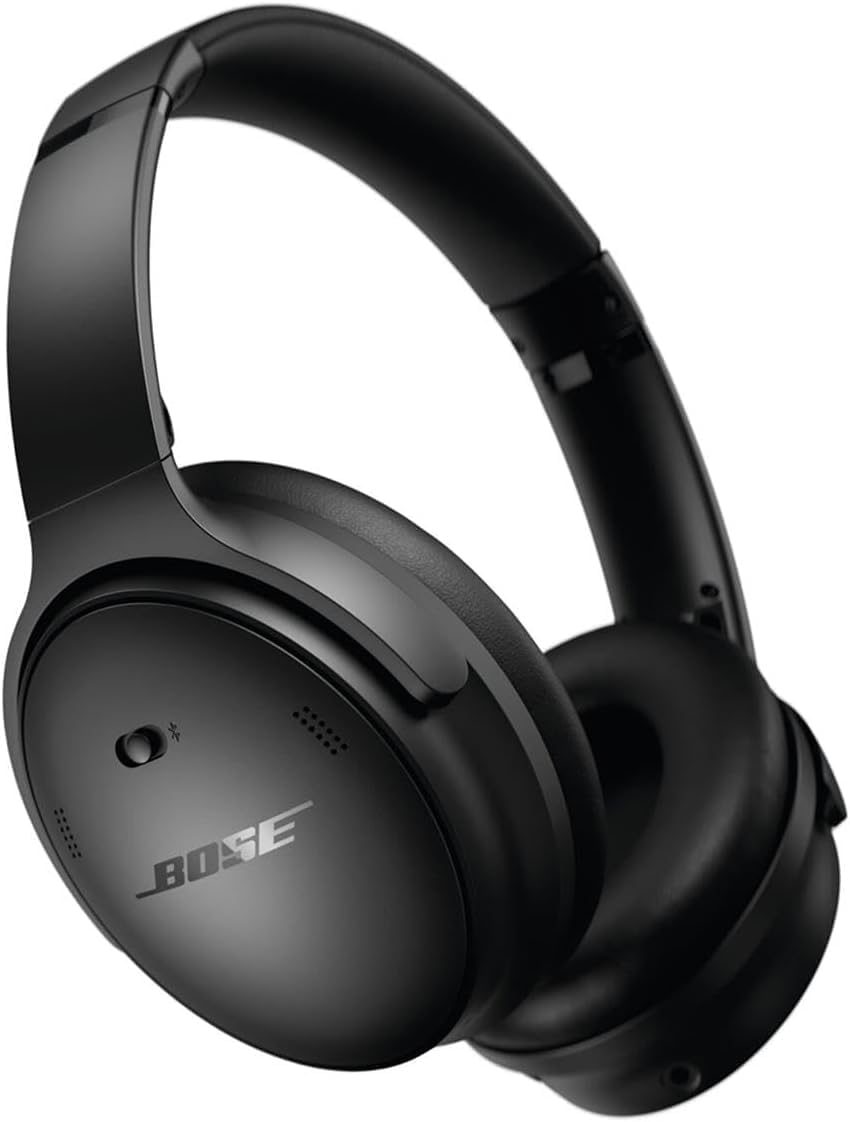
Headphone Nirkabel Bose QuietComfort Peredam Bising hideung

Image: Bose QuietComfort Wireless Noise Cancelling Headphones in black.
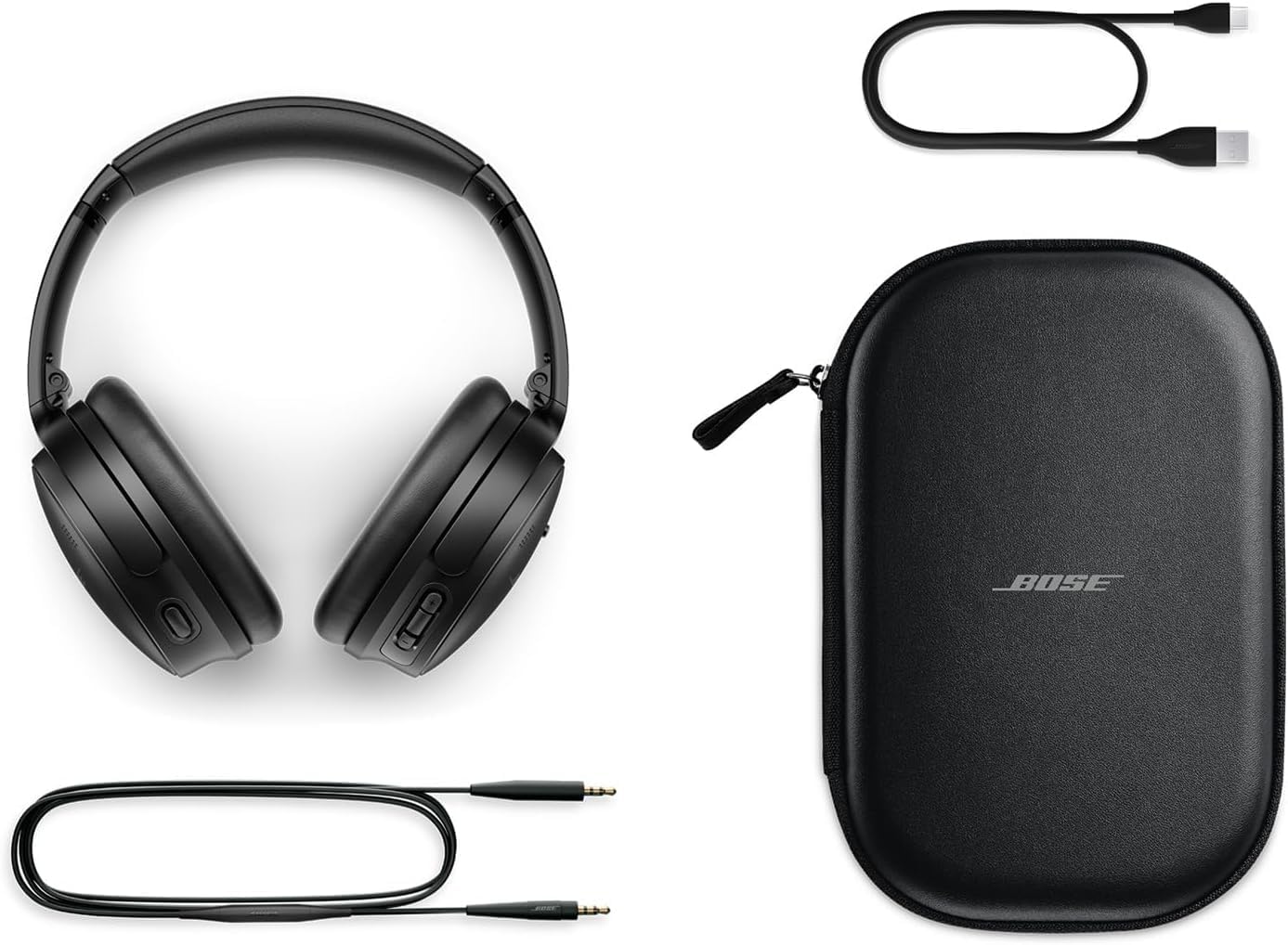
Bose QuietComfort headphones with included accessories: USB-C charging cable, 3.5mm audio cable, and carrying case

Image: Bose QuietComfort headphones with included accessories: USB-C charging cable, 3.5mm audio cable, and carrying case.

Disetél

Ngecas Headphone

Before first use, fully charge your Bose QuietComfort headphones. Connect the included USB-A to USB-C charging cable to the headphones and the Green Extreme 20W 2-Port USB-C/USB-A Wall Charger. A 15-minute charge provides up to 2.5 hours of additional play time. A full charge offers up to 24 hours of battery life.
Close-up of the right earcup of the Bose QuietComfort headphones, showing the USB-C charging port and control buttons.
Image: Close-up of the right earcup of the Bose QuietComfort headphones, showing the USB-C charging port and control buttons.

Green Extreme 20W 2-Port USB-C/USB-A Wall Charger, White, being held in a hand.

Image: Green Extreme 20W 2-Port USB-C/USB-A Wall Charger, White, being held in a hand.

Papasangan Bluetooth

Pikeun nyapasangkeun headphone anjeun sareng alat:

  1. Slide the Power/Bluetooth switch to the Bluetooth symbol and hold until the indicator light blinks blue.
  2. On your device, open Bluetooth settings and select "Bose QuietComfort" from the list of available devices.
  3. Once connected, the indicator light will glow solid blue.
The headphones support multipoint Bluetooth, allowing seamless switching between connected devices.

Parentah Operasi

Modeu Noise Cancellation

Your Bose QuietComfort headphones feature two primary listening modes:

  • Modeu sepi: Provides full noise cancellation, ideal for eliminating distractions and focusing on your audio.
  • Modeu Sadar: Allows you to hear your surroundings while still enjoying your audio, enhancing situational awareness.
You can toggle between these modes using the dedicated button on the earcup. For advanced customization, use the Bose Music app to create custom modes.

Putereun Audio sareng Telepon

Use the media control buttons on the earcup to manage playback (play/pause, skip tracks) and handle calls. The integrated microphone ensures clear communication. An included audio cable with an in-line microphone allows for wired connection, even when the battery is depleted.
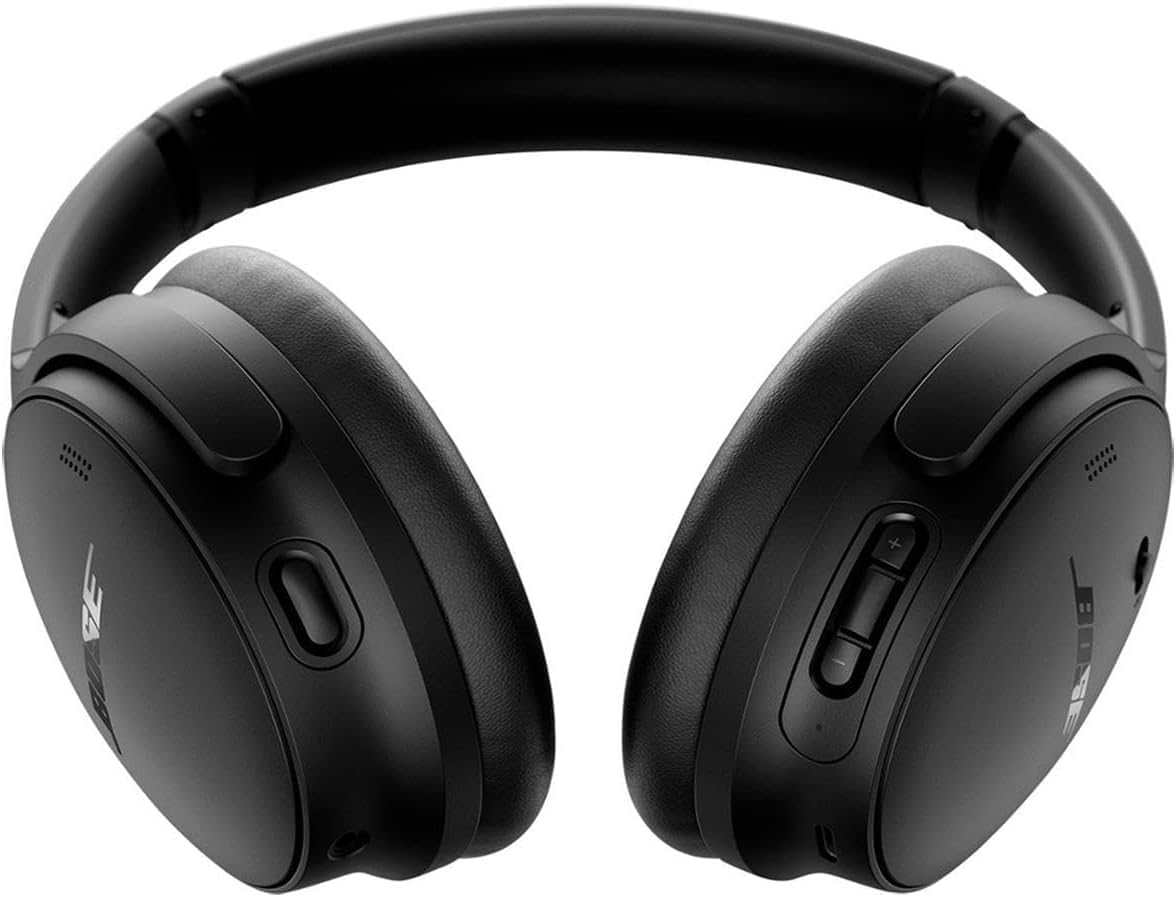
Hareupeun view of the Bose QuietComfort headphones, showing the control buttons on the right earcup.

Gambar: Hareupeun view of the Bose QuietComfort headphones, showing the control buttons on the right earcup.

Pangropéa

beberesih

Wipe the headphones with a soft, dry cloth. Do not use abrasive cleaners or solvents. Ensure charging ports are free of debris.

Panyimpenan

Nalika henteu dianggo, simpen headphone dina wadah anu disayogikeun pikeun ngajagaan tina lebu sareng karusakan.

Pamérésan masalah

Taya Daya

Masalah Sambungan Bluetooth

Poor Sound Quality or Noise Cancellation

spésifikasi

FiturRincian
Ngaran modélHeadphone Nirkabel Bose QuietComfort Pangurang Bising
Nomer modél2025
Téhnologi konektipitasBluetooth 5.1, Kabel (Jack 3.5 mm)
Kontrol bisingActive Noise Cancellation (Quiet Mode, Aware Mode)
Kahirupan batréNepi ka 24 jam
Waktu Ngecas15 menit pikeun 2.5 jam playtime
Panempatan CeuliLeuwih Ceuli
BahanKain
Kaasup ChargerGreen Extreme 20W 2-Port USB-C/USB-A Wall Charger

Garansi sareng Rojongan

Émbaran jaminan

For detailed warranty information, please refer to the documentation included with your product or visit the official Bose support websitus.

Rojongan Palanggan

For further assistance, technical support, or to download the Bose Music app, please visit the Rojongan Bose Websitus.

Dokumén Patali - 2025

Praview Headphone Bose Noise Cancelling 700: Fitur, Asisten Sora, sareng FAQ
Jelajahi fitur-fitur Bose Noise Cancelling Headphones 700, kalebet Bose AR, Google Assistant, sareng integrasi Alexa. Kéngingkeun jawaban kana patarosan umum ngeunaan batré, jangkauan, pasangan, mikropon, sareng pembatalan bising. Bandingkeun sareng QuietComfort 35.
Praview Ngalereskeun Masalah Headphone Bose QuietComfort Ultra: Reset, Mulangkeun, sareng Apdet
Pituduh lengkep pikeun ngungkulan masalah headphone Bose QuietComfort Ultra anjeun. Diajar kumaha ngareset, mulangkeun kana setélan pabrik, sareng ngapdet firmware kalayan pitunjuk anu jelas sareng léngkah-léngkah.
Praview Manual Pangguna sareng Inpormasi Garansi Headphone Bose QuietComfort 2 Acoustic Noise Cancelling
Buku pituduh lengkep pikeun Headphone Bose QuietComfort 2 Acoustic Noise Cancelling, anu ngawengku setelan, panggunaan, perawatan, ngungkulan masalah, sareng inpormasi garansi terbatas. Diajar kumaha carana ngaraosan sora sareng panyabutan bising anu unggul.
Praview Headphone Bose QuietComfort SC: Manual Pangguna sareng Pituduh Kasalametan
Panggihan headphone Bose QuietComfort SC anu ngabatalkeun bising. Pituduh ieu nyayogikeun pitunjuk kaamanan penting, detil setelan, katerangan kontrol, konéktivitas Bluetooth, integrasi aplikasi, tip perawatan, sareng ngungkulan masalah pikeun headphone Bose QuietComfort SC anjeun.
Praview Pituduh Mimitian Gancang Headphone Over-Ear Bose QuietComfort SC
Pituduh HTML anu ringkes sareng dioptimalkeun pikeun SEO pikeun nyetél, masangkeun, ngecas, sareng nganggo Bose QuietComfort SC Over-Ear Headphones, kalebet kontrol, panyabutan bising, asisten sora, sareng fitur aplikasi.
Praview Bose QuietComfort Headphone-ის სწრაფი გამოყენების ინსტრუქცი
Bose QuietComfort Headphone-ის სწრაფი გამოყენების ინსტრუქა,იუქა რომელიც მოიცავს დაწყებას, Bluetooth-ის დაწყბიეყბე მართვის ღილაკებს, ხმაურის ჩახშობას, ხმოვან ასისტენტებს და Bose Music აპლიკაციას.