Bubuka
Thank you for choosing the OhO sunshine AI Translation Bluetooth Glasses. These smart glasses are designed to provide seamless, hands-free communication with dual-ear AI simultaneous interpretation, supporting two-way translation in 164 languages. They also function as an open-ear Bluetooth headset for music and calls, and feature voice control capabilities for smart assistants. The lenses incorporate transitional technology, adapting to light conditions for eye protection.

Image: The OhO sunshine AI Translation Bluetooth Glasses with a blue strip frame and transition lenses. This image shows the overall design of the smart glasses.
Émbaran Kasalametan
- Do not expose the glasses to extreme temperatures, direct sunlight for prolonged periods, or high humidity.
- Hindarkeun ngaragragkeun atanapi matuhkeun gelas kana tabrakan anu kuat.
- Keep the glasses away from water and liquids. While the lenses are impact-resistant, the electronic components are not waterproof.
- Paké ngan kabel ngecas disadiakeun jeung adaptor.
- Ulah nyobian ngabongkar atawa ngalereskeun alat sorangan. Rujuk ka tanaga jasa anu mumpuni.
- Ensure the volume is set to a safe level to prevent hearing damage, especially when using the open-ear speakers.
Disetél
1. Ngecas Kacamata
Before first use, fully charge your OhO sunshine AI Translation Bluetooth Glasses. Connect the charging cable to the charging port on the glasses and the other end to a USB power adapter (not included) or a computer's USB port. The charging indicator light will show the charging status. A full charge provides approximately 10 hours of working time.
2. Nyapasangkeun sareng Alat Anjeun
- Pastikeun gelas dipareuman.
- Press and hold the power button on the glasses until the indicator light flashes rapidly, indicating pairing mode.
- On your smartphone or tablet (iOS or Android), go to Bluetooth settings and turn Bluetooth on.
- Milarian pikeun available devices. Select "OhO sunshine Glasses" (or similar name) from the list.
- Once connected, the indicator light on the glasses will stop flashing and remain solid.
3. Nginstal Aplikasi Companion
For full functionality, including AI translation and AI Chat Mode, download the "OhO sunshine" companion app from your device's app store (Google Play Store for Android or Apple App Store for iOS). Follow the in-app instructions to complete the setup and link your glasses.
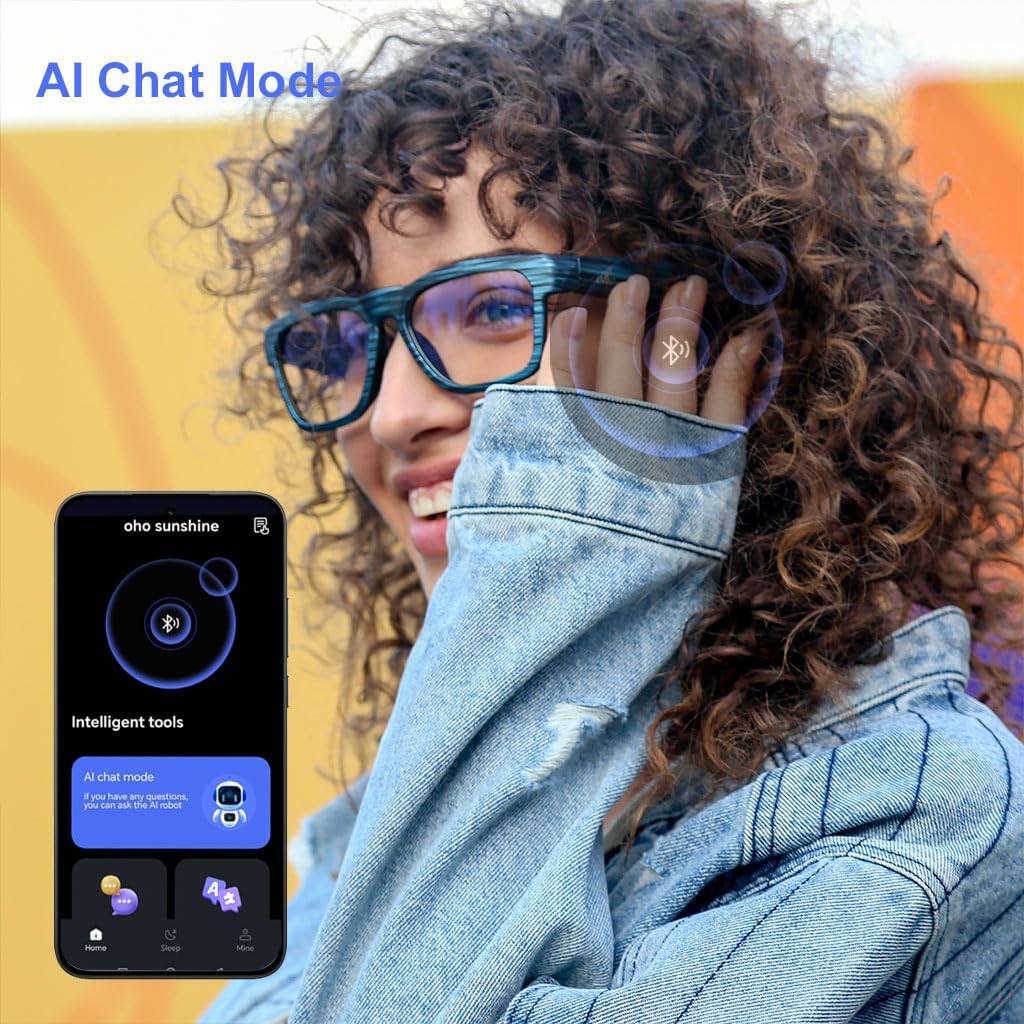
Image: A user interacting with the OhO sunshine app on a smartphone, showing the "AI Chat Mode" interface. This app is essential for accessing advanced translation features.
Parentah Operasi
1. AI Real-Time Translation
The glasses support two-way translation in 164 languages. To use this feature:
- Open the OhO sunshine app and navigate to the translation section.
- Pilih basa sumber sareng basa target pikeun ditarjamahkeun.
- Speak into the glasses' microphone. The translated audio will be played through the open-ear speakers, and text may appear in the app.
- For simultaneous interpretation, ensure both parties are speaking clearly and the app is configured correctly.

Image: A diagram illustrating the AI translation capability, showing "164 languages" and the process of speech input, processing, and audio output through the glasses.
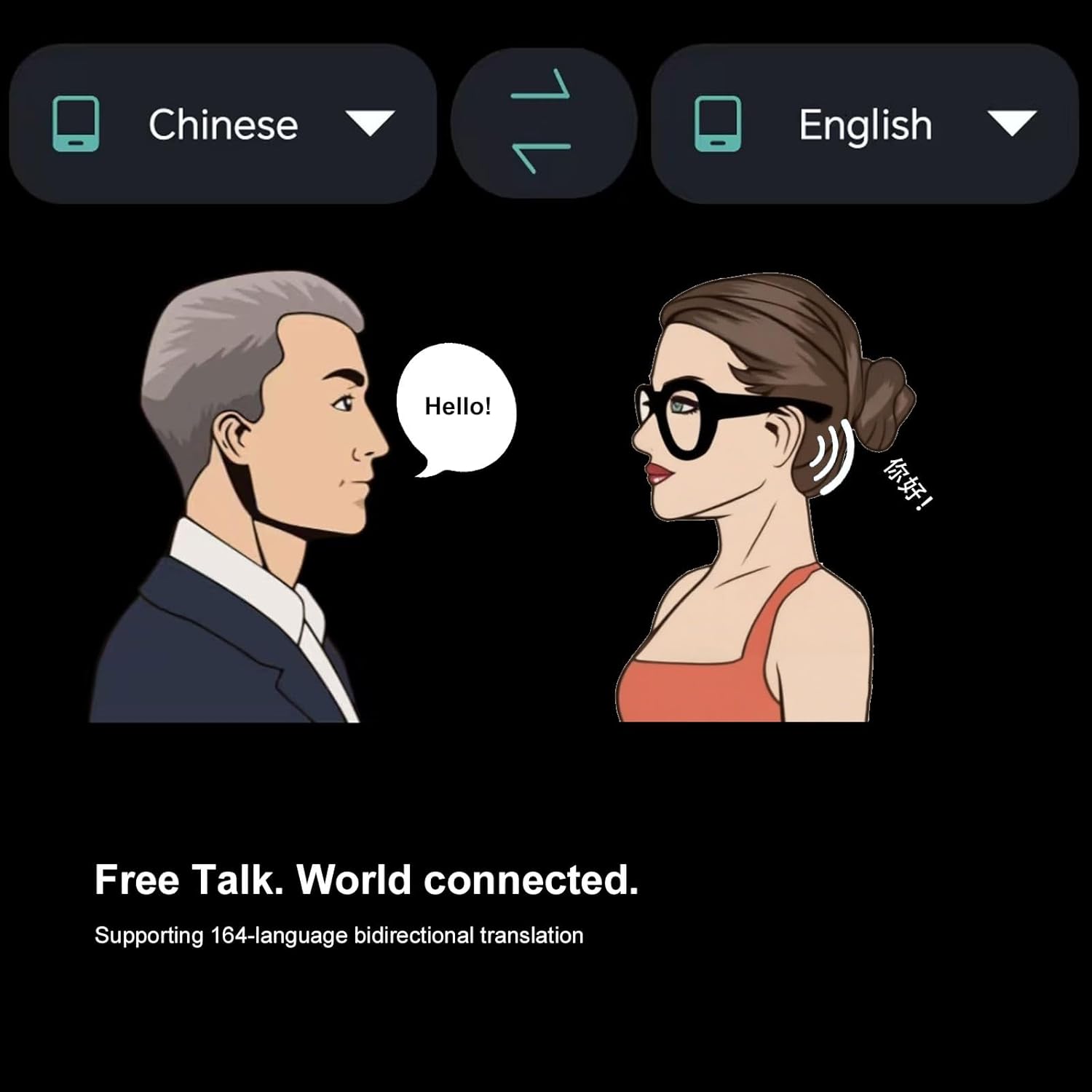
Image: An illustration depicting two individuals communicating, with speech bubbles showing "Hello!" and its translation, emphasizing the "Free Talk" and 164-language bidirectional translation feature.
2. Open-Ear Bluetooth Headset
The integrated open-ear speakers allow you to listen to audio while remaining aware of your surroundings. Once paired, you can play music, podcasts, or other audio from your connected device. The HD microphone ensures clear sound during calls.
- Puteran musik: Use your device's media player to control playback. Audio will automatically stream to the glasses.
- Telepon: When a call comes in, you can answer or reject it using the controls on the glasses (refer to the specific button functions in your quick start guide). Your voice will be picked up by the HD microphone.
3. Voice Control Smart Glasses
The glasses support voice commands for hands-free operation and interaction with smart assistants like Siri, Cortana, and Google Now. To activate:
- Ensure your device's smart assistant is enabled.
- Press the designated voice control button on the glasses (refer to your quick start guide for button layout).
- Speak your command, such as "Call [Contact Name]", "Play [Song Name]", "What's the weather?", or "Give me directions to [Location]".
4. Transitional Lens Technology
The lenses are designed with transitional technology. They will automatically change color from light grey to dark grey when exposed to sunlight outdoors, providing UV protection. Indoors, they will revert from dark grey to light grey. These lenses are also impact-resistant for eye and face protection, and feature anti-eyestrain, anti-scratch, and anti-smudgy properties.

Image: A visual representation of the transitional lens technology, showing how the lens color changes from light to dark grey based on exposure to sunlight, and back again indoors.
Pangropéa
- Lensa beberesih: Use a soft, lint-free cloth specifically designed for eyewear. For stubborn smudges, use a small amount of lens cleaning spray. Avoid abrasive materials or harsh chemicals.
- Pigura beberesih: Ngusap pigura ku lemes, damp lawon. Ulah beuleum gelas dina cai.
- Panyimpenan: When not in use, store the glasses in their protective case to prevent scratches and damage. Keep them in a cool, dry place away from direct sunlight.
- Perawatan batré: To prolong battery life, avoid fully discharging the battery frequently. Charge the glasses regularly, even if not in constant use.
Pamérésan masalah
| Masalah | Mungkin Cukang lantaranana | Solusi |
|---|---|---|
| Kacamata teu hurung. | batré lemah. | Ngecas gelas pinuh. |
| Teu tiasa dipasangkeun sareng alat. | Kacamata teu dina mode papasangan; Bluetooth pareum dina alat; alat jauh teuing. | Ensure glasses are in pairing mode (flashing light). Turn on Bluetooth on your device. Move device closer to glasses. Restart both devices. |
| Taya audio tina speaker. | Volume teuing leutik; teu nyambung; masalah sumber audio. | Increase volume on glasses and device. Verify Bluetooth connection. Check audio source on your device. |
| Translation not working. | App not open/configured; internet connection issue; microphone blocked. | Ensure the OhO sunshine app is open and correctly configured for translation. Check your internet connection. Ensure the microphone is not obstructed. |
spésifikasi
- model: B0FCS598JW
- merek: Oh O panonpoé
- Basa Tarjamahan: 164 (Two-Way AI Simultaneous Interpretation)
- Konektipitas: Bluetooth
- Audio: Open Ear Speaker System, HD Microphone
- Kontrol sora: Compatible with Siri, Cortana, Google Now
- Jenis lensa: Transitional Technology Lens (Light Grey to Dark Grey), Impact Resistant, Anti-Eyestrain, Anti-Scratch, Anti-Smudgy
- Kahirupan batré: Approximately 10 hours working time
- Kasaluyuan: ios, Android
- Pabrikan: Oh O panonpoé
- Sadia munggaran: 9 Juli 2025

Image: An infographic summarizing key features of the glasses, including AI translation, iOS/Android compatibility, Bluetooth, dual stereo speakers, open ear design, hands-free calling, and 10 hours of working time.
Garansi sareng Rojongan
For warranty information and technical support, please refer to the documentation included with your product or visit the official OhO sunshine website. You may also contact the seller directly for assistance. The product typically comes with a standard return policy of 30 days for refund or replacement.
Pabrikan: OhO sunshine
Pikeun pitulung salajengna, mangga buka di Toko OhO sunshine di Amazon.


