1. Bubuka
The OhO sunshine AI Translation Bluetooth Glasses are designed to provide seamless communication across language barriers, offering real-time translation in 164 languages. These smart glasses integrate open-ear audio technology, voice control capabilities, and photochromic lenses for a versatile and convenient user experience. This manual provides essential information for the proper setup, operation, and maintenance of your device.

Figure 1.1: OhO sunshine AI Translation Bluetooth Glasses (Black+photochromic Lens)
This image displays the OhO sunshine AI Translation Bluetooth Glasses in black, featuring photochromic lenses. The sleek design incorporates integrated audio components within the temples.
2. Émbaran Kasalametan
- Ulah kakeunaan alat ieu kana suhu anu ekstrim, sinar panonpoé langsung salami waktos anu lami, atanapi kalembaban anu luhur.
- Hindarkeun ngaragragkeun atanapi matuhkeun gelas kana tabrakan anu kuat.
- Keep the device away from water and liquids. While the product has an IP44 rating for splash resistance, it is not waterproof and should not be submerged.
- Paké ngan kabel ngecas disadiakeun jeung adaptor kakuatan cocog.
- Ulah nyobian ngabongkar atanapi ngalereskeun alat nyalira. Hubungi petugas layanan anu diidinan pikeun bantosan.
- Ensure the volume is set to a safe level to prevent hearing damage, especially when using the open-ear audio feature in quiet environments.
3. Eusi Paket
Pastikeun yén sadaya item aya dina bungkusan:
- Kacamata Bluetooth Tarjamahan AI OhO sunshine
- Kabel Ngecas (USB Tipe-C)
- Pelindung Mawa Case
- Kain beberesih
- Manual pamaké
- Lénsa Tambahan (upami aya pikeun modél anjeun)
angka 3.1: Asesoris kaasup
This image shows the complete package contents, including the smart glasses, a charging cable, a protective case, a cleaning cloth, and an instruction manual.
4. Fitur Produk
4.1 Tarjamahan AI Real-Time
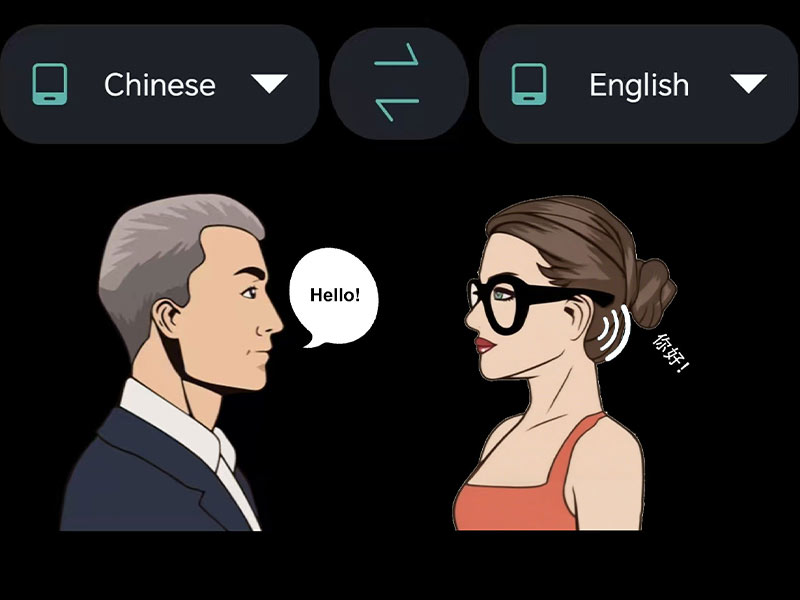
The glasses support two-way translation in 164 languages, enabling simultaneous interpretation for effortless, hands-free conversations. This feature facilitates global communication by translating spoken language in real-time.
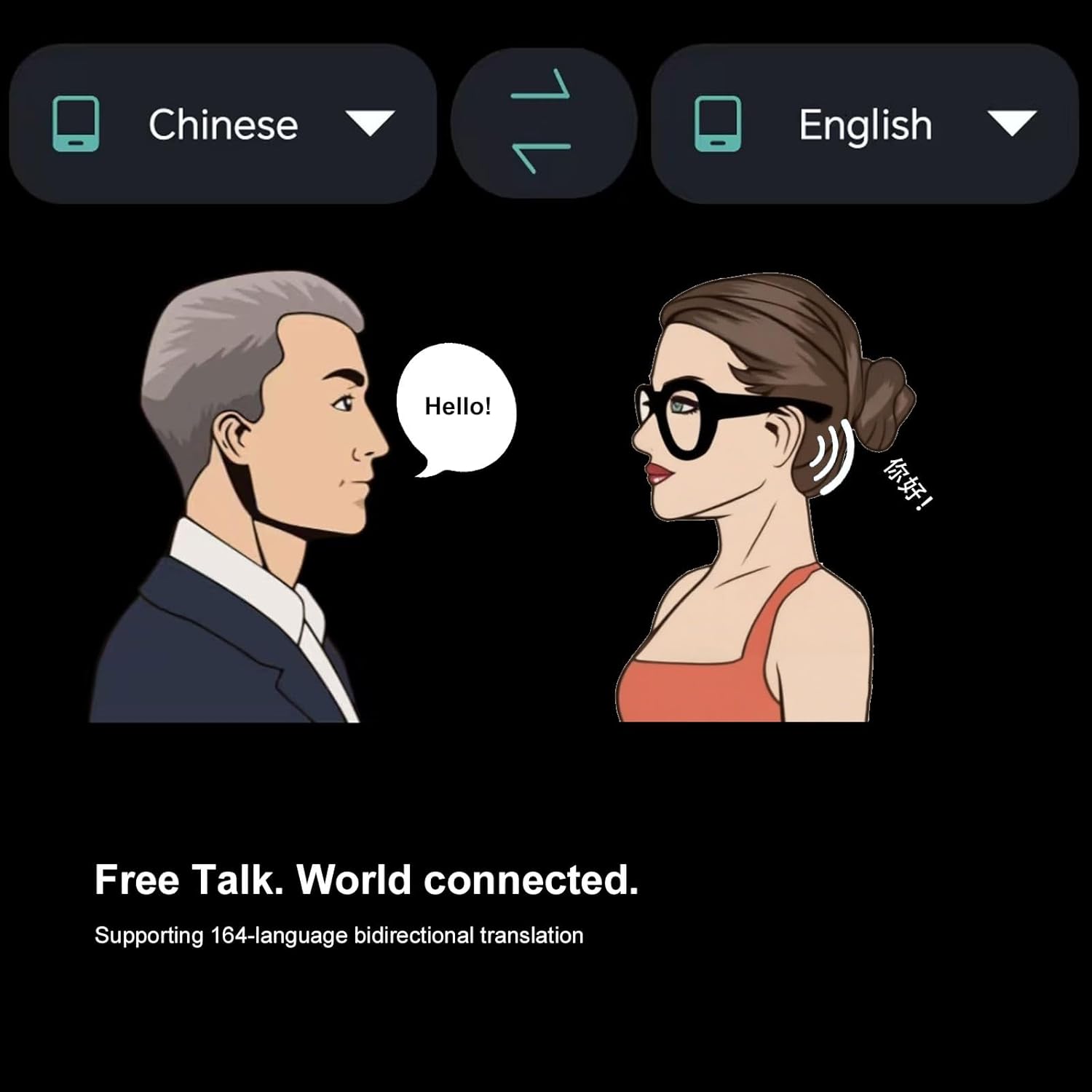
Figure 4.1: AI Real-Time Translation in action
This illustration depicts two individuals communicating, with speech bubbles showing translation from Chinese to English, demonstrating the 164-language bidirectional translation capability.
4.2 Open-Ear Bluetooth Audio
Equipped with an open-ear speaker system, the glasses allow you to listen to music and take calls while remaining aware of your surroundings. This design promotes ear health by avoiding in-ear components. The HD microphone ensures high-quality sound during calls.

Figure 4.2: Open-Ear Audio System
This image highlights the open-ear audio speakers located on both temples of the glasses, indicating the direction of sound projection.
4.3 Pamaduan Control Sora
The smart glasses feature voice control technology, allowing for hands-free phone calls, answering, and access to virtual assistants like Siri, Cortana, and Google Now. You can use voice commands to connect to music streaming services, get directions, or check weather updates.
4.4 Photochromic Lenses
The transitional technology lenses automatically change color from light grey to dark grey when exposed to sunlight outdoors, and revert to light grey indoors. These lenses are impact-resistant and provide UV400 protection, anti-eyestrain, anti-scratch, and anti-smudge properties.

Figure 4.3: Photochromic Lens Functionality
This diagram illustrates how the photochromic lenses adapt to light conditions, transitioning from clear/light grey indoors to dark grey under direct sunlight.
5. Ngamimitian
5.1 Ngecas Kacamata
Before first use, fully charge the glasses. Connect the provided USB Type-C cable to the charging port on the glasses and the other end to a USB power adapter (not included) or a computer's USB port. The charging indicator light will show the charging status.

Figure 5.1: USB Type-C Charging Port
A close-up image of a USB Type-C connector, indicating the charging interface for the glasses.
5.2 Pamasangan Aplikasi
To utilize the AI translation and other smart features, download the dedicated OhO sunshine application from your smartphone's app store (available for iOS and Android devices). Follow the on-screen instructions to complete the installation.
5.3 Nyapasangkeun Bluetooth
- Pastikeun kacamata tos dicas sareng dihurungkeun.
- Aktipkeun Bluetooth dina smartphone Anjeun.
- Open the OhO sunshine application. The app will guide you through the pairing process.
- Select the OhO sunshine glasses from the list of available Bluetooth devices on your phone.
- Pastikeun pasangan dina kadua alat upami dipenta.

Figure 5.2: App Interface and Bluetooth Connection
This image shows a person wearing the smart glasses, with a smartphone displaying the OhO sunshine app interface, highlighting the Bluetooth connection and AI chat mode.
6. Parentah Operasi
6.1 Daya Hurung/Pareuman
To power on the glasses, press and hold the Power Button located on the temple until you hear an audible prompt or see an indicator light. To power off, press and hold the Power Button again.
6.2 AI Translation Usage
Once paired with the app, select the desired source and target languages within the OhO sunshine application. Activate the translation mode (e.g., Free Talk or AI Chat Mode) as per the app's instructions. Speak clearly into the glasses' microphone, and the translated audio will be played through the open-ear speakers.

Figure 6.1: Real-Time Translation Flow
This graphic illustrates the process of AI real-time translation, showing speech input, audio waveform processing, and translated audio output through the glasses.
6.3 Puteran musik sareng Telepon
After successful Bluetooth pairing, you can play music from your smartphone through the glasses' open-ear speakers. Use the volume control buttons on the glasses to adjust audio levels. For calls, the integrated microphone allows for hands-free communication. Answer or end calls using the designated button (refer to the product diagram for button locations).

Figure 6.2: Product Component Overview
This diagram labels key components of the glasses, including the volume control button, open ear speakers, power button, microphone, and replaceable lenses.
7. Perawatan sareng Pangropéa
- Clean the lenses and frame regularly with the provided cleaning cloth. For stubborn smudges, use a lens cleaning spray designed for eyewear.
- Avoid using abrasive cleaners, solvents, or alcohol-based solutions, as these can damage the lenses and frame.
- Store the glasses in their protective carrying case when not in use to prevent scratches and damage.
- Tetep port ngecas bébas tina lebu jeung lebu.
8. Cara ngungkulan
| Masalah | Mungkin Cukang lantaranana | Solusi |
|---|---|---|
| Kacamata teu hurung. | batré lemah. | Ngecas gelas pinuh. |
| Teu bisa masangkeun via Bluetooth. | Bluetooth is off on phone; glasses not in pairing mode; interference. | Ensure Bluetooth is on. Restart glasses and phone. Move closer to phone. |
| Tarjamahan teu akurat atanapi teu tiasa dianggo. | Poor internet connection; incorrect language settings; background noise. | Check internet connection. Verify language settings in app. Speak clearly in a quiet environment. |
| Taya audio tina speaker. | Volume teuing leutik; teu nyambung; masalah sumber audio. | Increase volume. Reconnect Bluetooth. Check audio source on phone. |
9. Spésifikasi Téknis
- merek: Oh O panonpoé
- model: AI Translation Bluetooth Glasses
- Basa Tarjamahan: 164
- Vérsi Bluetooth: BT 5.2
- Audio: Dual-Ear Open-Ear Speaker System
- Mikropon: Integrated HD Microphone
- Kontrol sora: Supports Siri, Cortana, Google Now
- Jenis lensa: Photochromic, UV400 Protection, Impact Resistant, Anti-Eyestrain, Anti-Scratch, Anti-Smudge
- Port ngecas: USB Tipe-C
- Kahirupan batré: Nepi ka 10 jam (gumantung panggunaan)
- Tahan cai: IP44 (Splash Resistant)

Gambar 9.1: Dimensi Produk
This image provides detailed measurements of the smart glasses, including overall width, lens width, and temple length.
10. Garansi jeung Rojongan
For warranty information and customer support, please refer to the documentation included with your product or contact the manufacturer directly. The manufacturer of this product is OhO sunshine. Please retain your proof of purchase for any warranty claims.
For further assistance, visit the official OhO sunshine store or support channels.
Pabrikan: OhO sunshine


