1. Bubuka
The KERUI A6504-1 is a 4-channel H.265+ security camera DVR system designed for comprehensive surveillance. This system includes a DVR recorder and four 2MP surveillance cameras, featuring human detection, mobile app and PC remote access, and smart playback capabilities. A 500GB hard drive is pre-installed for immediate recording. This manual provides detailed instructions for setting up, operating, and maintaining your security system.
2. Produk Langkungview
2.1. komponén
- 1 x 4-Channel H.265+ DVR Recorder
- 4 x 2MP Surveillance Cameras
- 1 x Pre-installed 500GB Hard Drive
- Adaptor daya pikeun DVR sareng kaméra
- Mouse USB
- Mounting screws and cables
2.2. Fitur konci
- Kapasitas 4-Kanal: Connects up to four cameras simultaneously.
- 6-in-1 Camera Compatibility: Supports AHD, TVI, CVI, CVBS, XVI, and IP cameras.
- 1080P HD Video Quality: Ngarekam gambar anu jelas sareng rinci.
- Komprési Pidéo H.265+: Efficiently saves storage space and improves streaming.
- Kaméra Tahan Cuaca IP66: Suitable for indoor and outdoor use, resistant to harsh weather.
- IR-CUT Night Vision: Automatic switching for clear day and night surveillance.
- Deteksi Manusa: Advanced motion detection to reduce false alarms.
- Aksés Jauh: View hirup jeung dirékam footage via mobile app (XMEye, Icsee) or PC software (VMS).
- Smart Playback: Easily search and review recorded events.
- Intelligent Alarm System: Sends push notifications and email alerts upon detection.
3. Setup Guide
This section guides you through the initial installation and configuration of your KERUI A6504-1 security system.
3.1. Unpacking jeung Inspection
- Taliti unpack sadaya komponén.
- Verify that all items listed in the "Product Overview" are present and undamaged.
- Keep packaging for future transport or returns.
3.2. Nyambungkeun DVR
- Sambungkeun kaméra: Connect the BNC cables from your surveillance cameras to the "VIDEO IN" ports on the back of the DVR. Ensure power is supplied to each camera.
- Sambungkeun Monitor: Connect a monitor to the DVR using either an HDMI cable (for high-definition display) or a VGA cable. The HDMI port is labeled "HDMI Output" and the VGA port is labeled "VGA Output".
- Sambungkeun Mouse: Plug the included USB mouse into one of the USB ports on the DVR.
- Connect Network (Optional but Recommended): For remote access and updates, connect an Ethernet cable from your router to the "LAN" port on the DVR.
- Daya Hurung: Connect the DVR's power adapter to the "DC 12V" input and then plug it into a power outlet. The system will start automatically.

This image illustrates the various input and output ports on the DVR, including video input for cameras, HDMI and VGA outputs for monitors, audio input/output, network port, and USB ports.
3.3. Konfigurasi awal
- Upon first startup, the DVR will guide you through a setup wizard.
- Pilihan Basa: Pilih basa anu anjeun pikaresep.
- Nyieun kecap akses: Create a strong password for the administrator account. This is crucial for security.
- Setélan jaringan: Configure network settings. If connected via Ethernet, DHCP is usually sufficient.
- Inisialisasi Hard Drive: The pre-installed 500GB HDD may need to be formatted or initialized. Follow on-screen prompts.
- Waktos sareng Tanggal: Setel zona waktos, kaping, sareng waktos anu leres.
4. Parentah Operasi
This section covers the daily use and advanced features of your KERUI A6504-1 system.
4.1. Hirup View
- After logging in, the system will display the live view of all connected cameras.
- Use the mouse to navigate the interface. Double-click a camera view pikeun ngagedekeunana.
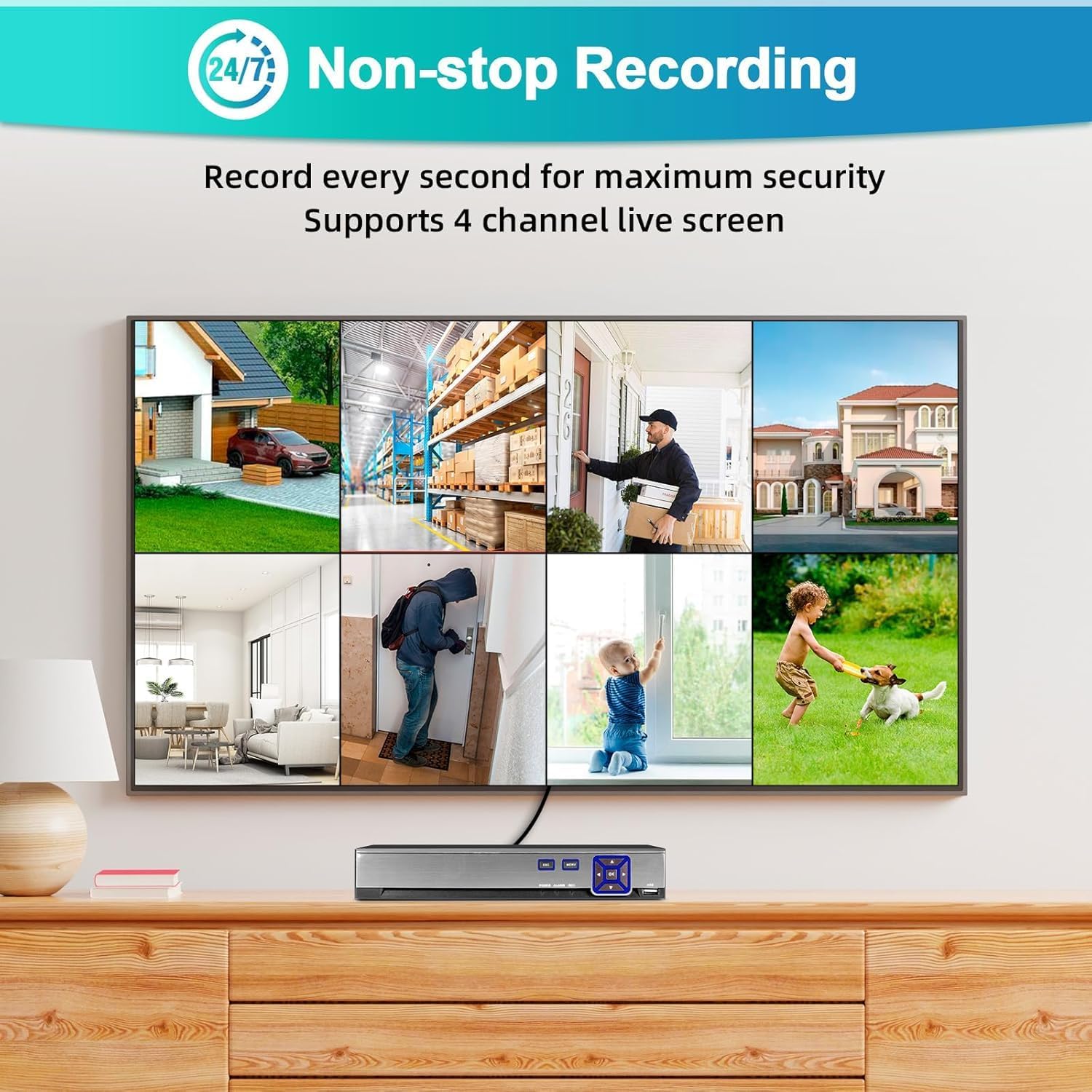
This image shows the multi-channel live view interface, demonstrating simultaneous monitoring of up to 4 cameras.
4.2. Ngarekam
- The system is pre-configured for 24/7 continuous recording to the 500GB hard drive.
- Modeu Rekaman: You can configure different recording modes via the DVR menu:
- Rékam Kontinyu: Ngarékam terus-terusan.
- Ngarekam Deteksi Gerak: Rékam ngan nalika gerakan dideteksi.
- Rekaman Dijadwalkeun: Rékam salami période waktos anu khusus.
- Access recording settings through the main menu: Record > Record Schedule.
4.3. Puterkeun deui
- Ka view dirékam footage, go to the main menu and select Playback.
- Choose the camera channel and the date/time range you wish to review.
- The timeline will show recorded events. Use the playback controls (play, pause, fast forward, rewind) to navigate.
4.4. Remote Access (Mobile App & PC)
- Aplikasi Mobile:
- Download the "XMEye" or "Icsee" app from the Apple App Store or Google Play Store.
- Ngadaptar akun.
- Add your DVR by scanning the QR code (usually found in the DVR's network settings) or manually entering the device ID.
- Pastikeun DVR anjeun disambungkeun ka internét.
- Parangkat Lunak PC:
- Download the "VMS" software from the manufacturer's websitus.
- Install and configure the software to add your DVR using its IP address or device ID.

This image illustrates the remote access capabilities, allowing users to monitor their property from anywhere using a smartphone or computer.
4.5. Motion Detection & Alarms
- The system features human detection to minimize false alarms.
- Konfigurasi: Aksés Alarm > Deteksi Gerak in the DVR menu.
- Enable motion detection for desired channels.
- Adjust sensitivity and detection areas.
- Configure alarm actions: push notifications to the mobile app, email alerts, or local buzzer.
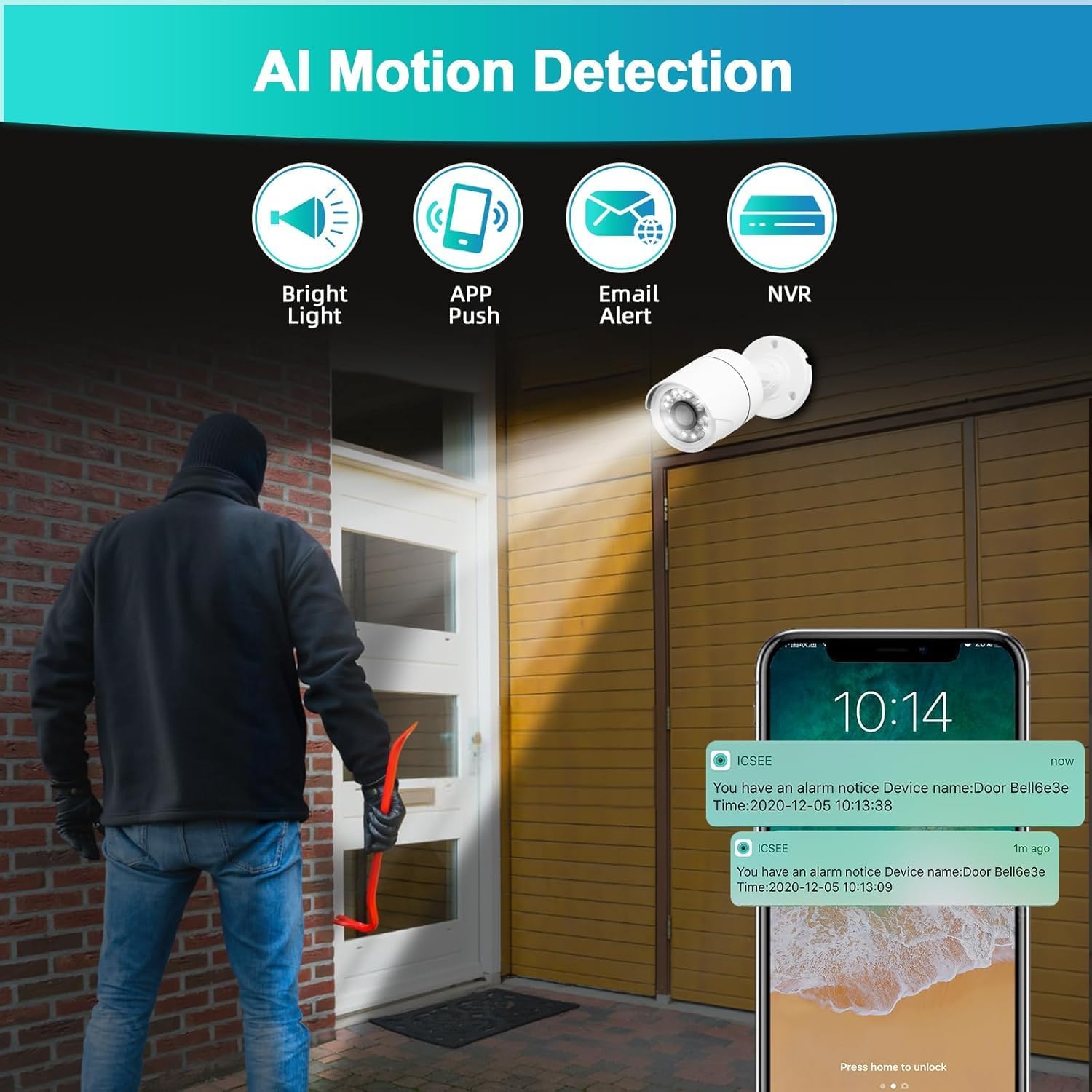
This image demonstrates the AI motion detection feature, showing an alert being sent to a mobile phone when suspicious activity is detected.
5. Pangropéa
Pangropéa rutin mastikeun kinerja anu optimal sareng umur panjang sistem kaamanan anjeun.
5.1. Manajemén Hard Drive
- The 500GB hard drive will automatically overwrite the oldest footage nalika pinuh.
- Periodically check the hard drive status in the DVR menu (HDD > General) to ensure it is functioning correctly.
5.2. Beberesih Kaméra
- Bersihkeun lensa kaméra sacara saksama nganggo sabun anu lemesamp cloth to remove dust, dirt, or smudges that may affect image quality.
- Entong nganggo bahan kimia anu karasa.
5.3. Apdet firmware
- Pariksa produsén urang websitus périodik pikeun apdet firmware.
- Firmware updates can improve system stability, add new features, or fix bugs. Follow the provided instructions carefully when performing updates.
6. Cara ngungkulan
Bagian ieu ngabahas masalah umum anu anjeun tingali.
- Henteu aya Kaluaran Pidéo dina Monitor:
- Ensure the monitor is powered on and correctly connected to the DVR via HDMI or VGA.
- Verify the monitor's input source is set to the correct HDMI/VGA port.
- Check if the DVR's power adapter is securely connected and the DVR is powered on.
- Henteu aya gambar kaméra:
- Check if the camera is properly connected to the DVR's video input port.
- Ensure the camera is receiving power. Check power adapters and cables.
- Verify the camera type is compatible with the DVR (AHD/TVI/CVI/CVBS/IP).
- Henteu aya rékaman:
- Check the hard drive status in the DVR menu (HDD > General). Ensure it is initialized and has free space.
- Verify recording schedules are correctly configured (Record > Record Schedule).
- Ensure motion detection is enabled and configured if using motion-triggered recording.
- Aksés Jauh Teu Gawé:
- Ensure the DVR is connected to the internet via an Ethernet cable.
- Check network settings on the DVR (Network > TCP/IP) to ensure it has a valid IP address.
- Verify your mobile device or PC has an active internet connection.
- Ensure the correct device ID or IP address is entered in the app/software.
- Check firewall settings on your router if you are experiencing connection issues.
- Alarm Palsu Detéksi Gerak:
- Adjust the sensitivity settings for motion detection in the DVR menu (Alarm > Deteksi Gerak).
- Refine the detection area to exclude irrelevant zones (e.g., moving trees, busy roads).
7. Spésifikasi
| Fitur | Rincian |
|---|---|
| Nomer modél | A6504-1 |
| Saluran | 4 Saluran |
| Input Video | XVI, AHD, TVI, CVBS, CVI, IP |
| Kaluaran Video | HDMI, VGA |
| Input Audio | Mikropon |
| palabuhan USB | 2 |
| Kapasitas Hard Drive | 500GB (Pre-installed) |
| Komprési Video | H.265 + |
| Resolusi kaméra | 2MP (1920x1080P) |
| Rating Kaméra Tahan Cuaca | IP66 |
| Fitur husus | App Control, Human Detection, Night Vision, Motion Sensor, Smart Playback, Two-Way Audio, Video Recording |
| Suhu Operasi | -10 ℃ nepi ka 60 ℃ |
8. Garansi jeung Rojongan
8.1. Émbaran jaminan
This product comes with a standard manufacturer's warranty. Please refer to the warranty card included in your package or contact customer support for specific details regarding coverage and duration.
8.2. Rojongan Palanggan
For technical assistance, troubleshooting, or warranty claims, please contact KERUI customer support. (Specific contact details are not provided in the product data. Please refer to the product packaging or manufacturer's website for contact information.)


