Bubuka
This manual provides essential information for setting up, operating, maintaining, and troubleshooting your HP 15.6 inch HD Laptop. Please read this guide thoroughly before using your device to ensure optimal performance and longevity.
Disetél
Unpacking the Laptop
Sacara saksama miceun sadaya komponén tina bungkusan. Pastikeun aya item di handap ieu:
- HP 15.6 inch HD Laptop
- Adaptor Daya AC sareng Kabel Daya
- Pituduh Mimitian Gancang (upami kalebet)
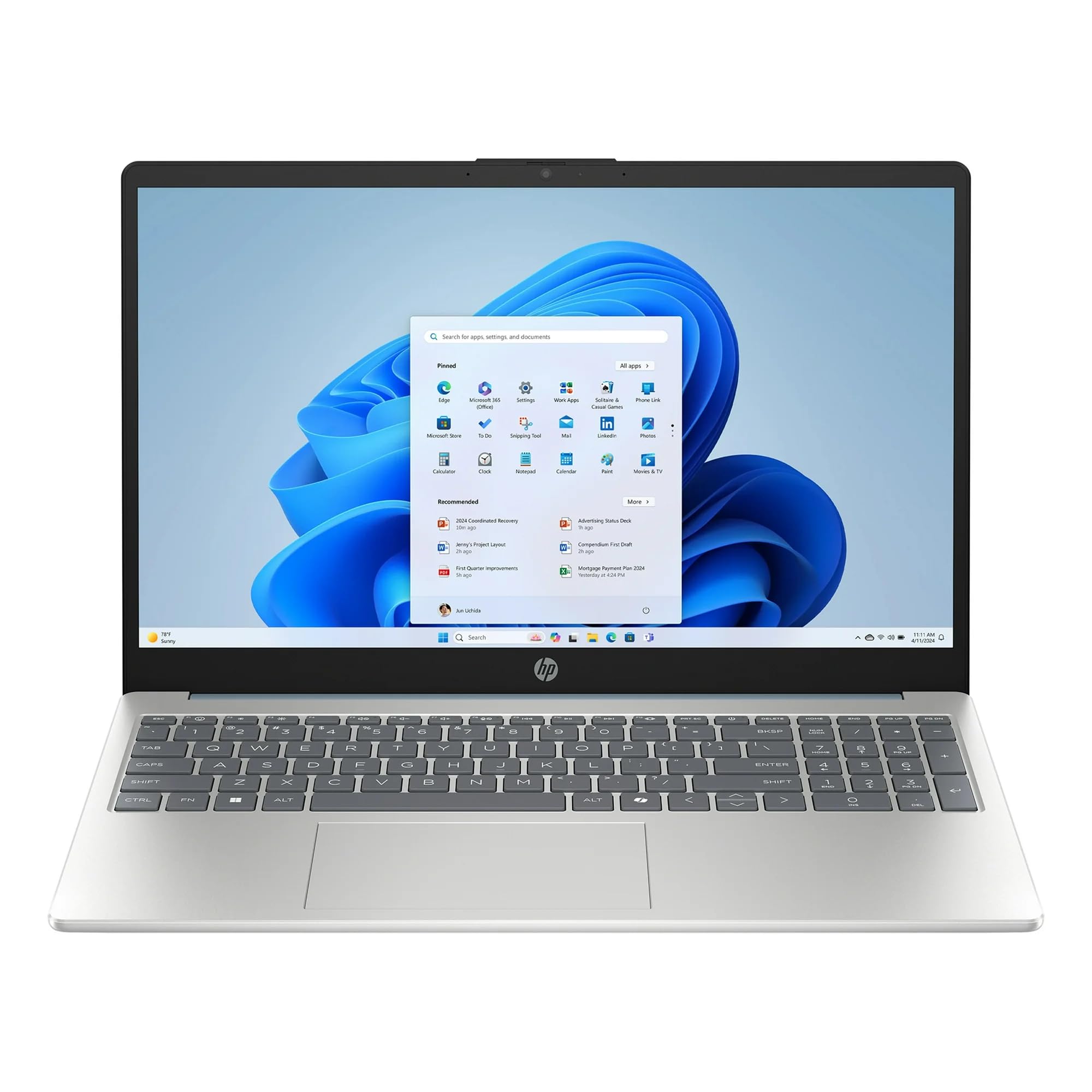
Image: The HP 15.6 inch HD Laptop, showcasing its display and keyboard layout. This is the main unit.
Nyambungkeun Daya
- Sambungkeun adaptor daya AC kana konektor daya di sisi laptop.
- Colokkeun kabel listrik kana stop kontak témbok.
- Keun batréna ngecas sahenteuna 30 menit sateuacan dianggo mimiti, atanapi dugi ka indikator batré nunjukkeun muatan pinuh.
Initial Boot-up and Windows 11 Setup
Pencét tombol daya pikeun ngahurungkeun laptop. Turutan pitunjuk dina layar pikeun ngalengkepan prosés setelan Windows 11 Home. Ieu kalebet milih wilayah, basa, nyambungkeun ka jaringan Wi-Fi, sareng ngadamel akun pangguna.
Ngaoperasikeun Laptop
Kibor sareng Touchpad
The laptop features a full-size keyboard and a multi-touch touchpad. Refer to the Potong kompas keyboard section for common key combinations.
Nyambungkeun Periferal
Anggo palabuhan anu sayogi pikeun nyambungkeun alat éksternal:
- Port USB: For mice, keyboards, external storage, etc.
- Port HDMI: For connecting to external monitors or TVs (if available).
- Jack audio: Pikeun headphone atanapi speaker éksternal.
Konéktipitas Wireless
The laptop supports 802.11ac Wi-Fi and Bluetooth for wireless connections. Access network settings via the Windows 11 taskbar to connect to Wi-Fi networks or pair Bluetooth devices.
Pangropéa
Ngabersihkeun Laptop
- Make kaen nu lemes, teu aya lint rada dampdilengkepan ku cai atawa pembersih layar pikeun ngabersihan tampilan.
- Pikeun kibor sareng rangka, anggo lawon anu lemes sareng garing. Hindarkeun bahan kimia anu keras.
Perawatan batré
To prolong battery life, avoid extreme temperatures and allow the battery to discharge partially before recharging. Do not leave the laptop plugged in constantly for extended periods if not in use.
Software Apdet
Pariksa sareng pasang apdet Windows sareng apdet supir HP sacara rutin pikeun mastikeun stabilitas sareng kaamanan sistem. Buka Setélan > Windows Update pikeun ngatur apdet.
Pamérésan masalah
| Masalah | Solusi anu mungkin |
|---|---|
| Laptop teu hurung. | Pastikeun adaptor AC disambungkeun kalayan pageuh sareng stop kontakna tiasa dianggo. Cobi stop kontak anu sanés. |
| Masalah sambungan Wi-Fi. | Check if Wi-Fi is enabled in Windows settings. Restart your router and the laptop. Update Wi-Fi drivers. |
| kinerja lalaunan. | Close unnecessary applications. Check for background processes. Ensure sufficient free storage space on the 512GB SSD. Run a disk cleanup. |
| Batré teu ngecas. | Verify the power adapter and cable are not damaged. Ensure the connection port is clean. |
spésifikasi
| Fitur | Rincian |
|---|---|
| Ngaran modél | HP |
| Ukuran layar | 15.6 Inches (HD Display) |
| Prosesor | AMD Ryzen 5 (3.6 GHz) |
| Ram | 8GB DDR4 SDRAM |
| Panyimpenan | 512GB SSD (PCIE x 2) |
| Grafika | Integrated Intel UHD Grafika |
| Sistem operasi | Windows 11 Imah |
| Konéktipitas Wireless | Wi-Fi 802.11ac, Bluetooth |
| Ukuran (L x W x H) | 12.76 x 8.86 x 0.71 inci |
| Beurat | 6 pon |
| Warna | Willow Green |
Catetan: Spésifikasi tiasa robih tanpa aya bewara.
Émbaran jaminan
This HP laptop typically comes with a standard manufacturer's warranty. Please refer to the warranty card included with your product or visit the official HP support website for detailed terms and conditions, including warranty duration and coverage specifics. Keep your proof of purchase for warranty claims.
Ngarojong
Kanggo bantosan téknis, unduhan supir, atanapi dukungan salajengna, mangga buka dukungan resmi HP. websitus:
- Rojongan HP Websitus: support.hp.com
- Dokuméntasi Online: Additional manuals and guides may be available online.
When contacting support, have your laptop's serial number and model number ready. These can usually be found on a sticker on the bottom of the laptop or in the system information within Windows.