Bubuka
This manual provides detailed instructions for the setup, operation, maintenance, and troubleshooting of your Greadio Boombox CD Player Alarm Clock. Please read this manual thoroughly before using the product to ensure proper function and longevity.

Image: The Greadio Boombox CD Player Alarm Clock, showcasing its compact design and integrated features.
The Greadio Boombox is a versatile 12-in-1 digital clock CD boombox featuring CD playback, alarm clock functions, Bluetooth connectivity, white noise generation, remote control, FM radio, AUX input, TF card slot, USB playback, and a dimmable large LCD screen. It is powered by either AC or a built-in 5000mAh rechargeable battery.

Image: An illustration highlighting the 12-in-1 features of the Greadio Boombox, including CD Player, Bluetooth 5.1, Stereo Sound, Alarm Clock, Remote Control, White Noise, Rechargeable 5000mAh battery, FM Radio, USB, TF Card, AUX-In, and Dimmer.
Disetél
Powering Alat
The Greadio Boombox offers two power options: AC power for indoor use and battery power for portability.
- Daya AC: Connect the provided AC adapter to the DC IN port on the unit and plug the other end into a standard wall outlet.
- Daya Batré: The unit has a built-in 5000mAh rechargeable lithium-ion battery. For extended outdoor use, six C-size batteries (not included) can also be inserted into the battery compartment. Ensure correct polarity when inserting C batteries.

Image: Two options for power supply are shown: the boombox connected to an AC outlet for indoor use, and the boombox with six C-size batteries for portable outdoor use.
Setting the Clock and Alarms
The boombox features a large dimmable LCD clock display and dual independent alarms.
- Setélan waktos: Refer to the specific buttons on the unit (usually 'Time Set' or 'Clock') and use the navigation buttons to adjust hours and minutes.
- Setélan Alarm: The unit supports two independent alarms (Alarm 1 and Alarm 2). Press the 'Alarm' button to select an alarm, then use navigation buttons to set the desired wake-up time.
- Nada Dering Alarm: Customize alarm ringtones with 5 modes: FM radio, white noise, CD, USB, or any song from a TF card. Select your preferred source during alarm setup.
- Fungsi Tungkul A 9-minute snooze function is available. Press the 'Snooze' button when the alarm sounds to temporarily silence it.
- Dimmer tampilan: Adjust the brightness of the LCD display using the 'Dimmer' function to suit your preference, especially for nighttime viewing.
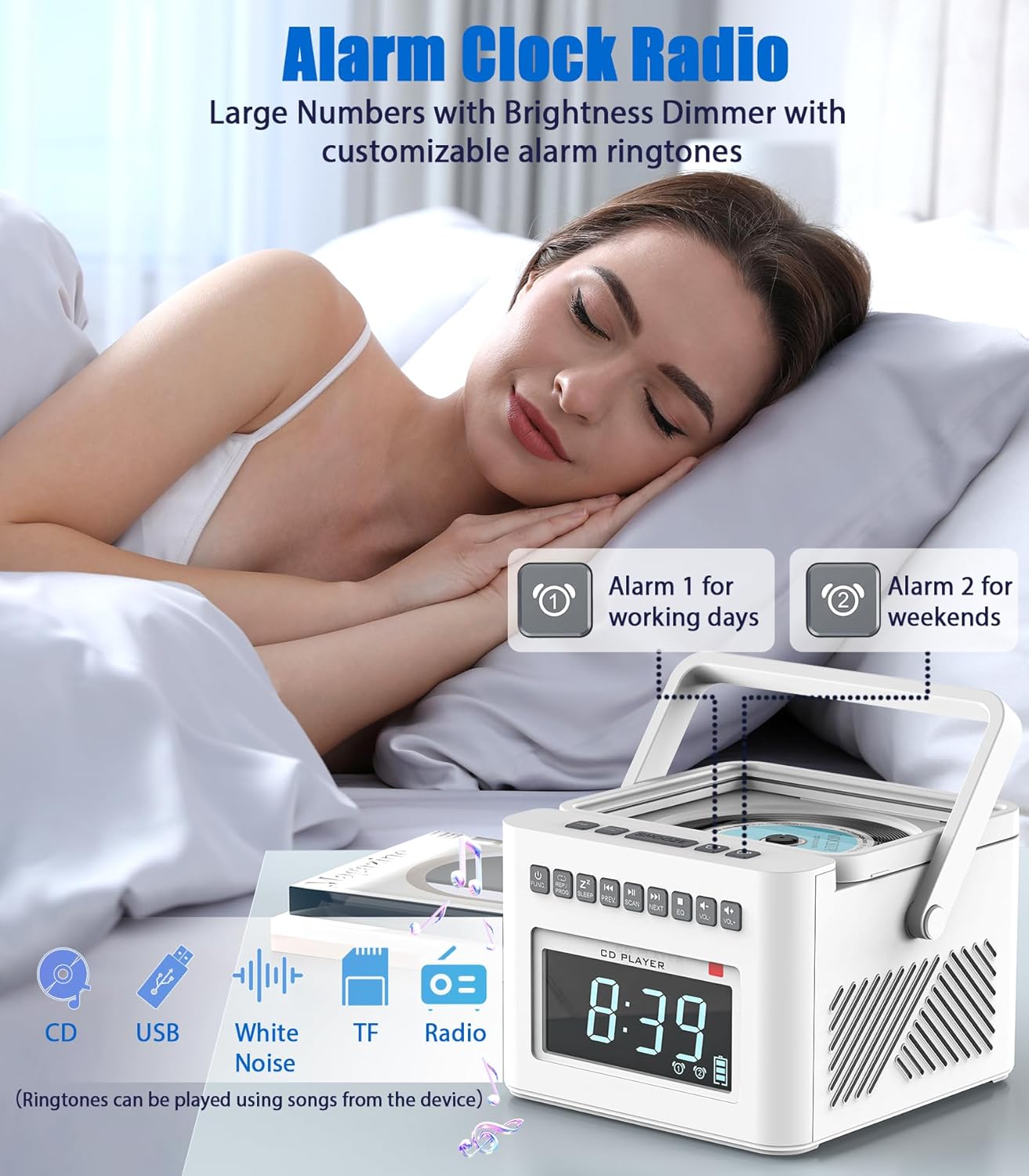
Image: A person sleeping peacefully with the Greadio Boombox on a nightstand, illustrating the alarm clock features including dual alarms (for working days and weekends) and customizable ringtones from CD, USB, White Noise, TF, or Radio.
Parentah Operasi
Operasi Pamuter CD
The boombox supports CD, CD-R, and CD-RW formats.
- Buka panutup kompartemen CD.
- Teundeun CD kalawan sisi labél nyanghareup ka luhur.
- Tutup panutup kompartemen CD.
- Press the 'MODE' or 'FUNC' button to select CD mode.
- Press the 'PLAY/PAUSE' button to start playback.
- Use the 'NEXT' and 'PREV' buttons to skip tracks.
- Press the 'STOP' button to stop playback.
- Utilize 'REPEAT' or 'PROG' buttons for normal, single cycle, full cycle, or random play functions.
Konektipitas Bluetooth
The unit functions as both a Bluetooth transmitter and receiver (Bluetooth 5.1).
- Mode panarima Bluetooth: Press the 'MODE' or 'FUNC' button to select Bluetooth mode. The display will show 'BLUE'. On your phone, tablet, or computer, search for 'Greadio Boombox' and pair. You can now stream audio from your device to the boombox.
- Modeu pamancar Bluetooth: In CD, USB, TF, or FM mode, activate the Bluetooth transmission function (refer to specific button, usually a dedicated Bluetooth TX button or long-press of a mode button). The boombox can then stream its audio to wireless headphones, earphones, or Bluetooth speakers.
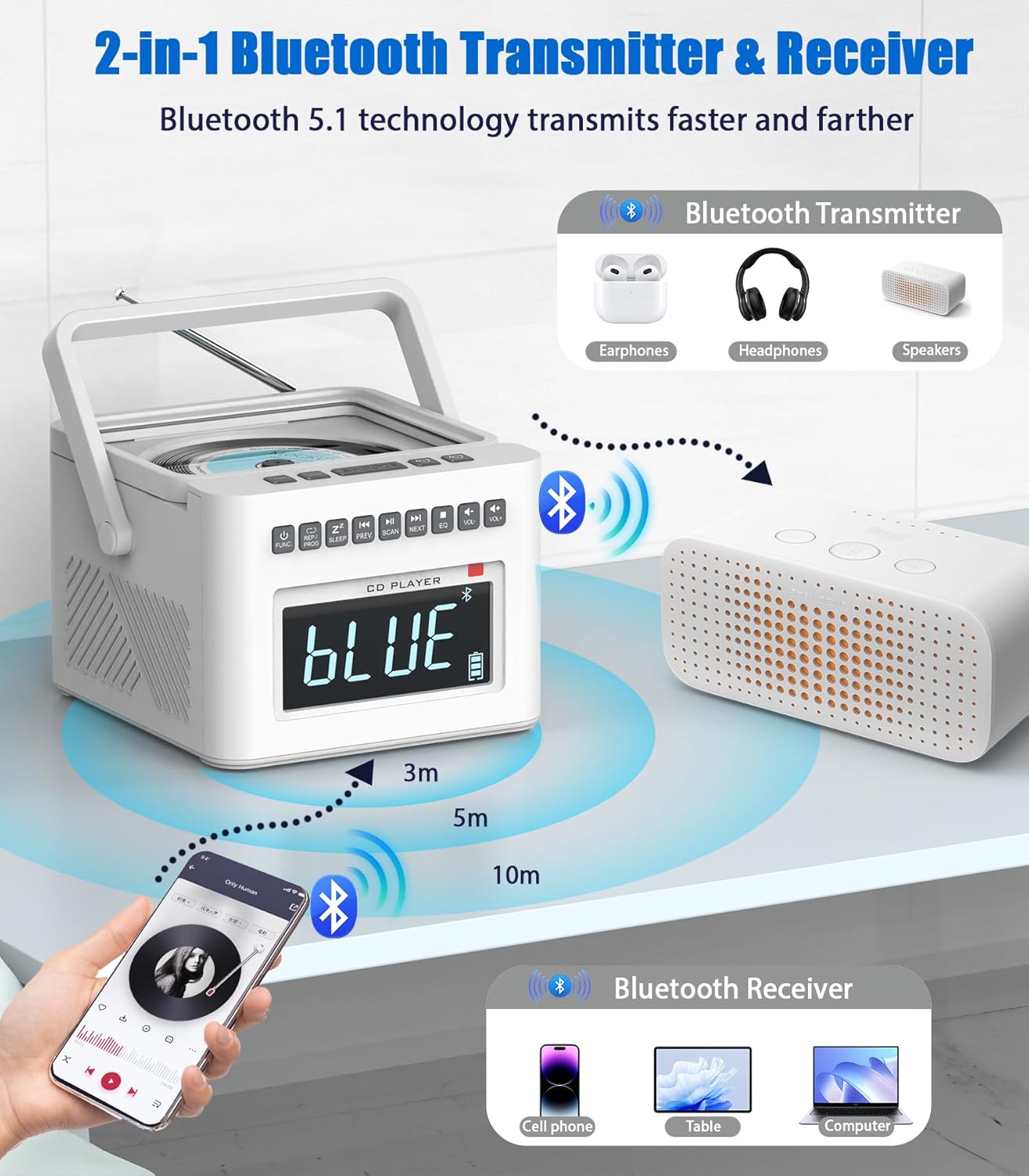
Image: A diagram illustrating the Bluetooth 5.1 capabilities, showing the boombox receiving audio from a smartphone (Bluetooth Receiver) and transmitting audio to headphones or speakers (Bluetooth Transmitter).
Operasi Radio FM
The boombox includes an FM radio tuner.
- Panjangkeun anteneu teleskopik pikeun panarimaan anu langkung saé.
- Press the 'MODE' or 'FUNC' button to select FM Radio mode.
- Press the 'SCAN' button to automatically scan and save available FM stations.
- Use the 'NEXT' and 'PREV' buttons to manually tune or select saved stations.
USB and TF Card Playback
The unit supports playback from USB drives and TF (MicroSD) cards.
- Insert a USB drive into the USB port or a TF card into the TF card slot.
- Press the 'MODE' or 'FUNC' button to select USB or TF mode.
- The unit will automatically begin playing compatible audio files (MP3/WMA).
- Use the 'NEXT', 'PREV', 'PLAY/PAUSE', and 'STOP' buttons for control.
Input AUX
Connect external audio devices using the AUX input.
- Connect one end of a 3.5mm audio cable (not included) to the AUX IN port on the boombox.
- Connect the other end to the headphone jack or audio output of your external device (e.g., smartphone, MP3 player).
- Press the 'MODE' or 'FUNC' button to select AUX mode.
- Kontrol playback tina alat éksternal anjeun.

Image: A collage demonstrating the various playback modes: FM Radio, USB, TF Card, and AUX-In, showing users enjoying music through different sources.
Mesin Noise Bodas
The boombox includes 8 digitally recorded relaxing sound effects.
- Press the 'White Noise' button (or cycle through modes until 'White Noise' is selected).
- Use the 'NEXT'/'PREV' buttons to cycle through the 8 available sounds: white noise, thunder, birds chirping, rain, summer nights, streams, and lullabies (3 variations).
- Timer otomatis-pareum: Set a sleep timer (10-90 minutes) to automatically turn off the white noise or other audio playback. This is typically done by pressing a 'Sleep' or 'Timer' button repeatedly to cycle through time options.

Image: An illustration highlighting the 8 white noise sounds (Lullabies, Water Stream, Cricket, Thunder Rain, Rainstorm, Brook Bird) and the 5000mAh battery capacity, suggesting improved sleep quality.
Kadali jauh
The included remote control allows for convenient operation from a distance. Functions typically include Power On/Off, Mode selection, Play/Pause, Skip/Scan, Volume Up/Down, Alarm settings, and Sleep Timer.
Jack headphone
For private listening, plug 3.5mm headphones into the headphone jack on the unit. The built-in speakers will automatically mute.
Pangropéa
beberesih
- Always unplug the device from the power source before cleaning.
- Anggo kaén anu lembut sareng garing pikeun ngusap permukaan luar.
- Pikeun tanda pengkuh, enteng dampen lawon ku cai atawa hampang, cleaner non-abrasive. Ulah make bahan kimia kasar atawa bahan abrasive.
- Keep the CD lens clean using a specialized CD lens cleaner disc.
Perawatan batré
- To maximize the lifespan of the built-in 5000mAh lithium-ion battery, avoid fully discharging it frequently.
- If storing the unit for an extended period, charge the battery to approximately 50% before storage and recharge every few months.
- Remove C-size batteries if the unit will not be used for a long time to prevent leakage.
Pamérésan masalah
| Masalah | Mungkin Cukang lantaranana | Solusi |
|---|---|---|
| Taya kakuatan | AC adapter not connected; Battery depleted; C batteries inserted incorrectly or depleted. | Ensure AC adapter is securely connected. Charge the built-in battery. Check C battery polarity and replace if necessary. |
| CD teu diputer | CD inserted incorrectly; CD scratched/dirty; Unit not in CD mode. | Ensure CD is label side up. Clean or replace CD. Select CD mode using 'MODE' or 'FUNC' button. |
| Bluetooth teu nyambung | Unit not in Bluetooth mode; Device too far; Pairing failed. | Select Bluetooth mode. Ensure device is within 32ft range. Delete previous pairing and re-pair. |
| panarimaan radio FM goréng | anteneu teu ngalegaan; Sinyal lemah. | Panjangkeun anteneu teleskopik sacara pinuh. Coba pindahkeun posisi unitna. |
| Alarm teu disada | Alarm not set; Volume too low; Alarm turned off. | Verify alarm time and activation. Increase volume. Ensure alarm is enabled. |
spésifikasi
- model: B0FDGC47XX
- merek: Greadio
- Sasayogian tanaga: AC adapter (included) or 6 x C batteries (not included)
- Batré internal: Litium-ion anu tiasa dicas ulang 5000mAh
- Playback Time (Internal Battery): Bluetooth: up to 11 hours; TF/USB: up to 10 hours; CD: up to 5 hours; FM: up to 4.5 hours
- Kasaluyuan CD: CD, CD-R, CD-RW
- Vérsi Bluetooth: 5.1 (Transmitter & Receiver)
- Kisaran Bluetooth: Nepi ka 32 suku (10 méter)
- Input audio: AUX-In (3.5mm), USB, TF Card
- Kaluaran Audio: Jack Headphone (3.5mm)
- Panyatur: Built-in Dual Speakers (2W*2)
- Fitur Alarm: Dual Alarms, 9-minute Snooze, 5 customizable ringtone sources
- Sora White Noise: 8 digitally recorded sounds (white noise, thunder, birds chirping, rain, summer nights, streams, 3 lullabies)
- Timer Saré: 10-90 menit
- tampilan: Large Dimmable LCD
Garansi sareng Rojongan
For product support, troubleshooting beyond this manual, or warranty inquiries, please contact Greadio customer service. You can typically find contact information on the Greadio official website or through the retailer where the product was purchased. Please retain your proof of purchase for any warranty claims.
While a specific warranty period is not detailed in this manual, standard return policies (e.g., 30-day return window) may apply through your retailer. Always refer to the terms and conditions provided at the time of purchase.
Nganjang ka Greadio Store on Amazon pikeun inpo nu leuwih lengkep sarta apdet produk.

