1. Émbaran Kasalametan penting
Mangga baca sagala parentah kaamanan saméméh ngagunakeun projector. Simpen manual ieu pikeun rujukan ka hareup.
- Ulah meungpeuk bukaan ventilasi. Pastikeun spasi nyukupan sabudeureun projector pikeun aliran hawa ditangtoskeun.
- Hindarkeun paparan langsung kana cahaya lénsa proyéktor.
- Ulah nempatkeun projector deukeut sumber panas atawa dina sinar panonpoé langsung.
- Paké ngan adaptor kakuatan disadiakeun kalawan alat.
- Ulah nyobian muka atawa ngalereskeun proyektor sorangan. Rujuk sadayana jasa ka tanaga anu mumpuni.
- Jauhkeun proyektor tina cai atanapi cairan sanés.
2. Eusi Paket
Pastikeun yén sadaya item aya dina bungkusan:
- Aurzen Roku TV Smart Projector (D1R Cube)
- Kabel listrik
- Remote Control (2 AAA Batteries Required, not included)
- Manual pangguna (dokumén ieu)
3. Produk Langkungview
The Aurzen D1R Cube is a compact smart projector featuring built-in Roku TV for integrated streaming. It offers 1080P Full HD resolution, Dolby Audio, and a sealed optical engine for enhanced durability and clarity.
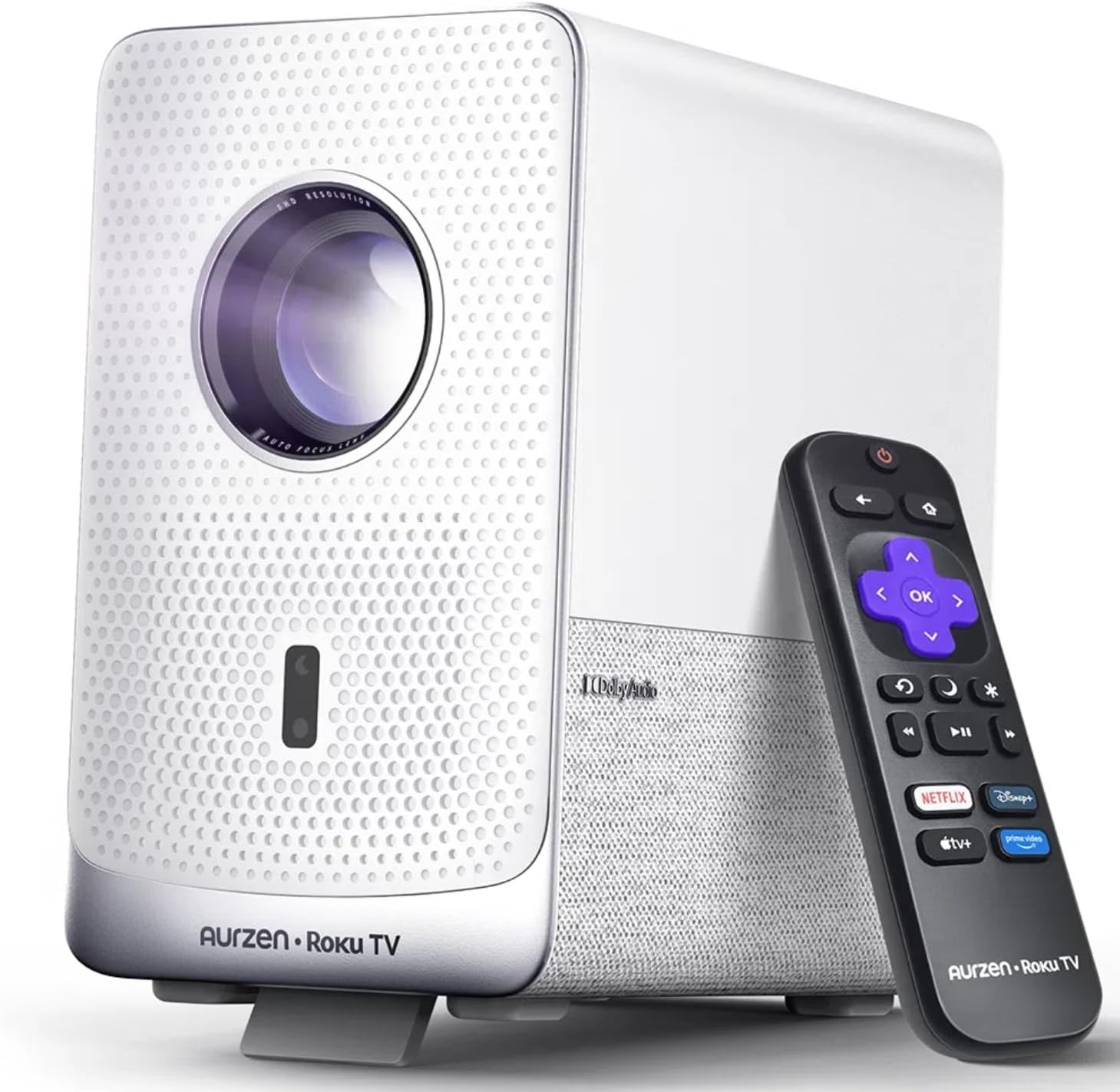
Image: The Aurzen D1R Cube Smart Projector shown with its remote control. The projector is white with a textured front panel and a visible lens.
Fitur konci:
- Roku TV Built-in: Access popular streaming services directly.
- Mesin Optik anu Disegel: Protects against dust, maintaining image quality and extending lifespan.
- 1080P FHD Resolution: Ngawujudkeun visual anu seukeut sareng jelas.
- Dolby Audio: Provides enhanced sound experience.
- Auto Focus & Keystone Correction: Pangaluyuan gambar otomatis pikeun setelan gancang.
- Dual-band WiFi & Bluetooth 5.2: For seamless connectivity.
- Apple AirPlay: Effortless content sharing from Apple devices.
- Kasaluyuan Smart Home: Works with Apple HomeKit, Siri, Alexa, and Google Assistant.

Image: An internal diagram illustrating the sealed optical engine of the Aurzen D1R Cube projector, highlighting its dust-proof design.
4. Setélan
4.1 Panempatan Awal
Teundeun proyektor dina permukaan datar anu stabil. Pikeun optimal viewing, position it directly in front of your projection surface (wall or screen). The projector features automatic focus and keystone correction to adjust the image, but a relatively straight angle is recommended.

Image: A visual representation of the projector's auto-focus and auto-keystone correction features, showing how the image automatically adjusts to create a perfect rectangular display.
4.2 Sambungan Daya
- Sambungkeun kabel daya ka port input daya proyektor.
- Colokkeun tungtung kabel listrik anu sanés ka stop kontak listrik anu cocog.
- The projector will power on automatically or can be turned on using the power button on the device or remote.
4.3 Setup Kontrol Jauh
Insert two AAA batteries (not included) into the remote control. Ensure correct polarity. The remote is pre-paired with the projector.
4.4 Setelan TV Roku Awal
Upon first power-on, follow the on-screen instructions to set up your Roku TV. This includes:
- Milih basa anjeun.
- Connecting to a Wi-Fi network (a stable internet connection is required).
- Activating your Roku account. If you do not have one, you will be prompted to create a free account.
- Installing desired streaming channels.
5. Parentah Operasi
5.1 Powering on / Pareum
Pencét tombol daya dina proyektor atawa kadali jauh pikeun ngahurungkeun atawa mareuman alat.
5.2 Roku Home Screen Navigation
Use the directional pad and OK button on the remote to navigate the Roku home screen. Access streaming channels, search for content, and adjust settings.

Image: A screenshot of the Roku TV home screen, displaying various streaming app icons and navigation options.
5.3 Aplikasi Streaming
The Roku TV platform provides access to a wide range of streaming applications such as Netflix, Prime Video, Disney+, Hulu, YouTube, and more. Select an app from the home screen to begin streaming.

Gambar: Hiji tampilan grafisasing various popular streaming service logos available on the Roku TV platform, including Netflix, Disney+, and Hulu.
5.4 Nyambungkeun Alat éksternal
The projector includes HDMI and USB ports for connecting external devices.
- HDMI: Connect gaming consoles, Blu-ray players, or other HDMI-enabled devices. Select the corresponding HDMI input from the Roku TV menu.
- USB: Muterkeun média files (photos, videos, music) from a USB storage device.
5.5 Konektipitas Bluetooth
Sambungkeun headphone atanapi speaker Bluetooth pikeun pangalaman audio anu langkung saé.
- Go to the Roku TV settings menu.
- Select 'Remotes & devices' then 'Bluetooth devices'.
- Pasang alat Bluetooth anjeun kana modél pasangan.
- Pilih alat anjeun tina daptar dina layar proyéktor pikeun dipasangkeun.

Image: A diagram illustrating the Bluetooth connectivity of the Aurzen D1R Cube projector, showing it connecting to various external audio devices.
5.6 Apple AirPlay
Effortlessly share content from your Apple devices (iPhone, iPad, Mac) to the projector using Apple AirPlay.
- Ensure your Apple device and the projector are connected to the same Wi-Fi network.
- On your Apple device, open the content you wish to share (e.g., photos, videos).
- Ketok ikon AirPlay (usually a rectangle with an upward-pointing arrow).
- Select your Aurzen D1R Cube projector from the list of available devices.

Image: A family watching content projected from an Apple device onto a large screen via Apple AirPlay using the Aurzen D1R Cube projector.
5.7 Kontrol sora sareng Integrasi Smart Home
The projector supports voice control via the Roku mobile app and is compatible with Apple HomeKit, Siri, Alexa, and Google Assistant for broader smart home integration.
- Aplikasi Mobile Roku: Download the Roku mobile app to use voice commands, type easily, and control your projector from your smartphone.
- Smart Home Assistants: Link your Roku account to your preferred smart home ecosystem (Apple Home, Amazon Alexa, Google Home) to control the projector with voice commands.
6. Pangropéa
6.1 Sealed Optical Engine
The Aurzen D1R Cube features a sealed optical engine designed to prevent dust accumulation on internal components. This reduces the need for routine internal cleaning and helps maintain consistent image quality over time.

Image: A side-by-side comparison showing the difference in dust accumulation between a sealed optical engine (left) and an open optical engine (right) after a period of use.
6.2 beberesih umum
- Luar: Wipe the exterior of the projector with a soft, dry cloth. Do not use abrasive cleaners or solvents.
- Lensa: Gently clean the projector lens with a lens cleaning cloth or specialized lens cleaning solution. Avoid touching the lens with your fingers.
- Ventilasi: Ensure ventilation openings are clear of dust and debris. Use a soft brush or compressed air to gently clean them if necessary.
6.3 Panyimpenan
When not in use for extended periods, store the projector in a cool, dry place, away from direct sunlight and extreme temperatures. Consider using a protective cover or case to prevent dust accumulation.
7. Cara ngungkulan
If you encounter issues with your Aurzen D1R Cube projector, refer to the following common solutions:
| Masalah | Solusi anu mungkin |
|---|---|
| Taya Daya | Ensure the power cord is securely connected to both the projector and the electrical outlet. Test the outlet with another device. |
| Taya Gambar | Pariksa naha proyéktor hurung. Pariksa sumber input (HDMI, USB) parantos dipilih kalayan leres. Pastikeun tutup lénsa parantos dicabut. |
| Gambar Kabur | The projector has auto-focus. If the image remains blurry, try repositioning the projector or restarting it to trigger auto-focus again. Ensure the lens is clean. |
| Taya Sora | Check the volume level on the projector and any connected external audio devices. Ensure Bluetooth audio is correctly paired or external speakers are properly connected. |
| Masalah Konektipitas Wi-Fi | Ensure your Wi-Fi router is working. Restart the projector and your router. Verify the Wi-Fi password is correct in the Roku TV settings. |
| Jauh Teu Ngabales | Replace the AAA batteries in the remote control. Ensure there are no obstructions between the remote and the projector. |
For further assistance, please refer to the online support resources or contact Aurzen customer service.
8. Spésifikasi
Detailed technical specifications for the Aurzen D1R Cube Smart Projector:
| Fitur | Spésifikasi |
|---|---|
| merek | Aurzen |
| Modél | D1R Cube |
| Resolusi tampilan Maximum | 1920 x 1080 (1080P FHD) |
| Téhnologi konektipitas | WiFi (Dual-band 2.4G/5G), Bluetooth 5.2, HDMI, USB, Audio |
| Fitur husus | Roku TV Smart Projector, Sealed Optical Engine, Dolby Audio, Apple AirPlay, Smart Home Compatibility |
| Item Beurat | 5.68 pon |
| Dimensi produk | 7.42 x 7 x 7.83 inci |
| Warna | Bodas |
9. Garansi jeung Rojongan
9.1 Garansi Produk
Aurzen products are covered by a manufacturer's warranty. Please refer to the warranty card included with your product or visit the official Aurzen websitus pikeun istilah jeung kaayaan jaminan husus.
9.2 Rojongan Palanggan
For technical support, troubleshooting assistance, or warranty claims, please contact Aurzen customer service through their official channels. You can find more information and contact options on the Aurzen Brand Store on Amazon.


