1. Bubuka
This manual provides essential information for setting up, operating, and maintaining your NIMO 15.6-inch FHD Laptop Nimo N155. Please read this manual thoroughly before using your device to ensure proper function and longevity.

Figure 1: NIMO 15.6-inch FHD Laptop Nimo N155 Overview
The NIMO N155 laptop is equipped with an AMD Ryzen 7 6800H processor, 32GB DDR5 RAM, and a 1TB PCIe 4.0 SSD, designed for efficient performance in various computing tasks. It features a 15.6-inch Full HD IPS anti-glare display, a backlit keyboard, and an integrated fingerprint sensor for enhanced security and user experience.
2. Naon dina Box
Pastikeun yén sadaya item aya dina bungkusan:
- 1 x Nimo N155 Laptop
- 1 x Type-C 100W PD Fast Charger
- 1 x Manual Pamaké (dokumén ieu)
- Windows 11 Home Operating System (pre-installed)
3. Setup Awal
3.1. Ngecas Laptop
Before first use, connect the laptop to the power adapter and charge it fully. The Type-C 100W PD Fast Charger provides rapid charging capabilities.
- Connect the Type-C charger to a power outlet.
- Plug the Type-C connector into one of the Type-C ports on your laptop.
- The charge LED indicator will illuminate, indicating that the laptop is charging.

Figure 2: Connecting the Type-C 100W PD Fast Charger
3.2. Ngahurungkeun
Press the power button located on the keyboard to turn on the laptop. Follow the on-screen instructions to complete the initial Windows 11 setup, including language selection, network connection, and user account creation.
4. Laptop Components and Ports
Familiarize yourself with the various components and ports of your NIMO N155 laptop.

Figure 3: Laptop Ports and Connectors
4.1. Left Side Ports
- Palabuhan USB 2.0: For connecting older USB devices.
- Palabuhan USB 3.0: Pikeun nyambungkeun alat USB anu kecepatan tinggi.
- Slot Kartu SD Mikro: For reading and writing to Micro SD cards.
- Jack headphone: Pikeun nyambungkeun headphone atanapi speaker éksternal.
- Slot konci Kensington: For securing your laptop with a compatible lock.
4.2. Right Side Ports
- Muatan LED: Nunjukkeun status ngecas.
- Type-C (PD/Charging) Port: Primarily for power delivery and charging.
- Type-C (Multifunction) Port: Ngarojong transfer data sareng output tampilan.
- Port USB 3.0 (x2): Pikeun nyambungkeun alat USB anu kecepatan tinggi.
- Port HDMI: Pikeun nyambungkeun kana tampilan éksternal atanapi proyektor.
4.3. Komponen Internal
- Prosesor: AMD Ryzen 7 6800H (8 Cores, 16 Threads, up to 4.7 GHz).
- Grafik: Integrated AMD Radeon 680M GPU.
- RAM: 32GB DDR5 (upgradeable).
- Panyimpenan: 1TB PCIe 4.0 SSD (upgradeable).
- tampilan: 15.6-inch FHD (1920x1080) IPS Anti-Glare Display.
- Webkaméra: 2.0 MP with privacy shield.
- Nirkabel: 802.11a/b/g/n/ac (Wi-Fi 5) and Bluetooth 5.2.

Figure 4: AMD Ryzen 7 6800H Processor Details

Figure 5: High-Speed RAM and PCIe SSD
5. Ngoperasikeun Laptop Anjeun
5.1. Témbongkeun
The 15.6-inch Full HD IPS display offers a resolution of 1920x1080 pixels. Adjust brightness and display settings through Windows settings (Right-click on desktop > Display settings).
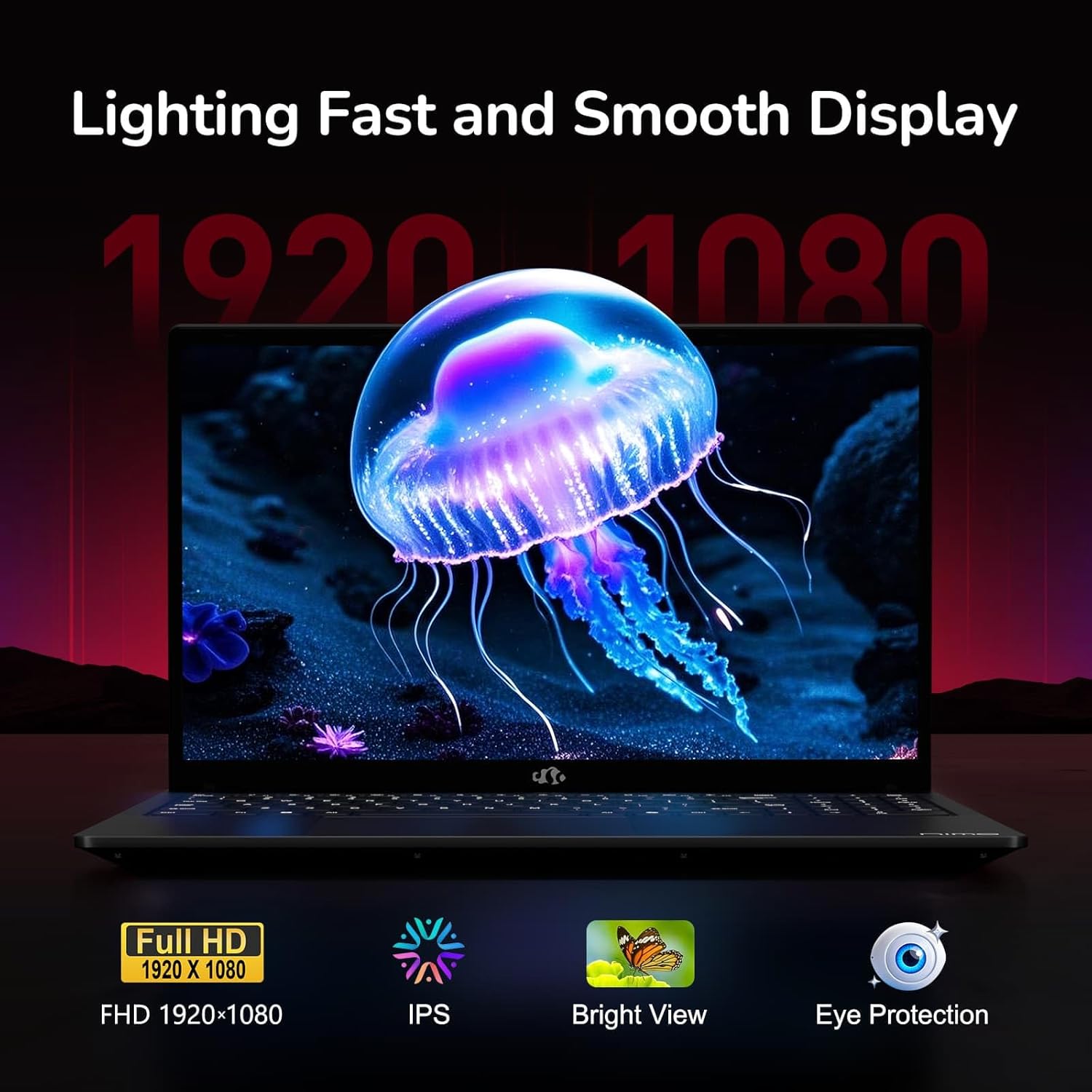
Figure 6: Laptop Display Features
5.2. Keyboard jeung Touchpad
The laptop features a backlit keyboard and a responsive touchpad with multi-touch gesture support. The integrated fingerprint sensor is located on the touchpad for secure login.
- Kibor Lampu tukang: Pencét Fn + Fx (where Fx is the backlight key, typically F3 or F4) to adjust keyboard backlight brightness.
- Sensor sidik: Enroll your fingerprints via Windows Settings > Accounts > Sign-in options for quick and secure access.
- Webcam Privacy Shield: Slide the physical cover over the webcam for privacy when not in use.

Figure 7: Keyboard and Input Features

Figure 8: Seamless Security Integration (Fingerprint and Webcam Shield)
5.3. Manajemén kakuatan
The laptop is equipped with a 4700mAh (53.58Wh) Lithium Polymer battery. Battery life can vary based on usage. To optimize battery life, adjust power settings in Windows and close unnecessary applications.

Gambar 9: Spésifikasi Batré
6. Pangropéa sarta perawatan
6.1. beberesih
- Anggo lawon anu lemes sareng henteu buluan pikeun ngabersihkeun layar sareng bagian luarna.
- Pikeun tanda nekad, dampen lawon jeung cai atawa cleaner layar. Hindarkeun bahan kimia anu kasar.
- Pastikeun laptop dipareuman sareng dicabut colokan sateuacan beberesih.
6.2. Panyimpenan sarta Penanganan
- Simpen laptop di tempat anu tiis sareng garing, jauh tina sinar panonpoé langsung sareng suhu anu ekstrim.
- Ulah neundeun barang beurat dina laptop.
- Ulah nepi ka laptop kakeunaan cairan.
6.3. Upgrades
The NIMO N155 laptop supports detachable RAM and SSD, allowing for user upgrades. Refer to the official NIMO support website or contact customer service for detailed upgrade instructions to avoid voiding your warranty.
7. Cara ngungkulan
This section addresses common issues you might encounter with your NIMO N155 laptop.
| Masalah | Solusi anu mungkin |
|---|---|
| Laptop teu hurung. | Ensure the charger is properly connected and the battery has sufficient charge. Try a different power outlet. |
| Layar kosong. | Check if the laptop is powered on. Adjust screen brightness. Connect to an external monitor to check if the issue is with the laptop's display. |
| Masalah sambungan Wi-Fi. | Pastikeun Wi-Fi diaktipkeun dina setélan Windows. Pareuman terus hurungkeun deui router sareng laptop anjeun. Apdet driver Wi-Fi. |
| Lampu tukang keyboard teu jalan. | Press the Fn key combined with the appropriate function key (e.g., F3 or F4) to toggle or adjust the backlight. |
| Fingerprint sensor not responding. | Ensure your finger is clean and dry. Re-enroll your fingerprints in Windows settings. Update fingerprint sensor drivers. |
If you encounter issues not listed here or require further assistance, please contact NIMO customer support.
8. Spésifikasi Téknis
| Fitur | Spésifikasi |
|---|---|
| Ngaran modél | Nimo N155 |
| tampilan | 15.6-inch FHD (1920x1080) IPS Anti-Glare |
| Prosesor | AMD Ryzen 7 6800H (8 Core, 16 Thread, nepi ka 4.7 GHz) |
| Grafika | Integrated AMD Radeon 680M |
| Ram | 32GB DDR5 4800 MHz (Dual-channel, upgradeable) |
| Panyimpenan | 1TB PCIe 4.0 SSD (upgradeable) |
| Sistem operasi | Windows 11 Imah |
| Konéktipitas Wireless | Wi-Fi 5 (802.11a/b/g/n/ac), Bluetooth 5.2 |
| Palabuhan | 1x USB 2.0, 3x USB 3.0, 2x Type-C (1x PD, 1x Multifunction), 1x HDMI, 1x Micro SD, 1x Headphone Jack, 1x Kensington Lock |
| Webkaméra | 2.0 MP (with privacy shield) |
| Batré | 4700mAh / 53.58Wh Lithium Polymer |
| Adaptor kakuatan | Type-C 100W PD Fast Charger |
| Ukuran (L x W x H) | 14.07 x 8.98 x 0.76 inci (357.4 x 228 x 19.2 mm) |
| Beurat | 3.8 pon (1.7 kg) |
| Fitur husus | Backlit Keyboard, Fingerprint Reader, HD Audio, Numeric Keypad |
9. Garansi jeung Rojongan
9.1. Garansi Produsén
Your NIMO N155 laptop comes with a 2-taun jaminan produsén urang. Garansi ieu nyertakeun cacad dina bahan sareng pagawean dina panggunaan normal. Punten tahan bukti pameseran anjeun pikeun klaim garansi.
9.2. Kawijakan mulang
NIMO offers a 90-day hassle-free return policy from the date of purchase. For details on eligibility and the return process, please refer to your purchase documentation or contact customer support.
9.3. Rojongan Palanggan
For technical assistance, warranty claims, or any other inquiries, please visit the official NIMO support website or contact their customer service team. Contact information can typically be found on the NIMO brand store page or included documentation.
NIMO Brand Store: Visit NIMO Store on Amazon


