1. Bubuka
This manual provides essential information for setting up, operating, and maintaining your XIAOMI Poco F7 Ai 5G smartphone. Please read this guide thoroughly to ensure proper use and to maximize the device's capabilities.

Gambar 1.1: Hareup jeung tukang view of the XIAOMI Poco F7 Ai 5G, showcasing its design and core features.
2. Naon dina Box
Upon opening your XIAOMI Poco F7 Ai 5G package, verify that all the following items are included:
- XIAOMI Poco F7 Ai 5G Smartphone
- Buku Panduan pamaké
- Kasus Telepon
- Kabel USB
- SIM Ejector Tool (typically included with manuals)
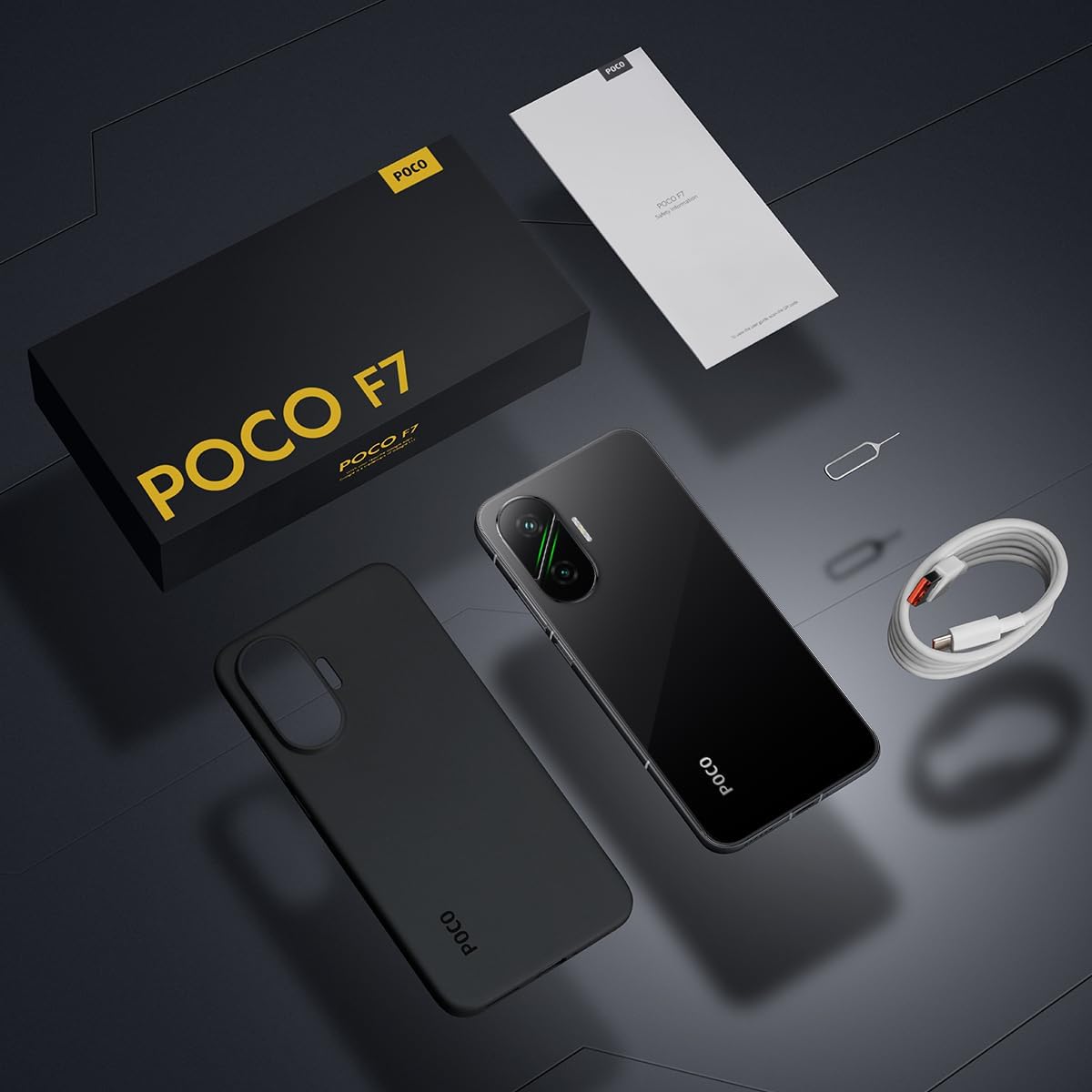
Image 2.1: Contents of the XIAOMI Poco F7 Ai 5G retail package.
3. Leuwih fisikview
Biasakeun diri anjeun sareng komponén fisik alat anjeun.

Gambar 3.1: Sisi profiles of the XIAOMI Poco F7 Ai 5G, illustrating button placement and port locations.
- Tombol Daya: Perenahna di sisi katuhu. Pencét terus tahan pikeun ngahurungkeun/mareuman atawa ngamimitian deui.
- Volume Rocker: Located above the power button. Used to adjust media and call volume.
- Port USB Tipe-C: Perenahna di handap. Dianggo pikeun ngecas sareng mindahkeun data.
- Speaker grille: Located at the bottom and top for stereo audio output.
- Baki Kartu SIM: Located on the side. Requires the SIM ejector tool to open.
- Kaméra: Rear camera module and front camera punch-hole.
4. Setélan
4.1. Nyelapkeun Kartu SIM
- Pareuman alat Anjeun.
- Tangtukeun lokasi baki kartu SIM di sisi telepon.
- Selapkeun alat ejector SIM kana liang leutik dina baki teras pencét lalaunan dugi baki éta kaluar.
- Place your Nano-SIM card(s) into the tray with the gold contacts facing down. This device supports dual SIM cards. Note: Micro SD cards are not supported.
- Taliti selapkeun deui baki kana telepon.
4.2. Daya Awal Hurung jeung Konfigurasi
- Pencét terus tahan tombol Daya nepi ka logo XIAOMI nembongan.
- Turutan parentah dina-layar pikeun milih basa anjeun, wewengkon, jeung nyambung ka jaringan Wi-Fi.
- Asup jeung akun Google Anjeun atawa jieun nu anyar.
- Set up your preferred screen lock method (PIN, pattern, password, fingerprint, or AI Face Unlock).
- Complete the remaining setup steps as guided by the HyperOS interface.
5. Ngoperasikeun Alat Anjeun
5.1. Fitur tampilan
The Poco F7 features a 6.83-inch 1.5K 120Hz AMOLED display, offering vibrant visuals and smooth scrolling.
- Laju Refresh: Up to 120Hz for fluid motion.
- Caang: Typical 700 nits, HBM 1700 nits, Peak 3200 nits.
- warna: DCI-P3 color gamut, 68 billion colors, Dolby Vision, HDR 10+.
- Kanyamanan panon: TÜV Rheinland Low Blue Light, Flicker Free, and Circadian Friendly certifications.
- Wet Touch Display 2.0: Enhanced touch responsiveness even with wet fingers.

Image 5.1: Key features of the Poco F7's display.
5.2. Sistim kaméra
The device is equipped with a versatile camera system for photography and video recording.
- Kaméra tukang: 50MP main (Sony IMX882, f/1.5, OIS) and 8MP ultra-wide camera.
- Kaméra hareup: 20MP.
- Fitur Fotografi: Dynamic shot, Motion capture, Documents mode, Motion tracking focus, Portrait mode, Timed burst, Pro mode, 50MP mode, Panorama, Burst shot mode, Long exposure, HDR.
- Ngarékam pidéo: 4K at 30fps/60fps, 1080p at 30fps/60fps. Slow motion up to 960fps.
5.3. Batré jeung Ngecas
The Poco F7 features a large battery and fast charging capabilities.
- Kapasitas batré: 6500mAh (khas).
- Ngecas: Supports 90W HyperCharge for rapid charging.
- Ngecas Balik: Supports up to 22.5W reverse charging.
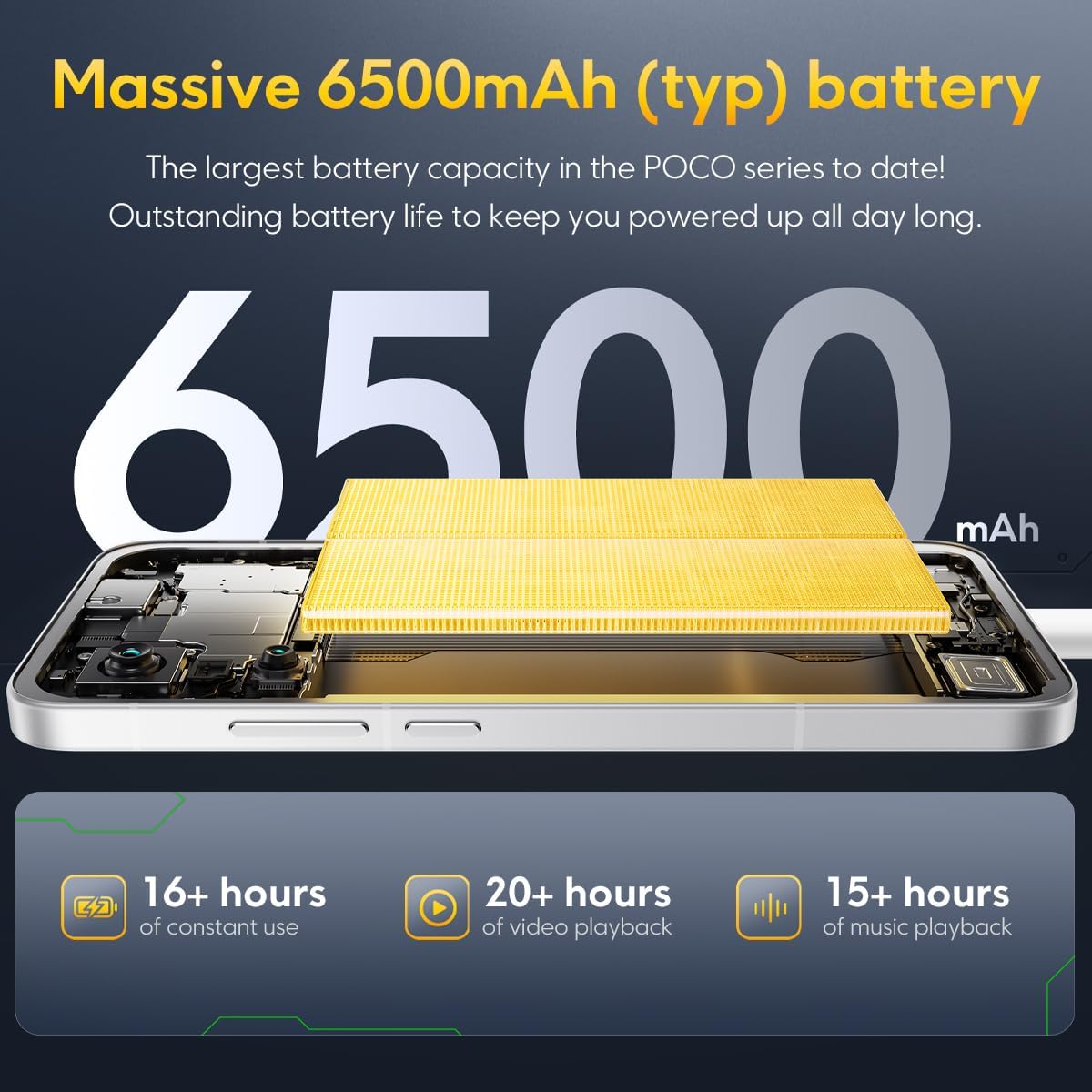
Image 5.2: Details on the Poco F7's 6500mAh battery capacity and usage estimates.
5.4. Konektipitas
The device supports various network and wireless technologies.
- Konektipitas 5G: Sub6G bands n1/3/5/7/8/20/28/38/40/41/77/78.
- 4G LTE: FDD B1/2/3/4/5/7/8/20/28/66, TDD B38/40/41.
- 3G WCDMA: 1/2/4/5/8/19.
- 2G GSM: Quad Band.
- Wifi: 802.11a/b/g/n/ac/ax.
- Bluetooth: 5.4.
- GPS: L1+L5, Beidou, Galileo, GLONASS, QZSS, NavIC.
- NFC: Supported for contactless payments and data transfer.
6. Pangropéa
To ensure the longevity and optimal performance of your XIAOMI Poco F7 Ai 5G, follow these maintenance guidelines:
- beberesih: Anggo lawon anu lemes sareng henteu lint pikeun ngabersihan layar sareng awak. Hindarkeun bahan abrasive atanapi bahan kimia kasar.
- Tahan cai sareng lebu: The device features IP68 dust and water resistance. While it can withstand immersion up to 1.5 meters for 30 minutes, it is not recommended for use in water. Avoid exposing the device to saltwater, chlorinated water, or other liquids.
- Suhu: Operate the device within recommended temperature ranges. Extreme heat or cold can affect battery life and performance.
- Apdet parangkat lunak: Regularly update your device's operating system (HyperOS) to receive the latest security patches and feature enhancements.
- Panyimpenan: Périodik mupus teu perlu files and applications to maintain optimal storage and performance.
7. Cara ngungkulan
Bagian ieu ngabahas masalah umum anu anjeun tiasa pendak sareng alat anjeun.
- Alat Teu Dihurungkeun:
- Ensure the battery is charged. Connect the device to the 90W HyperCharge adapter and wait a few minutes before attempting to power on.
- Perform a force restart by holding the Power button for approximately 10-15 seconds.
- Konektipitas Jaringan Lemah:
- Pariksa naha kartu SIM anjeun leres diselapkeun.
- Pariksa yén anjeun aya dina jangkauan jaringan.
- Balikan deui alat.
- Go to Settings > SIM cards & mobile networks and ensure your SIM is enabled and preferred network type is set correctly.
- Batré gancang ngucur:
- Kurangi kacaangan layar sareng atur waktos layar anu langkung pondok.
- Tutup aplikasi anu henteu dianggo jalan di latar tukang.
- Pareuman Wi-Fi, Bluetooth, sareng GPS upami teu dianggo.
- Pariksa pamakean batre dina Setélan pikeun ngidentipikasi aplikasi anu lapar daya.
- Aplikasi nabrak atanapi katirisan:
- Clear the cache and data of the problematic app (Settings > Apps > Manage apps).
- Apdet aplikasi ka versi panganyarna na ti Google Play Store.
- Upami masalahna tetep, cabut sareng pasang deui aplikasina.
- Sénsor Sidik Teu Gawé:
- Pastikeun ramo sareng layar anjeun bersih sareng garing.
- Re-register your fingerprints in Settings > Password & security.
8. Spésifikasi
| Fitur | Spésifikasi |
|---|---|
| Ngaran modél | Poco F7 |
| Nomer modél | 25053PC47G |
| Diménsi | 8.98 x 5.83 x 2.56 inci (Pakét) |
| Beurat | 1.21 pon |
| Sistem operasi | Android-based HyperOS |
| CPU | Flagship Snapdragon® 8s Gen 4 Mobile Platform (Octa-core, up to 3.21GHz) |
| GPU | Adreno 825 |
| Ram | 12 GB |
| Panyimpenan | 256 GB |
| Ukuran tampilan | 6.83 inci |
| Tipe tampilan | 1.5K 120Hz AMOLED |
| Resolusi | 2772 x 1280 (447 PPI) |
| Puncak Caang | 3200 nits |
| Kaméra tukang | 50MP Sony IMX882 (OIS) + 8MP Ultra-wide |
| Kaméra hareup | 20MP |
| Kapasitas batré | 6500 mAh (biasa) |
| Ngecas | 90W HyperCharge, 22.5W Reverse Charging |
| Konektipitas | 5G, 4G LTE, 3G, 2G, Wi-Fi (802.11a/b/g/n/ac/ax), Bluetooth 5.4, NFC |
| GPS | L1+L5, Beidou, Galileo, GLONASS, QZSS, NavIC |
| Sénsor | Proximity, Ambient light, Accelerometer, Electronic compass, IR blaster, Gyroscope, Flicker sensor, In-screen fingerprint |
| Cai & Tahan Lebu | IP68 |
9. Garansi jeung Rojongan
Your XIAOMI Poco F7 Ai 5G is covered by a standard manufacturer's warranty. For detailed warranty terms and conditions, please refer to the warranty card included in your product packaging or visit the official XIAOMI support website. For technical assistance, troubleshooting beyond this manual, or service inquiries, please contact XIAOMI customer support.
You can find more information and support resources on the official XIAOMI websitus: www.mi.com/global/support


