Bubuka
The Bose SoundLink Micro Portable Bluetooth Speaker (2nd Gen) is a compact, durable, and high-performance wireless speaker designed for on-the-go audio. This manual provides essential information for setting up, operating, and maintaining your speaker to ensure optimal performance and longevity.

Image: The Bose SoundLink Micro speaker, highlighting its powerful sound capabilities.
Naon dina Box
Pariksa heula sadaya barang tos aya sateuacan neraskeun setelan:
- Bose SoundLink Micro Portable Speaker (2nd Gen)
- USB-C kana kabel USB-A
- Lambaran Kasalametan
Produk Leuwihview
The SoundLink Micro features a robust design with intuitive controls for easy operation.

Gambar: Hareupeun view of the SoundLink Micro speaker, displaying the Bluetooth, volume, play/pause, and power buttons.
Kadali:
- Tombol Bluetooth: Mimitian mode papasangan Bluetooth.
- Volume Turun (-): Ngurangan polumeu audio.
- Tombol Puter/Reureuh: Controls media playback (play, pause, skip tracks).
- Volume Naik (+): Ngaronjatkeun volume audio.
- Tombol Daya: Ngahurungkeun atanapi mareuman speaker.
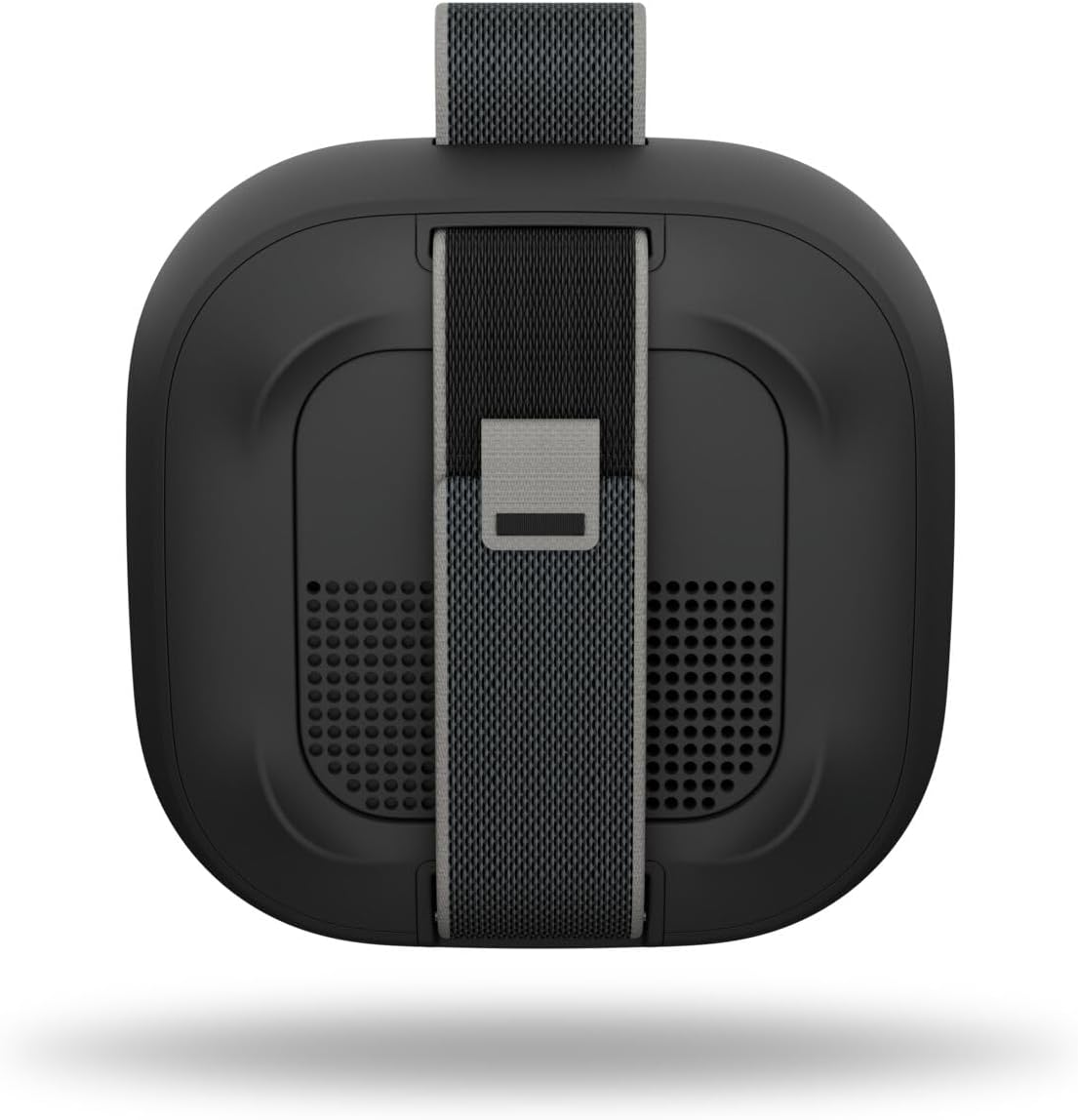
Gambar: Tukangeun view of the SoundLink Micro speaker, highlighting the integrated utility strap for attachment.
The speaker also features a durable utility strap for easy attachment to bags or other objects, enhancing its portability.
Disetél
1. Ngecas Speaker
- Connect the small end of the USB-C to USB-A cable to the USB-C port on the speaker.
- Connect the large end of the cable to a USB-A wall charger (not included) or a computer's USB port.
- Lampu indikator batré bakal hurung pikeun nunjukkeun status ngecas. Ngeusi batre pinuh butuh kurang leuwih 3 jam.
2. Powering on / Pareum
- Pikeun ngaktipkeun, pencét tombol Kakuatan button. You will hear an audible tone and the battery indicator will show the current charge level.
- Pikeun pareum, pencét jeung tahan Kakuatan button until you hear an audible tone.
3. Papasangan Bluetooth
- Nalika spiker diaktipkeun, pencét jeung tahan tombol Bluetooth button until the Bluetooth indicator light blinks blue. The speaker is now in pairing mode.
- On your mobile device, enable Bluetooth and select "Bose SoundLink Micro" from the list of available devices.
- Once connected, you will hear an audible tone and the Bluetooth indicator light will glow solid white.
4. Ngagunakeun Aplikasi Bose
- Download the Bose app from your device's app store.
- The app allows for software updates, adjustable EQ settings (bass, treble, mid-levels), volume control, and the ability to create shortcuts.
Parentah Operasi
Ngadalikeun Puterkeun Musik
- Pencét éta Play / Reureuh tombol sakali pikeun muterkeun atawa ngareureuhkeun audio.
- Pencét éta Play / Reureuh button twice quickly to skip to the next track.
- Pencét éta Play / Reureuh button three times quickly to skip to the previous track.
- Ngagunakeun éta Volume Naik (+) jeung Volume Turun (-) tombol pikeun nyaluyukeun tingkat audio.
Pairing Two Speakers (Party Mode / Stereo Mode)
You can link two SoundLink Micro (2nd Gen) speakers for an enhanced audio experience:
- Mode Partéi: Plays the same audio simultaneously from both speakers, ideal for larger areas.
- Modeu stéréo: Designates one speaker as the left channel and the other as the right channel for a stereo soundstage.
Refer to the Bose app for detailed instructions on how to set up Party Mode or Stereo Mode.

Image: Two SoundLink Micro speakers demonstrating the ability to link for expanded sound.
Pangropéa
Durability sarta Protection
The SoundLink Micro is designed for rugged use:
- Waterproof and Dustproof (IP67 rated): Can withstand immersion in water up to 1 meter for 30 minutes and is protected against dust ingress.
- Tahan Guncangan sareng Karat: Built to endure drops and exposure to various environments.

Image: The SoundLink Micro speaker in an outdoor setting, emphasizing its durable construction.
beberesih
Pikeun ngabersihkeun spéker, maké lemes, damp cloth. Avoid using solvents or harsh chemicals. Ensure the USB-C port cover is securely closed before exposing the speaker to water or dust.
Pamérésan masalah
If you encounter issues with your SoundLink Micro, try the following steps:
- Henteu aya kakuatan: Ensure the speaker is charged. Connect it to a power source using the provided USB-C cable.
- Henteu aya sora: Pariksa tingkat polumeu dina speaker sareng alat Anjeun nu disambungkeun. Pastikeun spiker dipasangkeun leres via Bluetooth.
- Masalah Konektipitas Bluetooth: Turn off and on your device's Bluetooth. Try unpairing and re-pairing the speaker. Ensure the speaker is within the 30-foot Bluetooth range.
- Pamicara Teu Ngawaler: Laksanakeun soft reset ku cara mencét tombol Power salami 10 detik.
For further assistance, consult the Bose app or the official Bose support websitus.
spésifikasi
| Fitur | Spésifikasi |
|---|---|
| Ngaran modél | Bose SoundLink Micro Speaker (2nd Gen) |
| Nomer Modél Item | 895098-0100 |
| Tipe Speaker | Speaker Speaker |
| Téhnologi konektipitas | Bluetooth |
| Téknologi Komunikasi Nirkabel | Bluetooth |
| Rentang Bluetooth | Nepi ka 30 Feet |
| Sumber Daya | Batré Powered |
| Kahirupan batré | Nepi ka 12 Jam |
| Waktu Ngecas | Kurang leuwih 3 Jam |
| Tingkat Résistansi Cai | Waterproof (IP67) |
| Dimensi produk | 4.09 "D x 4.09" W x 1.69" H |
| Item Beurat | 0.33 Kilogram (11.6 ons) |
| Métode kontrol | Aplikasi, Pencét Tombol |
| Komponén Kaasup | Speaker, USB-C to USB-A cable, Safety Sheet |
Garansi sareng Rojongan
The Bose SoundLink Micro Portable Bluetooth Speaker (2nd Gen) comes with a Limited Warranty. For specific warranty terms and conditions, please refer to the Safety Sheet included in the packaging or visit the official Bose websitus.
For product support, software updates, and additional resources, download the Bose app or visit www.bose.com/support.


