1. Bubuka
The NIMO Mini PC Desktop is a compact and powerful computing solution designed for various applications, from home office tasks to multimedia entertainment and educational use. Featuring the 12th Gen Intel N100 processor, this mini PC offers efficient performance, advanced connectivity, and support for multiple displays, all within a highly portable form factor. This manual provides essential information for setting up, operating, maintaining, and troubleshooting your NIMO Mini PC Desktop.
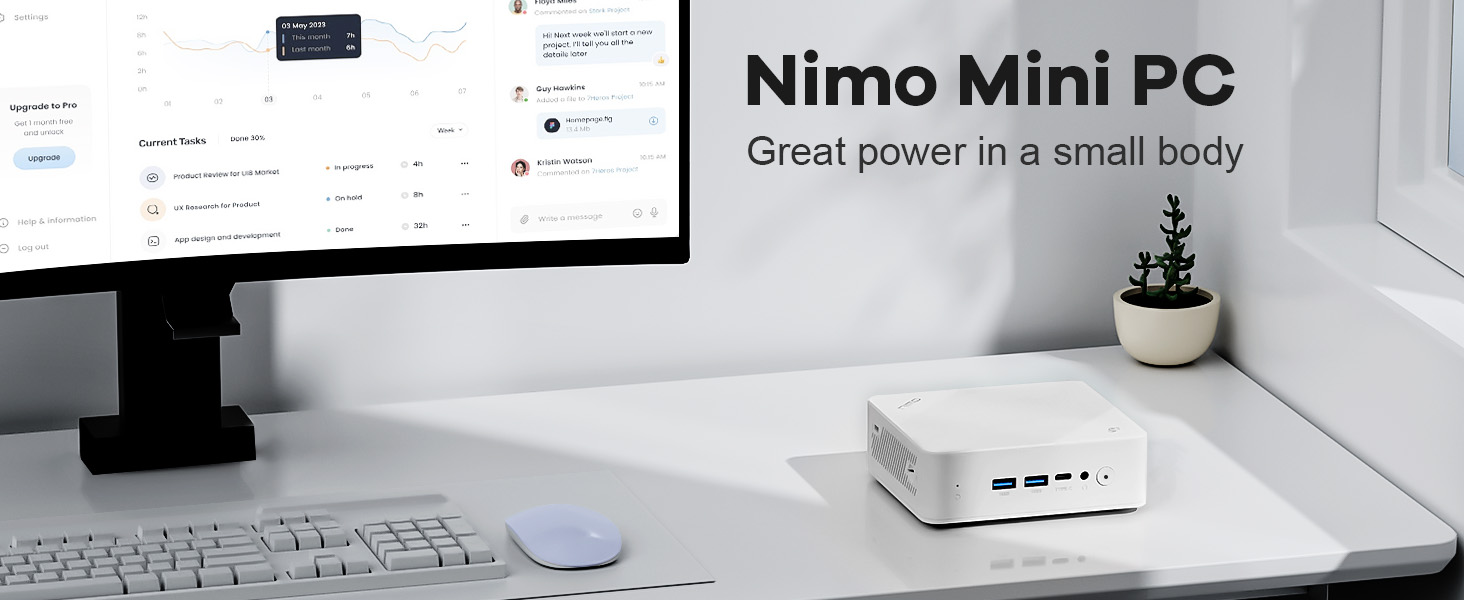
Image: The NIMO Mini PC Desktop positioned on a clean desk alongside a monitor, illustrating its compact design and powerful capabilities.
2. Naon dina Box
Upon opening your NIMO Mini PC Desktop package, please verify that all the following components are included:
- 1x NIMO Mini PC Desktop
- 1x Pamasangan Bracket
- 1 x adaptor kakuatan
- 1 x Manual Instruksi

Image: A visual representation of the NIMO Mini PC Desktop and its included accessories, such as the power adapter, mounting bracket, and user manual.
3. Produk Langkungview jeung Fitur
The NIMO Mini PC Desktop is engineered for efficiency and versatility. Its compact design belies its robust capabilities, making it an ideal choice for various computing needs.
Fitur konci:
- Compact Yet Mighty: Houses the robust 12th Gen Intel N100 Processor, combining high-performance cores for seamless multitasking and light gaming within a compact form factor.
- Portability pamungkas: With dimensions of 4.92 x 4.33 x 1.57 inches and weighing just 11.64 ounces, it is incredibly compact and lightweight, making it easy to transport.
- Konektipitas canggih: Features BT 5.2 and WiFi 6 for lightning-fast wireless connections, along with multiple USB 3.0 ports and a versatile USB Type-C port for high-speed data transfer and peripheral connections.
- Immersive 4K Display Expansion: Supports external connection to triple displays simultaneously via two HDMI ports and one USB Type-C port, all capable of stunning 4K resolution output.

Image: An infographic highlighting the NIMO Mini PC Desktop's core features, including WiFi 6, multiple port options, LAN connectivity, DDR4 memory, PCIe 3.0 support, and 4K display capability.

Image: A detailed illustration of the Intel N100 processor, emphasizing its role in providing powerful performance for the NIMO Mini PC Desktop.
4. Palabuhan jeung sambungan
The NIMO Mini PC Desktop offers a comprehensive array of ports to ensure seamless connectivity with a wide range of peripherals and displays.
Panel hareup:
- 2x USB Type-A Ports: For connecting USB devices such as keyboards, mice, and external storage.
- 1x USB Type-C Port (Multifunction): Supports data transfer, display output, and power delivery (depending on connected device).
- 1x Audio Port: Pikeun headphone atanapi speaker éksternal.
- 1x Power Button: Pikeun ngahurungkeun/pareuman alat.
- 1x Reset Button: For system reset.
Panel Pungkur:
- 1x Giga LAN Port (RJ45): Pikeun sambungan jaringan kabel.
- 2x HDMI 2.0 Ports: For connecting to displays, supporting up to 4K resolution.
- 2x USB Type-A Ports: Port USB tambahan pikeun periferal.
- 1x DC-IN Port: Pikeun nyambungkeun adaptor kakuatan.
- 1x Security Slot: For physical security locks.
- 1x SD Card Reader: For expanding storage or transferring data from SD cards.

Image: A comprehensive diagram illustrating the layout and function of all ports and buttons on the front and rear panels of the NIMO Mini PC Desktop.
5. Setup Guide
Follow these steps to set up your NIMO Mini PC Desktop:
- Nyambung ka tampilan: Connect your monitor(s) to the Mini PC using HDMI cables. For triple display setup, use both HDMI ports and the USB Type-C port (with a compatible adapter if needed).
- Sambungkeun Periferal: Plug in your keyboard, mouse, and any other USB devices into the available USB Type-A ports.
- Nyambung kana Jaringan: For a wired connection, plug an Ethernet cable into the Giga LAN port. For wireless, ensure your WiFi network is available after powering on.
- Sambungkeun Kakuatan: Insert the power adapter into the DC-IN port on the Mini PC, then plug the adapter into a power outlet.
- Daya Hurung: Press the power button on the front panel of the Mini PC. The power indicator light should illuminate.
- Setup Awal: Follow the on-screen instructions to complete the operating system setup, including language, region, and network configuration.

Gambar: A close-up view of the NIMO Mini PC Desktop, highlighting the front panel with its USB ports and power button, essential for initial setup.
6. Parentah Operasi
Once set up, your NIMO Mini PC Desktop is ready for use. Here are some basic operating instructions:
Hurungkeun/Pareuman:
- Pikeun Ngahurungkeun: Pencét tombol daya sakali.
- Pikeun mareuman: Use the operating system's shutdown option (e.g., Start > Power > Shut down in Windows).
- Pikeun ngamimitian deui: Use the operating system's restart option (e.g., Start > Power > Restart in Windows).
- Force Shut Down: If the system is unresponsive, press and hold the power button for 5-10 seconds until the device powers off. Use this only as a last resort.
Nyambungkeun ka Wi-Fi:
After booting, navigate to the network settings in your operating system to connect to an available Wi-Fi 6 network.
Triple Display Setup:
The NIMO Mini PC supports up to three displays simultaneously. Connect your monitors to the two HDMI ports and the USB Type-C port. Once connected, configure display settings within your operating system (e.g., Display Settings in Windows) to extend or duplicate your desktop across the screens.

Image: A visual demonstration of the NIMO Mini PC Desktop's ability to support a triple monitor setup, enhancing productivity and multitasking.

Image: The NIMO Mini PC Desktop discreetly mounted behind a television, showcasing its space-saving design and ability to create a clutter-free entertainment or workspace.
7. Pangropéa
Proper maintenance ensures the longevity and optimal performance of your NIMO Mini PC Desktop:
- beberesih: Regularly wipe the exterior with a soft, dry cloth. Use compressed air to clear dust from vents and ports. Do not use liquid cleaners directly on the device.
- Ventilasi: Ensure the Mini PC is placed in a well-ventilated area. Do not block the air vents, as this can lead to overheating.
- Apdet parangkat lunak: Tetep sistem operasi sareng supir anjeun diropéa pikeun mastikeun kaamanan sareng kinerja.
- Cadangan Data: Sacara rutin nyadangkeun data penting ka drive éksternal atanapi panyimpenan awan pikeun nyegah leungitna data.
- Manajemén kakuatan: Use the recommended power adapter. Avoid frequent power interruptions.
8. Cara ngungkulan
This section addresses common issues you might encounter with your NIMO Mini PC Desktop.
Henteu aya kakuatan:
- Pastikeun adaptor kakuatan disambungkeun sacara aman ka Mini PC sareng stopkontak listrik anu tiasa dianggo.
- Coba colokan listrik anu béda.
- Pastikeun adaptor daya henteu ruksak.
Henteu aya tampilan:
- Check that the HDMI or USB-C display cables are securely connected to both the Mini PC and the monitor.
- Pastikeun monitor dihurungkeun tur disetel ka sumber input nu bener.
- Cobi sambungkeun ka layar anu béda atanapi nganggo kabel anu béda.
Performance Lambat:
- Tutup aplikasi anu teu perlu jalan di latar tukang.
- Pastikeun aya rohangan bébas anu cukup dina SSD.
- Pariksa sareng pasang apdet sistem operasi anu ditangguhkeun.
- Monitor CPU and RAM usage through Task Manager (Windows) to identify resource-intensive processes.
- Ensure proper ventilation to prevent thermal throttling.
Henteu aya sambungan Wi-Fi/Bluetooth:
- Pariksa naha Wi-Fi/Bluetooth diaktipkeun dina setélan sistem operasi.
- Balikan deui Mini PC.
- Ensure drivers for Wi-Fi/Bluetooth are installed and up to date.
- Move closer to the wireless router or remove obstructions.
9. Spésifikasi
Detailed technical specifications for the NIMO Mini PC Desktop (Model: Nimo N151):
| Fitur | Spésifikasi |
|---|---|
| Prosesor | 12th Gen Intel N100 (3.4 GHz Intel Mobile CPU, 4 Cores) |
| Ram | 8 GB DDR4 (3200 MHz) |
| Panyimpenan | SSD (Solid State Drive) 1 TB |
| Grafika | Grafik terpadu |
| Resolusi layar Max | 3840x2160 piksel (4K) |
| Konéktipitas Wireless | WiFi 6, Bluetooth 5.2 |
| palabuhan USB | 3x USB 3.0 Type-A, 1x USB Type-C |
| Kaluaran Video | 2x HDMI 2.0, 1x USB Type-C (for display) |
| Sistem operasi | OS (Pra-dipasang) |
| Item Beurat | 11 pon (kira-kira 5 kg) |
| Ukuran Paket | 8 x 7 x 6 inci |
| Warna | Bodas |
| Sumber Daya | DC |
10. Garansi jeung Rojongan
NIMO is committed to providing excellent after-sales service for your Mini PC Desktop.
- 2-Year Technical Support: The NIMO Mini PC Desktop comes with a 2-year technical support warranty. If you experience any problems while using it, you can contact the NIMO after-sales team for consultation.
- 90-Day Free Return and Exchange: NIMO offers a 90-day free return and exchange policy from the date of purchase.
- Palayanan palanggan: For technical assistance, warranty claims, or any other inquiries, please refer to the contact information provided in the included warranty card or visit the official NIMO websitus.

Image: An illustration of NIMO's commitment to customer satisfaction, highlighting their after-sales support, including warranty and return policies.


