Bubuka
This manual provides essential information for the safe and efficient operation, maintenance, and troubleshooting of your Xiaomi Robot Vacuum 5 Pro. Please read this manual thoroughly before using the product and retain it for future reference.
Émbaran Kasalametan penting
To reduce the risk of injury or damage, read and follow all safety precautions. This device is for household use only.
- Ulah nganggo robot vacuum cleaner dina permukaan anu baseuh atanapi dina lingkungan anu cai na ngeuyeumbeu.
- Keep children and pets away from the robot vacuum during operation.
- Anggo ngan ukur adaptor daya sareng dok ngecas asli anu disayogikeun ku produsén.
- Ensure the power cord is not damaged or tangled.
- Cabut kabel leupas, objék leutik, atawa barang rapuh ti lantai saméméh beberesih pikeun nyegah entanglement atawa karuksakan.
- Ulah ngoperasikeun robot vakum caket seuneu anu muka atanapi bahan anu gampang kaduruk.
- Ulah diuk dina robot vacuum cleaner atawa neundeun barang beurat di luhurna.
- Pareuman robot vacuum cleaner sareng cabut colokan dok ngecas sateuacan ngalaksanakeun pangropéa atanapi beberesih.
Eusi pakét
Pastikeun yén sadaya komponén aya dina bungkusan:
- Xiaomi Robot Vacuum 5 Pro
- Self-cleaning Base Station
- Adaptor kakuatan
- Sikat Sisi
- Sikat Utama (dipasang sateuacana)
- Tong sampah (parantos dipasang)
- Tangki Air (dipasang sateuacana)
- Pel Pad (x2)
- Manual pamaké
Produk Leuwihview
Familiarize yourself with the components and features of your Xiaomi Robot Vacuum 5 Pro.
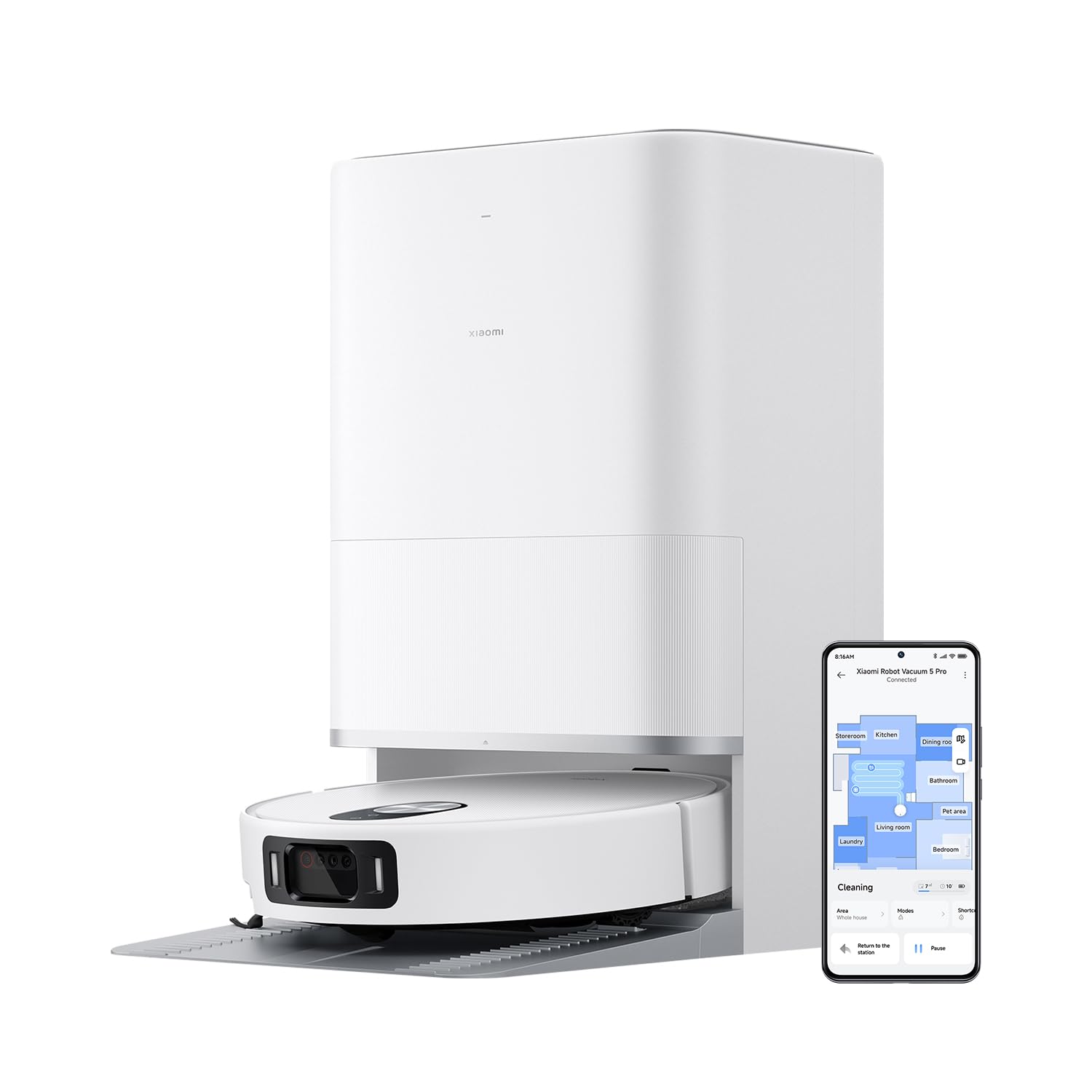
Gambar 1: The Xiaomi Robot Vacuum 5 Pro docked in its self-cleaning base station, with a smartphone displaying the control app interface.
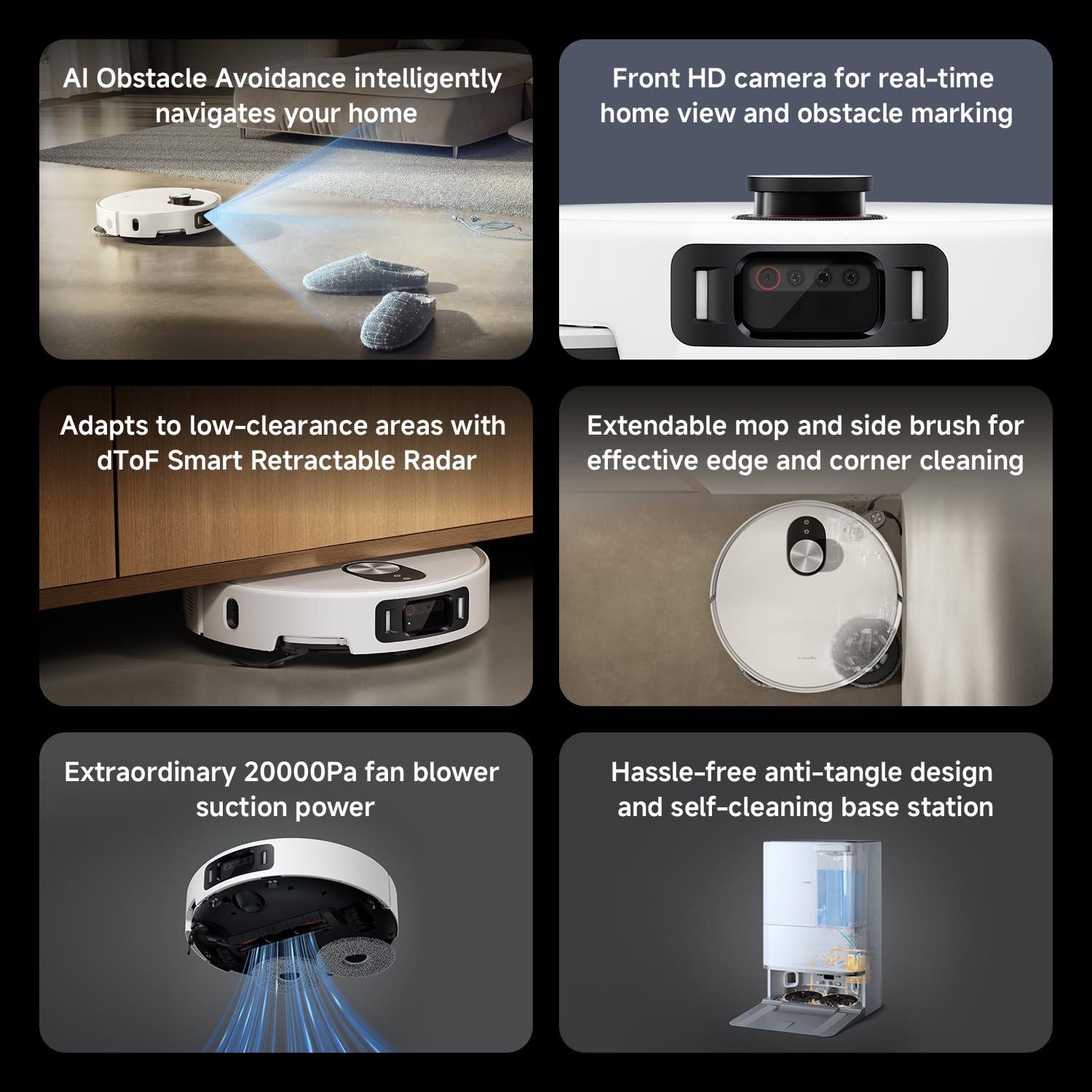
Gambar 2: Leuwihview of key features including AI obstacle avoidance, front HD camera, dToF radar, extendable mop, powerful suction, and the self-cleaning base station.

Gambar 3: The AI triple-camera smart detection system, comprising an RGB camera, two infrared cameras, and an infrared 3D dot projector for accurate environment sensing.
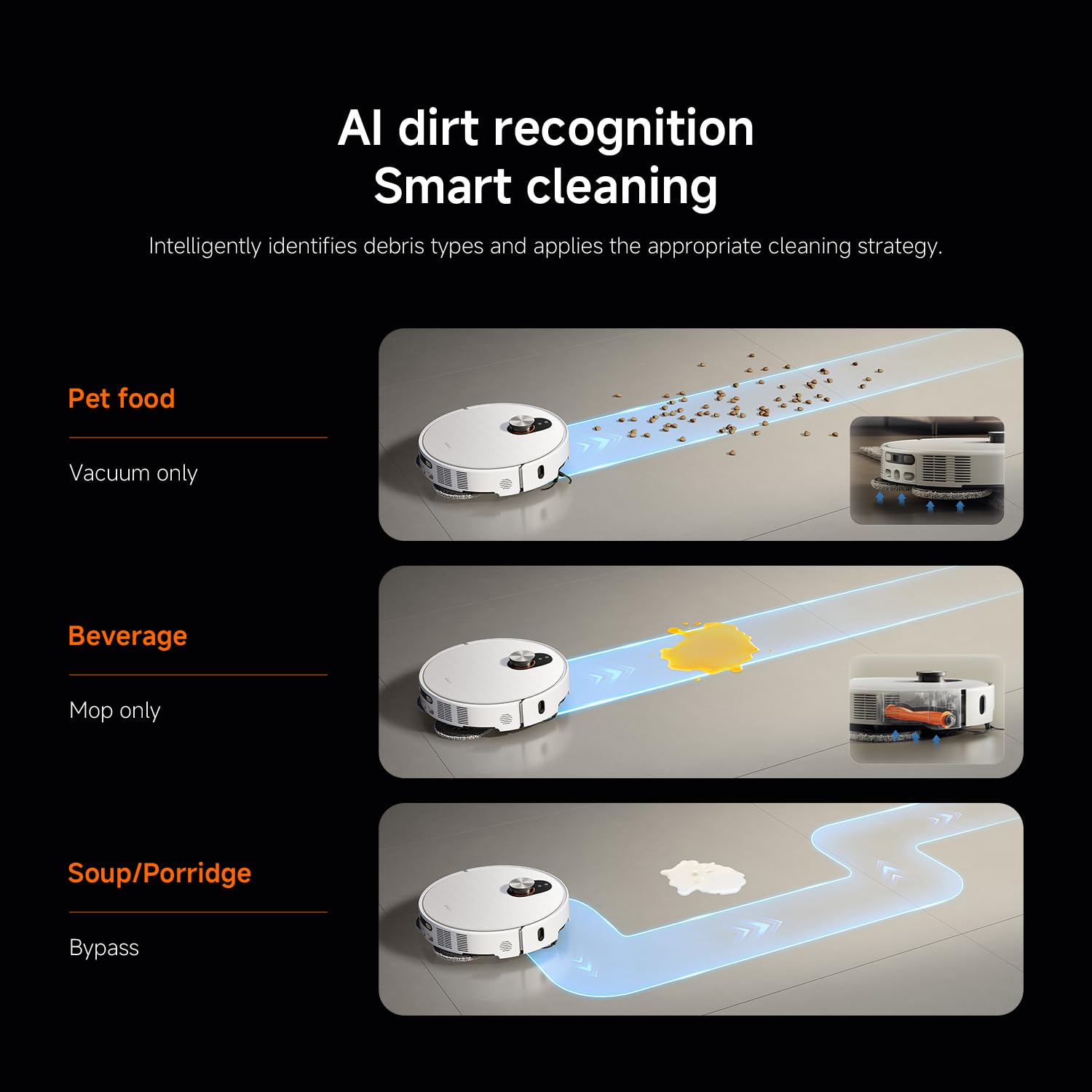
Gambar 4: AI dirt recognition system intelligently identifying debris types and applying appropriate cleaning strategies (vacuum, mop, or bypass).
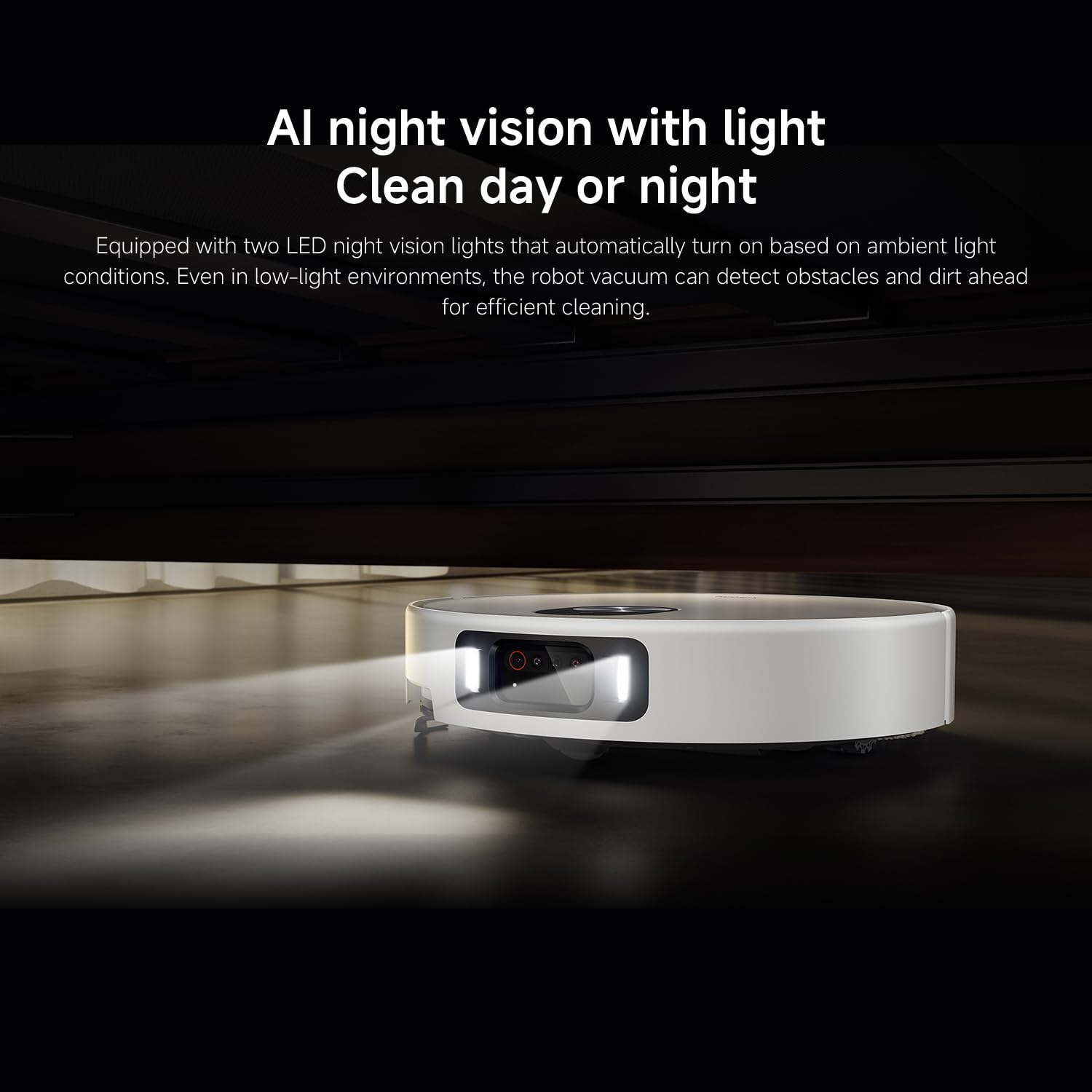
Gambar 5: AI night vision with two LED lights, enabling the robot vacuum to detect obstacles and dirt efficiently in low-light conditions.
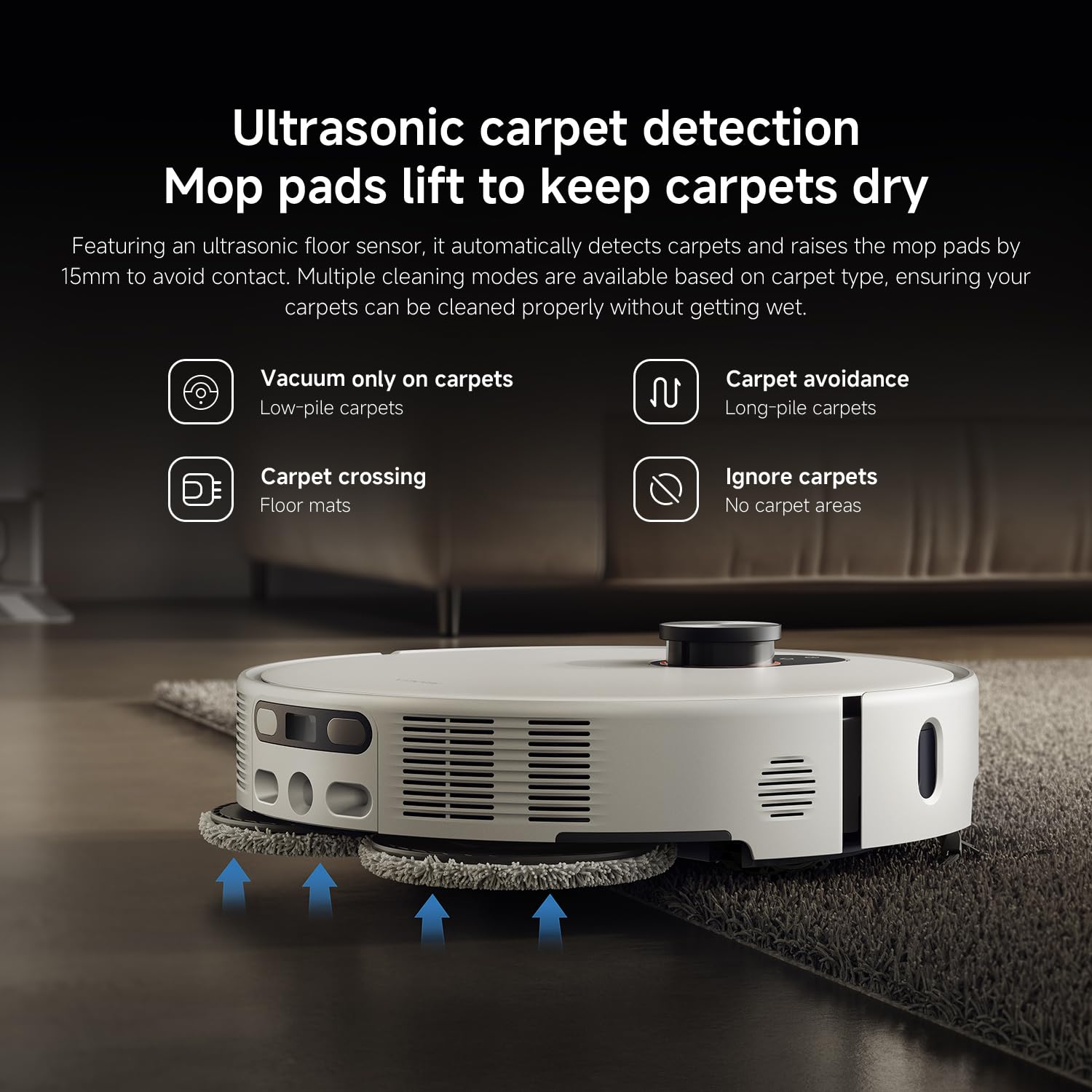
Gambar 6: Ultrasonic carpet detection system, which automatically lifts mop pads by 15mm to avoid wetting carpets, offering multiple cleaning modes.
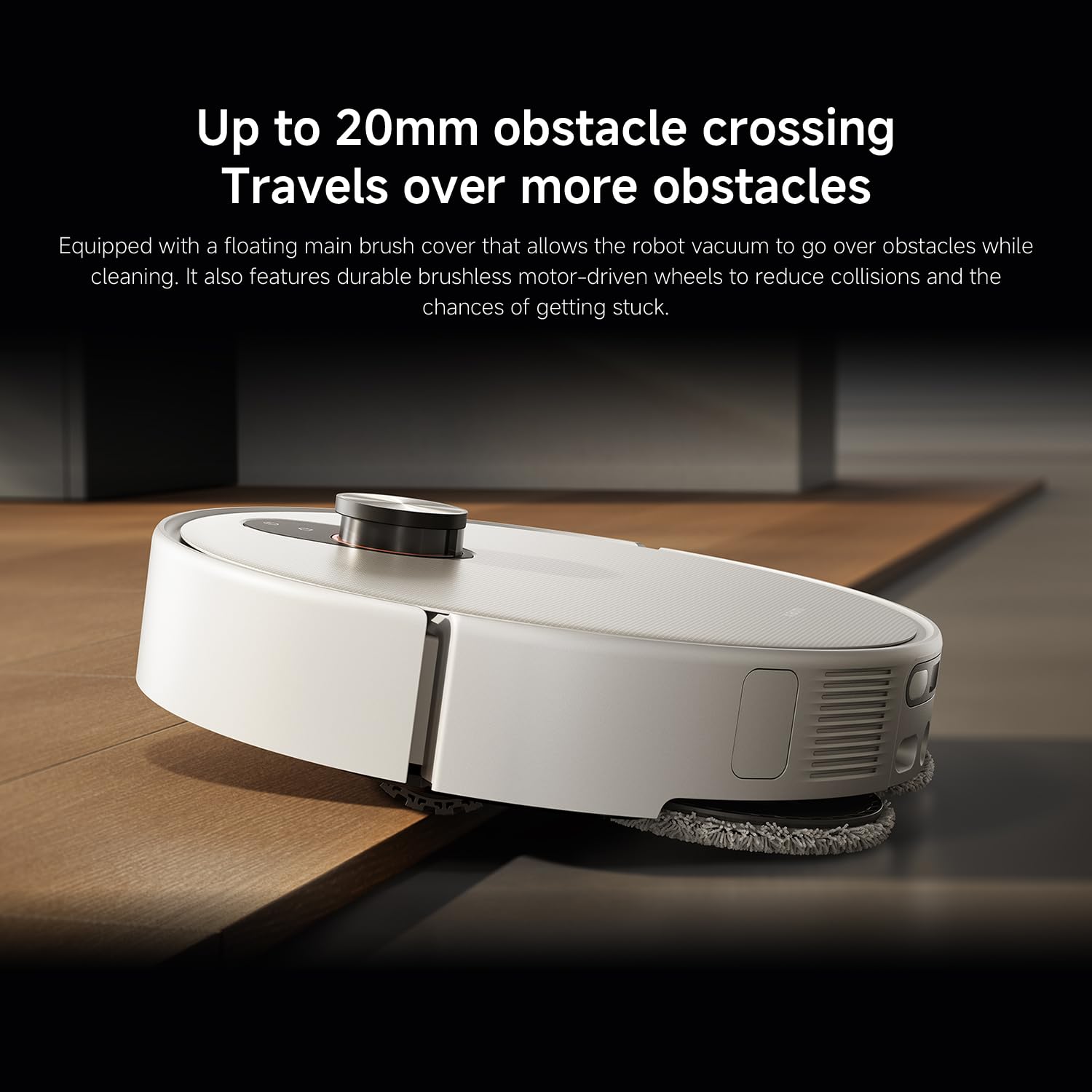
Gambar 7: The robot vacuum's ability to cross obstacles up to 20mm high, facilitated by a floating main brush cover and durable wheels.
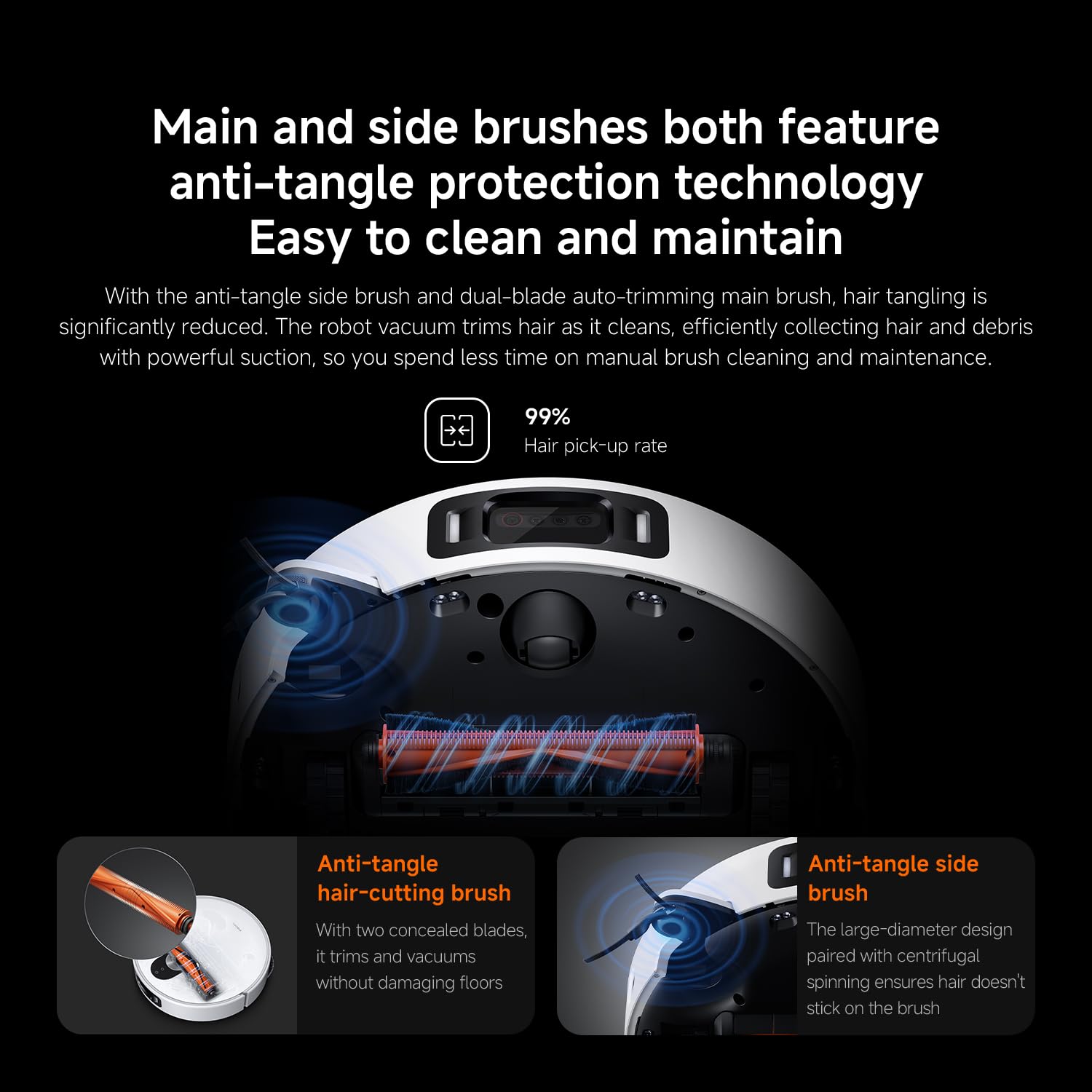
Gambar 8: Main and side brushes featuring anti-tangle protection technology, including concealed blades for the main brush and a large-diameter design for the side brush.
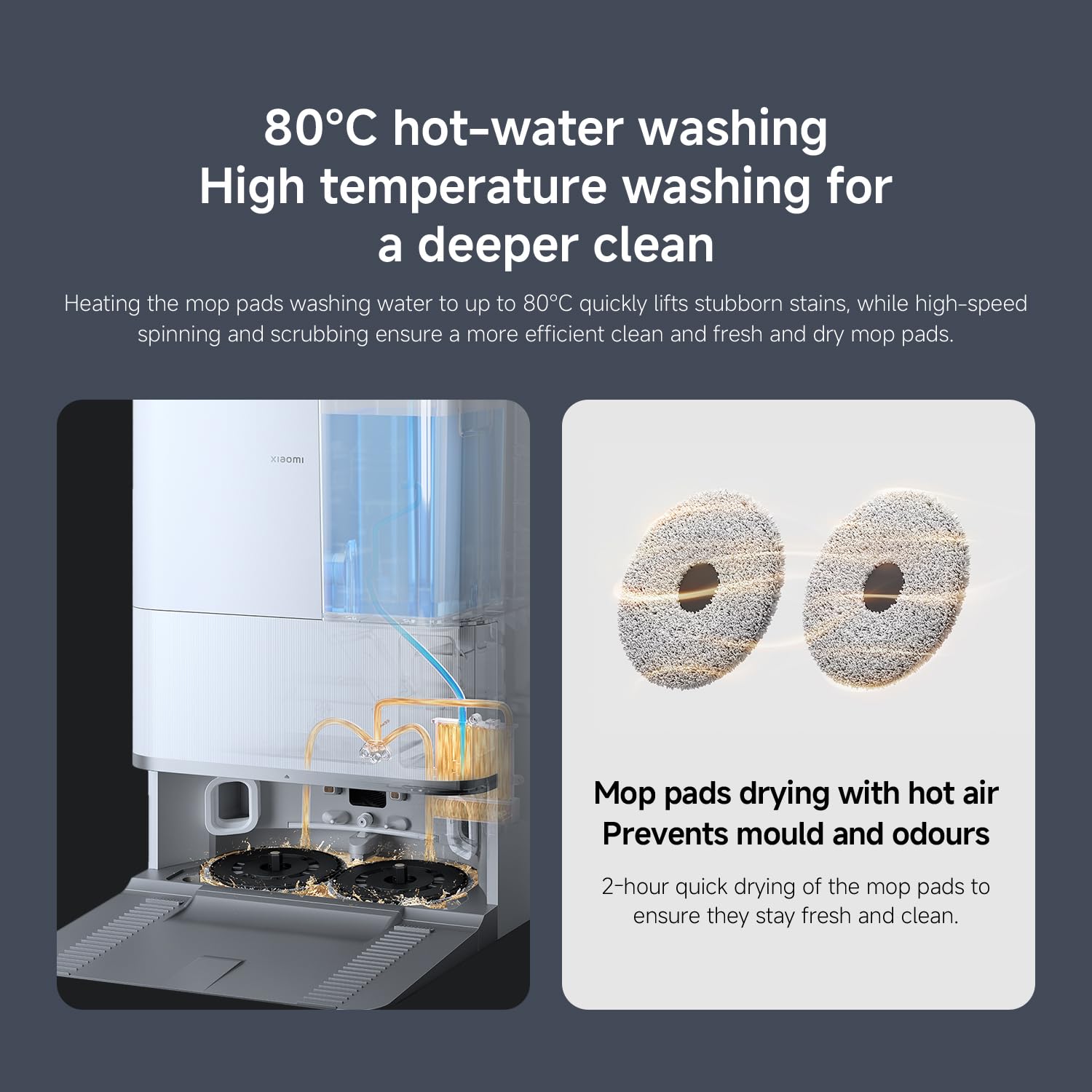
Gambar 9: The self-cleaning base station performing 80°C hot-water washing for deep cleaning and 2-hour hot air drying of mop pads to prevent mold and odors.
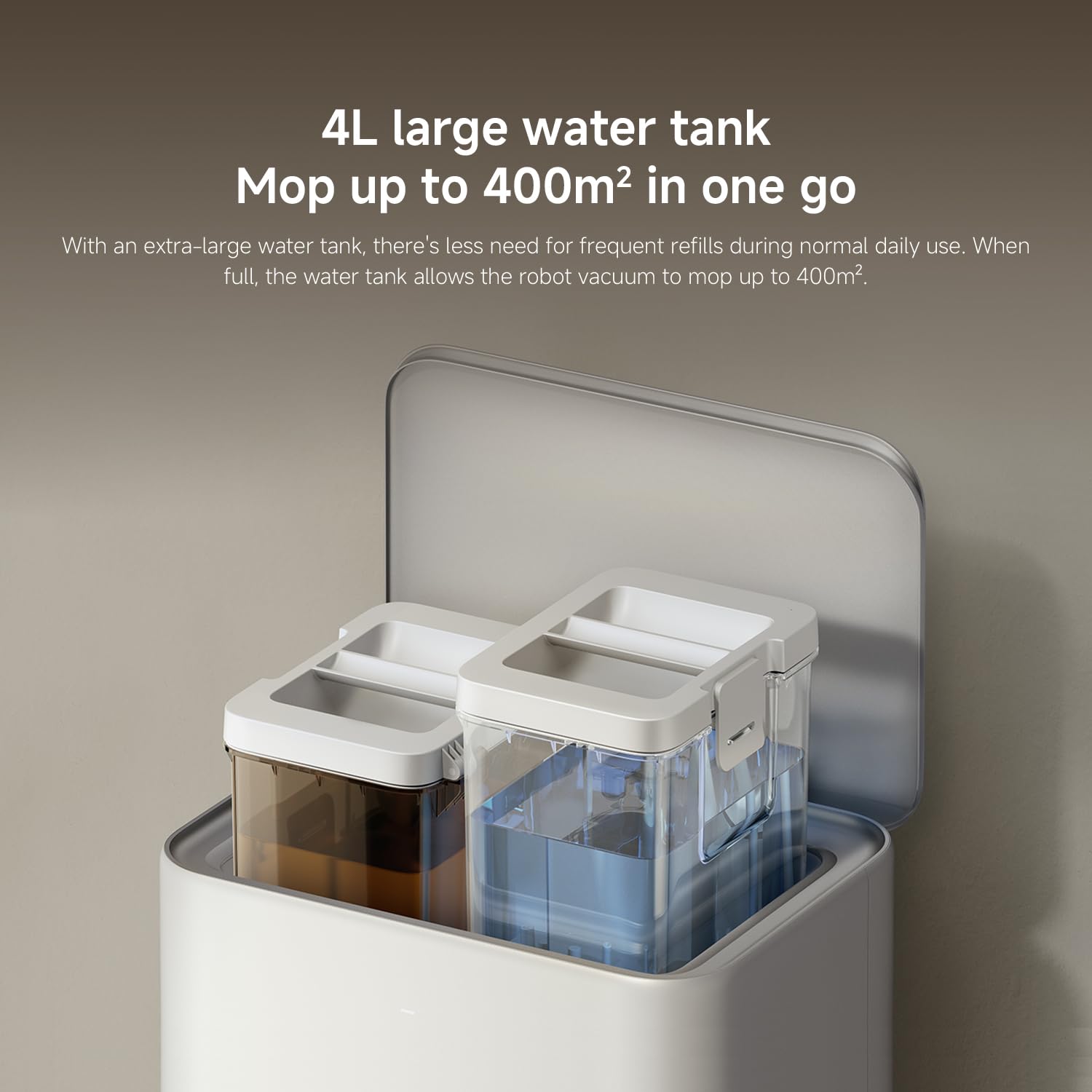
Gambar 10: The 4L large water tank system within the self-cleaning base station, designed for extended mopping coverage without frequent refills.
Guide Setup
1. Unpacking na panempatan
- Sacara saksama miceun sadaya komponén tina bungkusan.
- Choose a suitable location for the self-cleaning base station. Ensure there is at least 0.5 meters of clear space on both sides and 1.5 meters in front of the base station.
- Place the base station against a wall on a hard, level surface. Do not place it on carpets.
- Connect the power adapter to the base station and plug it into a power outlet. Ensure the cable is neatly tucked away to prevent entanglement.
2. Ngecas Awal
- Place the robot vacuum onto the charging contacts of the base station. Ensure the contacts align.
- The robot will automatically power on and begin charging. Allow it to fully charge before first use (approximately 6 hours). The indicator light on the robot will change when fully charged.
3. App Ngundeur tur Sambungan
- Unduh Imah Xiaomi aplikasi ti toko aplikasi smartphone anjeun (App Store pikeun ios, Google Play Store pikeun Android).
- Buka aplikasi sareng jieun akun atanapi log in.
- Ketok ikon "+" di pojok katuhu luhur pikeun nambahkeun alat.
- Select "Xiaomi Robot Vacuum 5 Pro" from the list of available devices or scan the QR code on the robot.
- Follow the in-app instructions to connect the robot to your home Wi-Fi network. Ensure your phone is connected to a 2.4GHz Wi-Fi network during setup.
- Sakali disambungkeun, Anjeun bisa ngadalikeun robot, view maps, set schedules, and access advanced features through the app.
Parentah Operasi
1. Mimitian jeung Stopping beberesih
- Mimitian beberesih: Press the power button on the robot or tap "Clean" in the Xiaomi Home app. The robot will automatically map your home and begin cleaning.
- Reureuh beberesih: Pencét tombol naon waé dina robot atanapi ketok "Pause" dina aplikasi.
- Beberesih Résumé: Press the power button again or tap "Resume" in the app.
- Balik deui ka Base: Press the home button on the robot or tap "Recharge" in the app. The robot will return to the self-cleaning base station.
2. Modeu beberesih
The Xiaomi Home app allows you to select various cleaning modes:
- Vakum Ngan: For dry debris and general vacuuming.
- Ngepel wungkul: For wet cleaning with mop pads.
- vakum & pel: Simultaneous vacuuming jeung mopping.
- Ngabersihan wewengkon: Select specific rooms or zones on the map to clean.
- Beberesihan Tempat: Pituduh robot pikeun ngabersihkeun area leutik anu khusus.
3. Advanced Features via Xiaomi Home App
- Manajemén Peta: View and edit your home's map. Set virtual walls and no-go zones to restrict the robot from certain areas.
- Dijadwalkeun beberesih: Setel waktos khusus pikeun robot ngabersihan sacara otomatis.
- Cleaning Preferences: Adjust suction power, water flow level, and carpet cleaning modes (e.g., vacuum only on carpets, carpet avoidance).
- Pangimeutan sacara real-time: Monitor the robot's cleaning progress and location in real-time.
- AI Dirt Recognition: The robot automatically adjusts its cleaning strategy based on detected dirt types.
- AI Night Vision: Enables cleaning in low-light conditions.
Pangropéa
Regular maintenance ensures optimal performance and extends the lifespan of your robot vacuum. Always turn off the robot and unplug the base station before performing maintenance.
1. Dustbin jeung Filter
- Tong sampah kosong: The self-cleaning base station will automatically empty the dustbin. However, manually check and empty the dustbin if the base station is not used or if the dustbin is full.
- Filter beresih: Tap the dustbin to remove loose dirt. Rinse the filter under running water. Ensure it is completely dry before re-installing (allow 24 hours). Replace the filter every 3-6 months, or as needed.
2. Water Tank and Mop Pads
- Tangki Air Isi Ulang: The base station will manage water levels. Ensure the clean water tank in the base station is filled.
- Kapas Pel Bersih: The base station automatically washes and dries the mop pads. Periodically remove and hand wash the mop pads for a deeper clean. Replace mop pads every 1-3 months, depending on usage.
3. Sikat
- Sikat utama: Remove the main brush cover and lift out the main brush. Use the cleaning tool to remove hair and debris. Check the bearings for any entanglement. Reinstall the brush. Replace every 6-12 months.
- Sikat samping: Unscrew the side brush and remove any tangled hair or debris. Reattach the brush. Replace every 3-6 months.
4. Sensor sareng Kontak Pangecas
- Wipe all sensors (cliff sensors, wall sensors, dToF radar) and charging contacts on both the robot and the base station with a clean, dry cloth.
Pamérésan masalah
Upami anjeun ngalaman masalah sareng robot vacuum anjeun, tingali masalah sareng solusi umum ieu:
| Masalah | Mungkin Cukang lantaranana | Solusi |
|---|---|---|
| Robot teu bisa dihurungkeun atawa dicas. | Batré béak; kontak ngecas kotor; adaptor daya teu nyambung. | Pastikeun robot dipasang kalawan bener. Bersihkeun kontak pangecas. Pariksa sambungan adaptor daya. |
| Robot sering macét. | Obstacles on floor; low-clearance furniture; cliff sensors dirty. | Clear floor of cables and small items. Use virtual walls in app. Clean cliff sensors. |
| Kinerja beberesih goréng. | Dustbin full; brushes tangled; filter clogged; low suction setting. | Empty dustbin. Clean main and side brushes. Clean/replace filter. Increase suction power in app. |
| Robot teu tiasa uih deui ka stasiun pangkalan. | Base station obstructed; robot too far from base; charging contacts dirty. | Ensure clear path to base. Move robot closer to base. Clean charging contacts. |
| Alas pel henteu ngabersihkeun sacara efektif atanapi ngantunkeun goresan. | Mop pads dirty; water tank empty; low water flow setting. | Clean or replace mop pads. Refill clean water tank. Adjust water flow in app. |
| Masalah sambungan aplikasi. | Sandi Wi-Fi salah; jaringan Wi-Fi 5GHz; robot jauh teuing ti router. | Ensure 2.4GHz Wi-Fi. Re-enter password. Move robot closer to router. Restart robot and router. |
spésifikasi
| Fitur | Rincian |
|---|---|
| merek | XIAOMI |
| Nomer modél | 65238 |
| Nomer Bagian | BHR07WEGB |
| Voltage | 240 volt |
| Sumber Daya | Batré Powered |
| Batré Kaasup | Yes (1 x 12V battery) |
| Faktor Bentuk | Buleud |
| Dimensi produk | 44.3 x 43.1 x 68.6 cm |
| Item Beurat | 15 kg |
| Surface Rekomendasi | Multi-beungeut |
| Tanggal Kahiji Sadia | 23 Séptémber 2025 |
Garansi sareng Rojongan
Kanggo inpormasi garansi sareng dukungan palanggan, mangga tingali kartu garansi anu kalebet dina produk anjeun atanapi kunjungi situs wéb resmi XIAOMI. website. You can also contact XIAOMI customer service for assistance with product inquiries, technical support, or service requests.
Resmi Websitus: www.mi.com


