1. Produk Langkungview
The GKU 4K Dash Cam D200 is designed to provide high-resolution video recording for your vehicle. It features Ultra HD 2160P resolution, a 170° wide-angle lens, and advanced night vision capabilities with WDR technology. Integrated Wi-Fi allows for easy smartphone connectivity and app control. Key safety features include a 24-hour parking monitor, G-Sensor for impact detection, and seamless loop recording. The compact design ensures it does not obstruct your view bari nyupiran.
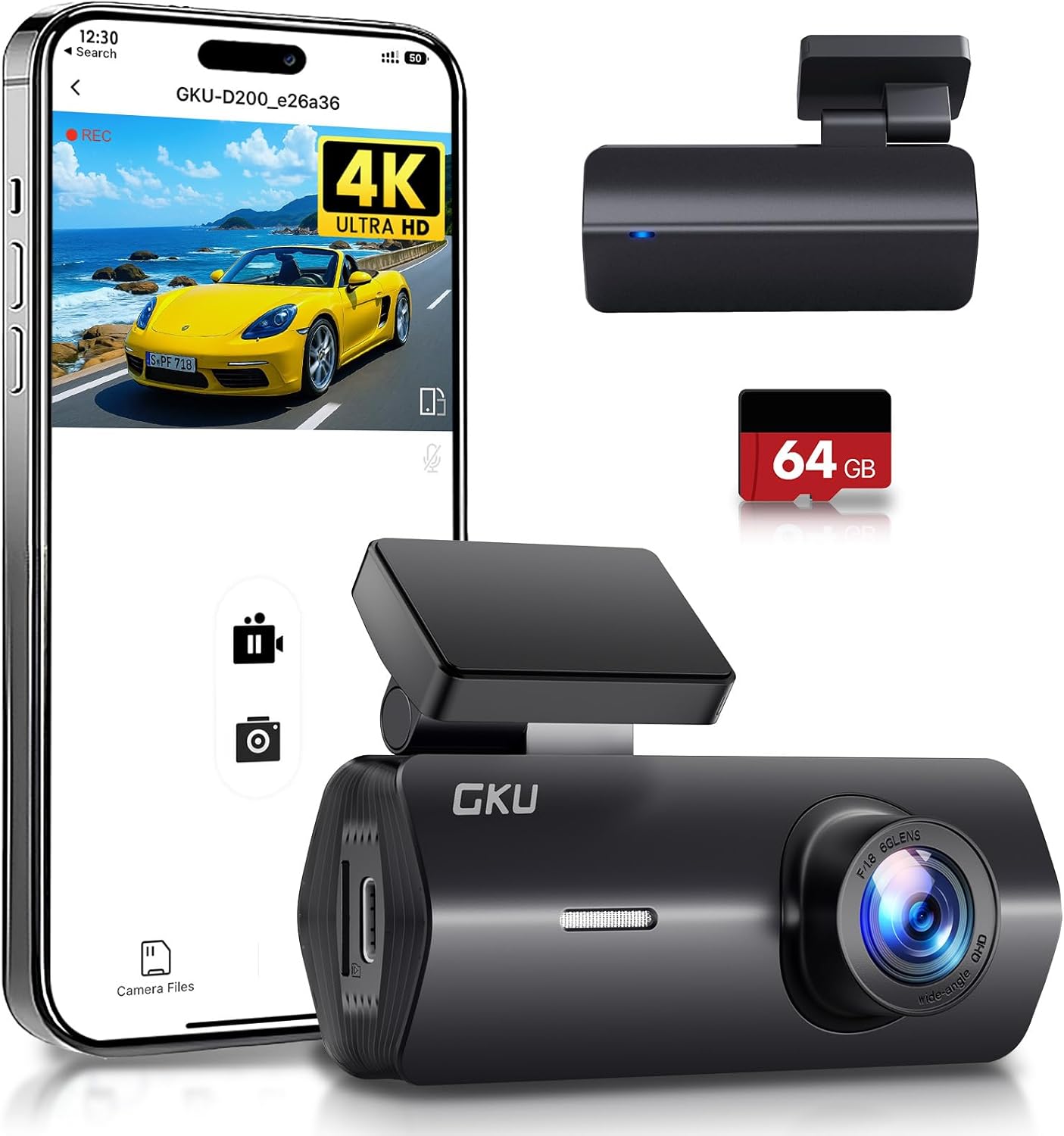
Figure 1: GKU 4K Dash Cam D200 with smartphone app interface and included 64GB SD card.
2. Naon dina Box
Mangga parios eusi pakét anjeun pikeun mastikeun yén sadaya barang aya:
- 1 x GKU 4K D200 Front Camera
- 1 x 64GB Kartu SD
- 1 x Car Charger (9.84ft)
- 2 x 3M Adhesive Mounts
- 2 x Pilem éléktrostatik
- 1 x Crowbar Tool
- 1 x Manual Pamaké

Figure 2: Contents of the GKU 4K Dash Cam D200 package.
3. Setup jeung Instalasi
3.1 Pamasangan Kartu SD
- Locate the SD card slot on the side of the dash cam.
- Insert the provided 64GB SD card into the slot until it clicks into place. Ensure the card is inserted correctly with the contacts facing the camera lens.
- It is recommended to format the SD card within the dash cam settings before first use.

Figure 3: The included 64GB SD card.
3.2 Pasang Dash Cam
- Bersihkeun bagian dina kaca hareup anjeun tempat anjeun badé masang dasbor kaméra.
- Apply one of the electrostatic films to the cleaned area. This helps protect your windshield and makes removal easier.
- Attach a 3M adhesive mount to the dash cam's bracket.
- Press the dash cam firmly onto the electrostatic film on your windshield, ideally behind the rearview eunteung pikeun nyegah ngahalangan anjeun view.
- Adjust the camera angle using the 140° adjustable bracket to ensure optimal road coverage.

Figure 4: Dash cam mounted on the windshield.
3.3 Sambungan Daya
Connect the dash cam to your vehicle's power source using the provided car charger. Route the cable neatly along the windshield and dashboard to avoid interference with driving. For 24-hour parking monitoring, a hardwire kit (not included) is required to connect directly to your car's battery.
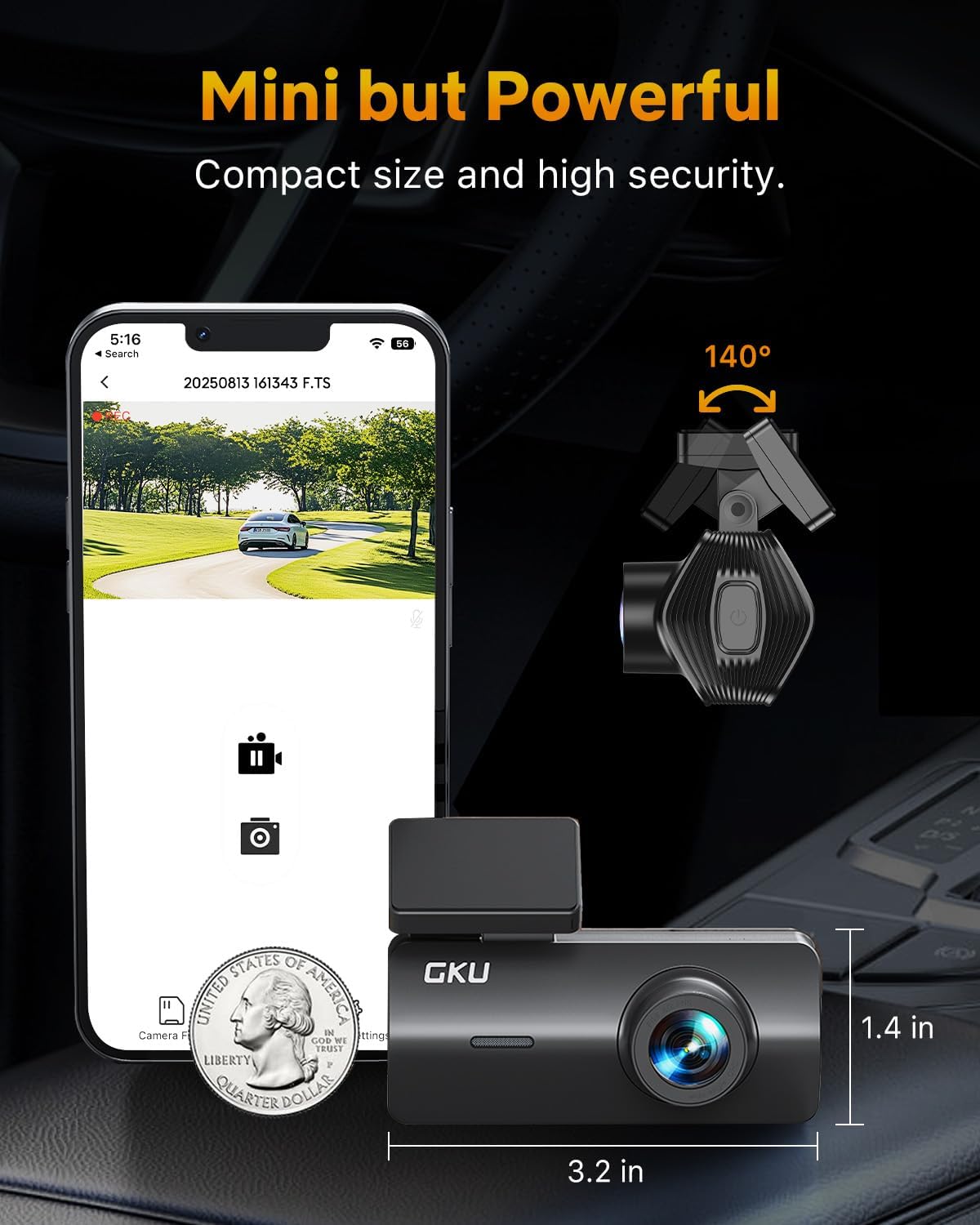
Figure 5: Car charger connection.
4. Parentah Operasi
4.1 Rekaman Dasar
Once powered on, the dash cam will automatically begin recording. It utilizes loop recording, which continuously records video in segments (e.g., 1, 3, or 5 minutes). When the SD card is full, the oldest unlocked files anu overwritten ku rekaman anyar.
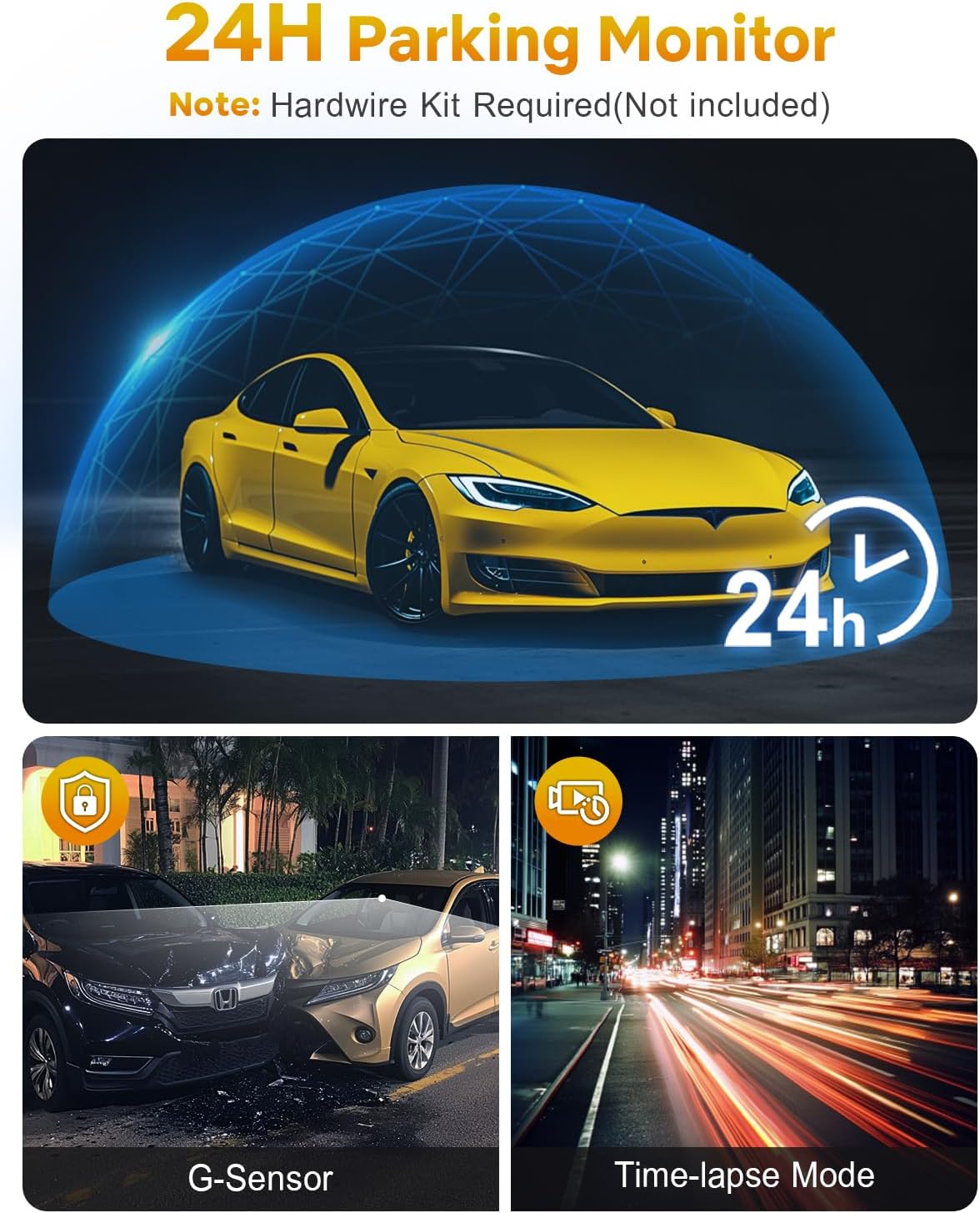
Figure 6: Loop Recording in action.
4.2 Wi-Fi & App Control
The GKU D200 features built-in Wi-Fi for seamless connection to your smartphone via a dedicated app. This allows you to:
- View hirup footage ti dash cam.
- Playback dirékam video.
- Download videos directly to your phone.
- Atur setélan kaméra dasbor.
Download the official GKU app from your smartphone's app store and follow the in-app instructions to connect to your dash cam's Wi-Fi network.
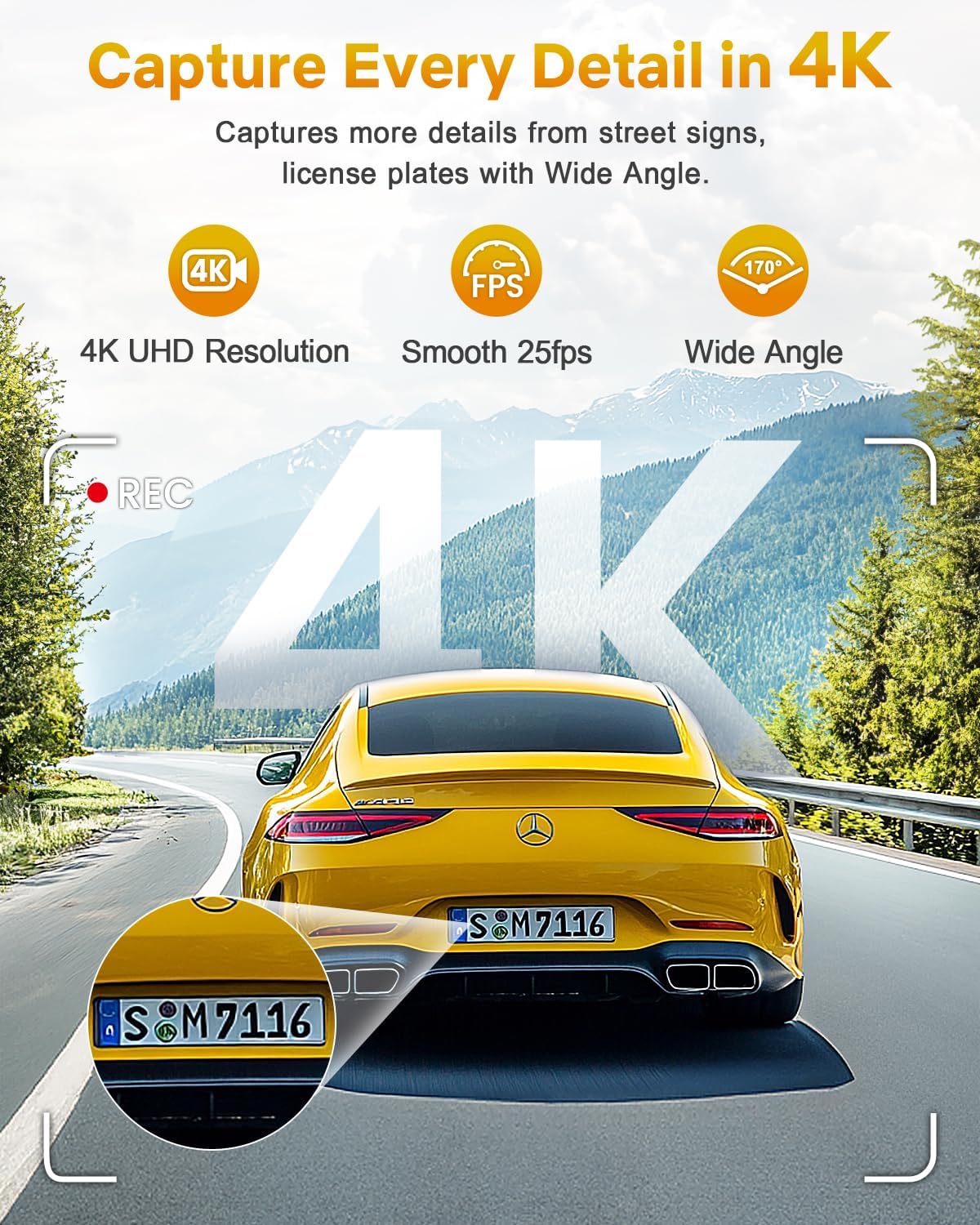
Figure 7: Wi-Fi connectivity and app control.
4.3 G-Sensor & Collision Lock
The integrated G-Sensor detects sudden impacts or collisions. When an event is detected, the dash cam automatically locks the current recording segment, preventing it from being overwritten by loop recording. This ensures critical footage dilestarikan.

Figure 8: G-Sensor collision lock feature.
4.4 Monitor Parkir 24 Jam
With the 24-hour parking monitor feature, the dash cam can continue to record even when your vehicle is parked. It uses impact detection to automatically record footage if a collision or significant vibration is detected. This feature requires a hardwire kit (sold separately) for continuous power supply.

Figure 9: 24-Hour Parking Monitor.
4.5 Visi Peuting
The GKU D200 is equipped with advanced night vision technology, including an F1.8 aperture and Wide Dynamic Range (WDR). This allows the camera to automatically balance exposure and enhance clarity in low-light conditions, ensuring clear recordings during nighttime driving.
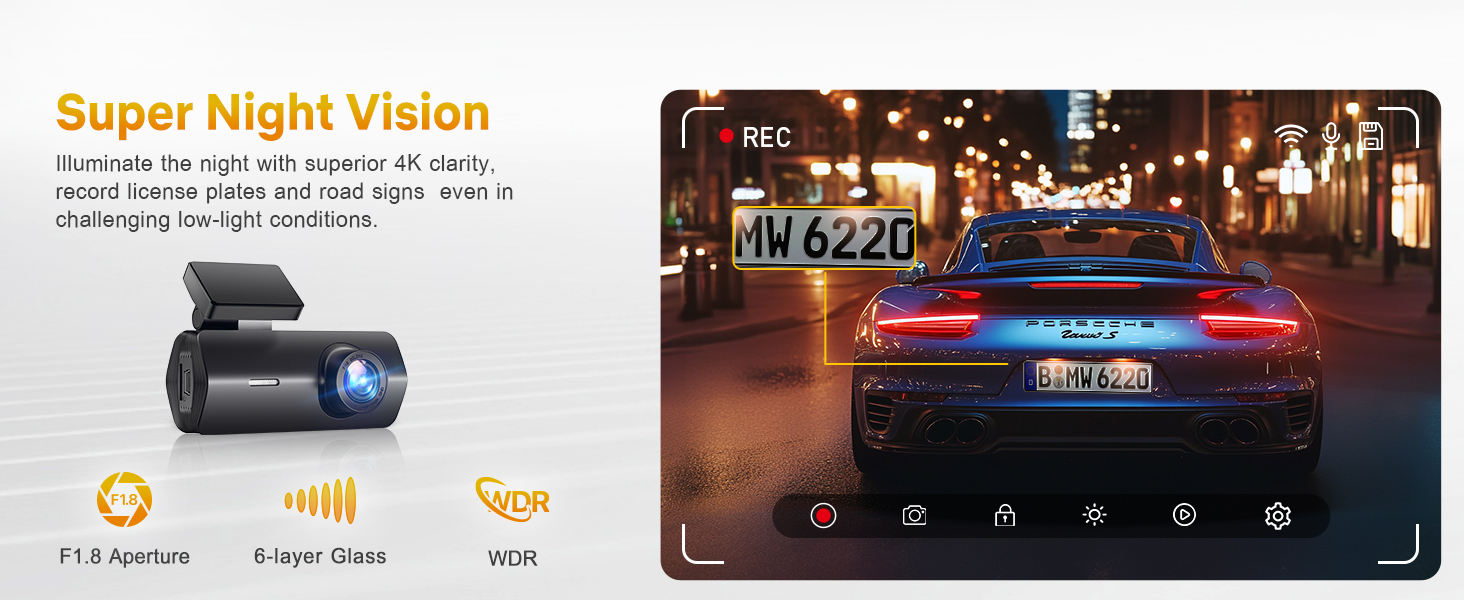
Figure 10: Enhanced night vision capabilities.
5. Pangropéa
5.1 Manajemén Kartu SD
Regularly format your SD card (at least once a month) to ensure optimal performance and prevent data corruption. This can typically be done through the dash cam's settings via the smartphone app.
5.2 Perawatan Umum
- Keep the camera lens clean using a soft, lint-free cloth.
- Avoid exposing the dash cam to extreme temperatures for prolonged periods. The device is designed to withstand temperatures from -4°F (-20°C) to 158°F (70°C).
- Do not attempt to disassemble or repair the dash cam yourself, as this will void the warranty.
6. Cara ngungkulan
Isu umum jeung Solusi
- Dash Cam Henteu Diaktipkeun: Check the power connection and ensure the car charger is securely plugged into both the dash cam and the vehicle's power outlet. Verify the vehicle's power outlet is functional.
- Rekaman Eureun atanapi Macet: Format the SD card. If the issue persists, try a different high-speed (Class 10 or U3) SD card. Ensure the firmware is up to date via the app.
- Pegatkeun sambungan Wi-Fi: Ensure your smartphone is within close proximity to the dash cam. Restart both the dash cam and your phone. Reconnect through the GKU app.
- Kualitas pidéo goréng: Clean the camera lens. Ensure the protective film has been removed from the lens. Check that the dash cam is set to 4K resolution in the app settings.
- Parking Monitor Not Working: Confirm that the parking monitor feature is enabled in the app settings. Remember that a hardwire kit (not included) is required for continuous 24-hour parking surveillance.
7. Spésifikasi
| Fitur | Rincian |
|---|---|
| Ngaran modél | D200 |
| Resolusi Capture Video | 4K (UHD 2160P) |
| Widang Of View | 170 darajat |
| Téhnologi konektipitas | Wifi |
| Fitur husus | Night Vision, Built-In WiFi, App Control, G-sensor, Loop Recording, Parking Monitor, Free 64G SD card, Supports 512GB Max, Detachable Compact Design |
| Tipe Pamasangan | Kaca Depan |
| Dimensi produk | 1.97 x 1.18 x 1.18 inci |
| Item Beurat | 10.6 ons |
| Batré | 1 batré Litium Metal diperlukeun |
8. Garansi sarta Rojongan Palanggan
8.1 Émbaran jaminan
GKU provides a 12-month warranty for the Dash Cam D200, with an additional 12 months available upon official registration with GKU. This ensures a total of 24 months of coverage.
8.2 Rojongan Palanggan
For any questions, technical assistance, or warranty claims, please contact GKU customer support:
- Surélék: support@gkutech.com
- 24/7 customer support is available to provide professional and comprehensive assistance.


