1. Bubuka
This manual provides detailed instructions for the ONN Wireless Headset and Bluetooth FM Transmitter, Model ONN-CBT3353. This device combines a car Bluetooth FM transmitter with a detachable wireless headset, offering versatile audio streaming, hands-free calling, and device charging capabilities. Please read this manual thoroughly before use to ensure proper operation and to maximize the product's lifespan.
2. Émbaran Kasalametan
- Ulah ngalaan alat ka cai, beueus, atawa suhu ekstrim.
- Avoid disassembling or modifying the device, as this will void the warranty and may cause damage.
- Jauhkeun tina jangkauan barudak.
- Pastikeun alatna dipasang pageuh kana stop kontak korek api mobil.
- Do not operate the device while driving if it distracts you from the road. Prioritize road safety.
3. Eusi Paket
- ONN Bluetooth FM Transmitter
- Detachable Wireless Headset
- Manual pamaké
4. Produk Langkungview
The ONN-CBT3353 consists of two main components: the FM Transmitter (car charger unit) and the Wireless Headset.

Gambar 4.1: The ONN Wireless Headset and FM Transmitter, illustrating the separate headset and the main transmitter unit with its charging ports and controls.
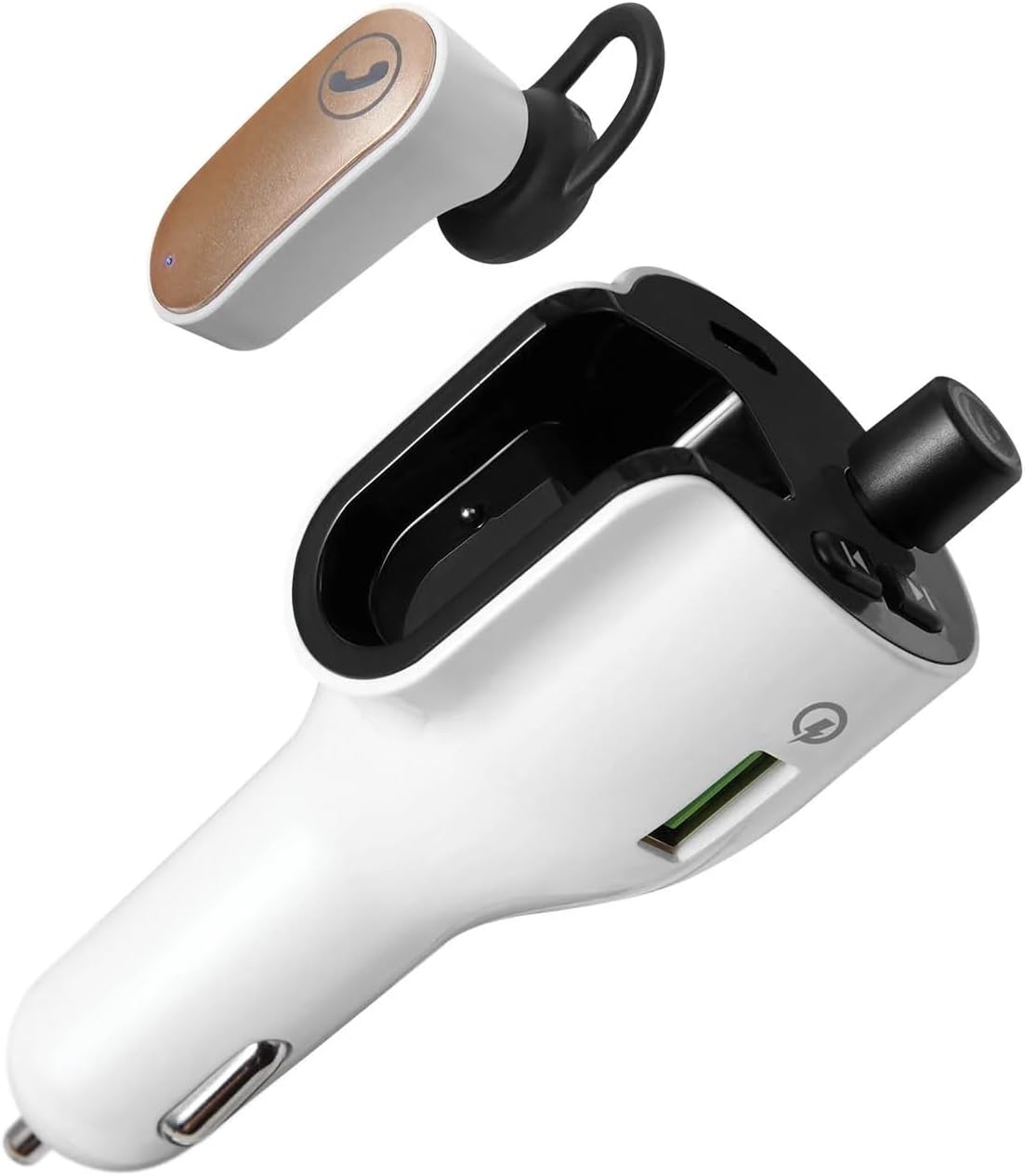
Gambar 4.2: A jelas view of the ONN Wireless Headset detached from the FM Transmitter, showcasing duanana komponén.
FM Transmitter Features:
- Témbong LED: Shows FM frequency.
- Frequency Adjustment Buttons: Used to change the FM frequency.
- Tombol multi-fungsi: For play/pause, answer/end calls, and Bluetooth pairing.
- USB-A Charging Port (Quick Charge 3.0): Pikeun alat anu cocog sareng ngecas gancang.
- Port ngecas USB-C: Pikeun ngecas alat anu cocog.
- Headset Charging Dock: Securely holds and charges the wireless headset.
Wireless Headset Features:
- Tombol Telepon: For answering and ending phone calls.
- Mikropon: Pikeun komunikasi tanpa nganggo leungeun.
- Indikator LED: Shows charging and connection status.
5. Setélan
5.1. Installing the FM Transmitter
- Insert the ONN FM Transmitter into your vehicle's 12V (cigarette lighter) power socket. The LED display will illuminate.
5.2. Charging the Wireless Headset
- Ensure the FM Transmitter is powered on.
- Place the wireless headset into its designated charging dock on the FM Transmitter. The headset's LED indicator will show charging status.
- A full charge provides up to 2 hours of talk time.

Gambar 5.1: The wireless headset securely docked within the FM Transmitter for charging and storage.
5.3. Pairing with a Bluetooth Device (Smartphone)
- With the FM Transmitter powered on, activate Bluetooth on your smartphone or other audio device.
- Milarian pikeun available Bluetooth devices and select "ONN CBT3353" (or similar name) from the list.
- Once paired, the transmitter will indicate a successful connection, and audio from your device will be ready to stream.

Gambar 5.2: The FM Transmitter displaying the Bluetooth connection symbol, indicating it is paired with a device.
5.4. Setting the FM Frequency
- Tune your car's FM radio to an unused frequency (one with no strong broadcast signal).
- On the ONN FM Transmitter, use the frequency adjustment buttons (usually left/right arrows) to match the frequency displayed on the transmitter's LED screen to your car's radio frequency.
- Ensure the frequencies match for optimal audio transmission. The supported frequency range is 88.0 – 108.0 MHz.
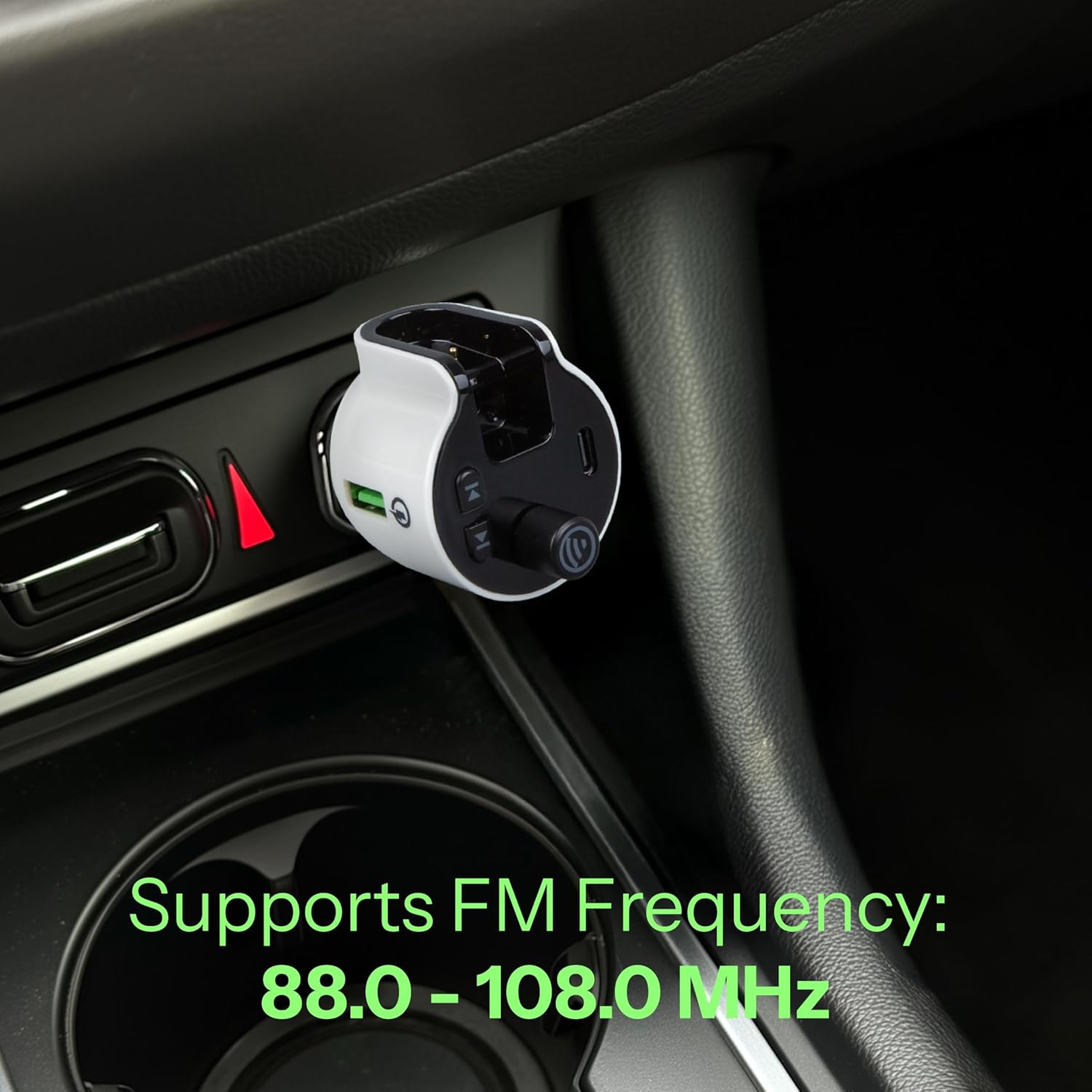
Gambar 5.3: The FM Transmitter installed in a car's power outlet, displaying the set FM frequency.

Gambar 5.4: A lengkep view of the FM Transmitter's LED display, showing the current frequency setting.
6. Nyuping
6.1. Playing Audio via FM Transmitter
- Once your smartphone is paired via Bluetooth and the FM frequency is set, open your preferred music or audio app on your phone.
- Audio will stream from your phone, through the FM Transmitter, and play through your car's stereo system.
- Use your phone or the transmitter's multi-function button to play/pause audio.
6.2. Using the Wireless Headset for Calls
- When a call comes in, you can answer it using the detachable wireless headset.
- To answer a call: Press the call button on the headset.
- To end a call: Press the call button on the headset again.
- The headset provides up to 2 hours of talk time on a full charge.
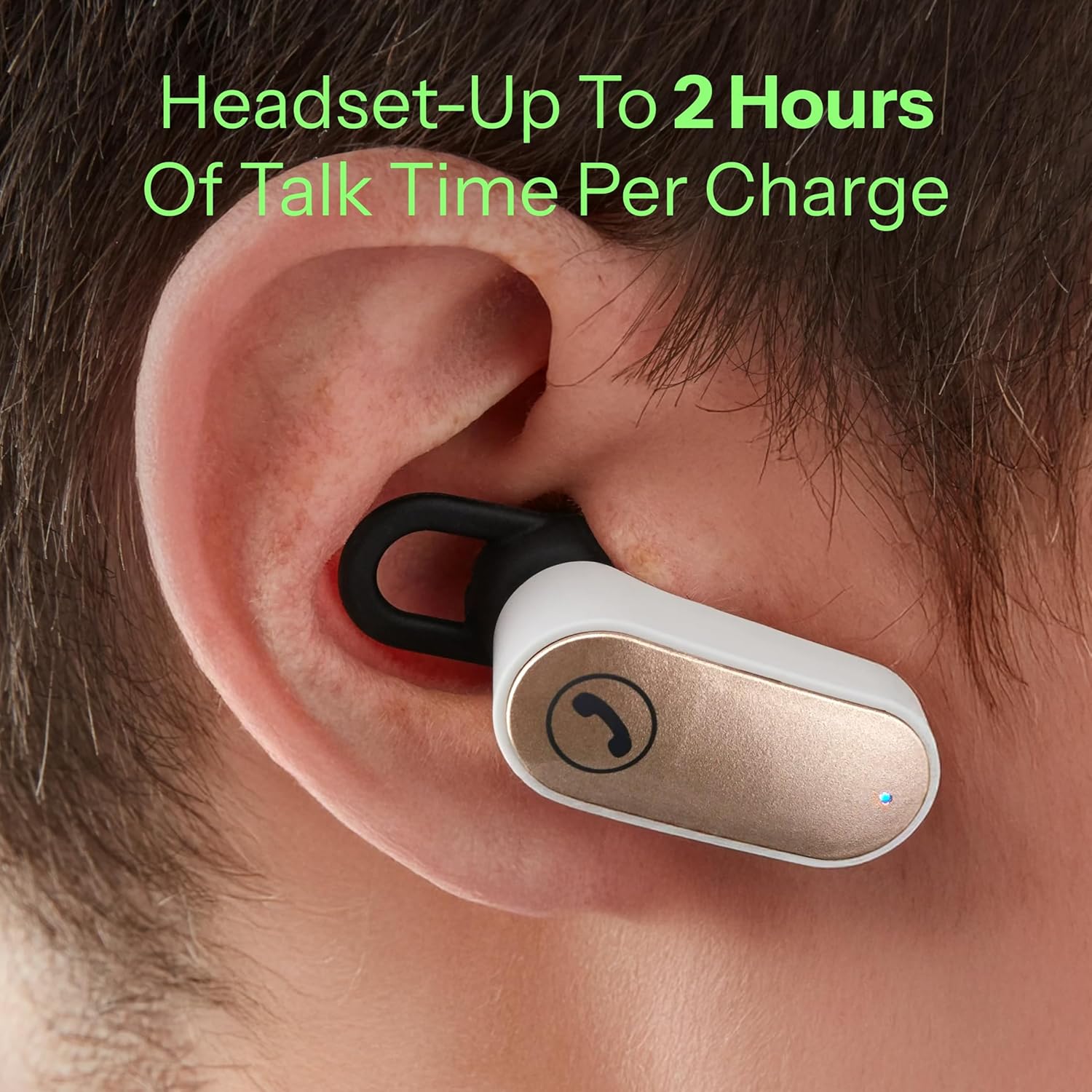
Gambar 6.1: The wireless headset being worn in an ear, demonstrating its use for hands-free communication.
6.3. Charging External Devices
The FM Transmitter is equipped with Quick Charge 3.0 technology and both USB-A and USB-C charging ports.
- Connect your device's charging cable to either the USB-A or USB-C port on the transmitter.
- The Quick Charge 3.0 USB-A port supports output settings of DC 5V/3A, 9V/2A, or 12V/1.5A.
- The USB-C port supports output settings of DC 5V/3A.
- Ensure your device is compatible with these charging specifications for optimal performance.
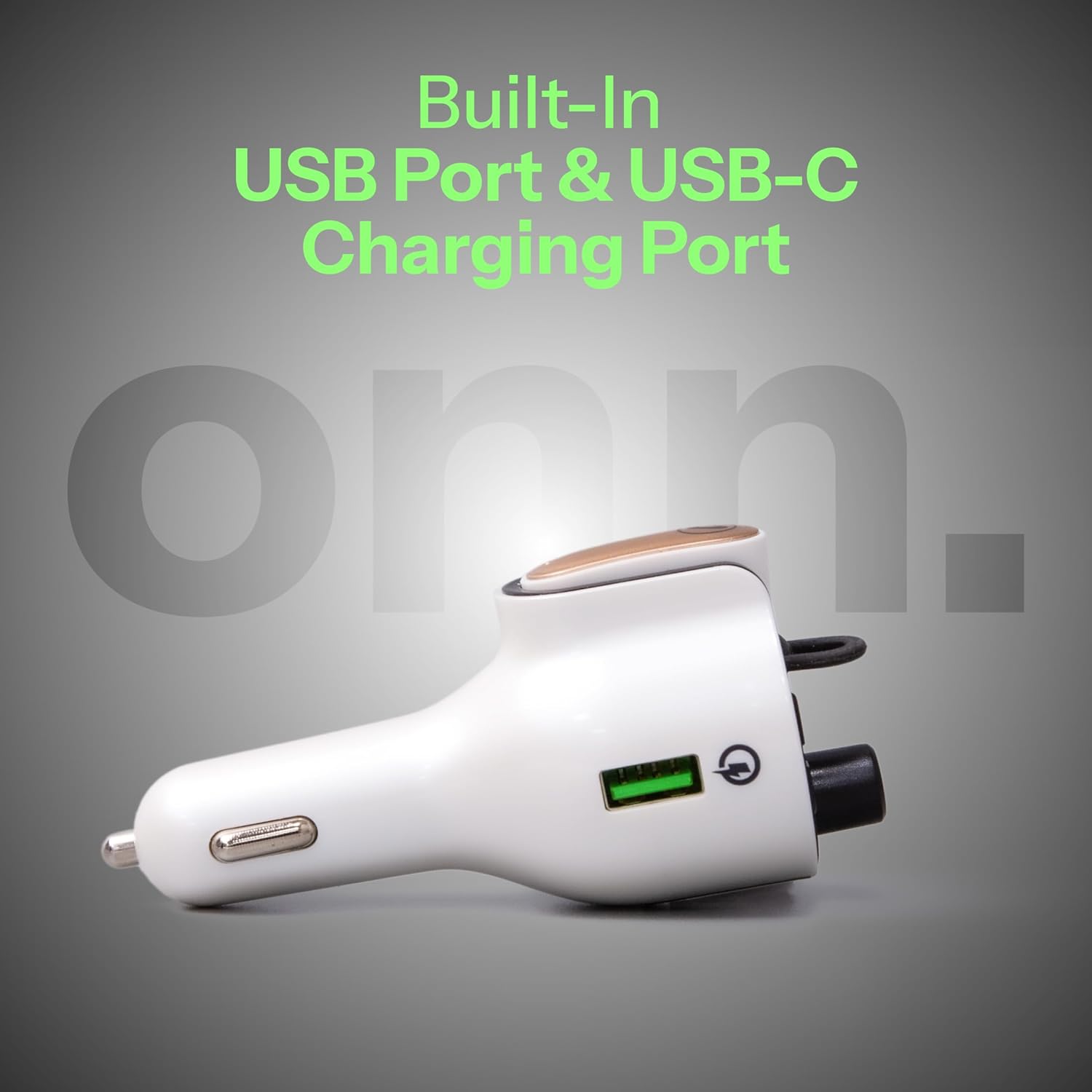
Gambar 6.2: Hiji sisi view of the FM Transmitter, highlighting the integrated USB-A and USB-C charging ports.
7. Pangropéa
- beberesih: Anggo kaén anu lemes sareng garing pikeun ngabersihan alat. Ulah make cleaners cair atawa aerosol.
- Panyimpenan: Lamun teu dipake, nyimpen alat dina tiis, tempat garing jauh tina sinar panonpoé langsung jeung hawa ekstrim.
- Headset Care: Keep the headset's charging contacts clean to ensure reliable charging.
8. Cara ngungkulan
| Masalah | Mungkin Cukang lantaranana | Solusi |
|---|---|---|
| No power to FM Transmitter | Not properly inserted into 12V socket; vehicle's 12V socket is faulty. | Ensure the transmitter is fully inserted. Check the vehicle's 12V socket with another device. |
| No audio from car stereo | FM frequency mismatch; Bluetooth not paired; car radio not on FM mode. | Match FM frequencies on transmitter and car radio. Re-pair Bluetooth. Ensure car radio is set to FM. |
| Kualitas audio goréng/statis | Interference from other FM stations; weak signal. | Try a different, clearer FM frequency. Ensure transmitter is not obstructed. |
| Headset teu ngecas | Headset not properly docked; dirty charging contacts. | Ensure headset is correctly seated in the dock. Clean charging contacts on both headset and dock. |
| Headset cannot connect/pair | Headset out of range; low battery; pairing issue. | Ensure headset is charged and within range. Try re-pairing the headset with the transmitter (if applicable, or ensure it's docked for connection). |
| Alat-alatna teu ngecas gancang | Device not Quick Charge compatible; cable issue. | Ensure your device supports Quick Charge 3.0. Use a high-quality charging cable. |
9. Spésifikasi
| Fitur | Rincian |
|---|---|
| Nomer modél | ONN-CBT3353 |
| Dimensi produk | 1.69 x 4.15 x 1.69 inci |
| Item Beurat | 3.52 ons |
| Téhnologi konektipitas | Bluetooth |
| Sumber Daya | Battery Powered (Headset), Vehicle 12V (Transmitter) |
| Bahan | Acrylonitrile Butadiene Styrene (ABS) |
| Rentang Frékuénsi FM | 88.0 – 108.0 MHz |
| Kaluaran USB-A (QC 3.0) | DC 5V/3A, 9V/2A, or 12V/1.5A |
| Kaluaran USB-C | DC 5V / 3A |
| Headset Talk Time | Nepi ka 2 jam |

Gambar 9.1: The ONN FM Transmitter displaying its Quick Charge 3.0 USB and USB-C output specifications.
10. Garansi jeung Rojongan
For warranty information or technical support, please refer to the product packaging or contact ONN customer service. Keep your purchase receipt as proof of purchase.


