Bubuka
This manual provides comprehensive instructions for the installation, operation, and maintenance of your Dormakaba Rose Biometric Digital Door Lock. Designed for modern access control, this lock offers advanced security features including fingerprint and PIN code access. Please read this manual thoroughly before installation and use to ensure proper function and longevity of your device.
Émbaran Kasalametan
- Pastikeun sadaya komponén aya sareng henteu ruksak sateuacan dipasang.
- Do not expose the lock to direct water or extreme temperatures.
- Use only specified AAA alkaline batteries. Do not mix old and new batteries.
- Keep fingerprints and PIN codes confidential.
- For emergency power, use a Type C USB cable with a compatible power source.
- This lock is designed for internal doors with a thickness of 32-50mm.
Produk Leuwihview jeung Komponén
The Dormakaba Rose Biometric Door Lock integrates a fingerprint scanner, a backlit keypad, and a lever handle for secure and convenient access. It is designed for easy installation and reversible for left or right-handed doors.
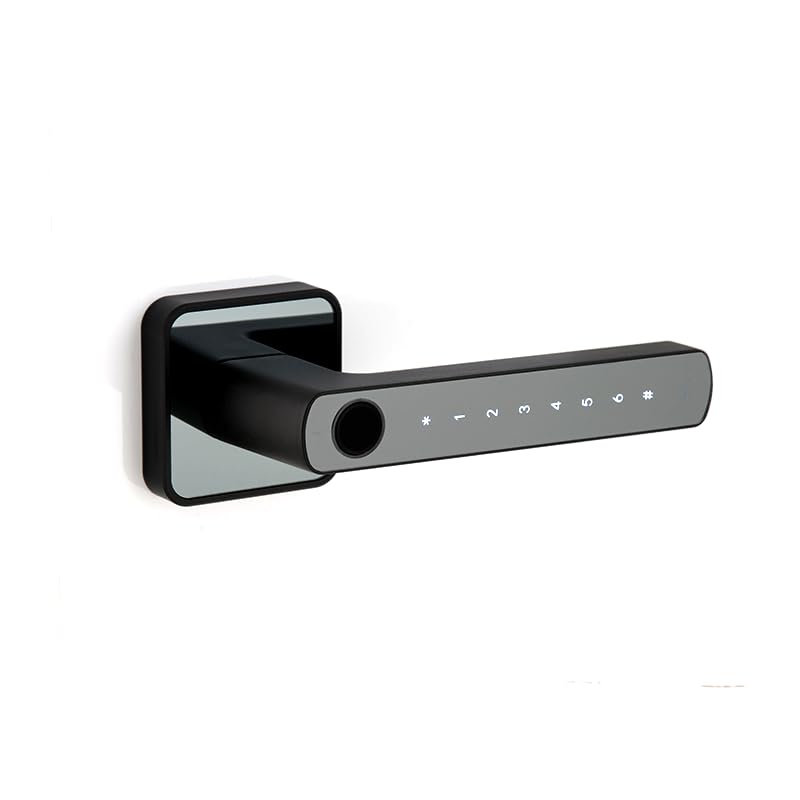
Gambar 1: Hareupeun view of the Dormakaba Rose Biometric Door Lock, highlighting the fingerprint sensor and keypad.
Komponén konci:
- Sensor sidik: For biometric access.
- Keypad lampu tukang: For PIN code entry (6-10 digits).
- Lever Handle: For manual operation.
- Kompartemen batré: Holds 3 AAA alkaline batteries.
- Palabuhan USB-C: For emergency power.
- Dormakaba 60mm Tubular Deadlatch: Internal locking mechanism.
spésifikasi
| Fitur | Rincian |
|---|---|
| merek | asrama |
| Ngaran modél | Rose Biometric Silver |
| Tipe Konci | Biometric Digital Lever Lock |
| Modeu Aksés | Fingerprint, PIN Code (6-10 digits) |
| Kapasitas pamaké | Up to 200 Fingerprints & PIN Codes |
| Ketebalan Panto | 32-50mm (Internal Doors) |
| Sumber Daya | 3 x Batré Alkali AAA |
| Daya Darurat | Tipe C USB |
| Ukuran (L x W x H) | 14.2 x 2.5 x 5 cm |
| Beurat | 1.15 kg |
| Bahan | logam |
| Fitur husus | Voice Navigation, High Resolution Backlit Keypad, Reversible Handing |
Setup sareng Instalasi
The Dormakaba Rose lock is designed for straightforward installation. It can be installed on both left and right-handed doors. Ensure your door thickness is between 32mm and 50mm.
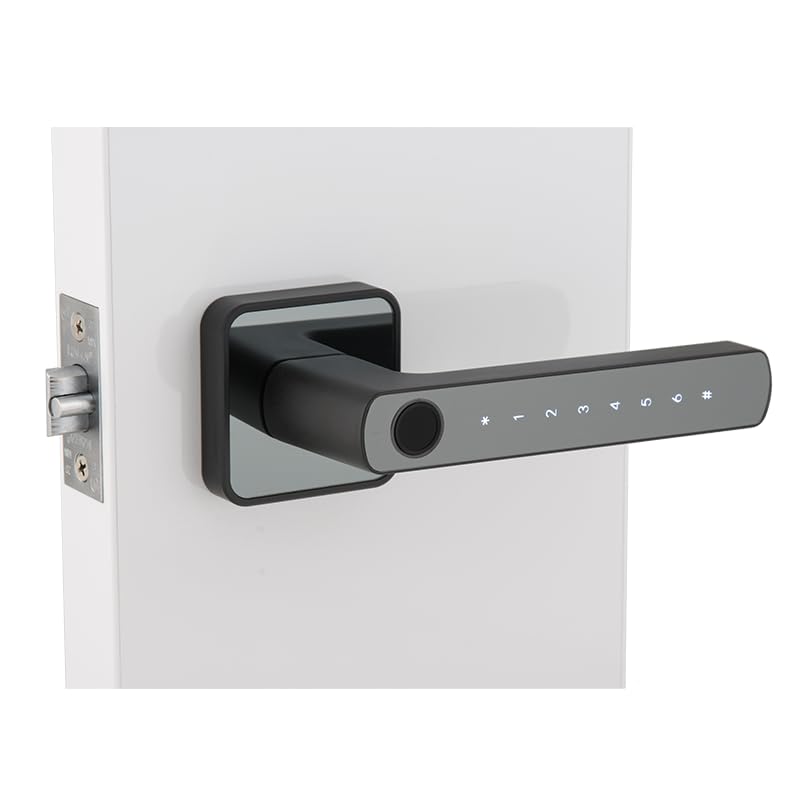
Figure 2: Dormakaba Rose Biometric Door Lock installed on a door.
Léngkah-léngkah pamasangan:
- Nyiapkeun lawang: Ensure the door is clean and the existing boreholes are compatible with the lock's dimensions. If necessary, drill new holes according to the provided template (not included in this manual, refer to packaging).
- Pasang Latch: Insert the dormakaba 60mm tubular deadlatch into the door edge. Secure it with screws.
- Nangtukeun Handing: The lock is reversible. Adjust the lever handle direction if needed before final assembly.
- Mount Exterior Assembly: Feed the spindle and connecting cables through the latch and door. Position the exterior lock assembly.
- Mount Interior Assembly: Connect the cables from the exterior unit to the interior unit. Align the interior unit with the spindle and secure it to the exterior unit using the provided screws.
- Pasang Batré: Open the battery cover on the interior unit and insert 3 AAA alkaline batteries, observing polarity.
- Operasi tés: After installation, test the lock's mechanical and electronic functions before closing the door.
Parentah Operasi
The Dormakaba Rose lock offers multiple access methods and operating modes for enhanced security and convenience.
Setelan Mimiti (Pamakéan Mimiti):
- Upon first power-up, the lock will prompt for initial administrator setup. Follow the voice navigation prompts.
- Register the first administrator fingerprint and/or PIN code. This administrator will have full control over user management.
Modeu Aksés:
- Modeu standar: Requires a single valid fingerprint or PIN code to unlock.
- Mode Passage: Allows the door to remain unlocked for continuous access during specific periods. This mode is typically set by an administrator.
- Dual User Mode: Requires two different valid fingerprints or PIN codes to unlock, providing an extra layer of security.
Muka konci panto:
- Ngagunakeun Sidik Jari: Place a registered finger on the fingerprint sensor. The lock will verify and unlock if successful.
- Ngagunakeun Kodeu PIN: Enter your registered 6-10 digit PIN code on the backlit keypad, then press the '#' key. The lock will verify and unlock if successful.
Emergency Power Option:
If the batteries are completely drained, the lock can be temporarily powered using a Type C USB cable connected to an external power bank or adapter. Connect the USB-C cable to the port on the exterior unit, then use your fingerprint or PIN code to unlock.
Pangropéa
Regular maintenance ensures the optimal performance and longevity of your Dormakaba Rose lock.
- beberesih: Wipe the lock surface with a soft, dry cloth. Do not use abrasive cleaners, solvents, or harsh chemicals, as these can damage the finish and electronic components.
- Ngagantian batré: Replace all 3 AAA alkaline batteries when the low battery indicator appears or when voice prompts indicate low power. Do not mix old and new batteries.
- Sensor sidik: Keep the fingerprint sensor clean and free of dirt or moisture for accurate readings.
- Cék mékanis: Periodically check that the lever handle operates smoothly and the latch retracts fully.
Pamérésan masalah
This section addresses common issues you might encounter with your Dormakaba Rose Biometric Door Lock.
| Masalah | Mungkin Cukang lantaranana | Solusi |
|---|---|---|
| Konci teu ngabales. | Batré paéh. | Replace batteries or use emergency Type C USB power. |
| Sidik teu dikenal. | Ramo kotor/baseuh, sénsor kotor, atanapi sidik jari teu kadaptar kalayan leres. | Clean finger and sensor. Re-register fingerprint if issue persists. |
| Kodeu PIN teu jalan. | Incorrect PIN entered, or PIN not properly registered. | Ensure correct PIN is entered. Re-register PIN if necessary. |
| Voice navigation is too loud/quiet or off. | Volume settings adjusted. | Refer to the lock's menu for voice volume adjustment. |
| Lock is difficult to install. | Door thickness incompatibility or incorrect drilling. | Verify door thickness (32-50mm). Ensure proper alignment and drilling as per template. |
Garansi sareng Rojongan
Your Dormakaba Rose Biometric Door Lock comes with a Garansi 1 Taun ti tanggal beuli. Garansi ieu nyertakeun cacad manufaktur sareng gangguan dina panggunaan normal.
Pangecualian Garansi:
- Karusakan anu disababkeun ku pamasangan anu teu leres atanapi perbaikan anu teu sah.
- Damage due to misuse, abuse, neglect, or accidents.
- Biasa pakean.
- Damage from natural disasters or power surges.
Rojongan Palanggan:
For technical assistance, warranty claims, or further inquiries, please contact Dormakaba customer support. Refer to your product packaging or the official Dormakaba websitus pikeun inpo kontak panganyarna.
Punten nahan bukti pameseran anjeun pikeun validasi garansi.