1. Bubuka
This manual provides essential information for the setup, operation, maintenance, and troubleshooting of your NIMO 17.3-inch FHD IPS Laptop, model Nimo N176. Please read this guide thoroughly to ensure proper use and to maximize the lifespan of your device.

Image 1.1: The NIMO 17.3-inch FHD IPS Laptop, model Nimo N176, showcasing layar lengkep sareng kiborna.
2. Eusi Paket
Pastikeun yén sadaya barang anu didaptarkeun di handap kalebet kana bungkusan produk anjeun:
- 1 x Nimo N176 Laptop
- 1 x Type-C 65W PD Fast Charger
- 1 x Manual Pamaké (dokumén ieu)
- Windows 11 Home Operating System (pre-installed)
3. Setélan
3.1 Daya Awal Hurung
- Unpack the laptop and charger from the box.
- Connect the Type-C 65W PD Fast Charger to the laptop's Type-C port and a power outlet.
- Open the laptop lid. The laptop may power on automatically, or you may need to press the power button located on the keyboard.
- Follow the on-screen instructions to complete the initial Windows 11 setup, including language, region, network connection, and user account creation.
3.2 Ngecas Laptop
The NIMO laptop includes a Type-C 65W PD fast charger and a 6.56ft USB-C to USB-C cable. This charger supports Power Delivery (PD) for efficient charging.
- Connect the charger to the laptop's Type-C port.
- A full charge provides approximately 5 hours of average battery life.
- The charger can also be used to charge other compatible USB-C devices such as tablets and smartphones.

Image 3.2: The included Type-C 65W PD Fast Charger and USB-C cable, capable of charging the laptop and other compatible devices.
3.3 Fingerprint Reader Setup
The laptop features a built-in fingerprint sensor on the touchpad for secure and quick login.
- Navigate to Windows Settings > Accounts > Sign-in options.
- Locate the 'Fingerprint recognition (Windows Hello)' section.
- Follow the on-screen prompts to register your fingerprint. You may need to set up a PIN first.
- Once registered, you can use your fingerprint to unlock the laptop.

Image 3.3: Close-up of the touchpad showing the integrated fingerprint sensor for one-touch secure login.
4. Parentah Operasi
4.1 Keyboard Backlight
The NIMO N176 laptop is equipped with a backlit keyboard for improved visibility in low-light conditions.
- To toggle the backlight on/off or adjust its brightness, use the dedicated function keys (usually Fn + Fx, where Fx is a specific function key with a backlight icon). Refer to the keyboard layout for the exact key combination.
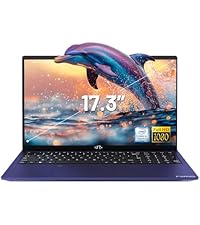
Image 4.1: The backlit keyboard illuminated, demonstrating its utility for typing in dim environments.
4.2 WebSaklar Privasi kaméra
For enhanced privacy, the laptop features a physical switch to disable the webkaméra.
- Locate the small physical switch next to the webcam lens at the top of the display.
- Slide the switch to cover the lens for privacy. Slide it back to uncover the lens and enable the webkaméra.

Image 4.2: The laptop's integrated webcam with its physical privacy switch, shown in both open and closed positions.
4.3 Palabuhan konektipitas
The Nimo N176 laptop offers various ports for connecting external devices:
- Palabuhan USB 2.0: 1 port, typically for peripherals like mice or keyboards.
- Port USB 3.0: 3 ports, for high-speed data transfer with compatible devices.
- Type-C Port (PD Charge Only): For power input using the provided charger.
- Type-C Port (Multifunction): Supports data transfer and potentially video output (check specific model capabilities).
- Port HDMI: Pikeun nyambungkeun kana tampilan éksternal atanapi proyektor.
- Jack headphone: Pikeun kaluaran audio ka headphone atanapi speaker éksternal.
- Slot Kartu SD Mikro: Pikeun ngalegaan panyimpenan atanapi mindahkeun data tina kartu memori.
- Slot konci Kensington: For physical security of the laptop.

Image 4.3: Diagram illustrating the various connectivity ports available on the NIMO N176 laptop, including USB, HDMI, and Type-C ports.
5. Pangropéa
5.1 RAM and SSD Upgrade
The NIMO N176 laptop is designed to support user-upgradable RAM and SSD components.
- Awas: Opening the laptop to perform upgrades may void your warranty if not done correctly or if damage occurs. Consult professional assistance if you are unsure.
- Ensure the laptop is powered off and disconnected from the charger before attempting any internal modifications.
- Refer to the detailed service manual (if available) or contact NIMO support for specific instructions on accessing and replacing RAM and SSD modules.
Gambar 5.1: Internal view of the NIMO laptop, highlighting the locations of the RAM and SSD for potential upgrades.
5.2 Ngabersihan Laptop Anjeun
Regular cleaning helps maintain the laptop's appearance and performance.
- layar: Anggo lawon anu lemes sareng henteu lint anu dirancang khusus pikeun éléktronika. Dampen it slightly with water or a screen cleaner. Avoid harsh chemicals.
- Keyboard sareng Chassis: Paké lawon lemes. Pikeun kokotor nekad, a rada dampKain anu dilapis ku larutan sabun hampang tiasa dianggo, pikeun mastikeun teu aya cairan anu asup kana liangna. Udara anu dikomprés tiasa miceun lebu tina sela-sela konci.
- Always power off the laptop and disconnect it from power before cleaning.
6. Cara ngungkulan
This section addresses common issues you might encounter with your NIMO N176 laptop.
- Laptop teu hurung: Ensure the charger is properly connected and the power outlet is functional. Try a different outlet. If the battery is completely drained, it may take a few minutes of charging before the laptop responds.
- Layar kosong: Check if the laptop is powered on. Try connecting an external monitor to see if there's a display output. Adjust screen brightness using function keys.
- Masalah konektipitas Wi-Fi: Ensure Wi-Fi is enabled in Windows settings. Restart your router and the laptop. Check for updated network drivers.
- kinerja slow: Close unnecessary applications. Check for sufficient free space on the SSD. Run a virus scan. Consider upgrading RAM or SSD if performance remains consistently low.
- Kibor atanapi touchpad henteu ngaréspon: Restart the laptop. Check for updated drivers in Device Manager. Ensure the touchpad hasn't been accidentally disabled via a function key.
Pikeun masalah anu langkung rumit atanapi upami masalahna teras-terasan, mangga tingali bagian Garansi sareng Dukungan kanggo inpormasi kontak.
7. Spésifikasi
Detailed technical specifications for the NIMO N176 laptop:
| Fitur | Spésifikasi |
|---|---|
| merek | NIMO |
| Ngaran modél | Nimo N176 |
| Ukuran layar | 17.3 inci |
| Resolusi layar | 1920 x 1080 piksel (FHD IPS) |
| Prosesor | Intel Pentium N100 (4 Cores, up to 3.4GHz) |
| Ram | 8 GB DDR4 (3200 MHz) |
| Hard Drive | 512 GB SSD (PCIe) |
| Grafik Coprocessor | Integrated Graphics (Intel) |
| Sistem operasi | Windows 11 Imah |
| Tipe Wireless | Wi-Fi 6 (802.11a/b/g/n/ac), Bluetooth 5.2 |
| palabuhan USB | 1x USB 2.0, 3x USB 3.0 |
| Palabuhan anu sanés | HDMI, Type-C (PD Charge Only), Type-C (Multifunction), Headphone Jack, Micro SD Slot |
| Webkaméra | 2 MP Tukang Webcam Resolution (Note: Front webcam is typically 720p HD) |
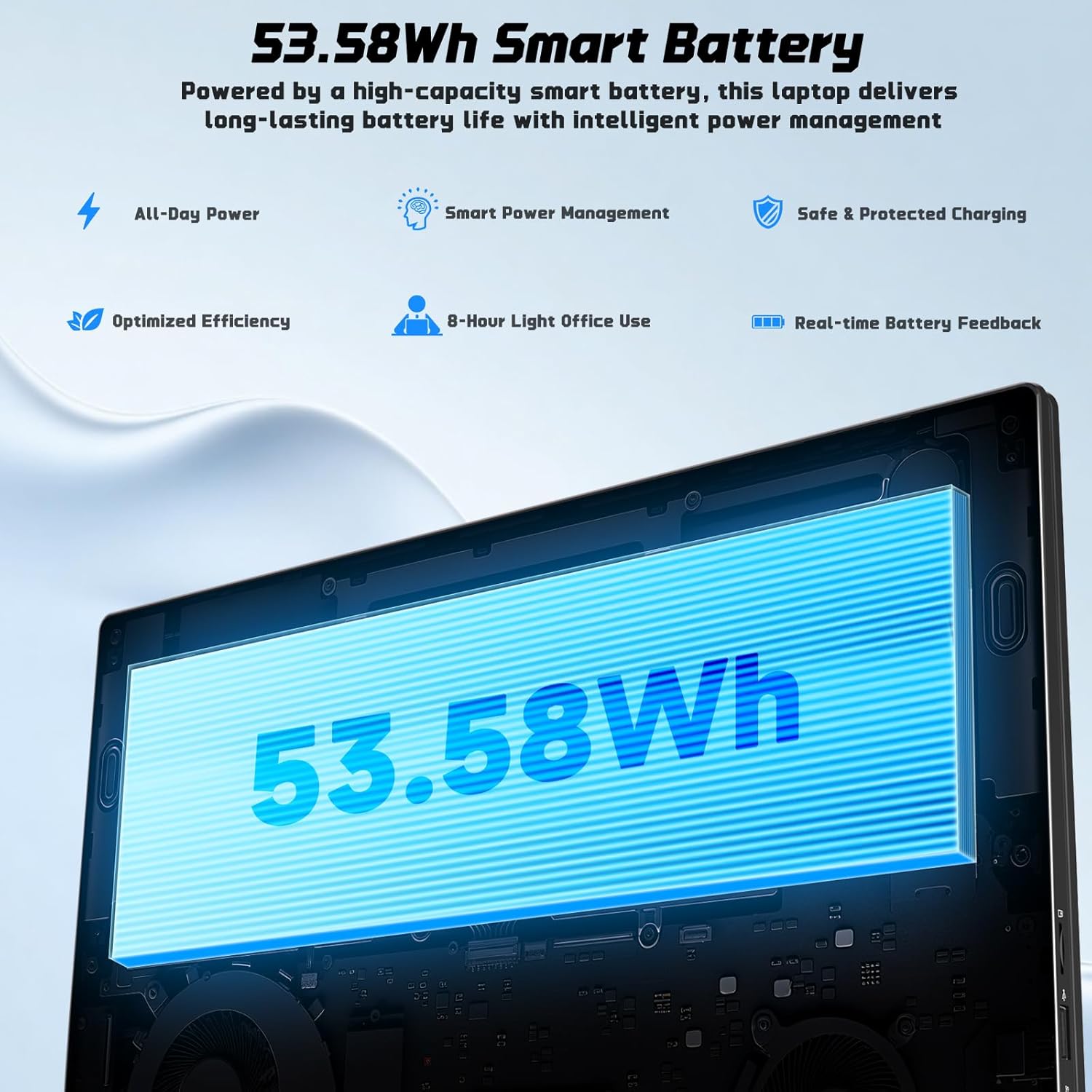
| Kahirupan batré | Approx. 5 Hours (53.58Wh Lithium Polymer) |
| Item Beurat | 3.84 pon |
| Dimensi produk | 15.66 x 9.99 x 0.74 inci |
| Fitur husus | Backlit Keyboard, Fingerprint Reader, HD Audio, Memory Card Slot, Numeric Keypad |

Image 7.1: The NIMO laptop's 17.3-inch FHD IPS display, highlighting its visual clarity and anti-glare properties.

Image 7.2: Visual representation of the Intel N100 processor, indicating its performance capabilities.

Image 7.3: Diagram illustrating the 53.58Wh smart battery, emphasizing its capacity and power management features.
8. Garansi jeung Rojongan
NIMO provides comprehensive support for your product.
- Garansi Pabrikan: Your NIMO N176 laptop is covered by a 2-year manufacturer's warranty. This warranty covers defects in materials and workmanship under normal use.
- Kawijakan pamulangan: A 90-day hassle-free return and exchange service is offered by NIMO Direct Inc.
- Rojongan Palanggan: For any concerns, technical assistance, or warranty claims, please contact NIMO's dedicated support team. Refer to the contact information provided on the NIMO official websitus atanapi dina dokuméntasi pameseran Anjeun.
Image 8.1: Visual representation of NIMO's after-sales service, including domestic assembly, 90-day returns, and 2-year support.


