1. Bubuka
Thank you for choosing the MYPIN Solar Trail Camera. This manual provides detailed instructions for the setup, operation, and maintenance of your new device. This camera is designed for wildlife monitoring, property security, and outdoor surveillance, featuring 4K video, 64MP photos, WiFi connectivity, IP66 waterproofing, night vision, and a built-in 5000 mAh rechargeable battery with solar charging capabilities.
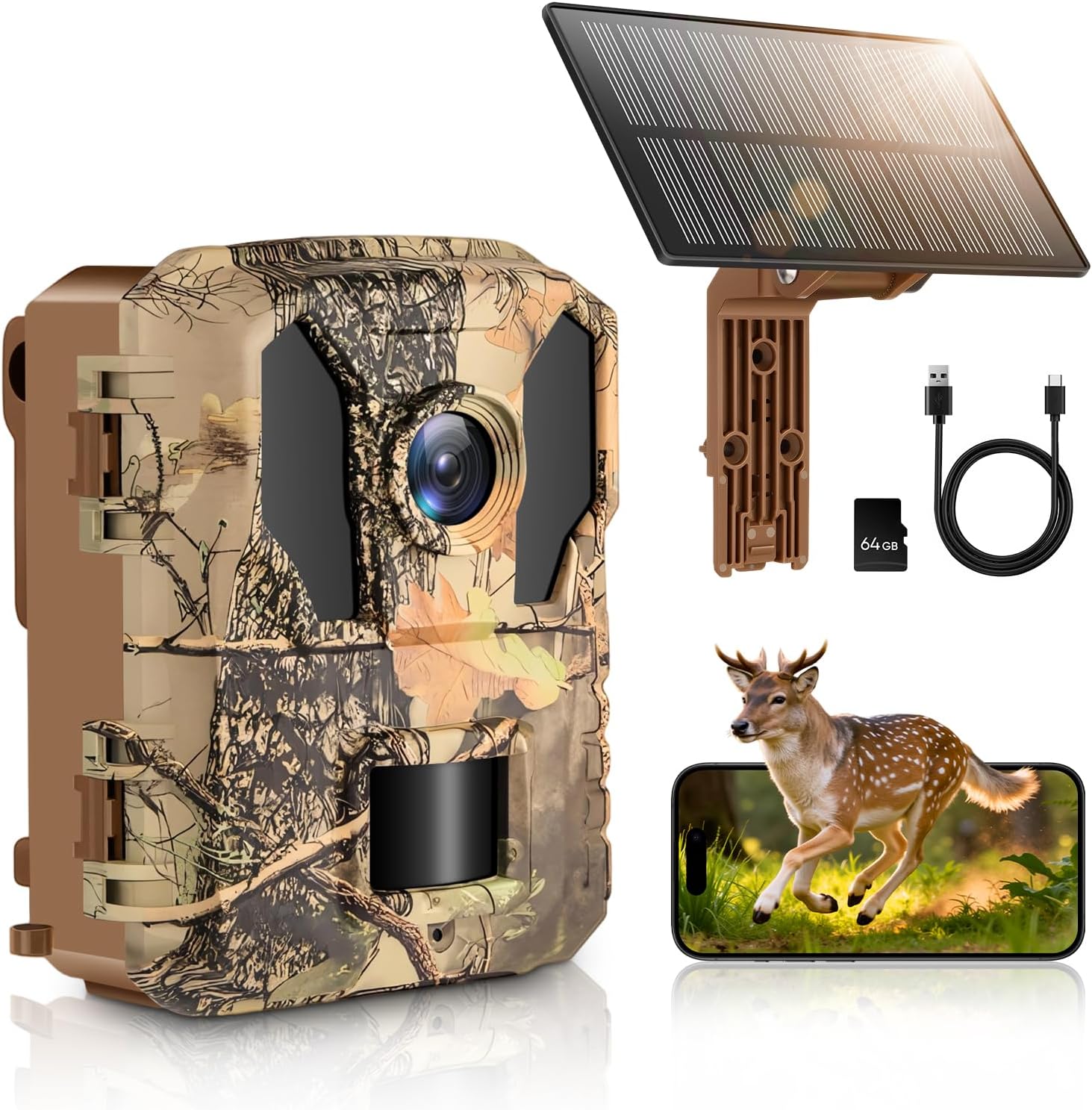
Image 1.1: The MYPIN Solar Trail Camera with its solar panel, USB cable, and 64GB SD card, alongside a visual representation of its use for wildlife observation.
Fitur konci:
- 4K Video & 64MP Photos: Capture high-resolution images and videos.
- Panel Surya Terpadu: Efficient 2W solar panel with a built-in 5000 mAh rechargeable battery for continuous power.
- WiFi & Bluetooth Connectivity: Easy connection to the "TrailCam Go" app for real-time viewing jeung file download within 13 meters (65 feet).
- Desain waterproof IP66: Durable and reliable for various outdoor environments, resistant to rain and snow.
- 0.2s Trigger Speed: Rapid motion activation to capture fast-moving subjects.
- Ningkatkeun Visi Peuting: 850nm infrared LEDs and a 120° wide-angle lens with a range up to 30 meters for clear night captures.
2. Setélan
2.1 Unboxing jeung komponén
Sateuacan ngamimitian, pastikeun sadaya komponén aya:

Image 2.1: The included components: Trail camera, solar panel, stand base, mounting bracket, mounting strap, USB cable, 64GB SD card, and user manual.
- 1 x Trail Camera with Night Vision
- 1 x Panel Solar
- 1 x Base of Stand Set
- 1 x Pamasangan Bracket
- 1 x Tali Pamasangan
- 1 x Kabel USB
- 1 x 64GB Card Memori
- 1 x Manual Pamaké
2.2 Ngecas Batré
The camera features a built-in 5000 mAh rechargeable battery. For initial use, it is recommended to fully charge the camera using the provided USB cable or by exposing the solar panel to direct sunlight.

Image 2.2: The camera's 5000 mAh built-in battery can be charged via the solar panel, a power adapter, a power bank, or a laptop using the USB cable.
2.3 Nyelapkeun Kartu SD
Locate the SD card slot, typically behind a protective cover. Insert the included 64GB SD card with the gold contacts facing the correct direction until it clicks into place. Ensure the camera is powered off before inserting or removing the SD card.
2.4 Masang kaméra
Use the provided mounting bracket and strap to secure the camera to a tree or pole. The solar panel can be adjusted for optimal sunlight exposure. Ensure the camera is positioned to capture the desired area without obstructions.

Image 2.3: The camera's PIR sensor has a 120° detection angle, allowing for wide coverage when mounted.
2.5 App Connection (TrailCam Go)
Download the "TrailCam Go" app from your smartphone's app store. The camera connects to the app via its own Wi-Fi hotspot, which is activated through Bluetooth. This connection is independent of your home Wi-Fi network and has a range of up to 13 meters (65 feet).
- Aktipkeun Bluetooth dina smartphone Anjeun.
- Open the "TrailCam Go" app.
- Follow the in-app instructions to connect to the camera's Wi-Fi signal.
- Sakali nyambung, anjeun tiasa nyaluyukeun setélan, view hirup praviews, and download files.

Image 2.4: Connecting the trail camera to the "TrailCam Go" app on a smartphone via its built-in Wi-Fi, enabled by Bluetooth, within a 65-foot range.
3. Operasi
3.1 Powering on / Pareum
To power on the camera, slide the power switch to the ON position. To power off, slide it to the OFF position. The camera will enter monitoring mode after a brief startup sequence.
3.2 Modeu ngarékam
The camera supports both photo and video recording. You can configure the recording mode, resolution, and other parameters via the "TrailCam Go" app.

Image 3.1: Comparison of 4K vs 1080P video resolution and 64MP vs 48MP photo resolution, demonstrating the high-quality capture capabilities of the camera.
3.3 Deteksi Gerak
The camera features a 120° PIR (Passive Infrared) sensor with a rapid 0.2-second trigger speed. This ensures that moving objects are captured quickly and efficiently. Adjust the sensitivity settings in the app to suit your environment and reduce false triggers.
3.4 Visi Peuting
Equipped with 850nm infrared LEDs, the camera provides clear images and videos even in complete darkness, with a night vision range of up to 30 meters.

Gambar 3.2: Examples of day and night captures by the camera, showcasing its 4PCS 940nm Infrared LEDs for effective night vision.
3.5 Using the "TrailCam Go" App
Aplikasi ngamungkinkeun anjeun pikeun:
- View feed hirup tina kaméra.
- Change camera settings (e.g., resolution, trigger interval, operating hours).
- Browse and download captured photos and videos to your smartphone.
- Check battery status and SD card capacity.
4. Pangropéa
4.1 beberesih
Regularly clean the camera lens and solar panel with a soft, dry cloth to ensure optimal performance. Avoid using abrasive cleaners or solvents.
4.2 Perawatan Batré
The built-in 5000 mAh battery is designed for long-term use with solar charging. For best battery life, avoid prolonged storage in extreme temperatures. If storing for an extended period, ensure the battery is partially charged.
4.3 Waterproofing
The camera has an IP66 waterproof rating. Ensure all covers and seals are properly closed to maintain its water resistance, especially after accessing the SD card or USB port. The fully sealed body with internal controls protects against prolonged sun exposure and atmospheric damage.
5. Cara ngungkulan
| Masalah | Mungkin Cukang lantaranana | Solusi |
|---|---|---|
| Kaméra teu hurung | batré lemah; Pareum listrik | Charge the battery via USB or solar panel; Ensure power switch is in the ON position. |
| Cannot connect to "TrailCam Go" app | Out of range; Bluetooth/Wi-Fi not enabled; App issue | Ensure you are within 13 meters (65 feet) of the camera; Verify Bluetooth is on and follow app instructions to connect to the camera's Wi-Fi hotspot (not home Wi-Fi); Restart the app and camera. |
| Kualitas gambar/video goréng | Dirty lens; Incorrect settings; Low light conditions | Clean the camera lens; Adjust resolution settings in the app; Ensure adequate lighting or rely on night vision. |
| Kaméra teu tiasa diaktipkeun | PIR sensor blocked; Low sensitivity; Battery low | Ensure no obstructions in front of the PIR sensor; Increase PIR sensitivity in app settings; Check battery level. |
| Kasalahan kartu SD | Improperly inserted; Corrupted card; Full card | Reinsert the SD card; Format the SD card via the app (this will erase all data); Replace with a new SD card if issues persist. |
6. Spésifikasi
| Fitur | Rincian |
|---|---|
| Nomer modél | MJ-HS0466 |
| Resolusi Rekaman Video | 4K |
| Resolusi Poto | Nepi ka 64MP |
| Téknologi Komunikasi Nirkabel | Wi-Fi, Bluetooth |
| Protokol konektipitas | Wifi |
| Batré diwangun-di | 5000 mAh Litium-ion |
| Kakuatan Panel Surya | 2W |
| Laju micu | 0.2 detik |
| PIR Sénsor Sudut | 120° |
| Wengi Sawangan Sawangan | Up to 30 meters (850nm IR LEDs) |
| Peunteun waterproof | IP66 |
| Suhu Operasi | -15°C nepi ka 60°C |
| Ukuran (L x W x H) | 11.2 x 9.1 x 7.5 cm |
| Beurat | 405 gram |
| Alat nu cocog | Smartphone (via "TrailCam Go" app) |
| Tipe Pamasangan | Tree mount |
7. Garansi jeung Rojongan
7.1 Émbaran jaminan
Mangga tingali bungkus produk atanapi ti toko ritel website for specific warranty details. Generally, MYPIN products are covered by a limited warranty against manufacturing defects from the date of purchase. Keep your proof of purchase for warranty claims.
7.2 Rojongan Palanggan
For technical assistance, troubleshooting, or warranty inquiries, please contact MYPIN customer support through the contact information provided on the product packaging or the official MYPIN website. When contacting support, please have your product model number (MJ-HS0466) and purchase details ready.


