1. Bubuka
Welcome to the user manual for your DOOGEE Note58 Pro Android 16 Smartphone. This guide provides essential information to help you set up, operate, maintain, and troubleshoot your device. Please read this manual thoroughly to ensure optimal performance and longevity of your smartphone.
2. Fitur konci
- Sistem Operasi Android 16: Experience the latest Android 16 OS, optimized for 64-bit applications, offering enhanced startup and response times. Enjoy a user-friendly interface with features like Private Space for sensitive data and App Pair for efficient multitasking.
- Generous Memory & Storage: Equipped with 32GB RAM (8GB physical + 24GB expandable virtual RAM) and 256GB internal storage, expandable up to 2TB via a TF card. This configuration supports smooth multitasking and amprohangan pikeun sadayana anjeun files.
- Immersive 90Hz HD+ Display: Features a 6.75-inch HD+ IPS display with a 90Hz refresh rate and 1600x720 resolution for a fluid visual experience. Includes two eye-care modes to reduce strain during extended use.
- High-Resolution Camera System: Capture vivid images with the 16MP main camera and natural selfies with the 8MP front camera. Additional depth and macro cameras enhance photographic capabilities.
- Batré Awét: A large 6250mAh battery provides extended usage, allowing you to comfortably use your phone for photography, gaming, and work throughout the day without frequent recharging.
- Advanced Connectivity & Navigation: Supports Bluetooth 5.2 for stable, low-power connections and Wi-Fi 5 for fast data transfer. Integrated GPS, GLONASS, Galileo, and BeiDou systems ensure accurate navigation in diverse environments.
- Desain ramping: Boasts an ultra-thin 8.6mm profile with a dirt-resistant finish and a smooth sand-textured back cover for a stylish and comfortable grip.
3. Setélan
3.1 Nyelapkeun Kartu SIM sareng Kartu TF
- Tangtukeun lokasi baki kartu SIM di sisi alat Anjeun.
- Selapkeun alat ejector SIM anu disayogikeun kana liang leutik di gigireun baki teras pencét lalaunan dugi baki éta kaluar.
- Place your Nano-SIM cards and/or TF card into the designated slots on the tray. Ensure the gold contacts face downwards.
- Dorong baki deui kana alat kalayan ati-ati dugi ka rata.
3.2 Powering on / Pareum
- To power on: Press and hold the Power button (located on the right side) until the DOOGEE logo appears.
- Pikeun mareuman: Pencét terus tahan tombol Daya, teras pilih "Pareuman" tina pilihan dina layar.
- Pikeun ngamimitian deui: Pencét terus tahan tombol Daya, teras pilih "Mulai deui" tina pilihan dina layar.
3.3 Wizard Setup Awal
Saatos dihurungkeun pikeun anu munggaran, turutan pitunjuk dina layar pikeun ngalengkepan setelan awal, kalebet pilihan basa, sambungan Wi-Fi, login akun Google, sareng setélan kaamanan.
4. Parentah Operasi
4.1 Gerakan Layar Toél
- Ketok: Touch the screen once to select an item, open an app, or press a button.
- Toel jeung tahan: Touch and hold an item to access contextual menus or drag items.
- Gesek: Sered jari anjeun dina layar pikeun ngagulung, ngaganti layar, atanapi nutup bewara.
- Ciwit: Pake dua ramo pikeun ngazum gede atawa leutik dina poto jeung web kaca.
4.2 Napigasi Bar
Bilah navigasi di handapeun layar biasana ngawengku:
- Tombol Balik: Mulih ka layar saméméhna.
- Tombol imah: Mulih ka layar utama.
- Recents button: Nembongkeun aplikasi nu nembe dipake.
4.3 Fitur Kaamanan
The Note58 Pro supports multiple security options:
- Buka konci sidik: Register your fingerprint for quick and secure unlocking. The fingerprint sensor is typically integrated into the power button.
- Muka konci: Use the front camera to unlock your device with facial recognition.
- Pola, PIN, Sandi: Pilihan kaamanan Android standar.

Image: Face Unlock and Fingerprint Sensor
5. Pamakéan kaméra
The DOOGEE Note58 Pro features a versatile camera system to capture your moments.
5.1 Main Camera (16MP)
The 16MP main camera captures clear and detailed photos. Open the Camera app and select "Photo" mode for standard shots.

Image: Rear Camera Setup
5.2 Front Camera (8MP)
The 8MP front camera is ideal for natural-looking selfies and video calls. Switch to the front camera within the Camera app.

Gambar: Kaméra Hareup 8MP
5.3 AI Camera Features
Utilize Google AI Camera features for enhanced photography, including object recognition, text extraction, and scene analysis.

Image: Google AI Camera Features
6. Konektipitas
6.1 Sambungan Wi-Fi
Pikeun nyambung ka jaringan Wi-Fi:
- Pindah ka Setélan > Jaringan & internét > Wifi.
- Hurungkeun Wi-Fi.
- Pilih jaringan anu dipikahoyong tina daptar teras lebetkeun kecap akses upami diperyogikeun.

Image: High-Speed Wi-Fi 5
6.2 Nyapasangkeun Bluetooth
Masangkeun sareng alat Bluetooth:
- Pindah ka Setélan > Alat disambungkeun > Bluetooth.
- Hurungkeun Bluetooth.
- Make sure your other device is in pairing mode.
- Select the device from the list and follow any on-screen prompts.
6.3 Fungsi NFC
The Note58 Pro supports NFC for contactless payments and data transfer. Ensure NFC is enabled in settings to use this feature.

Image: Multifunctional NFC
*Note: Mobile payment services like Google Pay may not be supported in all regions.
7. Manajemén batré
The DOOGEE Note58 Pro is equipped with a 6250mAh large-capacity battery for extended use.
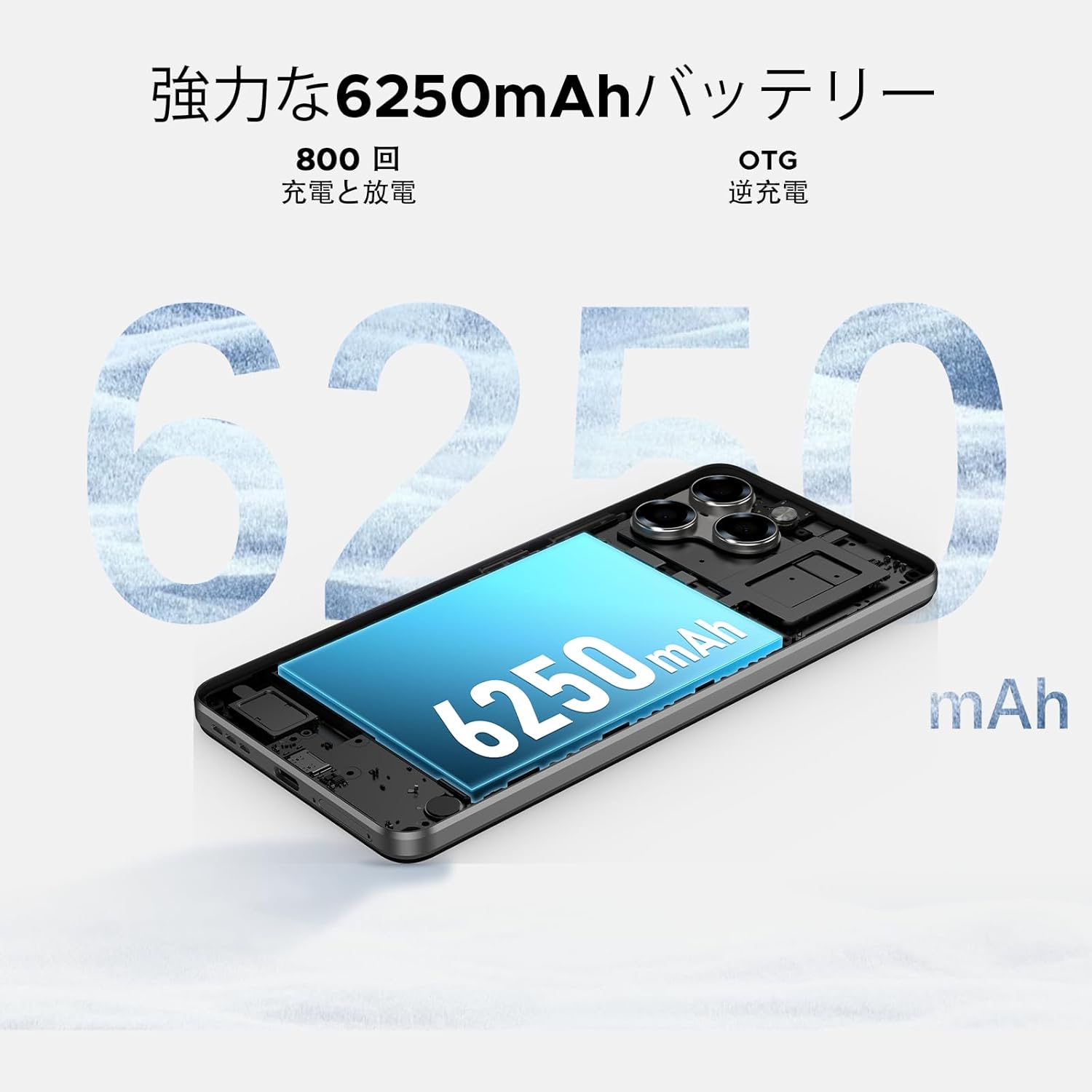
Image: 6250mAh Large Capacity Battery
7.1 Ngecas Alat Anjeun
Use the provided Type-C cable and charger to charge your smartphone. Connect the Type-C end to the phone's charging port and the adapter to a power outlet. The battery icon on the screen will indicate charging status.
7.2 Optimasi batré
To maximize battery life, consider the following:
- Ngurangan kacaangan layar.
- Pareuman Wi-Fi, Bluetooth, sareng GPS upami teu dianggo.
- Tutup aplikasi latar tukang.
- Enable battery saver mode in Settings.
8. Storage & Performance
The Note58 Pro offers robust performance and ample storage for your needs.
8.1 Mémori (RAM)
With 32GB of RAM (8GB physical + 24GB expandable virtual RAM), the device ensures smooth multitasking and efficient app handling, even under heavy usage.
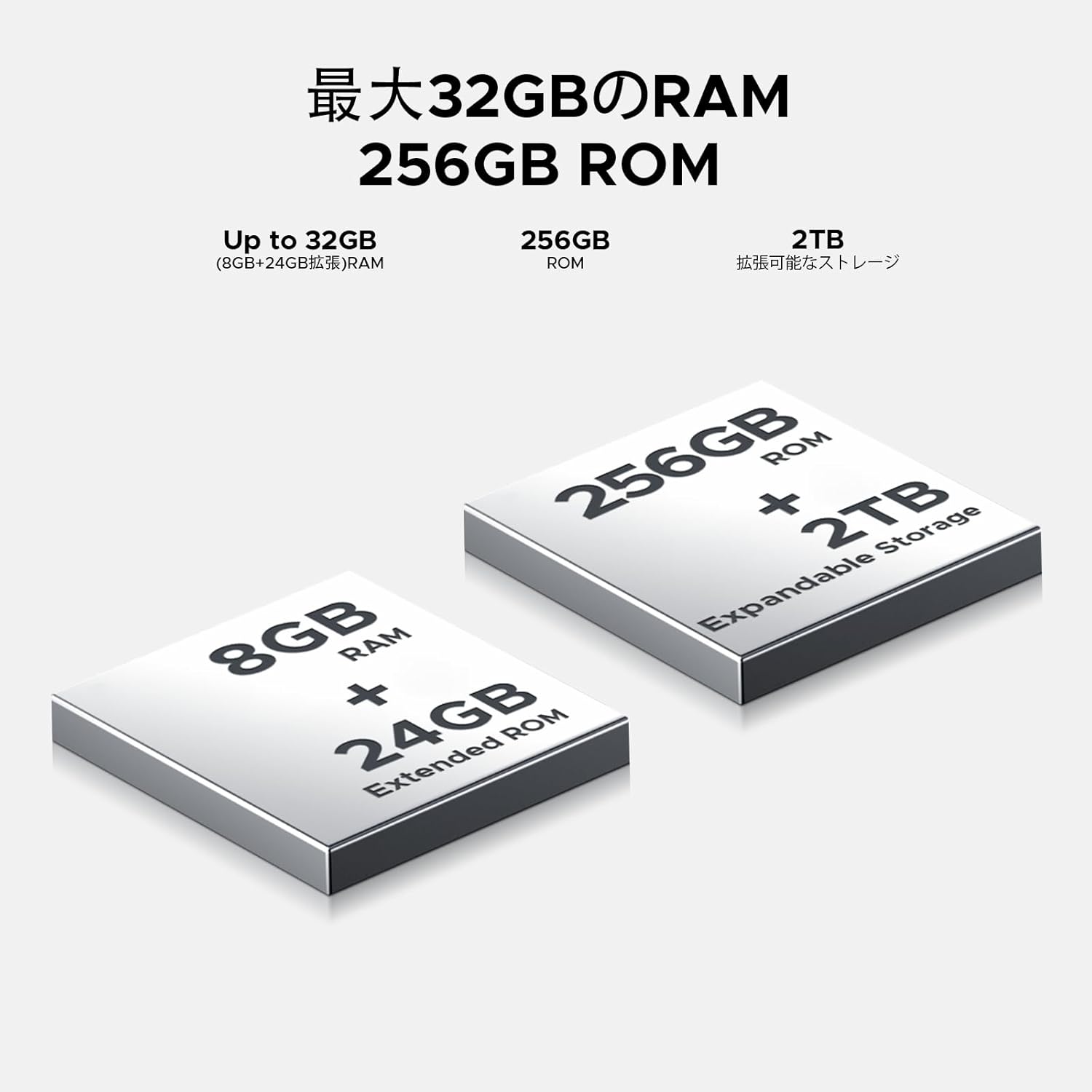
Image: 32GB RAM + 256GB ROM
8.2 Internal Storage (ROM)
The 256GB internal storage provides sufficient space for your apps, photos, and videos. For additional storage, you can expand it up to 2TB using a TF (microSD) card.

Image: 256GB ROM with 2TB Expandable Storage
8.3 Prosesor
Powered by the Unisoc T7250 Octa-core processor, the device delivers reliable performance for daily tasks, gaming, and multimedia consumption.

Image: Powerful T7250 Octa-core Processor
9. Témbongkeun
The DOOGEE Note58 Pro features a 6.75-inch HD+ IPS display with a 90Hz refresh rate, providing a smooth and vibrant visual experience.

Image: 6.75-inch 90Hz HD+ Display
9.1 Eye-Care Modes
To reduce eye strain, activate the eye-care modes available in the display settings. These modes adjust color temperature to provide a more comfortable viewing experience, especially in low light.
9.2 Rojongan Widevine L1
The device supports Widevine L1, allowing you to stream high-definition content from popular platforms like Hulu, Amazon Prime Video, and HBO Max.

Image: Seamless Visual Experience with Widevine L1
10. Napigasi
The DOOGEE Note58 Pro integrates four major global positioning systems for accurate navigation.

Image: Precise Navigation System
10.1 Systems dirojong
- GPS: Global Positioning System
- GLONASS: Globalnaya Navigatsionnaya Sputnikovaya Sistema
- Galiléo: European satellite navigation system
- BeiDou: Chinese satellite navigation system
These systems ensure reliable location tracking and navigation whether you are in urban areas, mountainous regions, or remote locations.
11. Pangropéa
11.1 Ngabersihan Alat Anjeun
To clean your smartphone, use a soft, lint-free cloth. Avoid using harsh chemicals or abrasive materials, as these can damage the screen and finish. For stubborn smudges, lightly dampen lawon kalawan cai atawa cleaner layar dirancang pikeun éléktronika.
11.2 Apdet parangkat lunak
Rutin pariksa sareng pasang apdet parangkat lunak pikeun mastikeun alat anjeun gaduh fitur panganyarna, patch kaamanan, sareng perbaikan kinerja. Pindah ka Setélan > Sistim > Pembaruan sistem pikeun mariksa apdet.
11.3 Manajemén Panyimpenan
Périodik ulangview disimpen ku anjeun files and applications. Delete unnecessary items to free up space and maintain optimal device performance. You can also offload large files to cloud storage or an external TF card.
12. Cara ngungkulan
If you encounter issues with your DOOGEE Note58 Pro, try the following common troubleshooting steps:
- Alat teu hurung: Pastikeun batréna geus dieusian. Sambungkeun carjer sareng antosan sababaraha menit sateuacan nyobian hurung deui.
- Aplikasi nabrak atanapi katirisan: Close the problematic app and reopen it. If the issue persists, restart your device. Clear the app's cache and data in Setélan > Aplikasi > [Ngaran Aplikasi] > Panyimpenan & cache.
- Poor Wi-Fi/Bluetooth connection: Ensure Wi-Fi/Bluetooth is enabled and you are within range of the network/device. Try forgetting the network/device and reconnecting. Restart your router if it's a Wi-Fi issue.
- kinerja slow: Close unnecessary background apps. Clear cached data. Check for available software updates. Consider performing a factory reset as a last resort (back up your data first).
- Kartu SIM teu kadeteksi: Ensure the SIM card is correctly inserted and that your carrier's frequency bands are supported by the device. Restart the phone.
- Batré gancang boros: Review pamakéan batré di Setélan > Batré to identify power-hungry apps. Reduce screen brightness, disable unnecessary features (GPS, Bluetooth, Wi-Fi), and enable battery saver mode.
Upami léngkah-léngkah ieu henteu ngabéréskeun masalah anjeun, mangga tingal bagian Garansi & Rojongan pikeun pitulung salajengna.
13. Spésifikasi
| Fitur | Spésifikasi |
|---|---|
| merek | DOOGEE |
| Nomer modél | N58 Pro |
| Sistem operasi | Android 16 |
| Ukuran layar | 6.75 inci |
| Tipe tampilan | LCD |
| Ukuran Mémori RAM dipasang | 32 GB |
| Kapasitas Panyimpenan Mémori | 256 GB (Tiasa dilegaan dugi ka 2TB nganggo kartu TF) |
| Kapasitas batré | 6250 mAh |
| Kaméra Utama | 16 MP |
| Kaméra hareup | 8 MP |
| Téhnologi konektipitas | Bluetooth 5.2, Wi-Fi 5, 4G Dual SIM, NFC |
| Sistem Napigasi | GPS, GLONASS, Galileo, BeiDou |
| Item Beurat | 199 gram |
| Ukuran Paket | 19.2 x 10.4 x 5.2 cm |
| Release Taun | 2025 |
14. Jaminan & Dukungan
The DOOGEE Note58 Pro comes with a one-year warranty from the date of purchase.
14.1 Frequency Band Compatibility
Before purchase, please verify that the device's supported frequency bands are compatible with your local carrier. Supported bands include:
- GSM: B2/3/5/8
- WCDMAB: 1/2/4/5/8
- TDD: 38/40/41
- FDD: B1/2/3/4/5/7/8/18/19/20/25/26/28A/28B/66
14.2 Rojongan Téknis
Should you encounter any issues or require technical assistance, please contact our customer support. Our technical specialists are committed to responding within 48 hours.

Image: Customer Service Information
15. Eusi Paket
The following items are included in your DOOGEE Note58 Pro package:
- 1x DOOGEE Note58 Pro Smartphone
- 1x Kabel Tipe-C
- 1 x carjer
- 1x SIM Card Pin
- 1 x Kotak bungkusan
- 1 x Kasus Telepon

Gambar: Eusi Pakét
16. Pilihan Warna
The DOOGEE Note58 Pro is available in the following colors:
- Inkstone Black
- Amber Gold
- Silver (as seen in product videos)

Image: Color Options
17. Video produk
17.1 DOOGEE Note58 Pro Overview
Video: video ieu nyadiakeun leuwih gancangview of the DOOGEE Note58 Pro, showcasing its unboxing, design, camera features, and multimedia capabilities. It highlights the phone's sleek appearance and user experience.


