1. Bubuka
This manual provides essential information for the safe and proper assembly, operation, maintenance, and troubleshooting of your ARCADE1UP Terminator 2 Deluxe Arcade Machine. Please read this manual thoroughly before use and retain it for future reference.
The ARCADE1UP Terminator 2 Deluxe Arcade Machine brings the classic arcade experience of Terminator 2: Judgment Day into your home. Featuring a dedicated cabinet, dual light guns, a 17-inch BOE color monitor, and Wi-Fi online leaderboards, this machine offers an immersive gaming experience.

Gambar 1.1: Hareupeun view of the Arcade1Up Terminator 2 Deluxe Arcade Machine.
2. Émbaran Kasalametan
Punten perhatikeun pancegahan kaamanan di handap ieu pikeun nyegah tatu atanapi karusakan produk:
- Majelis Dewasa Diperlukeun: Produk ieu ngandung bagian-bagian alit sareng peryogi dirakit ku déwasa.
- Kasalametan listrik: Pastikeun stop kontak cocog sareng voltase mesintage requirements. Do not overload electrical outlets. Keep the power cord away from heat sources and sharp edges.
- Penempatan Stabil: Place the arcade machine on a flat, stable surface to prevent tipping.
- Ventilasi: Do not block ventilation openings. Ensure adequate airflow around the machine.
- Cai sareng Uap: Keep the machine away from water, moisture, and high humidity.
- beberesih: Disconnect power before cleaning. Use a dry, soft cloth. Avoid liquid cleaners.
- Barudak: Supervise children during use. This product is not intended for children under 18 years of age.
3. Eusi Paket
Pariksa heula sadaya komponén parantos aya sateuacan ngamimitian perakitan. Pakétna biasana ngawengku:
- Arcade machine cabinet components
- 17-inch BOE color monitor
- Control panel with dual light guns
- adaptor kakuatan
- Assembly hardware (screws, fasteners, etc.)
- Manual instruksi (dokumen ieu)
4. Setup jeung Majelis
Assembly of the ARCADE1UP Terminator 2 Deluxe Arcade Machine requires careful attention to detail. Refer to the separate detailed assembly guide included in your package for step-by-step instructions.
4.1 Key Assembly Considerations
- Alat anu diperyogikeun: Typically, a Phillips head screwdriver is needed.
- Majelis Dua Jalma: Due to the size and weight of some components, two adults are recommended for assembly.
- Idéntifikasi komponén: Lay out all parts and identify them using the assembly guide's parts list before starting.
- Wiring: Carefully connect all internal wiring as instructed, ensuring secure connections for the monitor, control panel, and light-up marquee.

Image 4.1: The machine stands over 5 feet tall when assembled, with dimensions of approximately 18.7 x 18.43 x 61.65 inches.
5. Parentah Operasi
5.1 Powering on / Pareum
- Connect the power adapter to the machine's power input and then to a wall outlet.
- Locate the power switch (usually on the back or bottom of the control panel) and flip it to the 'ON' position.
- To power off, flip the power switch to the 'OFF' position and disconnect from the wall outlet.
5.2 Game Selection and Start
The machine includes the classic game Terminator 2: Poé kiamat.
- Once powered on, the game will typically load automatically.
- Insert virtual credits by pressing the 'Coin' button on the control panel.
- Press the '1 Player Start' or '2 Player Start' button to begin the game.

Image 5.1: The machine features the iconic Terminator 2: Judgment Day game and exclusive behind-the-scenes footage.
5.3 Using the Light Guns
The machine is equipped with two light guns for interactive gameplay.
- Hold the light gun firmly.
- Aim at the screen to target enemies.
- Press the trigger button to fire.
- Reloading is typically automatic or by shooting off-screen, depending on game settings.
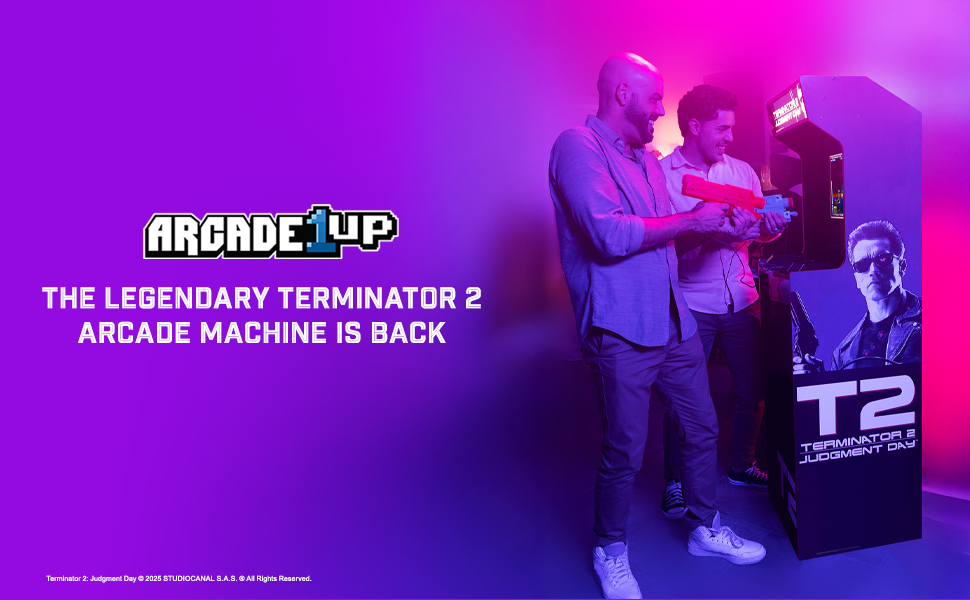
Image 5.2: The dual light guns utilize Sinden Light-Gun Tech for precise aiming and gameplay.
5.4 Wi-Fi Online Leaderboards
Connect your machine to Wi-Fi to access online leaderboards and compete with other players.
- Access the settings menu (refer to on-screen prompts or the assembly guide for specific button combinations).
- Navigate to the Wi-Fi settings and connect to your home network.
- Once connected, your scores will automatically be uploaded to the online leaderboards.
5.5 Behind-the-Scenes Bonus Footage
This machine includes exclusive behind-the-scenes footage. Access this content through the main menu or a dedicated button, as indicated on-screen or in the assembly guide.
6. Pangropéa
Regular maintenance ensures the longevity and optimal performance of your arcade machine.
- Ngabersihkeun Kabinet: Use a soft, dry cloth to wipe down the cabinet surfaces. For stubborn marks, a slightly damp cloth with mild soap can be used, followed by a dry cloth. Avoid abrasive cleaners.
- Ngabersihan layar: Use a soft, lint-free cloth specifically designed for electronics screens. Do not spray cleaner directly onto the screen.
- Light Guns: Keep the light guns clean and free of dust. Avoid dropping or subjecting them to impact.
- Panyimpenan: If storing the machine for an extended period, disconnect it from power and cover it to protect from dust. Store in a dry, temperature-controlled environment.
7. Cara ngungkulan
Upami anjeun mendakan masalah, tingal masalah sareng solusi umum ieu:
| Masalah | Mungkin Cukang lantaranana | Solusi |
|---|---|---|
| Mesin teu hurung | ari kakuatan teu disambungkeun; Pareum listrik; Outlet lepat | Ensure power cord is securely plugged in; Flip power switch to ON; Test outlet with another device |
| Henteu aya gambar dina layar | Monitor cable loose; Monitor faulty | Check monitor cable connections inside the cabinet; Contact support if issue persists |
| Light guns not responding | Light gun cable loose; Calibration needed; Sensor obstruction | Check light gun cable connections; Refer to game settings for calibration; Ensure no obstructions between gun and screen |
| Taya sora | Volume too low; Speaker cables loose | Adjust volume in game settings; Check speaker cable connections inside the cabinet |
| Teu bisa nyambung ka Wi-Fi | Incorrect password; Out of range; Network issue | Verify Wi-Fi password; Move machine closer to router; Restart router |
If these solutions do not resolve the issue, please contact ARCADE1UP customer support.
8. Spésifikasi
Key technical specifications for the ARCADE1UP Terminator 2 Deluxe Arcade Machine:
- Jumlah modél: TER-A-501311
- Diménsi Produk (Dirakit): Ukuran 18.7 x 18.43 x 61.65 inci (L x W x H)
- Beurat barang: Kurang leuwih 64.8 pon
- Monitor: 17-inch BOE Color Monitor
- Audio: Speaker Dual
- Konektipitas: Wi-Fi for Online Leaderboards
- Kadali: 2-Player Light Guns (Sinden Light-Gun Tech)
- Game Included: Terminator 2: Poé kiamat
- Fitur tambahan: Light-Up Marquee, Behind-the-Scenes Bonus Footage
- Umur Minimum Pabrikan: 216 bulan (18 taun)
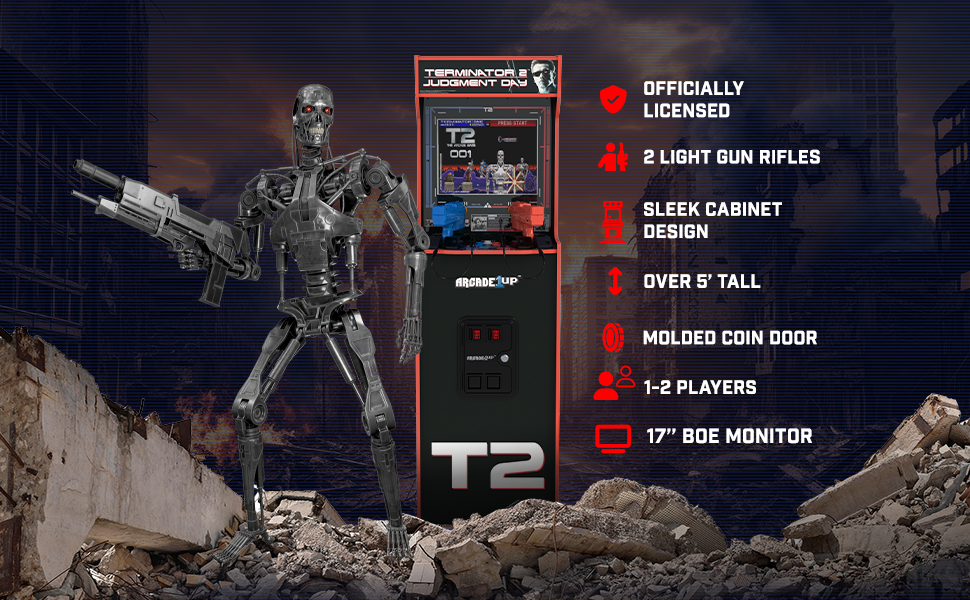
Gambar 8.1: Leuwihview of key features including licensed design, light guns, and monitor size.
9. Garansi jeung Rojongan
For warranty information, please refer to the warranty card included with your product or visit the official ARCADE1UP website. If you require technical assistance, replacement parts, or have questions not covered in this manual, please contact ARCADE1UP customer support.
ARCADE1UP Customer Support: Refer to your product packaging or the official ARCADE1UP websitus pikeun inpo kontak ayeuna.


