1. Bubuka
Welcome to the user manual for your new TABWEE T60 12.2-inch Android 16 Tablet. This guide provides essential information to help you set up, operate, maintain, and troubleshoot your device. The TABWEE T60 is designed for high-resolution viewing, efficient multitasking, and extended use, featuring a 2.5K UHD display, an Octa-Core processor, 48GB RAM, 256GB internal storage expandable up to 2TB, and a 10000mAh battery. It runs on Android 16 with integrated Gemini AI for enhanced performance and user experience.
Please read this manual thoroughly to ensure proper use and to maximize the potential of your tablet.
2. Naon dina Box
Upon opening your TABWEE T60 package, verify that all the following items are included:
- 1x TABWEE T60 12.2-inch Android 16 Tablet
- 1x Detachable Keyboard
- 1x beurit
- 1x Pulpen Stylus
- 1x Case Pelindung
- 1x Charger & Cable (USB-C)
- 1x Manual Pamaké (dokumén ieu)

Image: Contents of the TABWEE T60 package, showing the tablet, detachable keyboard, mouse, stylus pen, protective case, charger, and USB-C cable.
3. Setélan
3.1 Ngecas Tablet
Before first use, fully charge your tablet. Connect the provided USB-C cable to the tablet's charging port and the other end to the included 18W power adapter. Plug the adapter into a wall outlet. The battery indicator on the screen will show charging status.
3.2 Powering on / Pareum
- Pikeun Ngahurungkeun: Press and hold the Power button located on the side of the tablet until the TABWEE logo appears on the screen.
- Pikeun mareuman: Pencét terus tahan tombol Daya dugi ka menu pilihan daya némbongan. Pilih 'Pareuman' teras konfirmasi.
- Pikeun ngamimitian deui: From the power options menu, select 'Restart' and confirm.
3.3 Setup Awal
The first time you power on your tablet, you will be guided through an initial setup process:
- Pilihan Basa: Pilih basa anu anjeun pikaresep.
- Sambungan Wi-Fi: Connect to a Wi-Fi network to enable internet access. This is necessary for software updates and Google account setup.
- Akun Google: Sign in with your existing Google account or create a new one. This allows access to the Google Play Store, Gmail, and other Google services.
- Tanggal & Waktos: Setel tanggal sareng waktos anu leres, atanapi hayu jaringan nyetelna sacara otomatis.
- Kaamanan: Set up a screen lock method (PIN, pattern, password, or face unlock).
3.4 Nyambungkeun Asesoris
The TABWEE T60 comes with a detachable keyboard, mouse, and stylus for enhanced productivity.
- Kibor anu tiasa dicabut: Align the magnetic connectors on the keyboard with the corresponding ports on the tablet. The keyboard will snap into place and connect automatically via Bluetooth.
- Bluetooth Mouse/Stylus: To connect the mouse or stylus, ensure they are powered on and in pairing mode. On your tablet, go to Setelan > Alat nu disambungkeun > Bluetooth, then select the device from the list of available devices to pair.
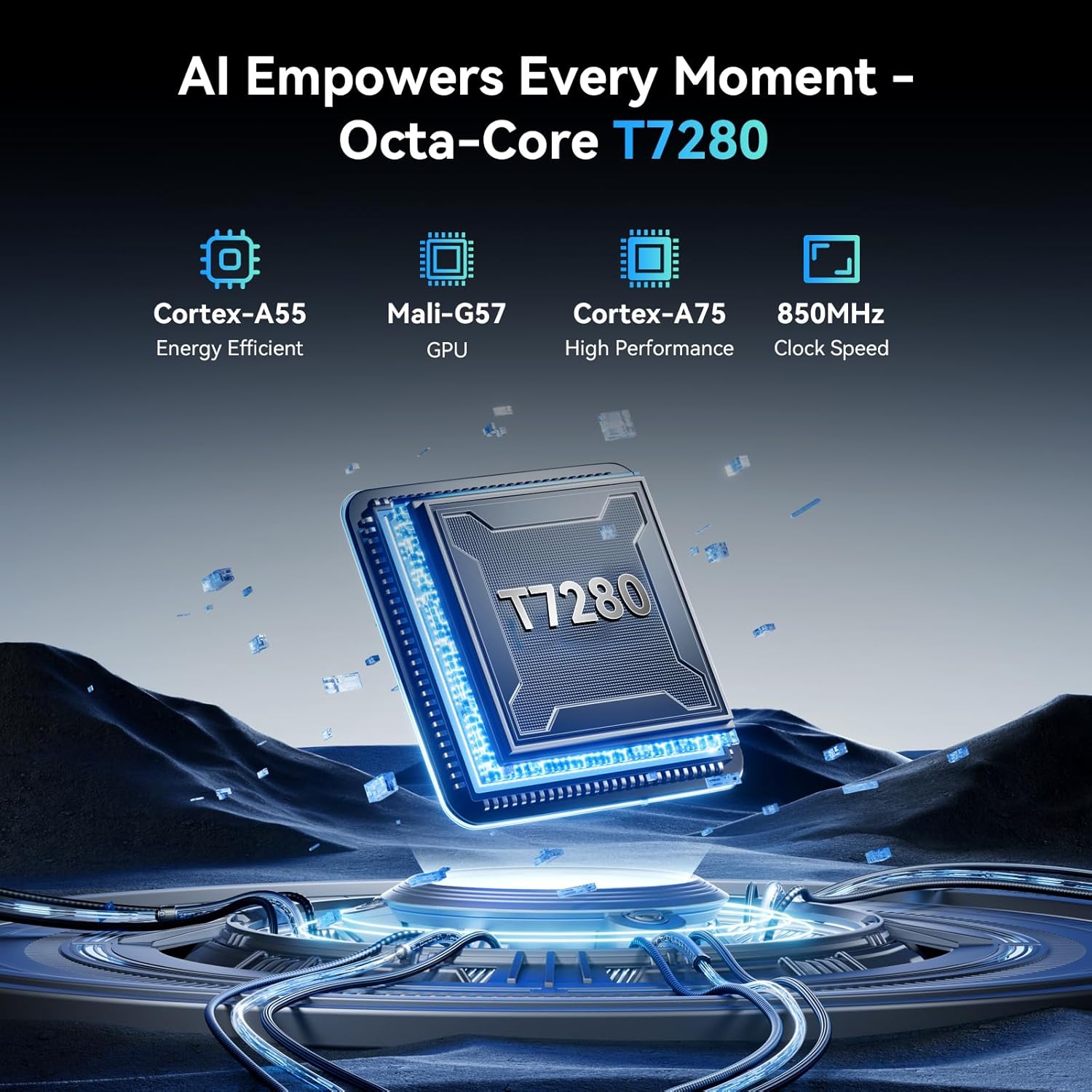
Image: The TABWEE T60 tablet shown with its detachable keyboard, wireless mouse, and stylus pen, illustrating its mobile office capabilities.
4. Ngoperasikeun Tablet anjeun
4.1 Pintonan
The TABWEE T60 features a 12.2-inch CSOT 2.5K UHD display (2400 x 1600 pixels) with a 90Hz refresh rate for smooth visuals. It supports 99% sRGB color gamut and includes anti-glare technology for comfortable viewing in various lighting conditions. Widevine L1 certification ensures high-quality streaming from supported services.

Image: A visual comparison demonstrating the larger 12.2-inch 2.5K FHD display with 90Hz refresh rate, emphasizing its clarity and smoothness.
4.2 Performance sarta Panyimpenan
Powered by an Octa-Core Unisoc T7280/UMS9230S processor clocked at 2.2 GHz, the T60 delivers efficient performance. It is equipped with 48GB RAM (12GB physical + 36GB virtual expansion) for seamless multitasking and 256GB of internal storage. The storage can be expanded up to 2TB using a TF (microSD) card, providing amprohangan pikeun aplikasi, média, sareng dokumén.

Image: An infographic detailing the tablet's memory specifications: 48GB RAM (12GB physical + 36GB expansion), 256GB ROM, and support for up to 2TB TF card storage.
4.3 Kahirupan batré
The TABWEE T60 is equipped with a large 10000mAh battery, providing extended usage times. Expect approximately 20 hours of music playback, 17 hours of video playback, or 12 hours of gaming on a single charge. The tablet supports 18W fast charging via its USB-C port.

Image: A visual representation of the tablet's 10000mAh battery, highlighting its long-lasting power for various activities like navigation, entertainment, and work/study.
4.4 Kaméra
The tablet features a 16MP rear camera with autofocus and an 8MP front camera. These cameras are suitable for video calls, document scanning, and capturing everyday moments. Integrated AI features enhance image quality and offer modes like 'Beauty Mode' and 'Night Shot'.

Image: A depiction of the tablet's 16MP rear and 8MP front cameras, showcasing their capabilities for various photography scenarios.
4.5 Konéktipitas
The TABWEE T60 supports 5G Wi-Fi (802.11ac) for fast internet speeds and Bluetooth 5.0 for connecting wireless peripherals. It also includes a 4-in-1 GPS system (GPS, GLONASS, Galileo, Beidou) for accurate navigation.

Image: A visual representation of the tablet's 5G WiFi and Bluetooth 5.0 capabilities, showing connections to various devices.

Image: The tablet displaying a navigation map in a car, emphasizing its integrated 4-in-1 GPS system for precise positioning.
4.6 Software (Android 16 & Gemini AI)
The TABWEE T60 runs on the latest Android 16 operating system, offering enhanced security, privacy features, and a smoother user experience. It integrates Gemini AI, which acts as an intelligent assistant for tasks such as summarizing articles, translating text, and optimizing workflow efficiency.

Gambar: Hiji leuwihview of the Android 16 operating system, highlighting its key features such as enhanced security, smart core, and dynamic themes.

Image: A detailed graphic explaining the various functions of Gemini AI, including intelligent planning, personal assistance, and data analysis.
5. Pangropéa
5.1 Perawatan Umum
- Ulah ngalaan tablet kana suhu anu ekstrim, sinar panonpoé langsung, atanapi kalembaban anu luhur.
- Do not drop or subject the tablet to strong impacts.
- Keep the tablet away from liquids and dust.
- Use the provided protective case to safeguard your device from scratches and minor bumps.
5.2 beberesih
- Anggo lawon anu lemes sareng henteu lint pikeun ngabersihan layar sareng awak tablet.
- Pikeun smudges nekad, rada dampen the cloth with water or a screen-cleaning solution. Do not spray liquids directly onto the tablet.
- Hindarkeun ngagunakeun bahan kimia kasar, pembersih abrasive, atanapi pangleyur.
5.3 Apdet parangkat lunak
Regularly check for and install software updates to ensure your tablet has the latest features, security patches, and performance improvements. You can check for updates by going to Setélan > Sistem > Apdet sistem.
6. Cara ngungkulan
If you encounter issues with your TABWEE T60, refer to the following common troubleshooting steps:
6.1 Tablet Teu Nyala
- Ensure the tablet is sufficiently charged. Connect it to the charger and wait for at least 15 minutes before attempting to power it on again.
- Pencét jeung tahan tombol Daya salila 10-15 detik pikeun ngalakukeun balikan deui paksa.
6.2 Masalah Sambungan Wi-Fi
- Balikan deui router Wi-Fi anjeun sareng tablet.
- Pindah ka Setelan > Jaringan & Internét > Wi-Fi, hilap jaringan, teras sambungkeun deui.
- Pastikeun anjeun aya dina jangkauan sinyal Wi-Fi.
6.3 Performance slow
- Tutup aplikasi latar tukang anu teu perlu.
- Clear cache data for frequently used apps (Setelan > Aplikasi > [Ngaran Aplikasi] > Panyimpenan & cache > Hapus cache).
- Ensure you have sufficient free storage space. Delete unused apps or large files.
- Balikan deui tablet périodik.
6.4 Layar Teu Ngarespon
- Perform a forced restart (press and hold the Power button for 10-15 seconds).
- Pastikeun layar bersih sareng bébas tina kalembaban atanapi kokotor.
6.5 Asesoris Teu Nyambung
- For the detachable keyboard, ensure it is correctly aligned and firmly connected to the tablet's magnetic ports.
- For Bluetooth devices (mouse, stylus), ensure they are charged, powered on, and in pairing mode. Re-pair them via Setelan > Alat nu disambungkeun > Bluetooth.
7. Spésifikasi
Below are the key technical specifications for the TABWEE T60 tablet:
| Fitur | Spésifikasi |
|---|---|
| merek | TABWEE |
| Ngaran modél | T60 |
| Sistem operasi | Android 16 |
| Ukuran layar | 12.2 inci |
| Resolusi layar | 2400 x 1600 piksel (2.5K UHD) |
| Prosesor | Unisoc T7280/UMS9230S Octa-Core (2.2 GHz) |
| Ram | 48 GB (12GB Physical + 36GB Virtual) |
| Panyimpenan internal | 256 GB |
| Panyimpenan Expandable | Nepi ka 2 TB via Kartu TF |
| Grafik Coprocessor | Integrated Ai Graphics Mali-G57 |
| Tukangeun WebResolusi cam | 16 MP |
| Hareupeun WebResolusi cam | 8 MP |
| Tipe Wireless | 802.11ac (5G WiFi), 802.11b, 802.11g, 802.11n |
| Bluetooth | Bluetooth 5.0 |
| Kapasitas batré | 10000 mAh |
| Rata Kahirupan Batré | 10000 Hours (standby, actual usage varies) |
| Port ngecas | USB-C (18W Fast Charging) |
| GPS | 4-in-1 System (GPS, GLONASS, Galileo, Beidou) |
| Item Beurat | 1.41 pon |
| Dimensi produk | 25 x 20 x 5 inci |
| Warna | Angkasa Gray |
8. Garansi jeung Rojongan
The TABWEE T60 tablet comes with an industry-leading 4-Taun Garansi, demonstrating our commitment to quality and customer satisfaction. This warranty covers manufacturing defects and ensures long-term support for your device.
8.1 Klaim Garansi
For warranty claims or technical assistance, please contact TABWEE Customer Support. You will need your proof of purchase and the tablet's serial number (usually found on the back of the device or in Settings > About tablet).
8.2 Rojongan Palanggan
Our dedicated customer support team is available 24/7 to assist you with any questions or issues you may have. Please refer to the contact information provided on the TABWEE official websitus wéb atanapi dokuméntasi pameseran anjeun pikeun saluran dukungan anu pangénggalna.


