Bubuka
Thank you for choosing the Gamrombo Wireless Controller. This manual provides essential information for setting up, operating, and maintaining your controller to ensure optimal performance across various platforms, including Xbox One, Xbox Series X/S, PC, Mac, and mobile devices.
Punten baca manual ieu sacara saksama sateuacan dianggo sareng tahan pikeun rujukan ka hareup.

Image: The Gamrombo Wireless Controller, highlighting its upgraded features and broad compatibility with various platforms and connection types.
Fitur produk
The Gamrombo Wireless Controller is designed to enhance your gaming experience with a range of advanced features:
- Kasaluyuan multi-platform: Seamlessly connects with Xbox Series X/S, Xbox One/One S/One X, PC, Mac, and mobile devices (iOS/Android).
- Motor Getaran Ganda: Built-in motors provide realistic haptic feedback for an immersive gaming experience.
- Semi-Automatic Turbo Function: Enables rapid firing for enhanced gameplay in action-oriented titles.
- Standard 3.5mm Audio Jack: Allows direct connection of compatible headsets for in-game audio and communication.
- Desain ergonomis: Sculpted surfaces and refined geometry ensure comfort and control during extended play sessions.
- Sénsor Gerak 6-Sumbu: Provides dynamic feeling and precise control through motion sensing capabilities.
- Pakem anti slip: Textured surfaces on both sides of the controller ensure a secure hold.

Gambar: Leuwihview of the controller's multifunctional features, including double shock, motion control, 360° joystick, turbo, macro, and more.
Parentah Setup
1. Pamasangan batré
- Panggihan kompartemen batréna di tukangeun controller.
- Buka panutup batré.
- Insert two (2) AA batteries (not included), ensuring correct polarity (+/-).
- Tutup panutup batre aman.
2. Connecting to Xbox Consoles (Xbox One, Xbox Series X/S)
- Pastikeun konsol Xbox anjeun diaktipkeun.
- Pencét jeung tahan tombol Tombol imah on the controller until it powers on and the indicator light flashes.
- Dina konsol Xbox anjeun, pencét tombol Tombol papasangan (biasana ayana di hareup atawa sisi konsol nu).
- Pencét jeung tahan tombol Tombol papasangan on the top edge of the Gamrombo controller until the indicator light flashes rapidly.
- The controller's indicator light will become solid when successfully paired.
3. Connecting to PC/Mac/Mobile Devices
The controller supports connection via Bluetooth or a wired USB connection (USB dongle not included for wireless PC connection).
Bluetooth Connection (PC/Mac/Mobile)
- Pastikeun Bluetooth diaktipkeun dina alat Anjeun.
- Pencét jeung tahan tombol Tombol imah on the controller until it powers on.
- Pencét jeung tahan tombol Tombol papasangan on the top edge of the controller until the indicator light flashes rapidly.
- On your device, search for new Bluetooth devices and select "Gamrombo Controller" (or similar) from the list.
- The controller's indicator light will become solid upon successful pairing.
Sambungan Kabel (PC)
- Connect the controller to your PC using a compatible USB cable (not included).
- PC kedah otomatis ngadeteksi sareng masang panggerak anu diperyogikeun.
- The controller will be ready for use once the drivers are installed.

Image: The Gamrombo controller highlighting its broad compatibility across multiple gaming platforms and operating systems.
Controller firmware ningkatkeun
If you experience connectivity issues with your Xbox console, a firmware upgrade may be required. This process is performed on a Windows PC.
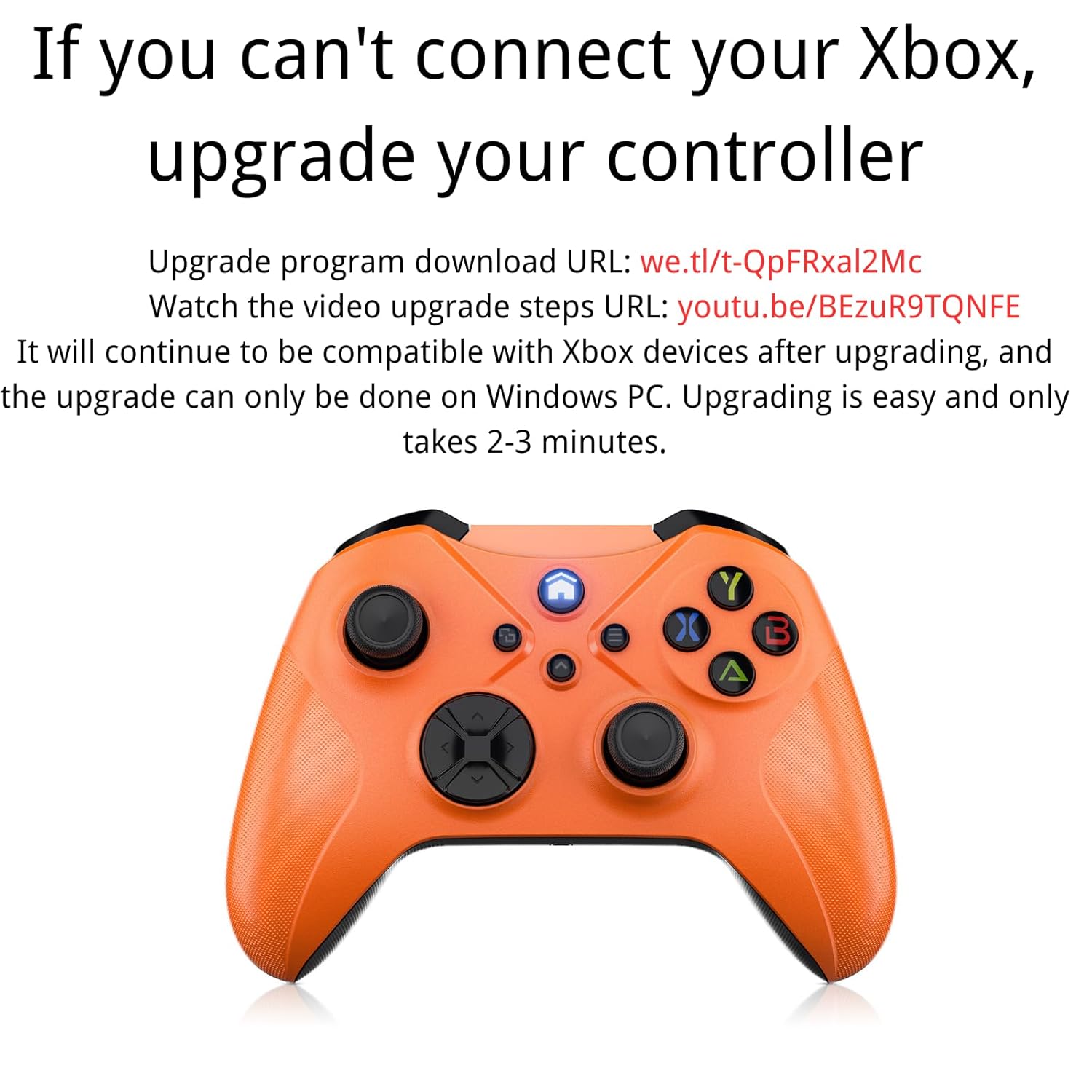
Image: Instructions for upgrading the controller firmware if connection issues occur with Xbox.
Léngkah-léngkah ningkatkeun:
- Download the upgrade program from the official source. (Refer to product packaging or manufacturer's websitus pikeun husus URL).
- Connect the Gamrombo controller to a Windows PC using a USB cable.
- Run the downloaded upgrade program.
- Follow the on-screen instructions to complete the upgrade. The process typically takes 2-3 minutes.
- After the upgrade, the controller will remain compatible with Xbox devices.
Parentah Operasi
1. Fungsi Tombol Dasar
The controller features standard Xbox layout buttons:
- Tombol A, B, X, Y: Action buttons for in-game commands.
- Pad arah (D-Pad): Pikeun input arah tepat.
- Tongkat Analog Kénca/Katuhu: Pikeun gerakan sareng kontrol kaméra.
- Bemper Kénca/Katuhu (LB/RB): Shoulder buttons for various actions.
- Pemicu Kénca/Katuhu (LT/RT): Pressure-sensitive triggers for acceleration, firing, etc.
- Tombol imah: Powers on/off the controller, accesses system menus.
- View/Share Button: Accesses in-game menus or share features.
- Tombol Menu: Accesses game or system options.

Gambar: Tukangeun view of the controller showing the location of shoulder buttons (LB, RB, LT, RT) and programmable back buttons (PR, PL) with a 'set' button.
2. Fungsi Turbo
The semi-automatic turbo function allows for continuous rapid input of a button press. To activate:
- Pencét jeung tahan tombol Tombol Turbo (if present, refer to controller diagram) and then press the desired action button (e.g., A, B, X, Y, LB, RB, LT, RT).
- Release both buttons. The selected action button will now continuously repeat its input when held down.
- To deactivate, repeat the process: press and hold the Tombol Turbo and then press the same action button again.

Image: The controller illustrating the semi-automatic turbo function for faster action in games.
3. Dual Vibration
The controller features dual vibration motors that provide varying levels of feedback based on in-game events. The intensity of vibration is typically controlled by the game itself.

Image: The controller demonstrating its dual-motor shock feature, capable of weak, moderate, and strong vibration effects.
4. 3.5mm Audio Jack
Connect any compatible 3.5mm headset to the audio jack located at the bottom of the controller for in-game audio and voice chat.

Image: The controller with a 3.5mm stereo audio jack, allowing connection of headphones for immersive sound.
5. 6-Axis Motion Sensor
The integrated 6-axis motion sensor provides enhanced dynamic control in supported games, allowing for intuitive movements like direction control, visual field angle changes, and responsive actions.

Image: The controller's 6-axis motion sensor in action, illustrating its use for direction control, visual field changes, and responsive actions in games.
Pangropéa
- beberesih: Paké kaen lemes, garing pikeun ngabersihan controller. Ulah make bahan kimia kasar atawa bahan abrasive.
- Panyimpenan: Nyimpen controller dina tiis, tempat garing jauh ti sinar panonpoé langsung jeung hawa ekstrim.
- Perawatan batré: Remove batteries if the controller will not be used for an extended period to prevent leakage.
- Hindarkeun tetes: Nangtayungan controller tina tetes jeung dampak, nu bisa ngaruksak komponén internal.
Pamérésan masalah
1. Kontroler Teu Nyambung/Ngapasangkeun
- Pastikeun batré dipasang leres sareng gaduh muatan anu cekap.
- Verify that the controller is within the wireless range (approximately 33 feet).
- Re-attempt the pairing process as described in the Setup section.
- If connecting to Xbox, ensure the controller firmware is up to date (refer to the Controller Firmware Upgrade section).
- Try connecting the controller via a USB cable to rule out wireless issues.
2. Buttons/Joysticks Not Responding
- Pariksa tingkat batré jeung ngaganti lamun perlu.
- Restart the controller and the connected device.
- Pastikeun teu aya lebu anu ngahalangan tombol atanapi joystick.
- If using a wired connection, try a different USB port or cable.
3. No Audio from Headset
- Ensure the headset is fully plugged into the 3.5mm audio jack.
- Check the headset's volume controls and mute settings.
- Verify audio settings on your console or PC to ensure output is directed to the controller.
- Test the headset with another device to confirm it is functional.
spésifikasi
| Fitur | Rincian |
|---|---|
| Nomer modél | Xbox One (Compatible) |
| Kasaluyuan | Xbox Series X/S, Xbox One/One S/One X, PC (Windows 7/8/10), Mac, iOS, Android |
| Konektipitas | Wireless (Xbox Wireless Technology), Bluetooth, Wired (USB) |
| Range nirkabel | Nepi ka 33 suku (10 méter) |
| Sumber Daya | 2 x Batré AA (teu kalebet) |
| Palabuhan Audio | 3.5mm stéréo Headsét Jack |
| Fitur husus | Dual Vibration, Semi-Automatic Turbo, 6-Axis Motion Sensor, Macro Function |
| Diménsi | 6.73 x 4.72 x 2.8 inci (kira-kira) |
| Beurat | 10.2 ons (perkiraan, tanpa batré) |
Garansi sareng Rojongan
For warranty information and technical support, please refer to the documentation included with your purchase or visit the official Gamrombo websitus. Simpen bukti pameseran anjeun pikeun klaim garansi.
If you encounter any issues not covered in this manual, please contact Gamrombo customer service for assistance.


