1. Bubuka
Hatur nuhun pikeun meuliasing the TOPTRO TP2 Mini Projector. This manual provides essential information for setting up, operating, and maintaining your projector. Please read it thoroughly before use and keep it for future reference.
2. Émbaran Kasalametan
- Ulah nempo langsung kana lensa projector lamun lamp dihurungkeun.
- Pastikeun ventilasi ditangtoskeun pikeun nyegah overheating. Ulah meungpeuk bukaan ventilasi.
- Paké ngan adaptor kakuatan disadiakeun kalawan alat.
- Jauhkeun proyektor tina cai, lembab, sareng suhu anu ekstrim.
- Avoid dropping or subjecting the projector to strong impacts.
- Do not attempt to disassemble or repair the projector yourself. Contact customer support for assistance.
3. Eusi Paket
Pastikeun yén sadaya item aya dina pakét anjeun:
- TOPTRO TP2 Mini Projector
- Kadali jauh
- Adaptor kakuatan
- Kabel HDMI
- Kit beberesih
- Manual pangguna (dokumén ieu)
4. Produk Langkungview
The TOPTRO TP2 Mini Projector is a compact and versatile device designed for various entertainment and presentation needs. It features an Android 13 operating system, Wi-Fi 6, Bluetooth 5.4, and automatic image correction.
Gambar 1: Hareupeun view of the TOPTRO TP2 Mini Projector, showcasing desain sareng lensa anu kompak.
4.1. Palabuhan jeung sambungan
Gambar 2: Tukangeun view of the TOPTRO TP2 Mini Projector, showing the various input and output ports.
- Port HDMI: Connect to laptops, gaming consoles, TV sticks, etc.
- Port USB: Sambungkeun drive USB pikeun muterkeun média atanapi alat éksternal.
- 3.5mm Audio Jack: Sambungkeun speaker éksternal atawa headphone.
- Input kakuatan: Sambungkeun adaptor daya anu disayogikeun.
4.2. Fitur konci
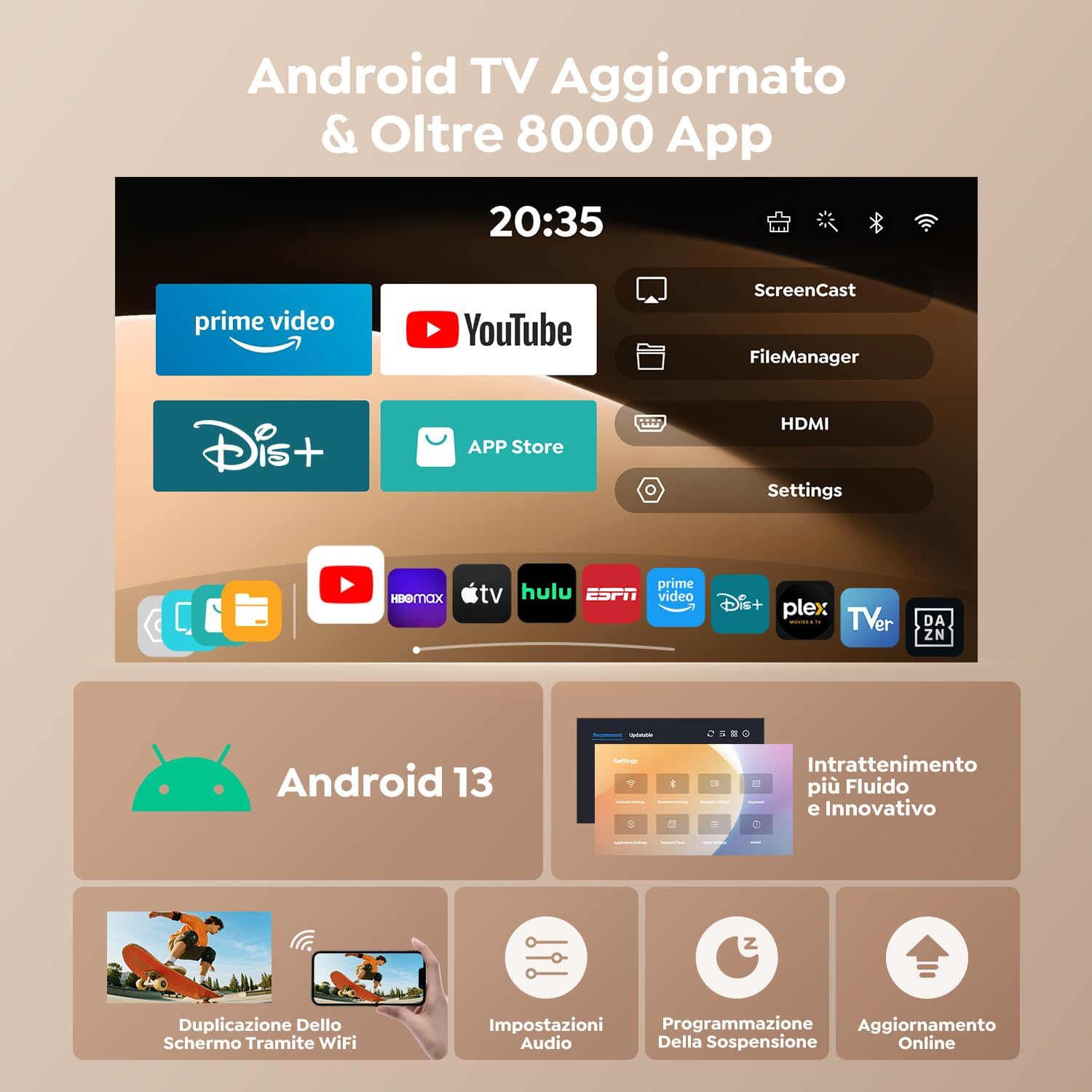
- OS Android 13: Access to over 8,000 official apps including streaming services.
- Desain Rotatable 270 °: Flexible projection angles for various setups.
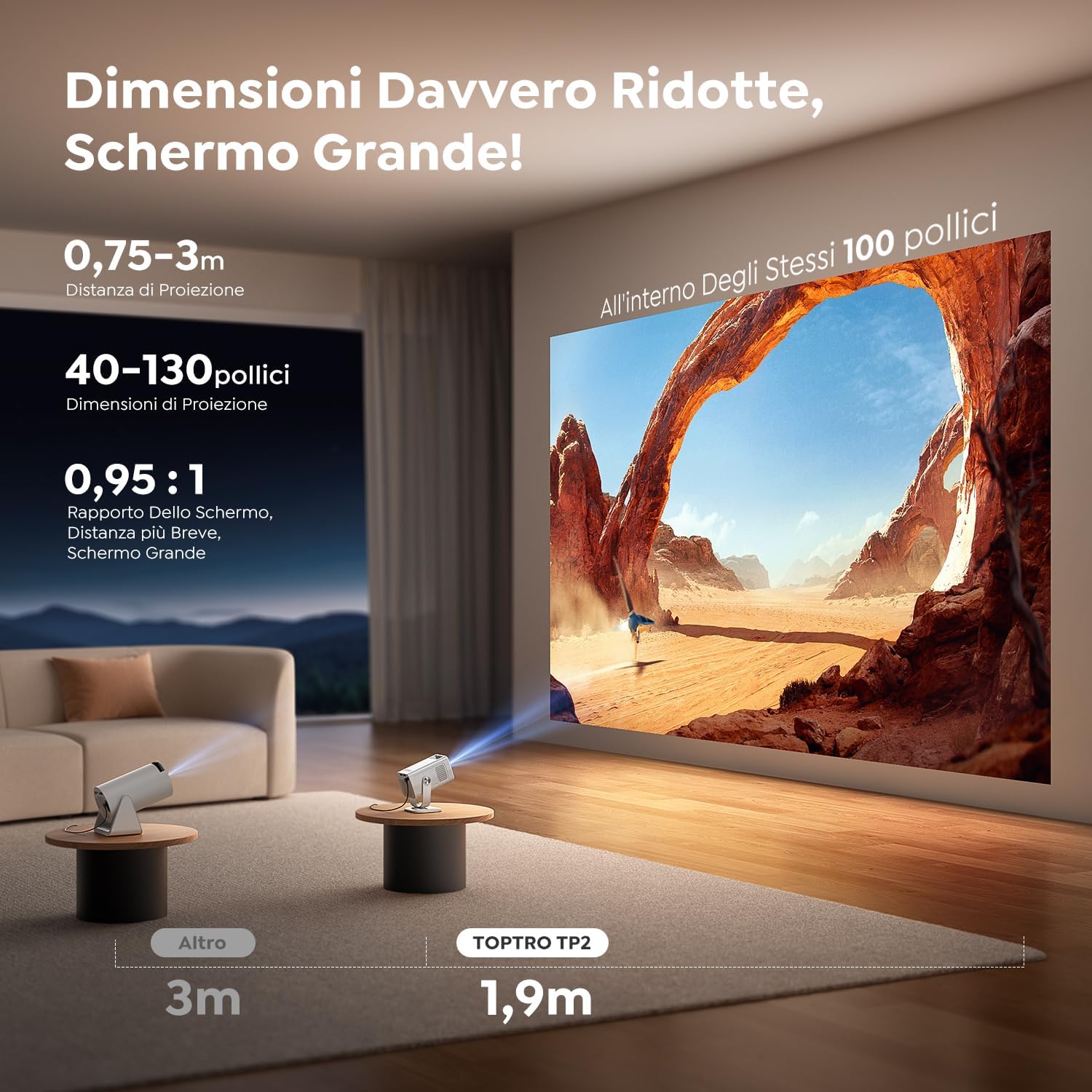
- Babandingan Lemparan Pendek (0.95:1): Projects large images from a short distance.
- 1080P Native Resolution (4K Support): Delivers clear and vivid images.
- Wi-Fi 6 & Bluetooth 5.4: Fast and stable wireless connectivity.
- Koreksi Keystone Vertikal Otomatis: Instantly corrects image distortion.
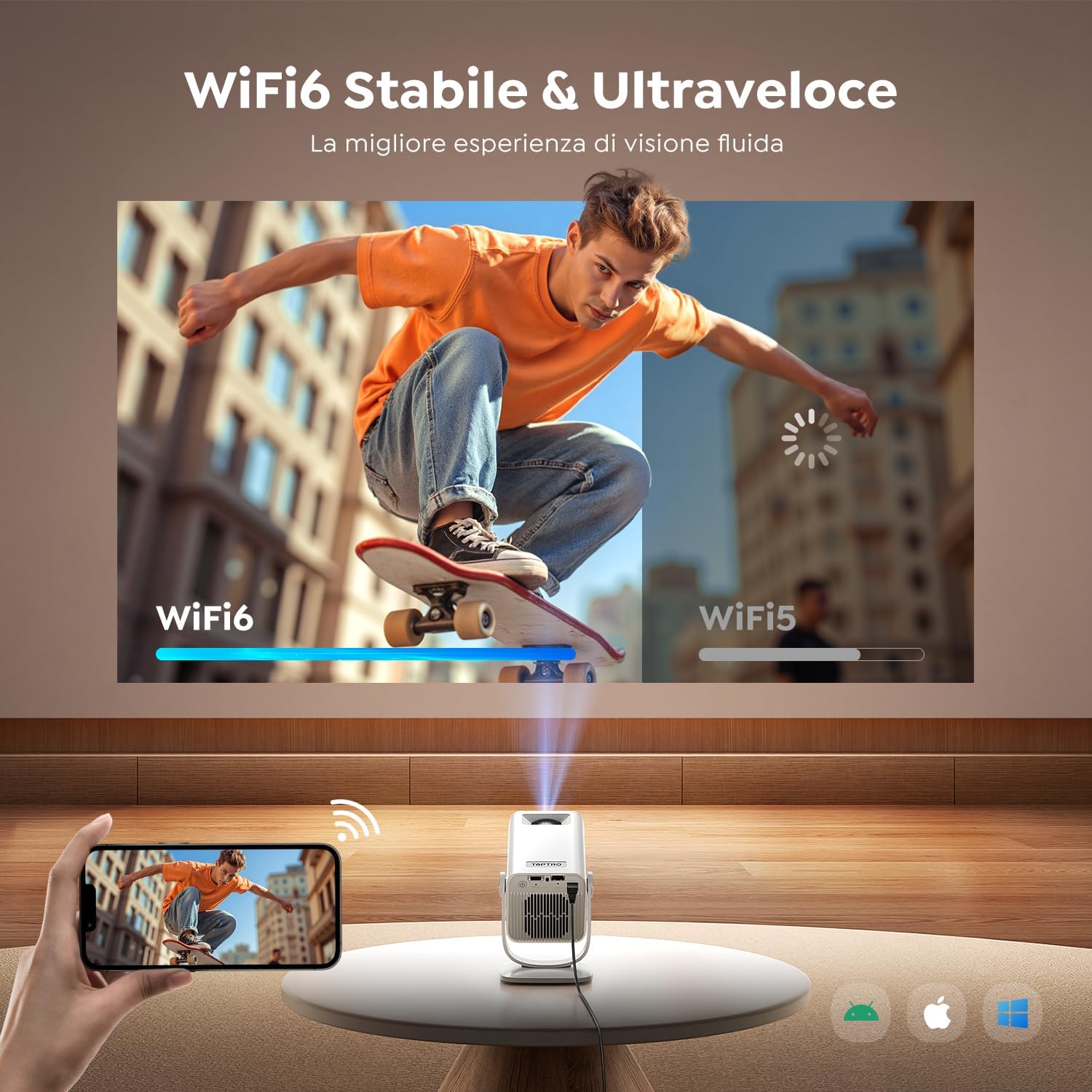
Figure 3: The projector's 270° rotatable design allows for flexible projection onto walls or ceilings.
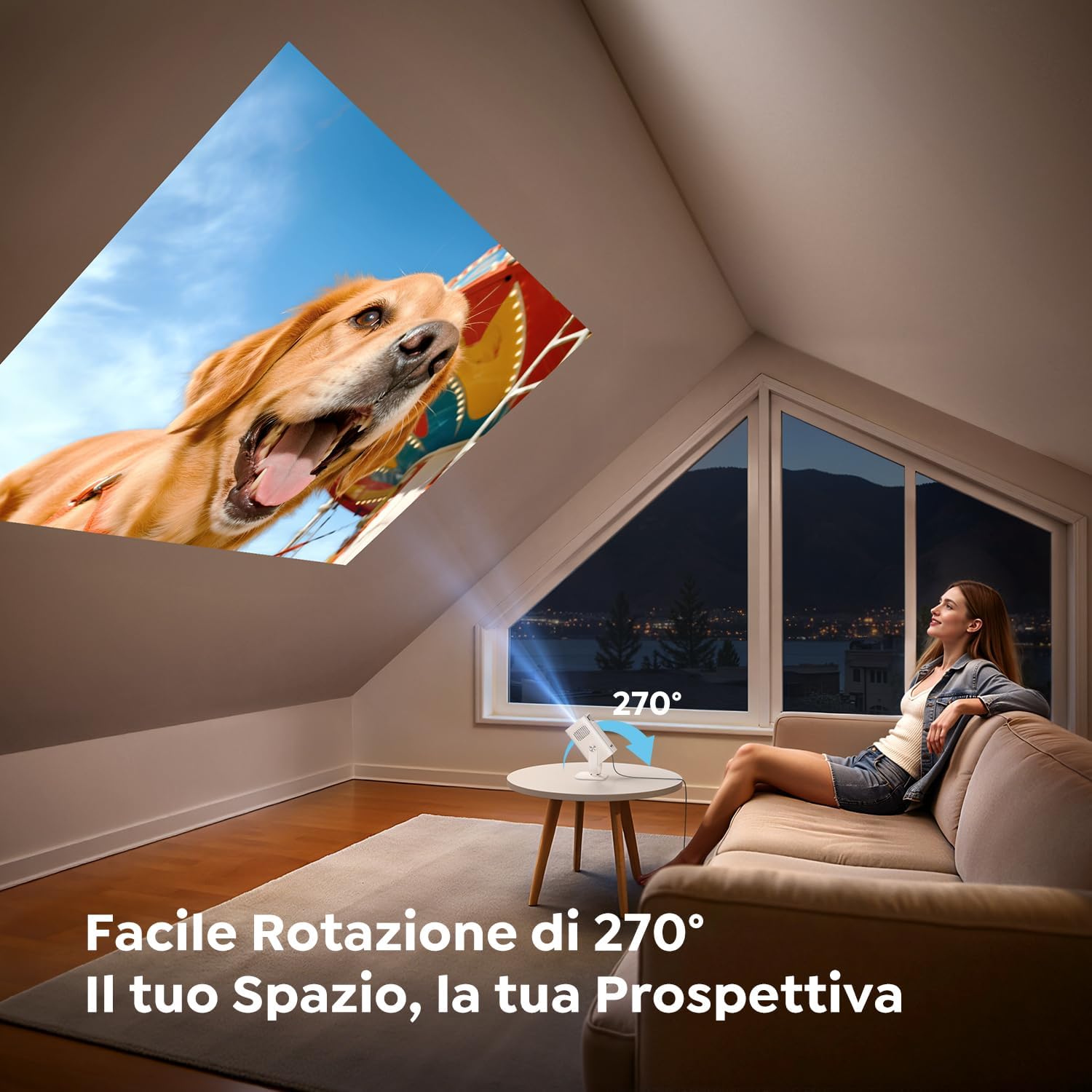
Figure 4: Illustration of the short throw capability, projecting a large image from a close distance.

Figure 5: The compact and portable design of the TOPTRO TP2, shown next to a soda can for size comparison.
5. Setélan
5.1. Sambungan Daya
- Sambungkeun adaptor kakuatan ka port input kakuatan proyektor.
- Colokkeun adaptor kakuatan kana stop kontak témbok.
5.2. Placement and Angle Adjustment
Position the projector on a stable surface. Utilize the 270° rotatable design to adjust the projection angle as needed for wall, ceiling, or table projection.
5.3. adjustment fokus
The projector features automatic vertical keystone correction. For fine-tuning, use the manual focus wheel or the remote control.
Video 1: Demonstrates the motorized focus adjustment feature of the projector, ensuring a clear image.
5.4. Konektipitas
- HDMI: Connect an HDMI cable from your source device (e.g., laptop, game console) to the projector's HDMI port.
- USB: Insert a USB drive into a USB port for direct media playback.
- Wi-Fi 6: Navigate to the network settings to connect to your Wi-Fi network for online streaming and screen mirroring.
- Bluetooth 5.4: Pair with Bluetooth headphones or external speakers for enhanced audio. The projector can also act as a Bluetooth speaker for your phone.
6. Parentah Operasi
6.1. Daya Hurung / Pareum
Pencét tombol daya dina proyektor atawa kadali jauh pikeun ngahurungkeun atawa mareuman alat.
6.2. Napigasi Android 13 Interface
The TOPTRO TP2 runs on Android 13, providing a user-friendly interface. Use the remote control to navigate through menus, select apps, and adjust settings.

Figure 6: The Android 13 user interface of the TOPTRO TP2, displaying pre-installed applications like Prime Video and YouTube.
Video 2: Illustrates the Android 14 interface (similar to Android 13) and its functionalities, including app access and navigation.
6.3. App Installation and Streaming
The projector comes with Android TV pre-installed, offering access to over 8,000 official apps. Simply connect to Wi-Fi and download your preferred streaming services (e.g., Dazn, Prime Video, Disney+, YouTube, HBO Max).
6.4. Pangeunteungan layar
Use the Wi-Fi 6 feature to wirelessly mirror content from your smartphone, tablet, or laptop to the projector for a larger display.
6.5. Pangaturan gambar
- Automatic Vertical Keystone: The built-in precision sensor automatically corrects image distortion in less than 2 seconds.
- Fungsi zum: Adjust projection size from 100% to 80% without compromising image quality.
Video 3: Shows automatic focus, keystone correction, and screen adaptation features, enhancing ease of use.
7. Pangropéa
7.1. beberesih
Use the provided cleaning kit to gently clean the lens and exterior of the projector. Do not use abrasive cleaners or solvents.
7.2. Panyimpenan
When not in use, store the projector in a cool, dry place, away from direct sunlight and dust. Ensure the lens is covered to protect it from scratches.
8. Cara ngungkulan
- Henteu aya kakuatan: Check if the power adapter is securely connected to both the projector and the power outlet.
- Teu aya gambar: Ensure the input source is correctly selected (HDMI, USB, or streaming app). Check cable connections.
- Gambar kabur: Adjust the focus using the manual wheel or remote. Ensure the projector is placed within the recommended projection distance.
- Distorsi Gambar: The projector has automatic vertical keystone correction. If issues persist, check projector placement.
- Henteu aya sora: Check the volume settings on both the projector and the source device. Ensure Bluetooth audio is correctly paired if using external speakers/headphones.
- Masalah Sambungan Wi-Fi/Bluetooth: Restart the projector and your router/Bluetooth device. Ensure the projector is within range.
9. Spésifikasi
| Fitur | Spésifikasi |
|---|---|
| merek | TOPTRO |
| Modél | TP2 |
| Dimensi produk | 13.5 x 9 x 17.8 cm |
| Beurat | 400 gram |
| Model Taun | 2025 |
| Panganteur Hardware | Audio 3.5mm, HDMI, USB |
| Alat nu cocog | Speaker, Laptop, Game Console, Smartphone, Tablet |
| Fitur tambahan | Lempar pondok |
| Téhnologi layar | LCD |
| Babandingan Kontras Gambar | 15000:1 |
| Rasio Aspék | 16:10, 16:9, 4:3 |
| Native Screen Resolution | 1280 x 720 (720P) |
| Résolusi Tampilan Maks. | 4096 x 2160 (Dukungan 4K) |
| Tingkat Noise | 32 desibel |
| Wattage | 60 Watt-jam |
| Jenis Konéktipitas | Bluetooth, HDMI, IR, USB, Wi-Fi |
| Faktor Bentuk | Ukuran saku |
| Tipe Pamasangan | Ceiling Mount/Floor Mount/Table Mount/Tripod Mount/Wall Mount |
| Dianjurkeun Mangpaat | Business, Educational, Home Cinema, Video Games |
10. Garansi jeung Rojongan
TOPTRO projectors come with comprehensive support:
- Rojongan 24/7: Assistance available around the clock.
- 2-Year Hassle-Free Return Policy: Pikeun katengtreman pikiran.
- Garansi 3 Taun: Covering manufacturing defects.
- Rojongan Téknis Hirupna: Ongoing assistance for any technical queries.
For any questions or support, please contact TOPTRO customer service.


