1. Bubuka
This manual provides essential information for setting up, operating, and maintaining your Csasan Smart Watch T70. Please read it thoroughly to ensure proper use and to maximize the device's features.
Naon Kaasup
- Jam Tangan Pinter (1 unit)
- Pangisi Daya Magnét (1 unit)
- Manual pamaké (1 unit)

Image: Contents of the Csasan Smart Watch T70 package.
2. Ngamimitian (Setup)
2.1 Ngecas Alat
Before first use, fully charge your smartwatch. Connect the magnetic charger to the charging contacts on the back of the watch and plug the USB end into a power adapter (not included) or a computer's USB port. A full charge typically takes approximately 2 hours.

Image: Smartwatch connected to its magnetic charger.
2.2 Ngundeur Aplikasi
Pikeun ngaksés sadaya fitur sareng nyingkronkeun data, unduh Gloryfit aplikasi ti toko aplikasi smartphone anjeun (Google Play Store pikeun Android atanapi Apple App Store pikeun iOS).
2.3 Ngapasangkeun Smartwatch
- Pastikeun Bluetooth smartphone anjeun diaktipkeun.
- Open the Gloryfit app and follow the on-screen instructions to create an account or log in.
- In the app, navigate to the device section and search for your smartwatch.
- Select 'T70' from the list of available devices to pair. Confirm the pairing request on both your phone and the watch if prompted.
2.4 Ngagem Smartwatch
Wear the smartwatch snugly on your wrist, about one finger's width from your wrist bone. This ensures accurate heart rate and other health monitoring data.
3. Ngoperasikeun Smartwatch Anjeun
3.1 Napigasi Dasar
- Layar cabak: Gesek ka kenca/katuhu, ka luhur/handap pikeun nganapigasi menu sareng fitur. Ketok pikeun milih.
- Tombol samping: Typically used to return to the home screen or wake the display.
- Angkat pikeun Wake: The screen will automatically light up when you raise your wrist.
3.2 Nyusun sareng Ngajawab Telepon
Once paired via Bluetooth, you can manage calls directly from your watch.
- Ngajawab Telepon: When a call comes in, tap the green icon on the watch screen.
- Nelepon: Access the dial pad or your synced contacts on the watch to initiate a call.

Image: Smartwatch interface for making and answering calls.
3.3 Narima Bewara
The smartwatch can display notifications from various apps on your phone (e.g., Instagram, YouTube, Messenger, Gmail, Snapchat, Facebook, Twitter, WhatsApp). Ensure notification permissions are granted in the Gloryfit app and your phone settings.

Gambar: Smartwatch mintonkeun béwara talatah.
3.4 Pangimeutan Kaséhatan
The T70 Smart Watch includes sensors for continuous health tracking.
- Monitor Detak Jantung: Monitors your heart rate 24/7. Data is for reference and not for medical diagnosis.
- Tracker Saré: Automatically records sleep patterns (awake, light, deep sleep) to help you understand and improve sleep quality.
- Steps Monitor: Ngalacak léngkah, jarak, sareng kalori anu kaduruk sadidinten anjeun.
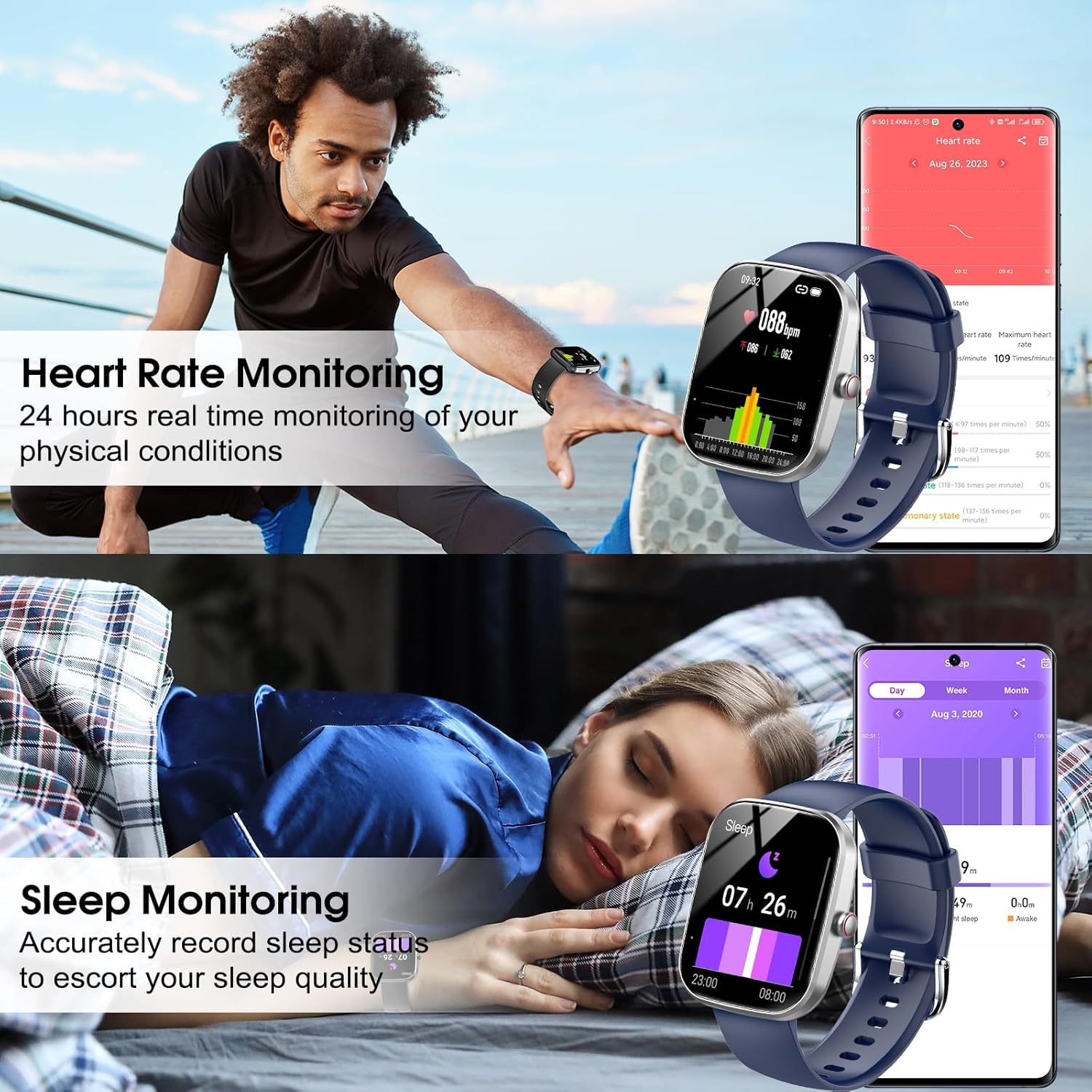
Image: Heart rate and sleep monitoring features.
3.5 Modeu Olahraga
The watch supports over 110 sports modes, including running, cycling, swimming, and fitness activities. Select your desired mode before starting an activity to track relevant metrics.

Gambar: Smartwatch showcasing various sports modes and IP68 waterproof rating.
3.6 Ngaropea Watch Faces
The 1.91-inch HD display allows for extensive customization. You can choose from over 100 watch faces available in the Gloryfit app or upload your own photos to personalize the watch face.

Image: Customizable watch faces and app interface.
3.7 Kontrol Musik
Control music playback on your smartphone directly from your smartwatch. You can play, pause, skip tracks, and adjust volume.
3.8 Fitur séjén
The smartwatch includes additional useful functions:
- Ramalan Cuaca
- Panginget Sedentary
- Stopwatch
- Jam Alarm
- Timer
- Nyukcruk siklus awéwé
- Milarian Telepon
- Kaméra Jauh Control
4. Pangropéa
4.1 Tahan Cai (IP68)
The Csasan Smart Watch T70 is IP68 waterproof, meaning it is resistant to dust and can withstand immersion in water up to 1.5 meters for 30 minutes. It is suitable for daily activities like washing hands or exercising in the rain. Catetan: Do not use the watch in hot water, saunas, or for prolonged immersion, as this may affect its waterproof integrity.
4.2 beberesih
Regularly clean your smartwatch and strap with a soft, dry cloth. If necessary, use a slightly damp lawon sareng sabun hampang, teras bilas sareng garingkeun dugi ka tuntas. Hindarkeun bahan kimia anu keras atanapi bahan anu abrasif.
4.3 Perawatan Batré
Pikeun manjangkeun umur batréna, ulah sering-sering ngosongkeun batré jam tangan. Cas nalika batréna lemah. Simpen jam tangan di tempat anu tiis sareng garing nalika henteu dianggo kanggo waktos anu lami.
5. Cara ngungkulan
- Lalajo teu hurung: Pastikeun arloji dicas pinuh. Sambungkeun ka carjer sahenteuna 10 menit.
- Teu tiasa dipasangkeun sareng telepon:
- Pastikeun Bluetooth diaktipkeun dina telepon anjeun.
- Pastikeun arlojina aya dina jangkauan telepon anjeun.
- Balikan deui telepon anjeun sareng jam tangan.
- Check if the Gloryfit app has necessary permissions.
- Data denyut jantung/sare anu teu akurat: Pastikeun yén arloji dipaké pas dina pigeulang anjeun, henteu longgar teuing atanapi ketat teuing. Ngabersihan sénsor dina tonggong arloji.
- Bewara teu nampi:
- Verify that notifications are enabled in the Gloryfit app.
- Check your phone's system settings to ensure the Gloryfit app has permission to send notifications.
- Pastikeun arloji disambungkeun ka telepon Anjeun liwat Bluetooth.
- hirup batré pondok: Kurangi kacaangan layar, nonaktipkeun fitur anu teu perlu, sareng pastikeun jam tangan dicas pinuh.
6. Spésifikasi
| Fitur | Rincian |
|---|---|
| Ngaran modél | T70 |
| merek | Csasan |
| Ukuran layar | 1.91 inci |
| Tipe tampilan | HD Layar Toél Pinuh |
| Wangun | Sagi opat |
| Konektipitas | Bluetooth |
| Tahan cai | IP68 |
| Modeu Olahraga | 110+ |
| Pangimeutan Kaséhatan | Heart Rate, Sleep, Steps |
| Jenis Batré | Lithium Polymer (12V included) |
| Average Usage Battery Life | 5-7 poé |
| Waktu sayaga | Nepi ka 30 Dinten |
| Waktu Ngecas | Kira-kira. 2 jam |
| Kasaluyuan | Android 5.0+ / ios 9.0+ |
| Item Beurat | 3.2 ons |
| GPS | Taya GPS |
7. Garansi jeung Rojongan
Csasan is committed to providing quality products and customer satisfaction.
- Rojongan Hirupna: We offer lifetime support and solutions for our products.
- Layanan 24 Jam: Quick service is available via email for any inquiries.
- Kawijakan Balik 30 Dinten: Ngarasakeun kawijakan balik 30 poé tanpa alesan.
- Panggantian 2 Taun: A 2-year free replacement policy is provided for eligible issues.
For further assistance, please contact Csasan customer support through the contact information provided with your purchase or on the official Csasan websitus.


