1. Bubuka
This manual provides essential information for the safe and efficient use of your Xiaomi 80 cm (32 inches) A Pro QLED Series Smart TV, model L32MB-APIN. Please read this manual thoroughly before operating the television and retain it for future reference.
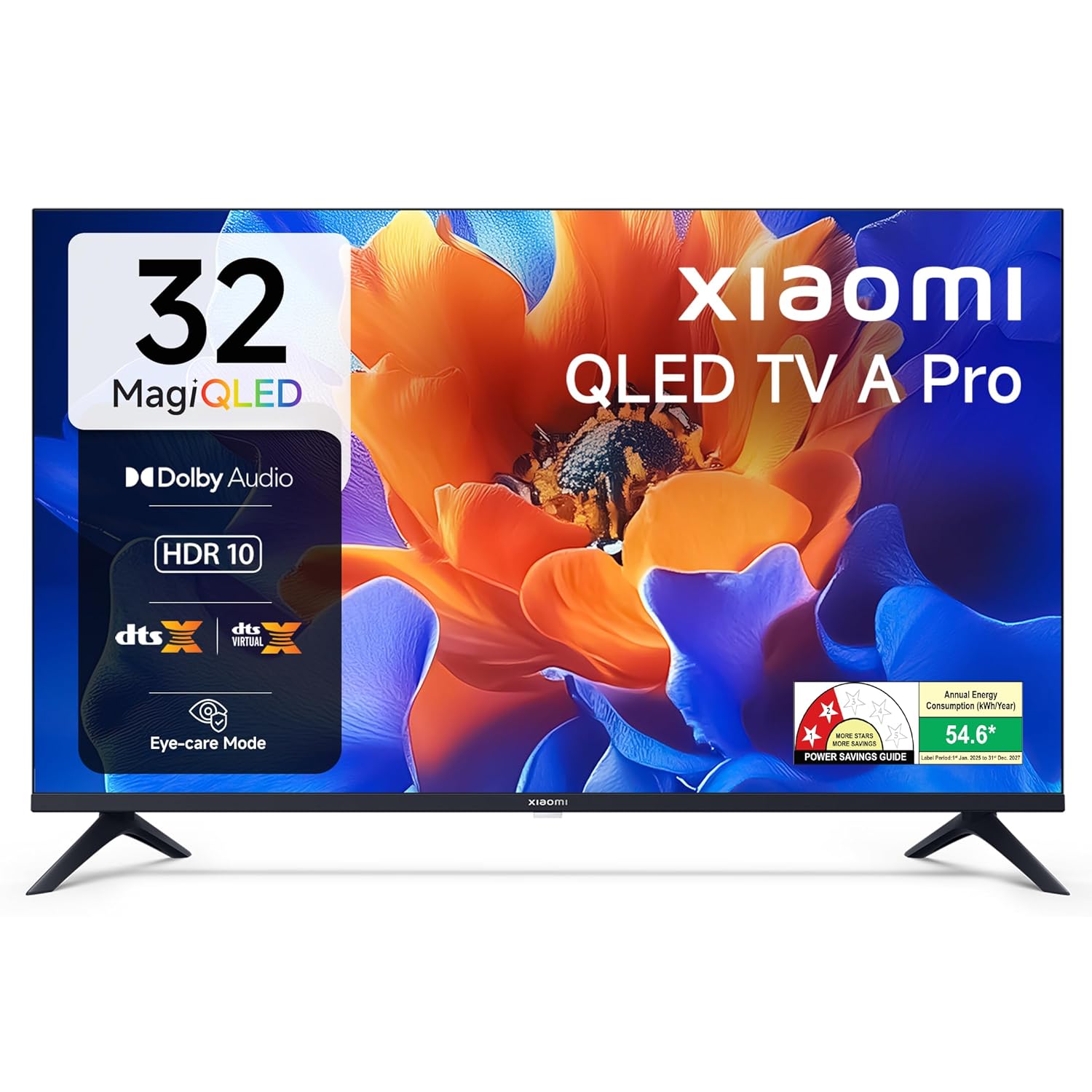
Gambar 1.1: Hareupeun view of the Xiaomi 32-inch A Pro QLED Smart TV.
2. Émbaran Kasalametan
Perhatikeun pancegahan kaamanan di handap ieu pikeun nyegah seuneu, kejutan listrik, atanapi tatu:
- Ulah ngalaan TV ka hujan atawa beueus.
- Ulah muka TV casing; ngarujuk sadaya jasa ka tanaga anu mumpuni.
- Pastikeun ventilasi ditangtoskeun sabudeureun TV.
- Tempatkeun TV dina permukaan anu rata sareng stabil atanapi pasangkeun kana témbok kalayan pageuh.
- Jauhkeun TV tina sumber panas sareng sinar panonpoé langsung.
- Cabut colokan TV nalika badai kilat atanapi nalika henteu dianggo kanggo waktos anu lami.
3. Eusi Paket
Pastikeun yén sadaya barang aya dina bungkusan:
- 1 x Xiaomi LED TV (L32MB-APIN)
- 1 x Kadali Jauh
- 1 x Manual Pamaké (dokumén ieu)
- 2 x TV Stands Unit
- 4 x Screws for stand installation
- 2 x AAA Batteries for remote control
- 1 x Kabel Listrik

Image 3.1: Illustration of the items included in the TV package.
4. Produk Langkungview
4.1 Fitur konci
The Xiaomi A Pro QLED Series Smart TV offers a range of features for an enhanced viewpangalaman:
- tampilan: 32-inch HD Ready (1366 x 768) QLED panel with HDR 10, HLG, Vivid Picture Engine 2, and Eye Comfort Mode.
- Audio: 20 Watts output with Dolby Audio, DTS-X, and DTS Virtual:X for immersive sound.
- Smart TV: Powered by Android 14 OS and Google TV, featuring built-in Wi-Fi, screen mirroring, 1 GB RAM, 8 GB ROM, and support for popular streaming apps.
- Konektipitas: Dual Band Wi-Fi, 2 HDMI ports, 2 USB ports, Bluetooth, and Ethernet.

Gambar 4.1: Leuwihview of the TV's main features.
4.2 Palabuhan konektipitas
The TV provides various ports for connecting external devices:
- HDMI (x2): For connecting gaming consoles, set-top boxes, Blu-ray players.
- USB (x2): Pikeun nyambungkeun hard drive jeung alat USB séjén.
- Ethernet: Pikeun sambungan jaringan kabel.
- anteneu: Pikeun nyambungkeun anteneu terestrial atanapi kabel.
- Input AV: For older audio/video devices.
- 3.5mm Earphone Jack: Pikeun nyambungkeun headphone atanapi sistem audio éksternal.

Gambar 4.2: Tukangeun view showing the TV's connectivity ports.
4.3 Jauh Jauh
The included remote control allows for easy navigation and access to smart features:
- Dedicated buttons for popular streaming services like Netflix, Prime Video, YouTube, JioHotstar, and SonyLiv.
- Integrated Google Voice Assistant for voice commands.
- Dedicated Mute button for quick audio control.

Image 4.3: The TV's remote control with quick access buttons.
5. Setélan
5.1 Pamasangan nangtung
- Teundeun layar TV sacara saksama dina tempat anu lemes sareng datar pikeun nyegah karuksakan.
- Align the two stand units with the corresponding slots on the bottom of the TV.
- Ngamankeun unggal stand jeung screws disadiakeun.
- Taliti angkat TV ka posisi tegak dina permukaan anu stabil.
5.2 Pamasangan témbok
The TV supports wall mounting. Refer to the wall mount kit instructions for proper installation. Ensure the wall mount is compatible with VESA standards for 32-inch TVs and can support the TV's weight (3.2 kg without stand).
5.3 Nyambungkeun périferal
- Alat HDMI: Connect HDMI cables from your devices (e.g., set-top box, gaming console) to the HDMI ports on the TV.
- Alat USB: Insert USB drives or other USB devices into the USB ports.
- Jaringan: Pikeun sambungan internét kabel, sambungkeun kabel Ethernet ka port LAN.
5.4 Daya Awal Hurung sareng Setup
- Sambungkeun kabel listrik ka TV teras ka stopkontak.
- Pencét tombol daya dina kadali jauh atanapi TV.
- Turutan parentah dina-layar pikeun ngarengsekeun setelan awal, kaasup pilihan basa, sambungan jaringan (Wi-Fi atawa Ethernet), jeung akun Google asup.
- The Google TV interface will guide you through setting up your preferences and installing desired applications.
6. Parentah Operasi
6.1 Operasi Dasar
- Hurungkeun/Pareuman: Pencét tombol daya dina rémot.
- Kontrol volume: Paké tombol Volume Up/Turun.
- Sumber Input: Press the 'Input' button to select HDMI, AV, or other sources.
- Napigasi: Use the directional pad and 'OK' button to navigate menus.
6.2 Fitur Smart TV (Google TV)
Your Xiaomi Smart TV runs on Google TV, providing access to a wide range of content and smart functionalities.
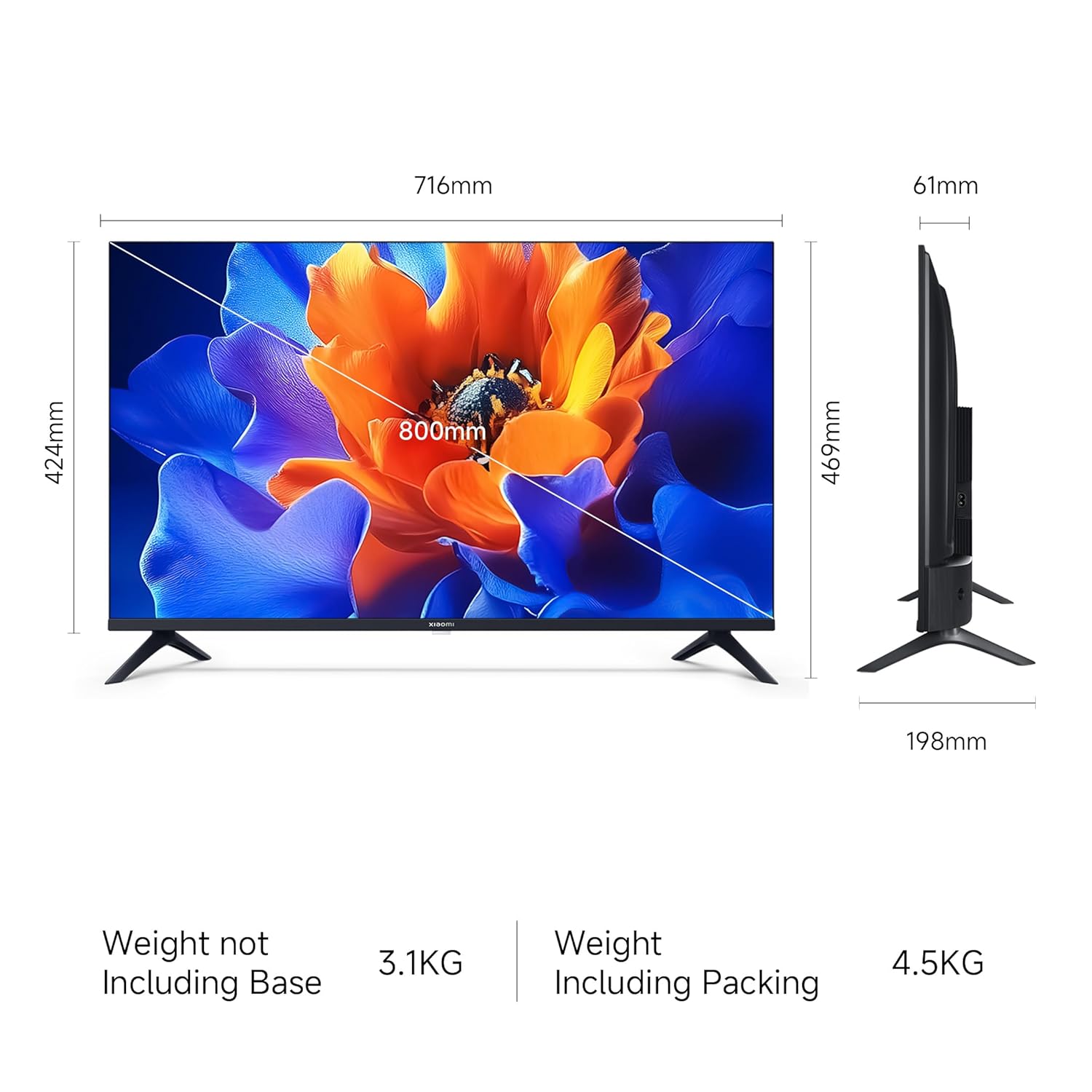
Image 6.1: Google TV interface and features.
- Aksés Aplikasi: Launch pre-installed apps like Netflix, Prime Video, YouTube, and download more from the Google Play Store.
- Asisten Google: Press the Google Assistant button on your remote and speak your commands to search for content, control smart home devices, or get information.
- Screen Mirroring (Google Cast): Transmisikeun eusi tina smartphone atanapi tablet anu cocog langsung ka TV.
- Pro pribadifiles: Jieun individu profiles for personalized recommendations and watchlists.
6.3 Display and Audio Settings
- Modeu Gambar: Adjust picture settings (e.g., Standard, Vivid, Movie) to suit your viewing preference. The TV supports HDR 10 for enhanced contrast and color.
- Mode Kanyamanan Panon: Activate this feature to reduce blue light emission, which can be beneficial during long viewsesi dina.
- Modeu sora: Select from various sound modes (e.g., Standard, Music, Movie) to optimize audio output. The TV features Dolby Audio and DTS-X for a cinematic sound experience.

Image 6.2: MagiQLED technology for vibrant colors.

Image 6.3: Vivid Picture Engine 2 in action.
Image 6.4: Eye Care Mode for comfortable viewing.

Image 6.5: Cinematic Audio features.
7. Pangropéa
7.1 Ngabersihan TV
- Sok cabut TV samemeh beberesih.
- Paké lawon lemes, garing, lint bébas ngusap layar tur kabinet.
- Pikeun tanda pengkuh, enteng dampen lawon jeung cai atawa hampang, non-abrasive cleaner layar. Ulah menyemprot cleaner langsung kana layar.
- Ulah make cleaners abrasive, lilin, atawa pangleyur.
7.2 Perawatan Umum
- Entong meungpeung lawang angin.
- Hindarkeun nempatkeun barang beurat dina TV.
- Nangtayungan kabel kakuatan tina keur leumpang dina atawa pinched.
8. Cara ngungkulan
Before contacting support, try these common solutions:
| Masalah | Solusi anu mungkin |
|---|---|
| Taya kakuatan | Ensure the power cord is securely connected and the power outlet is working. Try a different outlet. |
| Henteu aya gambar, tapi aya sora | Pariksa sumber input. Pastikeun alat éksternal dihurungkeun tur disambungkeun leres. |
| Henteu aya sora, tapi aya gambar | Check volume levels and mute status. Verify audio settings and external speaker connections. |
| Kadali jauh teu jalan | Replace batteries. Ensure no obstructions between the remote and TV. Re-pair Bluetooth remote if necessary. |
| Smart TV features are slow or unresponsive | Check internet connection. Restart the TV by unplugging it for a few minutes. Clear app caches or factory reset if issues persist (data will be lost). |
9. Spésifikasi
| Fitur | Rincian |
|---|---|
| merek | XIAOMI |
| Modél | L32MB-APIN |
| Ukuran layar | 32 Inci (80 cm) |
| Téknologi tampilan | QLED |
| Resolusi | Siap HD (1366 x 768 piksel) |
| Refresh Laju | 60 Hz |
| Sistem operasi | Google TV (OS Android 14) |
| Mémori RAM | 1 GB |
| Panyimpenan internal | 8 GB |
| Kaluaran Audio | 20 Watt |
| Fitur Audio | Dolby Audio, DTS-X, DTS Virtual:X |
| Konektipitas | Dual Band Wi-Fi, Bluetooth, Ethernet, 2 HDMI, 2 USB, AV Input, 3.5mm Audio |
| Fitur husus | Eye Comfort Mode, HDR 10, HLG, Vivid Picture Engine 2, Google Assistant |
| Ukuran produk (L x W x H) | 71.6 x 19.8 x 46.9 cm (kalayan nangtung) |
| Item Beurat | 3.2 kg |
| Sumber Daya | AC 240 volt |

Gambar 9.1: Diménsi TV.
10. Garansi jeung Rojongan
10.1 Émbaran jaminan
Your Xiaomi A Pro QLED Series Smart TV comes with a 1 Taun Jaminan Komprehensif from the date of purchase. To avail warranty services, please retain your purchase invoice. The user manual can also be accessed from the official Xiaomi brand websitus.
10.2 Rojongan Palanggan
For any assistance, service requests, or technical queries, please contact Xiaomi Support. Our team aims to provide swift solutions:
- Expect a call back from our team within 60 menit for any service request.
- Our experts strive to arrive at your home within 24 jam of your service request, 99% of the time.
- 99% of new TV installations are completed within 3 jam of your appointment.
For the most up-to-date contact information, please visit the official Xiaomi India support websitus atanapi tingal detail kontak anu disayogikeun sareng dokuméntasi produk anjeun.


