1. Bubuka
This manual provides essential information for the safe and efficient operation of your TOPTRO Quadra Projector. Please read it thoroughly before using the device and retain it for future reference. The TOPTRO Quadra Projector offers a native 1080p resolution with true 4K HDR10/HLG support, running on a Linux OS with pre-installed streaming applications.
2. Eusi Paket
Pastikeun yén sadaya item aya dina bungkusan:
- TOPTRO Quadra Projector
- Kadali jauh
- Kabel Daya
- Manual pangguna (dokumén ieu)
3. Setélan
3.1 Nempatkeun
Place the projector on a stable, flat surface or mount it to the ceiling. Ensure adequate ventilation around the device. For optimal viewing, position the projector to achieve the desired screen size. The projector supports a maximum projection size of 300 inches.

Image: Optimal projection distances for various screen sizes.
3.2 Sambungan Daya
Sambungkeun kabel daya kana input daya proyéktor teras kana stop kontak anu cocog.
3.3 Nyambungkeun Alat éksternal
The TOPTRO Quadra Projector features multiple connectivity options:
- HDMI: Connect laptops, Blu-ray players, gaming consoles (e.g., PS4), or TV sticks using the dual HDMI ports. One port supports HDMI ARC for enhanced audio return.
- USB: Selapkeun drive USB pikeun muterkeun média.
- 3.5mm Audio kaluar: Sambungkeun speaker éksternal atawa headphone.
- Bluetooth 5.2: Pasangkeun sareng spiker Bluetooth atanapi headphone kanggo audio nirkabel.
- Dual Band WiFi (2.4GHz + 5GHz): Connect to your home network for online streaming and updates.
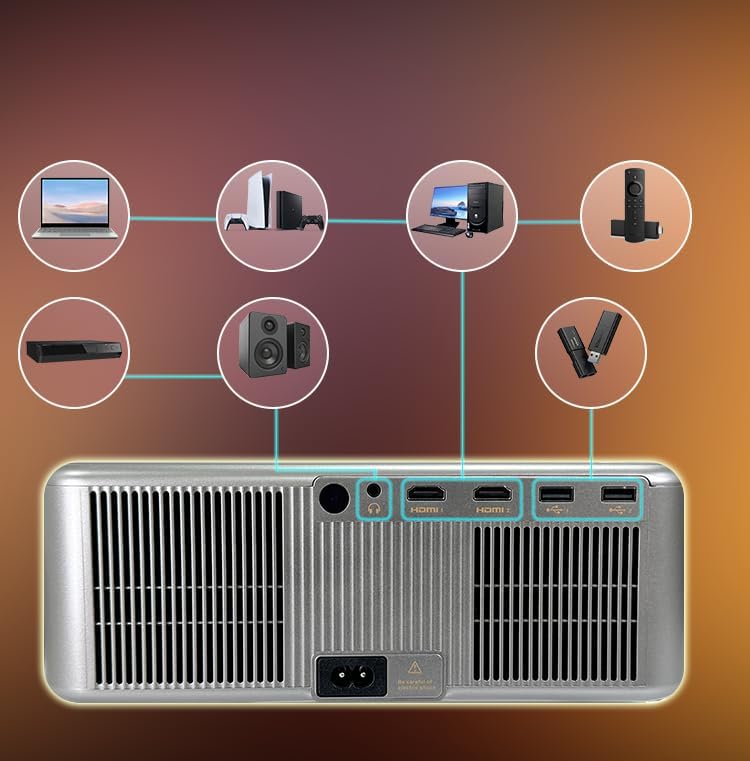
Gambar: palabuhan konektipitas panel pungkur.
3.4 Nyala Mimiti sareng Pangaluyuan Otomatis
Press the power button on the projector or remote control to turn on the device. The projector features fully automatic adjustments:
- Otomatis Pokus: Proyektor bakal otomatis nyaluyukeun kajelasan gambar.
- Koreksi Auto Keystone: Gambar bakal otomatis dibentuk pasagi pikeun ngimbangan proyéksi anu miring.
- Ngahindarkeun Halangan Otomatis: The projection area will adjust to avoid objects in the path.
- Pas Layar Otomatis: The image will automatically fit within the boundaries of your projection surface.

Image: Automatic image adjustment features.
4. Parentah Operasi
4.1 Navigating the Linux OS
The TOPTRO Quadra Projector runs on a Linux operating system. Use the provided remote control to navigate the user interface. The home screen provides access to pre-installed applications and settings.

Image: Projector displaying the Linux OS interface with streaming apps.
4.2 Aplikasi Streaming
The projector comes with pre-installed and certified applications such as Netflix, YouTube, and Prime Video. Access these directly from the home screen for 4K content streaming.

Image: Remote control with quick access buttons for streaming services.
4.3 Pangeunteungan Layar Nirkabel
The projector supports Miracast for wireless screen mirroring from Android and iOS devices. Refer to your device's instructions for initiating screen mirroring and select the projector from the available devices.
4.4 Image and Sound Settings
Access the settings menu to adjust image parameters such as brightness, contrast, and color. The projector supports HDR10/HLG for enhanced dynamic range. Audio settings allow for volume control and selection of output devices (internal speakers, Bluetooth, 3.5mm jack, HDMI ARC).
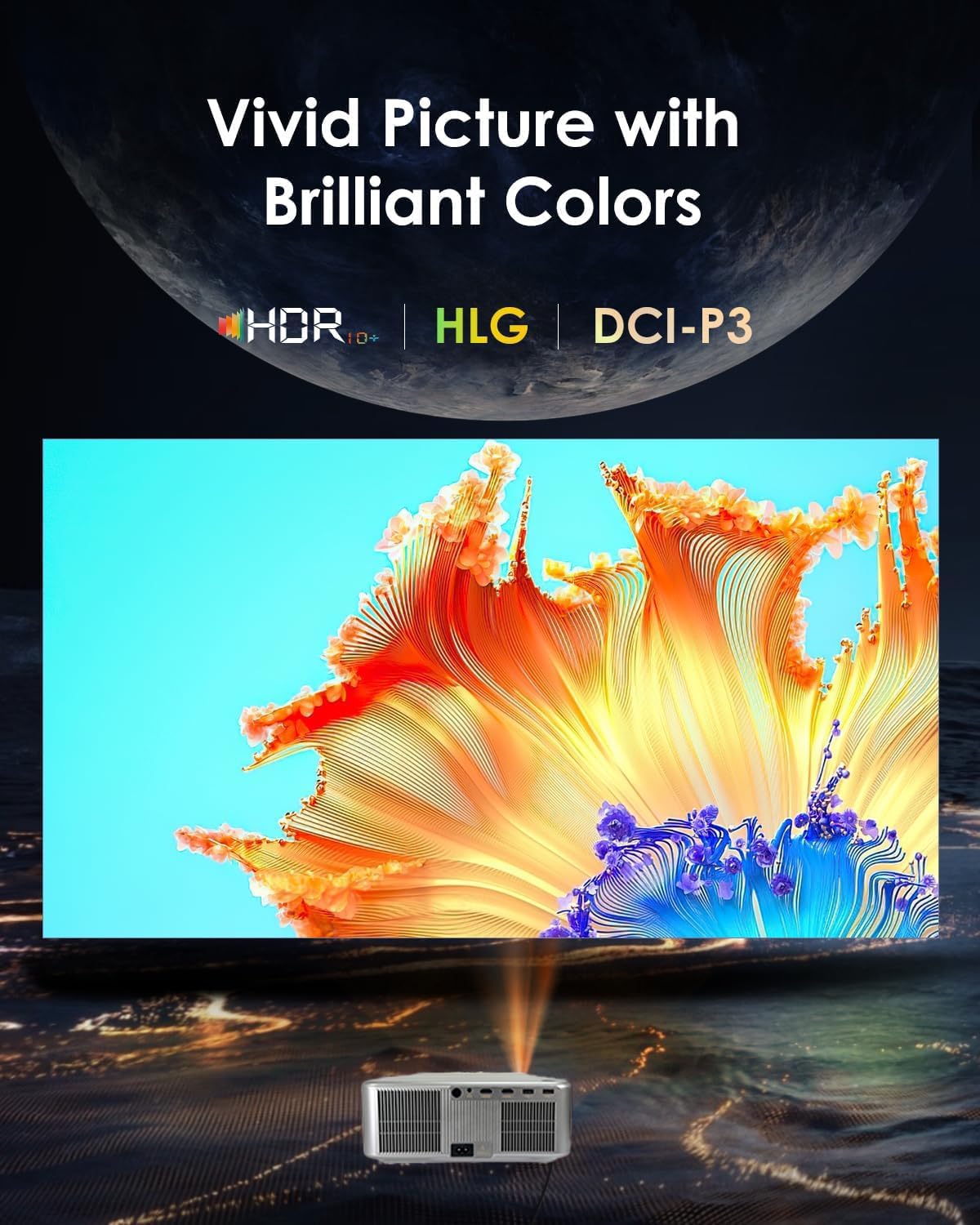
Image: Displaying vivid picture quality with HDR10+, HLG, and DCI-P3 color support.
5. Pangropéa
5.1 Ngabersihan Lensa
Gently wipe the projector lens with a soft, lint-free cloth specifically designed for optical surfaces. Avoid using abrasive cleaners or excessive force.
5.2 Ngabersihan Vent
Regularly clean the air vents to prevent dust buildup, which can affect performance and lead to overheating. Use a soft brush or compressed air to clear the vents.
5.3 Lamp Hirup
Proyéktor lamp has an estimated life of 50,000 hours. No user replacement is typically required during the product's lifespan under normal usage conditions.
6. Cara ngungkulan
6.1 Taya Gambar
- Pastikeun proyéktor hurung sareng kabel dayana disambungkeun kalayan pageuh.
- Check the input source. Verify that the correct HDMI or other input is selected.
- Confirm that the connected device (laptop, media player) is powered on and outputting a signal.
- Pariksa sambungan kabel naha kendor atanapi ruksak.
6.2 Taya Sora
- Atur volume dina proyéktor sareng alat sumber anu disambungkeun.
- Pastikeun spiker éksternal atanapi headphone disambungkeun kalayan leres upami dianggo.
- If using Bluetooth, confirm the projector is paired with the correct audio device.
- Check audio settings in the projector's menu to ensure the correct audio output is selected.
6.3 Gambar kabur atanapi menyimpang
- Allow the projector's auto-focus feature to complete its adjustment.
- Ensure the projector is placed perpendicular to the screen for best results, allowing auto-keystone to function optimally.
- Check for any physical obstructions in front of the lens.
6.4 Connectivity Issues (WiFi/Bluetooth)
- For WiFi, ensure the projector is within range of your router and the password is entered correctly. Try restarting your router.
- For Bluetooth, ensure the device you are trying to connect is in pairing mode and within range.
7. Spésifikasi
| merek | TOPTRO |
| Modél | Quadra Certified (X6) |
| Téknologi tampilan | LCD |
| Resolusi pribumi | 1920 x 1080 (1080p) |
| Resolusi dirojong | Nepi ka 3840 x 2160 (4K) |
| Caang Gambar | 30000 Lumens (2500 ANSI Lumens) |
| Babandingan Kontras Gambar | 10000:1 |
| Rasio Aspék | 16:9 |
| Refresh Laju | 60 Hz |
| Fitur husus | 4K HDR 10/HLG, Net - Flix Certified Linux OS, 2GB RAM, 32GB ROM, Auto Focus & Keystone, Auto Obstacle Avoidance, Auto Screen Fit, 15W Speakers, HDMI ARC, Dual HDMI, Dual 5G & 2.4G WiFi 6, Bluetooth 5.2, WiFi Display, Electronic Focus & 6D Electronic correction, AI Image Tech (Color Correction, Noise Reduction, Edge Enhancement), MEMC Motion Compensation, Dolby Audio. |
| Panganteur Hardware | 3.5mm Audio, Bluetooth 5, Ethernet, HDMI, USB |
| Alat nu cocog | Laptop, Speaker, Television, Gaming Consoles, TV Sticks |
| Lamp Hirup | 50,000 Jam |
| Dimensi produk | 28 x 13 x 30 cm |
| Item Beurat | 3 kg |

Gambar: Leuwihview of advanced features and specifications.
8. Émbaran jaminan
The TOPTRO Quadra Projector comes with a garansi 1 taun provided by TOPTRO from the date of purchase. For detailed warranty terms and conditions, please visit the official TOPTRO websitus.
9. Rojongan
For technical assistance, customer service, or warranty claims, please contact TOPTRO support:
- Websitus: toptro.in
- Surélék: support@toptro.in or sreeprojectors@gmail.com
- WhatsApp: 8341888860


