1. Bubuka
This manual provides essential information for the safe and efficient operation of your FOXX C10 10.1-inch Android Tablet. Please read this guide thoroughly before using your device to ensure proper functionality and to understand its features. Keep this manual for future reference.
2. Naon dina Box
Pastikeun yén sadaya item aya dina bungkusan:
- FOXX C10 Tablet
- Kabel Tipe-C
- Carjer (10W)
- Manual pamaké
- Protective Cover (pre-applied)
- Screen Protector Film (pre-applied)
3. Produk Langkungview
The FOXX C10 tablet features a 10.1-inch HD display, dual 8MP cameras, and a robust 6000mAh battery, all powered by an Android 13 operating system.

Gambar: Hareup jeung tukang view of the FOXX C10 tablet, showcasing its sleek design and dual camera module on the rear.

Image: An infographic highlighting key features including the 10.1-inch display, Android 13, 6000mAh battery, 8MP cameras, MediaTek quad-core chipset, 4GB RAM + 64GB storage, 4G LTE bands, Wi-Fi, Bluetooth 5.0, Nano SIM, Type-C, and 3.5mm AUX port.
3.1 Pintonan
The tablet is equipped with a 10.1-inch HD TFT V-notch display, offering a resolution of 800x1280 pixels for clear visuals.

Image: Close-up of the tablet's 10.1-inch HD TFT V-notch display, showing vibrant colors and detail.
3.2 Kaméra
The FOXX C10 features dual 8-megapixel cameras, both on the front and rear, enabling high-quality photos and video calls.
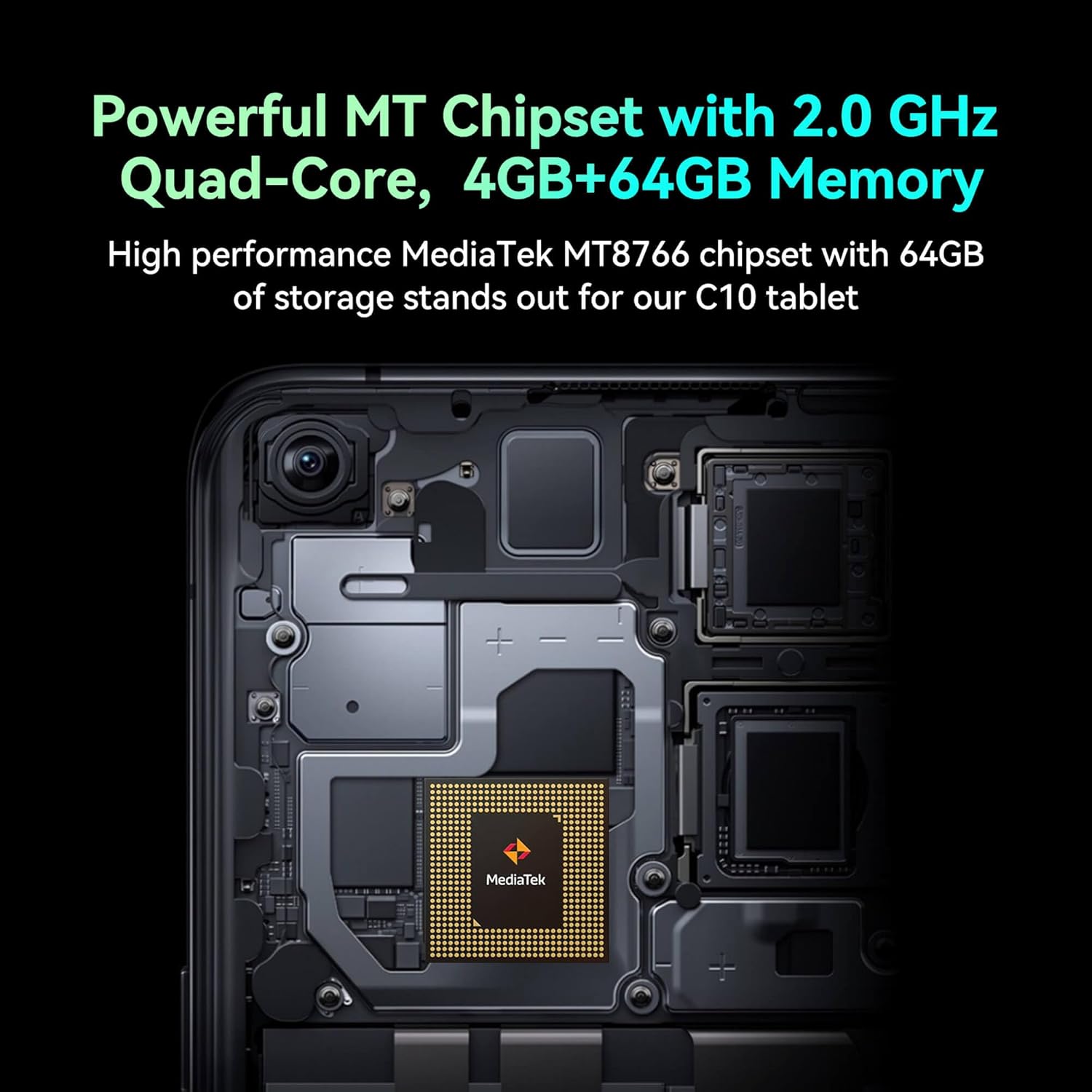
Image: Detail of the tablet's rear camera module, highlighting the 8-megapixel main camera with autofocus capabilities.
3.3 Prosesor sareng Mémori
It runs on a 2.0 GHz quad-core MediaTek MT8766 chipset, paired with 4GB of RAM and 64GB of internal storage for smooth performance and ampangkasa.

Gambar: Hiji internal view of the tablet's motherboard, showcasing the MediaTek MT8766 quad-core chipset.
3.4 Batré
A 6000mAh battery provides extended usage time, ensuring the device stays powered throughout the day.
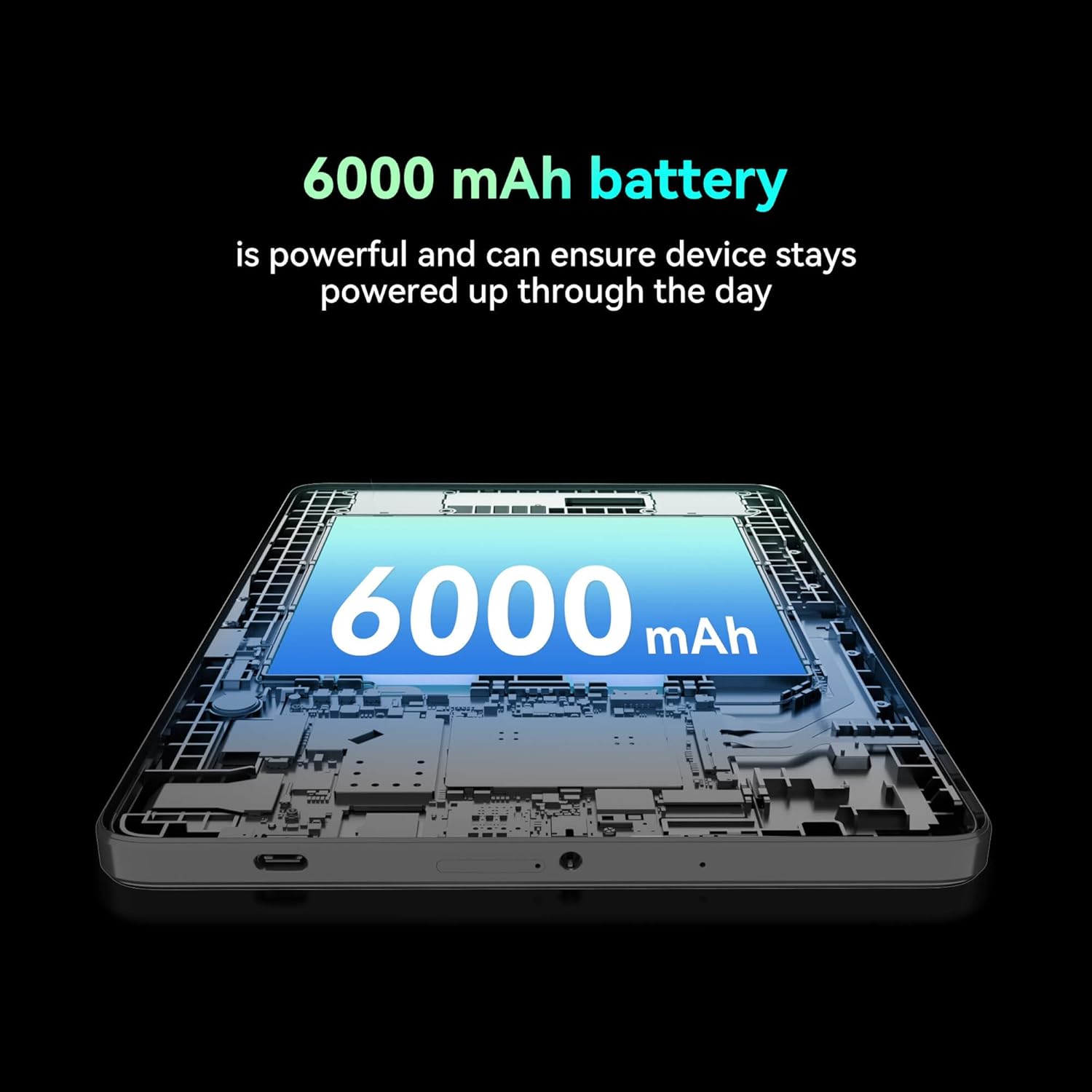
Gambar: A cutaway view of the tablet highlighting the large 6000 mAh battery component.
4. Setélan
4.1 Ngecas Awal
Before first use, fully charge your tablet using the provided Type-C cable and 10W charger. The battery indicator on the screen will show charging status.
4.2 Powering on / Pareum
- Pikeun Ngahurungkeun: Pencet jeung tahan tombol Daya dugi layar hurung.
- Pikeun mareuman: Pencét jeung tahan tombol Daya, teras pilih 'Pareuman' tina pilihan dina layar.
- Pikeun ngamimitian deui: Pencét terus tahan tombol Daya, teras pilih 'Restart' tina pilihan dina layar.
4.3 Pamasangan Kartu SIM
The FOXX C10 supports Nano SIM cards for cellular connectivity. Locate the SIM card tray on the side of the tablet. Use the provided SIM ejector tool to open the tray. Insert the Nano SIM card into the designated slot with the gold contacts facing down. Close the tray securely.
4.4 Pamasangan Kartu MicroSD (Opsional)
If your tablet supports expandable storage, locate the MicroSD card slot, often combined with the SIM tray. Insert a MicroSD card (up to 128GB, sold separately) into the slot with the gold contacts facing down. Close the tray securely.
5. Parentah Operasi
5.1 Napigasi Dasar
Your tablet runs on Android 13. Use touch gestures for navigation:
- Ketok: Pilih hiji item atawa buka aplikasi.
- Gesek: Gulung ngaliwatan layar atawa daptar.
- Ciwit: Ngazum gede atawa leutik dina gambar na web kaca.
- Pencét Panjang: Aksés ménu kontekstual atanapi pindahkeun ikon.
5.2 Nyambungkeun ka Wi-Fi
- Pindah ka Setélan > Jaringan & internét > Wifi.
- Togél Wi-Fi On.
- Pilih jaringan Wi-Fi anu dipikahoyong tina daptar.
- Tulis kecap akses upami dipenta, teras ketok Nyambung.
5.3 Making Calls (4G LTE)
With a properly installed and activated Nano SIM card, your tablet can make and receive calls.
- Buka na Telepon aplikasi.
- Dial the desired number or select a contact.
- Ketok dina Nelepon kancing.
5.4 Ngagunakeun kaméra
The tablet features dual 8MP cameras for photography and video recording.
- Buka na Kaméra aplikasi.
- Ketok dina Jepret tombol pikeun nyandak poto.
- Ketok dina Video icon to switch to video recording mode.
- Anggo ikon sakelar kaméra pikeun pindah antara kaméra hareup sareng kaméra tukang.
5.5 Nyapasangkeun Bluetooth
- Pindah ka Setélan > Alat disambungkeun > Bluetooth.
- Pindahkeun Bluetooth On.
- Ensure the device you want to pair with is in pairing mode.
- Pilih alat tina daptar tur turutan sagala ajakan dina layar pikeun ngalengkepan papasangan.
6. Pangropéa
6.1 Perawatan Batré
- Hindarkeun suhu anu ekstrim, anu tiasa ngirangan umur batre.
- Do not leave the tablet charging for extended periods after it's fully charged.
- Anggo ukur carjer sareng kabel anu disayogikeun.
6.2 beberesih
Anggo lawon anu lemes sareng henteu ngaganggu pikeun ngabersihkeun layar sareng awak tablet. Hindarkeun nganggo bahan kimia anu keras atanapi bahan anu kasar. Pikeun noda anu bandel, usap sakedik.ampen lawon kalawan cai atawa cleaner layar dirancang pikeun éléktronika.
6.3 Apdet parangkat lunak
Pariksa sareng pasang apdet parangkat lunak sacara rutin pikeun mastikeun tablet anjeun ngagaduhan fitur pangénggalna, patch kaamanan, sareng paningkatan kinerja. Buka Setélan > Sistim > Pembaruan sistem.
7. Cara ngungkulan
| Masalah | Solusi |
|---|---|
| Tablet teu hurung | Pastikeun batréna geus dieusian. Sambungkeun carjer sareng antosan sababaraha menit sateuacan nyobian hurung deui. |
| Teu bisa nyambung ka Wi-Fi | Check if Wi-Fi is enabled in settings. Restart your router and the tablet. Verify the Wi-Fi password. |
| Aplikasi ngalambatkeun atanapi ngadat | Close unused apps. Clear app cache (Settings > Apps > [App Name] > Storage > Clear cache). Restart the tablet. Ensure sufficient storage space. |
| Taya layanan sélular | Ensure the Nano SIM card is correctly inserted and activated. Check your network settings and contact your service provider if necessary. |
| Layar teu ngaréspon | Restart the tablet. If the issue persists, perform a factory reset (data will be lost). |
8. Spésifikasi
| Fitur | Rincian |
|---|---|
| Ngaran modél | FOXX C10 |
| Sistem operasi | Android 13 |
| Ukuran layar | 10.1 inci |
| Resolusi layar Max | 800x1280 Piksel |
| Prosesor | 2 GHz Quad-Core MediaTek |
| Ram | 4 GB |
| Panyimpenan internal | 64 GB |
| Ukuran Mémori Flash | 8 GB (likely referring to system partition or eMMC base) |
| Kaméra | Dual 8MP (hareup jeung tukang) |
| Kapasitas batré | 6000 mAh |
| Konektipitas | 4G LTE, Wi-Fi (802.11 b/g/n/ac), Bluetooth 5.0, USB-C, 3.5mm AUX |
| Item Beurat | 1.26 pon |
| Dimensi produk | 9.64 x 6.39 x 0.42 inci |
| Warna | Hideung |
9. Garansi jeung Rojongan
For warranty information and technical support, please refer to the documentation provided with your purchase or contact the retailer. Keep your proof of purchase for warranty claims.


