Bubuka
This manual provides detailed instructions for the safe and efficient operation, maintenance, and troubleshooting of your HOTO PixelDrive Electric Screwdriver, Model QWLSD014. Please read this manual thoroughly before using the product and retain it for future reference.
Produk Leuwihview

Figure 1: HOTO PixelDrive Electric Screwdriver with included 30-piece bit set and cylindrical storage case.
Fitur konci:
- Smart tampilan: Shows real-time torque levels and battery charge.
- Torsi adjustable: Six levels from 0.5 N·m to 6 N·m for various tasks.
- Kontrol Kacepetan Ganda: 80 RPM for precision (half-press) and 200 RPM for efficiency (full-press).
- 30-Sapotong Bit Set: Includes 10 C6.3x25mm and 20 C6.3x50mm bits, organized in a triple-layer cylindrical case.
- Lampu LED terpadu: 360-degree illumination for dark or confined spaces.
- Batré anu tiasa dicas deui: 2000 mAh Lithium-Ion battery with USB-C charging.
Komponén Kaasup:
- 1 x HOTO PixelDrive Cordless Screwdriver
- 1 x 30-Piece Screwdriver Bit Set (10 x C6.3x25mm, 20 x C6.3x50mm)
- 1 x USB-C Charging Cable (not explicitly listed but implied by USB-C charging)
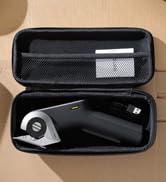
Angka 2: Ngabeledug view illustrating the screwdriver and its organized bit storage system.
Disetél
1. Charging the Screwdriver:
Before first use, fully charge the HOTO PixelDrive Electric Screwdriver. Connect the provided USB-C cable to the charging port located at the bottom of the screwdriver and plug the other end into a compatible USB power adapter (not included). The smart display will indicate the battery charge status during charging.
Figure 3: The screwdriver features a 2000 mAh battery and a convenient USB-C charging port.
2. Bit Installation:
- Open the cylindrical bit storage case by rotating the sections.
- Pilih bit obeng luyu pikeun tugas anjeun.
- Insert the chosen bit into the magnetic bit holder at the tip of the screwdriver. Ensure it is securely seated.
Figure 4: Visual guide for opening the bit cylinder, attaching a bit, and adjusting torque.
Parentah Operasi
1. Power On/Off and Torque Adjustment:
- Rotate the ring at the top of the screwdriver to select one of the six torque levels (0.5 N·m to 6 N·m). The smart display will show the selected torque.
- To turn off the screwdriver, rotate the ring to the "OFF" position.
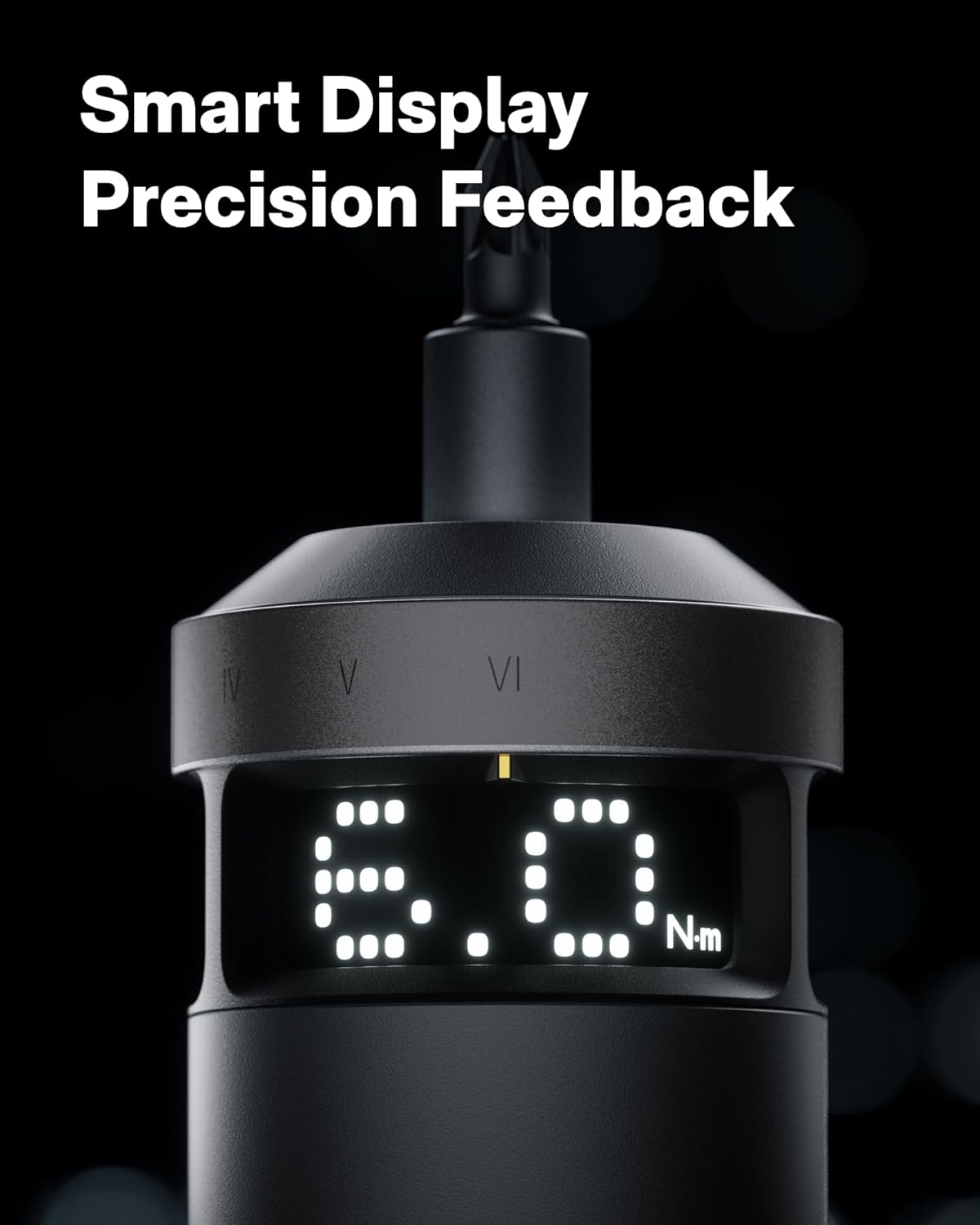
Figure 5: The smart display provides real-time feedback on torque and battery life.
2. Speed Control (Dual Speed):
- The screwdriver features a dual-speed trigger.
- Satengah Pencét: Activates the low speed (80 RPM) for precision work.
- Pencét pinuh: Activates the high speed (200 RPM) for faster operation and increased productivity.

Figure 6: Dual-speed control allows for precise or rapid operation based on trigger pressure.
3. Switching Torque Units (N·m / lb-in):
To switch between Newton-meters (N·m) and Inch-pounds (lb-in) on the smart display, press and hold both the forward and reverse buttons simultaneously for 3 seconds. Wake the screen with a forward/reverse press, then adjust torque.
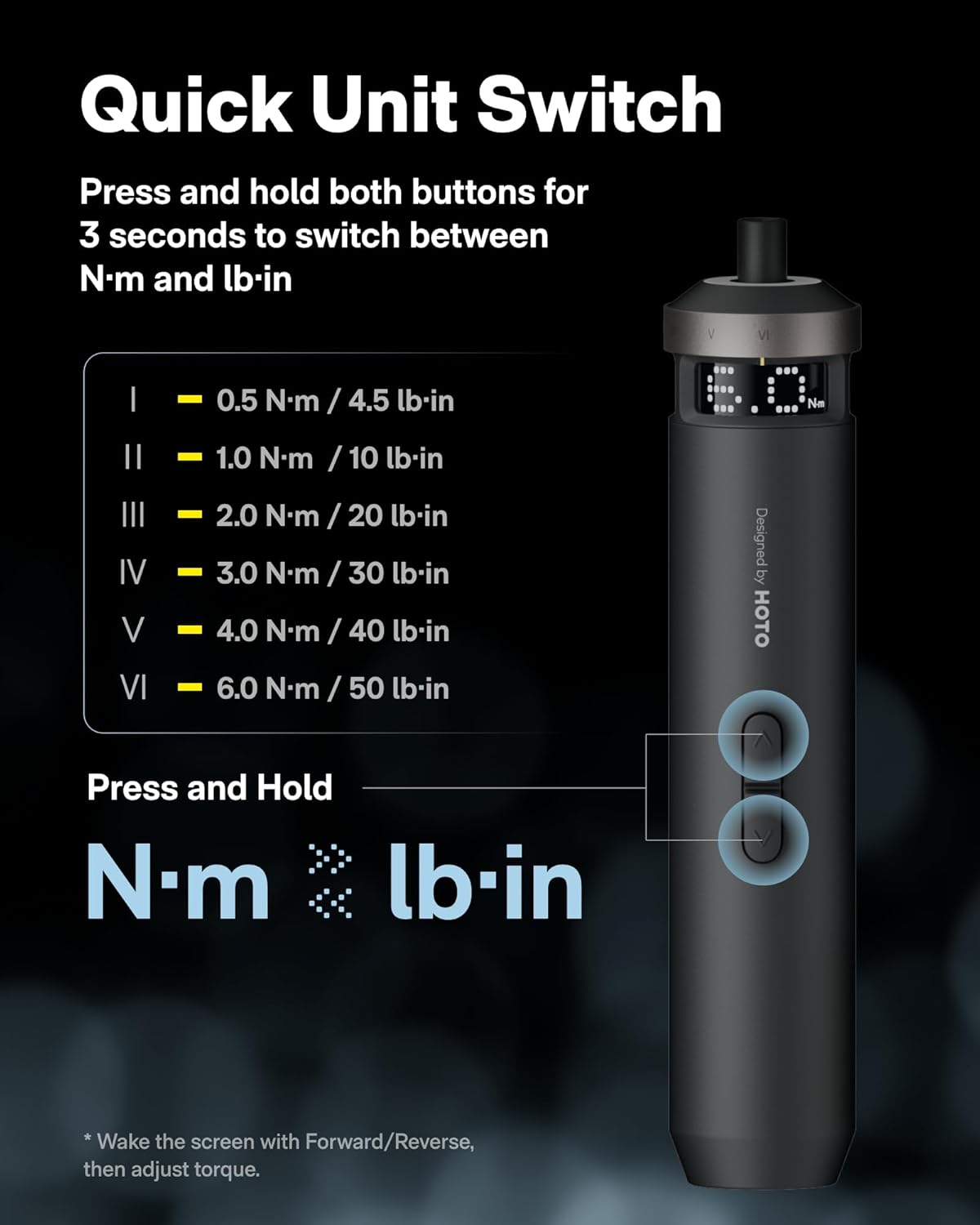
Figure 7: Instructions for switching between N·m and lb-in torque units on the smart display.
4. Recommended Torque Settings for Various Applications:
| Tingkat torsi | Aplikasi | Example Bits |
|---|---|---|
| 0.5 N·m (4.5 lb-in) | Delicate electronics repairs, small appliances, thin plates, M1.2-M2 screws. | PH0, SL4, U2.6, Δ2.3 |
| 1 N·m (10 lb-in) | Light repairs, M2.5-M3 machine screws, printer/camera mounts. | PH1, SL6, T10H |
| 2 N·m (20 lb-in) | Everyday fixes, M3-M4 assembly, furniture fittings, 3D printers, plastic parts tightening. | S1, T15H, H3 |
| 3 N·m (30 lb-in) | Flat-pack assembly, M3.5-M4.5 mm wood screws, wall brackets, hardware joints. | PH2, PZ2, T20H, H4 |
| 4 N·m (40 lb-in) | Garage-to-mountain builds, M5-M6 furniture connectors, hinges. | PH3, S2, H5, T28H |
| 6 N·m (50 lb-in) | Heavy fixes, large-size pre-tightening (long wood screws, M6-M8 furniture). Final tightening with larger tools or a torque wrench is recommended. | T30H, H6 |

Figure 8: Torque level guide for various tasks and compatible bit types.
Pangropéa
- Keep the screwdriver and bits clean and dry. Wipe with a soft, damp lawon.
- Store the screwdriver and bits in their original cylindrical case to prevent loss and damage.
- Ulah ngalaan alat ka suhu ekstrim, sinar panonpoé langsung, atawa Uap.
- Regularly check the bits for wear and replace them if they become dull or damaged.
Pamérésan masalah
| Masalah | Mungkin Cukang lantaranana | Solusi |
|---|---|---|
| Obeng teu hurung. | batré lemah. | Cas obeng nganggo kabel USB-C. |
| Bit teu dicekel pageuh. | Mata bor teu dipasang sapinuhna atanapi wadah magnétna kotor. | Ensure the bit is fully inserted. Clean the magnetic holder if necessary. |
| torsi teu cukup pikeun tugas. | Incorrect torque setting selected. | Increase the torque level using the rotary ring. Refer to the "Recommended Torque Settings" table. |
| Obeng eureun teu disangka-sangka. | Overload protection activated or low battery. | Reduce pressure or check battery level. Allow the tool to cool down if overheated. |
spésifikasi
- Ngaran modél: QWLSD014
- merek: Hoto
- Bahan: alumunium
- Beurat barang: 11.2 ons (317 gram)
- Ukuran produk: 1.5 x 1.5 x 7.8 inci
- Batré: 1 Lithium Ion (included), 2000 mAh
- Sumber Daya: Batré Powered (bisa dicas ulang USB-C)
- Voltage: 4 volt
- Range Torsi: 0.5 - 6 N·m (up to 50 Inch Pounds)
- Laju: Dual-speed (80 RPM / 200 RPM)
- Fitur husus: Adjustable Torque, Dual-Speed Control, LED Light, Smart Display
- Komponén Kaasup: 1 × PixelDrive Cordless Screwdriver, 30-Piece Screwdriver Bit Set (10 × C6.3 × 25mm, 20 × C6.3 × 50mm)
Émbaran Kasalametan
- Always wear appropriate safety gear, such as safety glasses, when operating power tools.
- Tetep wewengkon gawé beresih jeung well-cahayana. Wewengkon nu pabalatak atawa poek ngondang kacilakaan.
- Ulah ngajalankeun parabot kakuatan dina atmosfir ngabeledug, kayaning ku ayana cair kaduruk, gas, atawa lebu.
- Jauhkeun murangkalih sareng jalma-jalma nalika ngajalankeun alat listrik. Distractions bisa ngabalukarkeun anjeun leungit kontrol.
- Nyimpen parabot kakuatan dianggurkeun kaluar jangkauan sahiji barudak sarta ulah ngidinan jalma teu wawuh jeung alat kakuatan atawa parentah ieu pikeun beroperasi alat kakuatan.
- Use the correct bit for the application. Forcing the tool may cause damage or injury.
- Do not disassemble or modify the screwdriver. Repairs should only be performed by qualified personnel.
Video Produk Resmi
HOTO PixelDrive - Precision Meets Smart Display
Video 1: Hiji leuwihview of the HOTO PixelDrive Electric Screwdriver, highlighting its precision features and smart display capabilities.
High-Tech Screwdriver - Power, Precision, Perfection
Video 2: Demonstrates the power and precision of the HOTO PixelDrive screwdriver in various applications.
First Look at the [PixelDrive] | Smart Electric Screwdriver
Video 3: A first look at the HOTO PixelDrive, showcasing its smart features and design.
Garansi sareng Rojongan
For warranty information and customer support, please refer to the official HOTO websitus atanapi ngahubungan layanan palanggan maranéhanana langsung. Simpen resi pameseran anjeun salaku bukti pameseran pikeun klaim garansi.
Manufacturer: HOTO


