1. Bubuka
This manual provides essential information for the safe and efficient operation of your JIKEFUN CZ26 RC Drone. Please read this manual thoroughly before operating the drone to ensure proper usage and to prevent damage or injury. The CZ26 is a compact quadcopter equipped with an HD camera, optical flow positioning, and various flight modes designed for both indoor and outdoor use.

Figure 1.1: JIKEFUN CZ26 RC Drone with its remote control and packaging.
2. Pedoman Kasalametan
- Operate the drone in open areas, away from people, animals, and obstacles.
- Jaga jarak anu aman ti kabel listrik, gedong, sareng sumber cai.
- Ulah beroperasi dina angin nu tarik atawa kaayaan cuaca nu goréng.
- Ensure all propellers are securely attached and undamaged before flight.
- Jauhkeun ramo sareng rambut tina baling-baling anu muter.
- Pangawasan sawawa disarankeun pikeun pangguna di handapeun umur 14 taun.
- Do not attempt to modify the drone or its components.
3. Eusi Paket
Pastikeun yén sadaya item aya dina bungkusan:
- CZ26 RC Drone (x1)
- Jauh Jauh (x1)
- Mata Pisau Cadangan (x4)
- Batré (x1)
- Kabel USB (x1)
- Obeng (x1)
- Instructions (x2)
4. Idéntifikasi komponén
4.1 Komponen Drone

Gambar 4.1: Top view of the CZ26 drone highlighting its LED lights and central body.
- Kaméra HD: Located at the front of the drone, capable of capturing photos and videos.
- Baling-baling: Four propellers with protective guards for safe flight.
- Lampu LED: Integrated lights for visibility and aesthetic appeal.
- Kompartemen batré: Located on the underside of the drone for battery insertion.
- Tombol Daya: Located on the top surface of the drone for powering on/off.
4.2 Remote Control Components

Figure 4.2: Detailed layout of the remote control functions.
- Joystick Kénca (Throttle/Yaw): Ngontrol luhurna sareng rotasi.
- Joystick Katuhu (Pitch/Roll): Ngadalikeun gerakan maju / mundur sareng kénca / katuhu.
- One-Click Takeoff/Landing Button: Ngamimitian lepas landas atanapi badarat otomatis.
- Pindah kagancangan: Nyaluyukeun kecepatan hiber (leutik, sedeng, luhur).
- Tombol Poto/Pidéo: Ngarekam gambar atanapi ngamimitian/ngeureunkeun ngarékam pidéo.
- 360° Roll Button: Executes a stunt roll.
- Headless Mode/Return Button: Activates headless mode or initiates return-to-home.
- Adjustable Camera Control: Lever to adjust the camera angle.
- Panyekel telepon: Mount for a smartphone to view real-time footage.
5. Setélan
5.1 Ngeusi batre jeung Pamasangan
- Charge the drone battery using the provided USB cable. The battery features a USB-C charging port.
- Insert the fully charged battery into the drone's battery compartment until it clicks into place.
- Install 3 AAA batteries (not included) into the remote control's battery compartment.
5.2 Kadali Jarak Jauh sareng Setelan Aplikasi
- Attach the phone holder to the remote control.
- Download the dedicated control app to your smartphone.
- Place your smartphone securely in the phone holder.
- Power on the drone by pressing and holding its power button.
- Power on the remote control by sliding the power switch.
- Connect your smartphone to the drone's Wi-Fi network.
- Open the app to establish a connection with the drone for real-time image transmission.

Figure 5.1: Drone and remote control setup for app-controlled flight and real-time image viewing.
6. Operasi
6.1 Kontrol hiber dasar
- Daya Hurung: Press and hold the power button on the drone until LED lights illuminate. Turn on the remote control.
- papasangan: Ensure the drone and remote control are paired. If not, follow the instructions in the manual to pair them.
- Hiji-Klik Takeoff: Press the one-click takeoff button on the remote control. The drone will automatically ascend and hover.
- Kontrol jangkungna: Use the left joystick to increase or decrease altitude.
- Kontrol arah: Use the right joystick to move the drone forward, backward, left, or right.
- Hiji-Klik Landing: Press the one-click landing button. The drone will automatically descend and land.
Video 6.1: Demonstration of the CZ26 RC Quadcopter's basic flight functions, including one-click takeoff and landing.
6.2 Operasi kaméra
- Kaméra anu tiasa disaluyukeun: Use the dedicated lever on the remote control to adjust the camera's angle (up to 90°).
- Nyokot poto: Press the photo button on the remote control to take a still image.
- Ngarékam pidéo: Press the video button to start recording. Press again to stop.
- Real-Time Transmission: View live camera feed on your smartphone via the app.
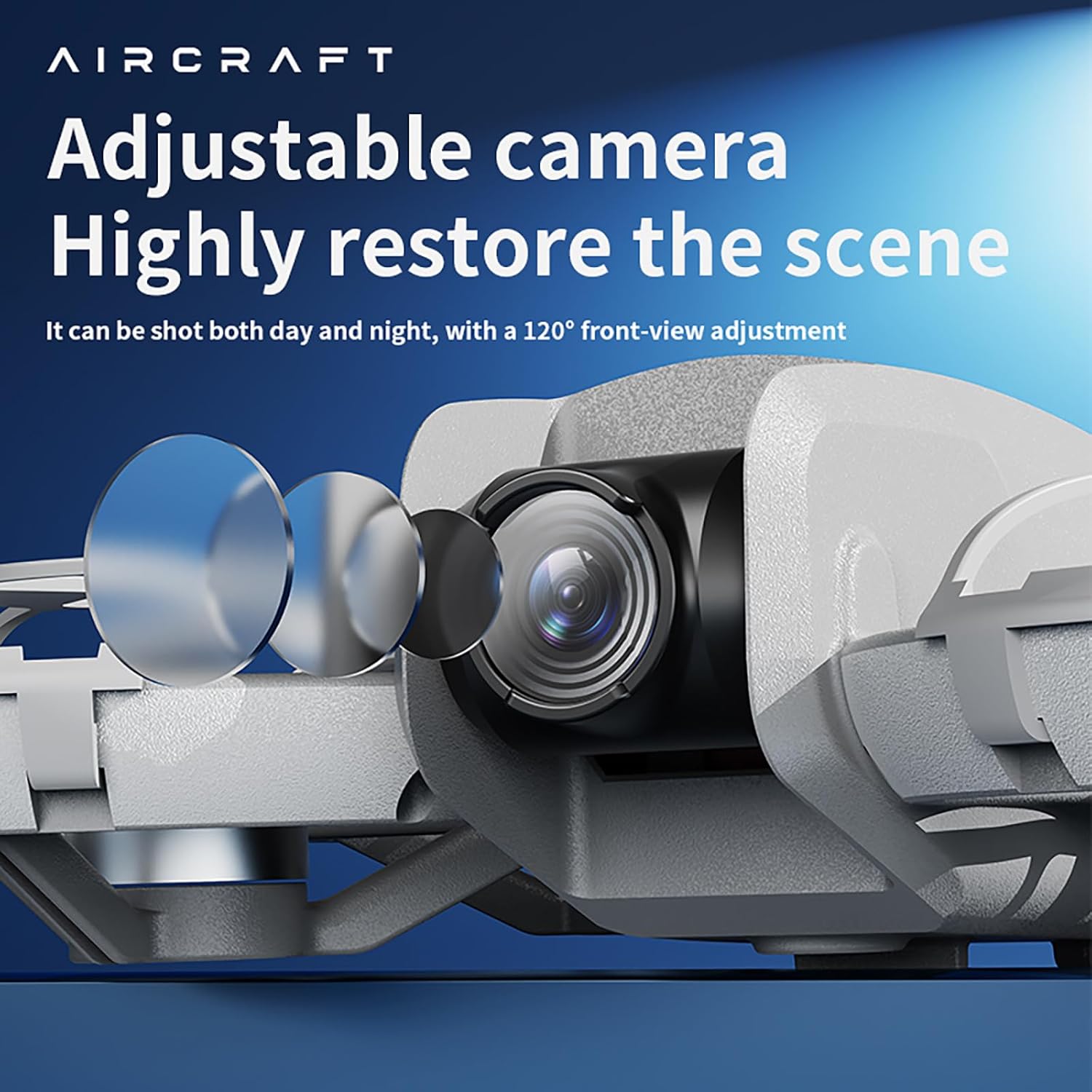
Figure 6.2: The drone features an adjustable camera for varied perspectives.
6.3 Fitur canggih
- Positioning Aliran Optik: Provides stable hovering and precise positioning, suitable for both indoor and outdoor environments.
- 360° Gulung: Laksanakeun aksi udara anu pikaresepeun ku ngan saukur mencét tombol.
- Ngahindarkeun halangan: Drone ieu dilengkepan sensor pikeun ngadeteksi sareng nyingkahan halangan, ningkatkeun kaamanan hiber.
- Lintasan Penerbangan: Gambar jalur hiber dina layar smartphone anjeun, teras drone bakal nuturkeun éta sacara otomatis.
- Multi-Gear Speed Switching: Select between different speed modes (low, medium, high) for varied flight experiences.
Video 6.3: Leuwihview of the drone's advanced features including optical flow positioning, 360° roll, and high-speed flight capabilities.
7. Pangropéa
- beberesih: Use a soft, dry cloth to clean the drone and remote control. Avoid water or harsh chemicals.
- Ngaganti propeller: If a propeller is damaged, use the provided screwdriver to replace it with a spare blade. Ensure the new blade is securely fastened.
- Perawatan batré: Simpen batréna di tempat anu tiis sareng garing. Ulah ngecas atanapi ngosongkeun batréna kaleuleuwihi.
- Panyimpenan: When not in use, store the drone and its accessories in the provided carrying case to protect them from dust and damage.
8. Cara ngungkulan
- Drone teu hurung: Pastikeun batréna geus dicas pinuh tur dipasang bener.
- Kadali jauh teu nyambung: Check if the remote control batteries are installed correctly and have sufficient charge. Ensure the drone and remote are powered on and within range.
- Penerbangan teu stabil: Calibrate the drone before flight. Check for damaged propellers and replace if necessary. Ensure optical flow sensors are clean.
- No image on app: Verify that your smartphone is connected to the drone's Wi-Fi network and the app is open.
- Waktos hiber pondok: Ensure batteries are fully charged. Flight time can vary based on usage and environmental conditions.
9. Spésifikasi

Figure 9.1: Dimensions of the CZ26 RC Drone.
| Fitur | Spésifikasi |
|---|---|
| Ngaran modél | CZ26 |
| Resolusi Capture Video | 4K UHD |
| Saluran kontrol | 2 SALURAN |
| Waktos hiber | 5 ~ 10 menit |
| Jarak Jauh | 80-100 méter |
| Waktu Ngecas | Sakitar 60 menit |
| Beurat Drone | About 123g (4.3 ounces) |
| Dimensi produk | 6.69 "L x 5.91" W x 1.57" H |
| Bahan | palastik |
| Téhnologi konektipitas | Wifi |
| Komposisi sél batré | Litium Polimér |
| Batré Controller | 3*AAA (Not Included) |
| Level Kaahlian Operator | Pemula, Panengah |
10. Garansi jeung Rojongan
For warranty information, technical support, or service inquiries, please refer to the contact details provided with your purchase or visit the official JIKEFUN websitus. Simpen bukti pameseran anjeun pikeun klaim garansi.


