1. Parentah Kasalametan penting
Please read all safety instructions carefully before using this appliance. Failure to follow these instructions may result in electric shock, fire, or serious personal injury.
- Sok cabut kipas angin sateuacan ngabersihkeun atanapi ngalakukeun perawatan naon waé.
- Ulah nyelapkeun ramo atawa objék naon baé ngaliwatan grille nalika kipas keur beroperasi.
- Pastikeun kipas dipasang dina permukaan anu stabil pikeun nyegah tipping.
- Jauhkeun kabel listrik tina permukaan anu dipanaskeun.
- Ulah ngoperasikeun kipas ku kabel atawa colokan ruksak.
- Perkakas ieu kanggo panggunaan jero rohangan wungkul.
2. Eusi Paket
Pastikeun yén sadaya item kalebet dina pakét anjeun:
- 1 × Dreo Poly Fan (DR-HPF007S)
- 1 × Adaptor Daya
- 1 × Remote Control (Battery included)
- 1 × Screw for Base
- 1 × Screwdriver for Base
3. Setup jeung Majelis
Follow these steps to assemble your DREO Smart Fan:
- Sacara saksama miceun sadaya komponén tina bungkusan.
- Attach the fan body to the pedestal column.
- Secure the base to the bottom of the pedestal column using the provided screw and screwdriver.
- Attach the remote control holder to the pedestal column at a convenient height.
- Plug the power adapter into the fan and then into a power outlet.
Video: PolyFan Assembly and Clean
This video demonstrates the step-by-step assembly process and how to clean the PolyFan. It shows how to attach the base, secure the column, and connect the power adapter. It also covers disassembling parts for cleaning.
Video: Dreo HPF004S Installation Video
This video provides a visual guide for the installation of the Dreo HPF004S fan, which shares similar assembly steps with the DR-HPF007S model.
4. Parentah Operasi
Your DREO Smart Fan offers multiple control methods and customizable settings for optimal comfort.
4.1 Métode kontrol
- Kontrol Toél: Use the intuitive touch panel on the fan's pedestal.
- Kadali jauh: Operate the fan from a distance with the included remote.
- DREO App: Connect via Wi-Fi for advanced features, scheduling, and voice control.
- Kontrol sora: Integrate with Alexa or Google Assistant for hands-free operation.
4.2 Fan Speeds and Airflow Modes
- 9 Kecap kipas: Adjust airflow intensity from a gentle breeze to powerful circulation.
- 6 Airflow Modes: Choose from Normal, Natural, Sleep, Auto, Custom, and Turbo modes to suit your preference.

Image: Fan Modes and Speeds
The fan's display shows the current speed and selected mode, offering 9 speed levels and 6 distinct airflow modes for personalized comfort.
4.3 Osilasi
- Osilasi 3D: Enjoy wide-area coverage with 150° horizontal and 120° vertical oscillation.
- Position-based Oscillation: (DREO app exclusive) The fan adjusts its airflow direction based on your movement within the room.

Image: 3D Oscillation
This image illustrates the fan's ability to oscillate both horizontally (150°) and vertically (120°), providing comprehensive air circulation.
Video: Dreo Smart Position-based Oscillation Fan TurboPoly Fan 707S
This video highlights the smart position-based oscillation feature of the fan, demonstrating how it tracks movement to maintain airflow.
4.4 Fungsi Timer
Setel kipas supados pareum sacara otomatis saatos jangka waktu anu ditangtukeun:
- Dina alat: Nepi ka 8 jam.
- DREO App: Up to 12 hours for extended control.
4.5 Smart Features via DREO App
- Jadwal: Program the fan to turn on/off at specific times.
- Temperature Triggers: Set the fan to adjust speed based on ambient temperature.
- Desktop Widgets: Quick access to fan controls from your smartphone home screen.
- Operasi sepi: Operates as low as 25dB for undisturbed sleep.
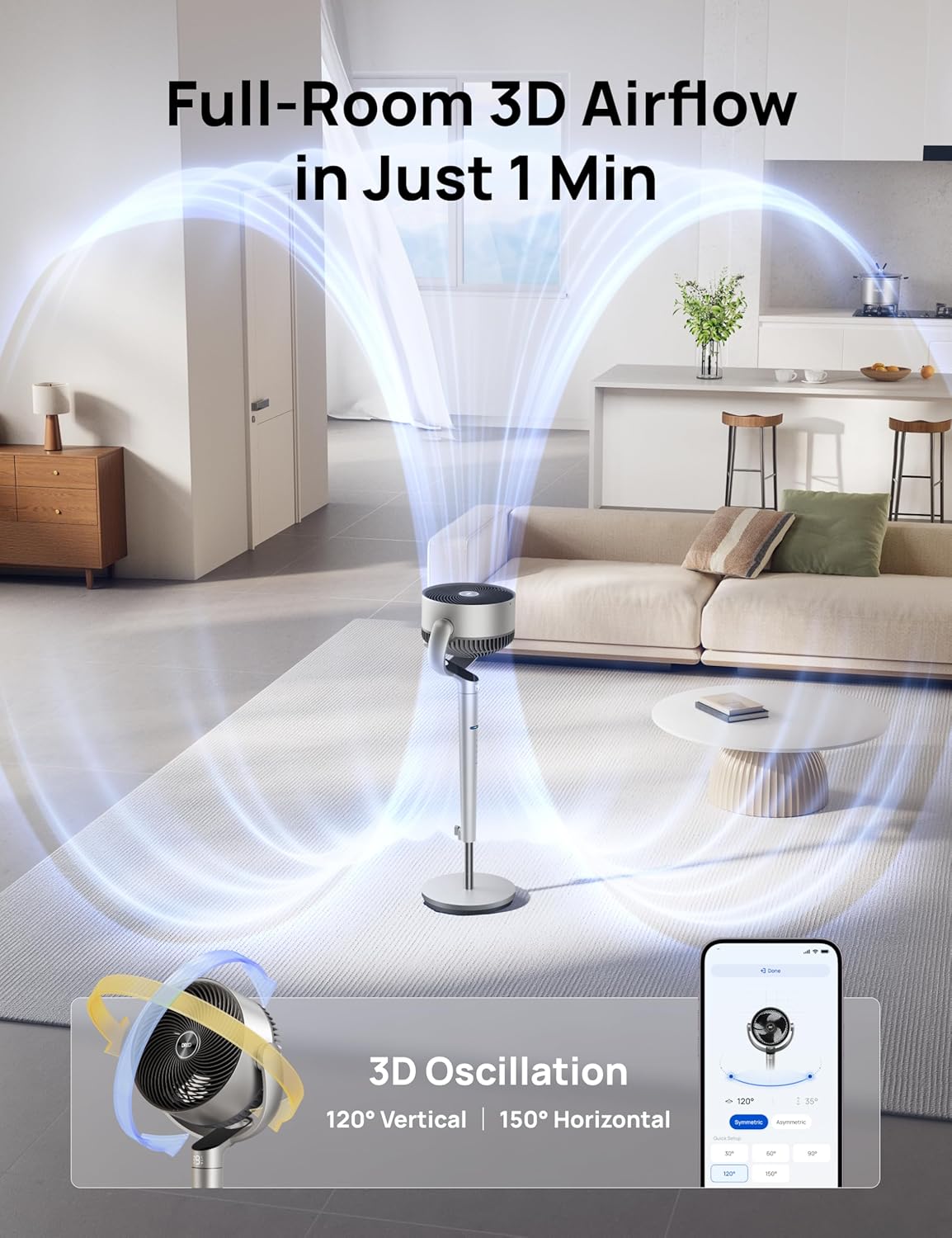
Image: App Control Interface
The DREO app provides comprehensive control over fan settings, including modes, speeds, oscillation, and smart features.
5. beberesih sarta Pangropéa
Pembersih rutin ngajamin kinerja optimal sareng umur panjang kipas anjeun.
- Sok cabut kipas angin sateuacan beberesih.
- Ngusap permukaan luar kalayan lemes, damp lawon.
- To clean the fan blades, remove the front grille by rotating it counter-clockwise.
- Rotate the blade cap counter-clockwise to remove it, then carefully take out the blade from the shaft.
- Rinse the cap, blade, and grille under running water. Dry all parts thoroughly before reassembling.
- Reassemble the fan by reversing the disassembly steps.
Video: PolyFan Assembly and Clean
This video demonstrates how to disassemble the fan for cleaning and reassemble it, ensuring proper maintenance.
6. Cara ngungkulan
If you encounter any issues with your DREO Smart Fan, refer to the following common solutions:
- Kipas teu hurung: Ensure the power cord is securely plugged into a working outlet. Check if the power adapter is correctly connected to the fan.
- Aliran hawa lemah: Verify that the fan speed is set to an appropriate level. Clean the fan blades and grilles to remove any dust buildup.
- Sora anu teu biasa: Ensure all parts are assembled correctly and securely. Clean the fan to remove any foreign objects that might be causing noise.
- Kadali jauh teu jalan: Check the battery in the remote control. Ensure there are no obstructions between the remote and the fan.
- Masalah sambungan Wi-Fi: Ensure your Wi-Fi network is 2.4GHz. Restart your router and the fan, then try connecting again via the DREO app.
7. Spésifikasi
| Fitur | Rincian |
|---|---|
| merek | Dreo |
| Ngaran modél | DR-HPF007S |
| Dimensi produk | 13.7 "D x 8.7" W x 42.52" H |
| Sumber Daya | DC |
| Wattage | 50 watt |
| Voltage | 120 volt |
| Tingkat Noise | 25 desibel |
| Kapasitas Aliran Udara | 1404 suku kubik per Menit |
| Laju | 8 Meters per Second |
| Jumlah Tingkat Daya | 9 |
| Fitur husus | Adjustable Height, Adjustable Tilt, Oscillating, Remote Controlled, Timer, Wi-Fi, Voice Control |
| Métode kontrol | Aplikasi, Jauh, Toél |
| Pamakéan jero rohangan / outdoor | jero rohangan |
| Item Beurat | 17.96 pon |
| UPC | 810142858212 |
8. Garansi jeung Rojongan
For product support, warranty information, or any inquiries, please contact Dreo customer service:
- Websitus: www.dreo.com
- Surélék: support@dreo.com
- Telepon: (888) 290-1688 (Mon-Fri, 9:00 AM-5:00 PM PST/PDT)


