1. Bubuka
Thank you for choosing the Parsonver G01 GPS Smart Watch. This manual provides essential information for the proper setup, operation, and maintenance of your device. Please read it carefully to ensure optimal performance and longevity of your smartwatch.

Image: The Parsonver G01 Smart Watch displayed with various outdoor activity scenes, highlighting its versatile use.
2. Eusi Paket
Saatos muka bungkusan, pariksa yén sadaya barang aya:
- 1x Parsonver G01 Smart Watch
- 1x Kabel Ngecas Magnét
- 1 x Manual Pamaké

Image: An illustration detailing the package contents, including the smartwatch, charging cable, and user manual.
3. Setup Guide
3.1 Ngecas Smart Watch
Before initial use, fully charge your Parsonver G01 Smart Watch. The device features a 520mAh battery, providing extended usage time.
- Sambungkeun kabel ngecas magnét ka kontak ngecas dina tonggong arloji.
- Colokkeun tungtung kabel USB-A kana adaptor daya USB standar (teu kaasup) atanapi port USB komputer.
- Layar jam tangan bakal nunjukkeun status ngecas. Ngecas pinuh biasana peryogi waktos sakitar 2 jam.

Image: The smartwatch connected to its magnetic charging cable, illustrating the charging process and battery life indicators.
3.2 Pamasangan Aplikasi sareng Papasangan
To unlock the full functionality of your smartwatch, download and install the companion application on your smartphone.
- Scan the QR code provided in the quick start guide or search for "Glory Fit" in your smartphone's app store (compatible with iOS 9.0/Android 5.0 or above).
- Install the "Glory Fit" application.
- Buka aplikasi tur turutan parentah dina layar pikeun nyieun hiji akun atawa asup.
- Pastikeun Bluetooth diaktipkeun dina smartphone Anjeun.
- In the app, navigate to the device pairing section and select your Parsonver G01 Smart Watch from the list of available devices.
- Konfirmasi pamundut papasangan dina smartphone anjeun sareng jam tangan.
4. Parentah Operasi
4.1 Napigasi Dasar
The Parsonver G01 features a 1.95-inch HD touchscreen for intuitive interaction.
- Gesek ka luhur/handap: Aksés setélan gancang atanapi béwara.
- Gesek Kénca/Katuhu: Napigasi ngaliwatan widget jeung pungsi utama.
- Ketok: Pilih hiji item atawa mastikeun hiji aksi.
- Pencét Tombol Sisi: Balik deui ka layar utama atawa hurungkeun/pareuman.
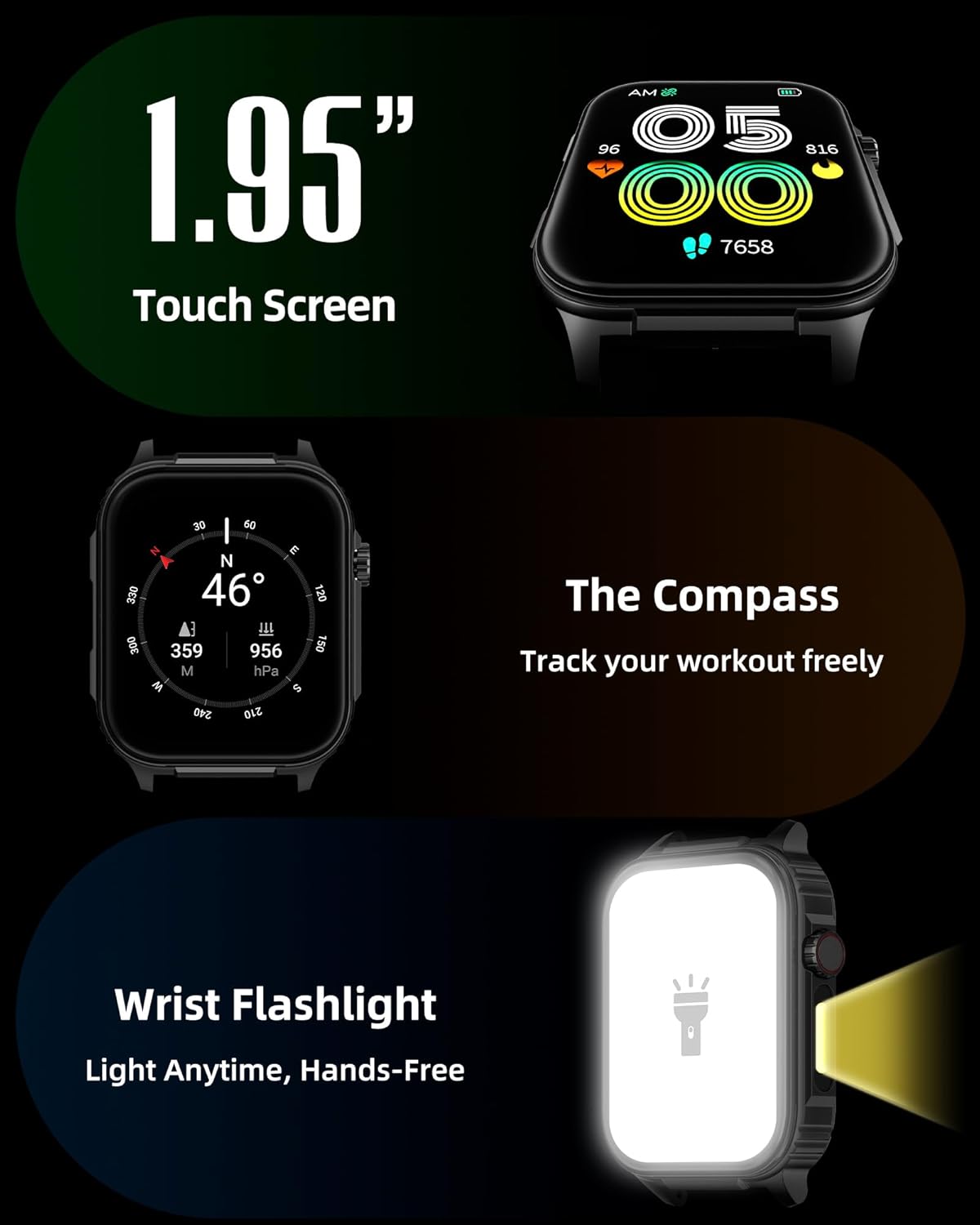
Gambar: A lengkep view of the smartwatch screen, illustrating its 1.95-inch size, along with icons for compass and flashlight functions.
4.2 Telepon Bluetooth sareng Bewara Smart
Stay connected by making and receiving calls directly from your wrist and receiving instant notifications.
- Nelepon: Once paired via Bluetooth 5.3, access the call function on your watch to dial numbers or select contacts.
- Narima Telepon: Incoming calls will display on the watch screen, allowing you to answer or reject them.
- Bewara: The watch provides vibration alerts for SMS, WhatsApp, Facebook, and other app notifications. Note: Direct replies from the watch are not supported.

Image: A man on a mountain trail interacting with his Parsonver G01 Smart Watch to manage a Bluetooth call, with notification icons floating above.

Image: The smartwatch screen showing incoming messages and app notifications, demonstrating its smart notification feature.
4.3 Beungeut Lalajo
Personalize your watch with over 400 available watch faces or create your own custom designs.
- Access the watch face market through the "Glory Fit" app.
- Browse and download various styles, from classic to modern.
- Use the DIY function to upload custom photos and create unique watch faces.

Gambar: Layar smartwatch nunjukkeunasing a variety of watch face designs, illustrating the customization options.
4.4 Built-in GPS and Compass
Track your outdoor activities and navigate with precision, even without your phone.
- Ngalacak GPS: The built-in GPS accurately records your route, distance, and pace during outdoor workouts like running, hiking, and cycling. Ensure you are in an open area for optimal GPS signal acquisition.
- Kompas: Utilize the integrated compass for navigation and orientation during your adventures.

Image: A cyclist wearing the Parsonver G01 Smart Watch, with the watch display showing GPS tracking data and a map.

Image: Hikers on a mountain trail, with the smartwatch displaying compass and GPS navigation features.
4.5 Senter LED
The integrated LED flashlight provides convenient illumination when needed.
- Access the flashlight function from the quick settings menu or a dedicated shortcut.
- The flashlight provides hands-free lighting for various situations.

Image: The smartwatch with its LED flashlight illuminated, demonstrating its utility in dark environments.
4.6 Modeu Olahraga
The watch supports over 100 built-in sports modes to track your physical activities.
- Select your desired sport from the activity menu.
- The watch will track metrics such as calories burned, steps, distance, and heart rate in real-time.
- Examples include running, cycling, yoga, hiking, football, and more.

Image: An athlete tying shoelaces, with the smartwatch displaying various sports tracking metrics like steps, calories, distance, and heart rate.

Image: A visual representation of the smartwatch's extensive range of over 100 built-in sports modes, including running, football, and cycling.
4.7 Pangimeutan Kaséhatan
The Parsonver G01 provides comprehensive health monitoring features to help you maintain a healthy lifestyle.
- Ngawaskeun Laju haté: Ngalacak denyut jantung 24/7 kontinyu.
- Ngawaskeun Oksigén Darah (SpO2): Track your blood oxygen levels in real-time.
- Pangimeutan Saré: Nganalisis saretages (deep, light, awake) to provide insights into your sleep quality.
- Stress and Mood Monitoring: Ngabantosan anjeun ngartos sareng ngatur tingkat setrés anjeun.
- Panginget Sedentary: Ngajurung anjeun pikeun mindahkeun saatos période teu aktip.
- Latihan pernapasan: Guided breathing sessions to help reduce stress.
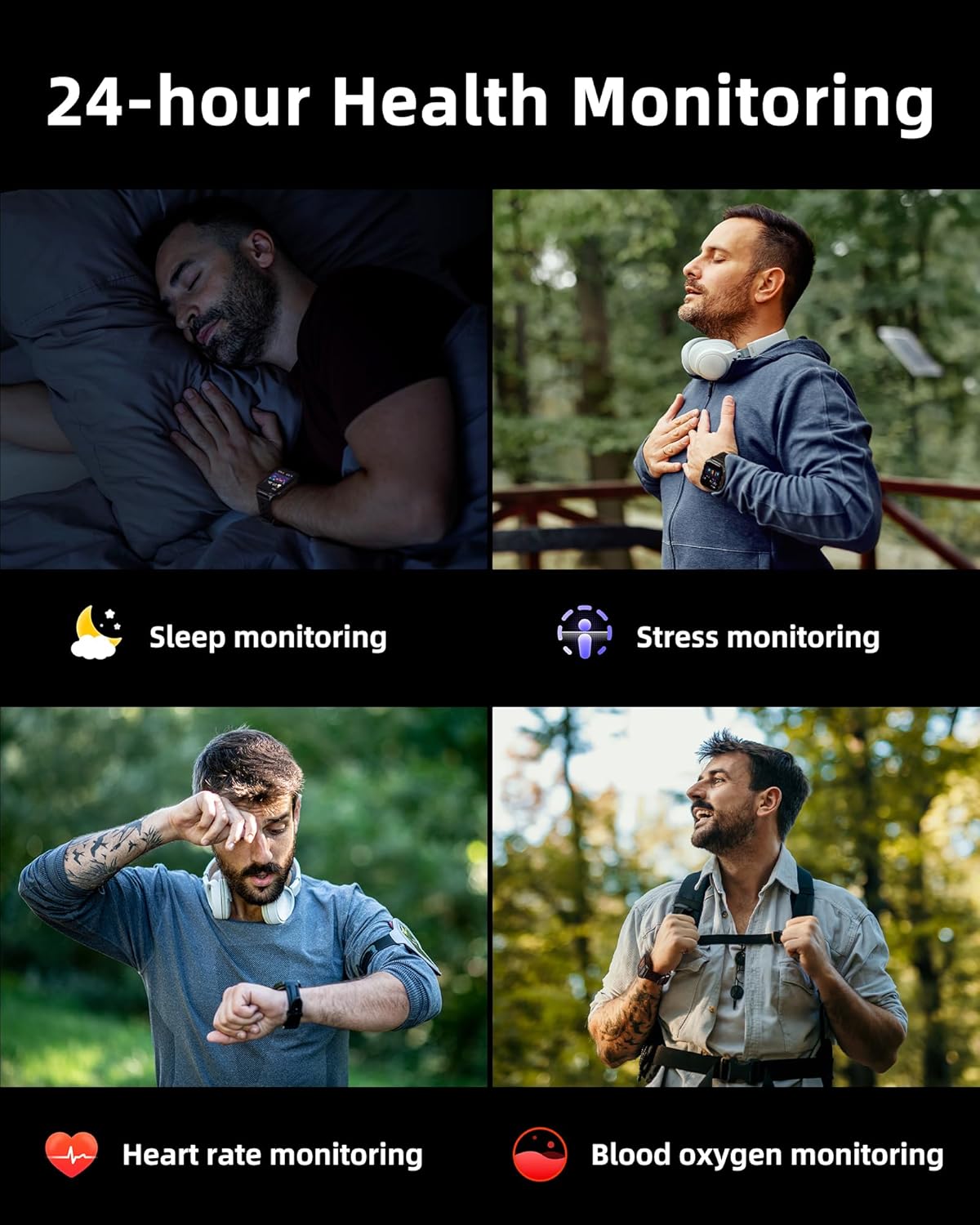
Image: A collage illustrating the smartwatch's 24-hour health monitoring capabilities, including sleep, stress, heart rate, and blood oxygen tracking.

Image: A man sleeping, with the smartwatch on his wrist, and a graphic showing detailed sleep analysis data.
4.8 Fungsi Praktis Séjénna
The Parsonver G01 includes a variety of additional features to assist with daily tasks:
- Jam alarem: Setel sababaraha alarm.
- Timer & Stopwatch: Pikeun timing tepat.
- Kalkulator: Fungsi aritmatika dasar.
- Kalénder: View kaping jeung jadwal.
- Kontrol Musik: Maénkeun, eureunkeun, luncatan lagu dina telepon anjeun anu nyambung.
- Ramalan Cuaca: Kéngingkeun apdet cuaca sacara real-time.
- Asistén Sora: Interact with your phone's voice assistant.
- Kadali kaméra jauh: Aktipkeun kaméra telepon anjeun ti jarak jauh.
- Panggihan Telepon: Pilari deui smartphone anjeun anu leungit.
- Angkat-ka-Hudang: Automatically activate the screen when you raise your wrist.

Image: A display of various practical functions on the smartwatch, including alarm, timer, stopwatch, calculator, calendar, music control, and weather.
5. Pangropéa
5.1 Tahan cai
The Parsonver G01 Smart Watch has an IP68 waterproof rating, meaning it is resistant to dust and can withstand immersion in water up to 1.5 meters for 30 minutes. It is suitable for daily splashes, hand washing, and light rain.
Catetan penting:
- The IP68 rating does not make the watch suitable for swimming, showering, or sauna use. Exposure to hot water, steam, or high-pressure water jets may compromise the water resistance.
- Ulah mencét tombol di jero cai.
- If the watch gets wet, dry it thoroughly before charging or using the touchscreen.

Image: A hand wearing the smartwatch under running water, illustrating its IP68 waterproof capabilities for everyday use.
5.2 Beberesih sareng Perawatan
- Rutin ngabersihan arloji sareng tali nganggo kaén anu lemes sareng garing.
- Upami diperlukeun, make rada damp lawon ku sabun hampang, teras bilas jeung garing tuntas.
- Hindarkeun ngagunakeun bahan kimia kasar, pembersih abrasive, atanapi pangleyur, sabab ieu tiasa ngaruksak finish sareng komponén jam.
- Keep the charging contacts clean and free of debris to ensure proper charging.
6. Cara ngungkulan
If you encounter issues with your Parsonver G01 Smart Watch, refer to the following common solutions:
- Lalajo teu hurung: Pastikeun arloji dicas pinuh. Sambungkeun ka carjer sahenteuna 30 menit.
- Teu tiasa dipasangkeun sareng smartphone:
- Pastikeun Bluetooth diaktipkeun dina telepon anjeun sareng jam tangan.
- Pastikeun arlojina aya dina jangkauan Bluetooth telepon anjeun.
- Balikan deui arloji sareng telepon anjeun.
- Check if the "Glory Fit" app has necessary permissions on your phone.
- Data GPS teu akurat:
- Pastikeun anjeun aya di daérah luar anu kabuka kalayan jelas view langit pikeun panarimaan satelit hadé.
- Allow sufficient time for the watch to acquire a GPS signal before starting an activity.
- Screen lights up during sleep: This can be caused by wrist movements activating the raise-to-wake feature. You may be able to disable or adjust the sensitivity of the raise-to-wake feature in the watch settings or the companion app.
- hirup batré pondok:
- Frequent use of GPS, Bluetooth calls, and continuous health monitoring can consume more battery.
- Ngurangan kacaangan layar atawa pondokkeun waktu layar-on.
- Nonaktipkeun bewara nu teu perlu.
- Compass inaccuracy: Calibrate the compass if available in the watch settings or app. Ensure no strong magnetic fields are nearby.
If the issue persists, consult the FAQ section within the "Glory Fit" app or contact customer support.
7. Spésifikasi
| Fitur | Spésifikasi |
|---|---|
| Nomer modél | G01 |
| Ukuran layar | 1.95 inci |
| Tipe tampilan | Full Touch Screen HD |
| Kapasitas batré | 520 mAh Litium Polimér |
| Typical Use Battery Life | 7-10 poé |
| Waktu sayaga | Nepi ka 40 Dinten |
| Waktu Ngecas | Approx. 2 Hours (Magnetic Fast Charging) |
| Konektipitas | Bluetooth 5.3 |
| Kasaluyuan System Operasi | iOS 9.0 / Android 5.0 or above |
| Peunteun Résistansi Cai | IP68 |
| Diwangun-di Fitur | GPS, Compass, LED Flashlight |
| Pangimeutan Kaséhatan | Heart Rate, Blood Oxygen, Sleep, Stress, Mood |
| Modeu Olahraga | 100+ |
| Item Beurat | 47 Gram (1.66 ons) |
| Kapasitas Panyimpenan Mémori | 256 MB |
8. Garansi jeung Rojongan
Parsonver is committed to providing reliable products and dedicated customer support. For any questions, technical assistance, or warranty inquiries, please refer to the contact information provided with your purchase or visit the official Parsonver websitus.


