1. Bubuka
The PHOINIKAS Q5S Wireless Gaming Headset provides a versatile audio solution for gamers across multiple platforms. Featuring 2.4GHz wireless connectivity for low-latency performance and a 3.5mm wired mode, this headset is designed for immersive gaming experiences. It includes a detachable noise-canceling microphone and 7.1 stereo sound capabilities.

Image 1.1: PHOINIKAS Q5S Wireless Gaming Headset, showing the headset, USB dongle, and 3.5mm audio cable.
2. Naon dina Box
Mangga pariksa yén sadaya komponén aya nalika muka kotakna:
- PHOINIKAS Q5S Wireless kaulinan Headsét
- 2.4GHz USB Transmitter Dongle
- Mikropon Omnidirectional anu tiasa dicabut
- Kabel Ngecas USB (Tipe-C)
- Kabel Audio 3.5mm
- Manual pangguna (dokumén ieu)
3. Produk Langkungview
Familiarize yourself with the headset's controls and interfaces:

Gambar 3.1: Leuwihview of headset controls and ports.
- Power / Pairing Mode Button: Press and hold to power on/off. Short press to toggle 7.1 sound. Double press to turn lights on/off.
- Microphone On/Off Button: Toggles microphone mute/unmute.
- Volume Adjustment Wheel: Rotates to increase or decrease audio volume.
- 3.5mm Wired Interface: For connecting the 3.5mm audio cable.
- External Microphone Interface: Port for attaching the detachable microphone.
- Port Ngecas Tipe-C: Pikeun nyambungkeun kabel ngecas USB.
4. Setélan
4.1 Ngecas Awal
Before first use, fully charge the headset. Connect the USB charging cable to the headset's Type-C port and a compatible USB power source. A full charge takes approximately 2.5-3 hours and provides up to 40 hours of use (battery life varies with lighting and volume settings).

Image 4.1: Headset charging via USB-C, highlighting battery life.
4.2 Wireless Connection (2.4GHz USB Dongle)
For wireless operation, ensure the 3.5mm audio cable and charging cable are disconnected, and the headset is fully charged.
- Insert the 2.4GHz USB transmitter dongle into an available USB port on your PC, PS4, PS5, or Switch dock.
- Hurungkeun headset ku mencét terus tombol Daya.
- The headset will automatically pair with the USB dongle. An indicator light on the headset will confirm a successful connection.

Image 4.2: The 2.4GHz USB dongle, illustrating its low-latency connection.
4.3 Sambungan Kabel (Kabel Audio 3.5mm)
For wired use, connect the 3.5mm audio cable to the headset's 3.5mm interface and to the audio jack of your device (e.g., Xbox controller, PC, mobile phone). In wired mode, certain functions like lights and mute may be inactive.
5. Parentah Operasi
5.1 Daya Hurung/Pareuman
- Pikeun ngahurungkeun: Pencét jeung tahan tombol Daya nepi ka lampu indikator hurung.
- Pikeun mareuman: Pencét jeung tahan tombol Daya nepi ka lampu indikator pareum.
5.2 Pamakéan Mikropon
Attach the detachable microphone to the External Microphone Interface on the headset. The microphone features noise-canceling technology for clear communication.
- To mute/unmute: Press the Microphone On/Off button.
- Adjust the flexible microphone boom for optimal voice pickup.

Image 5.1: Detachable microphone for clear voice capture.
5.3 7.1 Stereo Sound
The headset supports 7.1 stereo sound for an immersive audio experience.
- To activate/deactivate 7.1 sound: Short press the Power button.
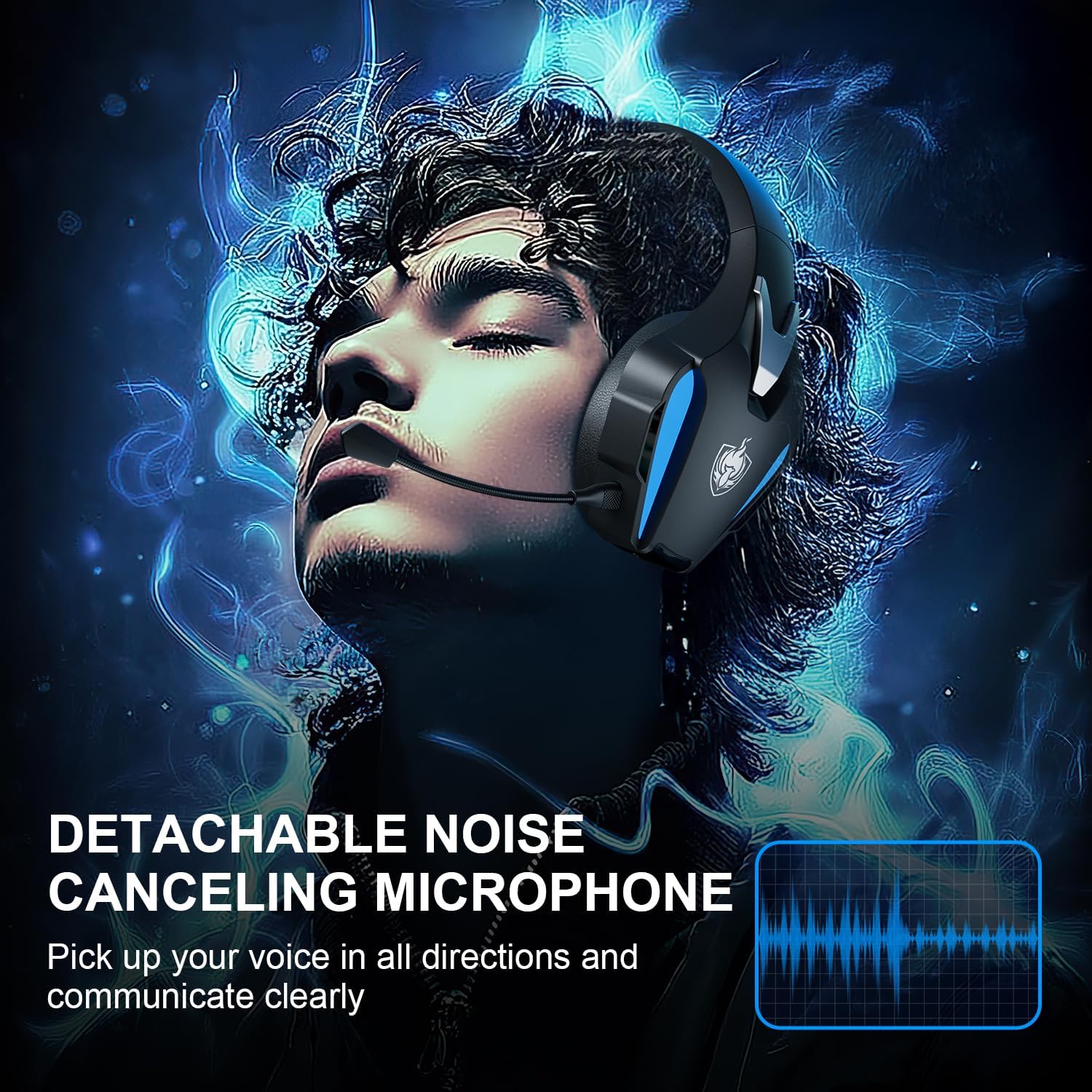
Image 5.2: Visual representation of 7.1 stereo sound capabilities.
5.4 Volume adjustment
Rotate the Volume Adjustment Wheel to control the audio output level.
6. Kasaluyuan
The PHOINIKAS Q5S headset offers broad compatibility:

Image 6.1: Multi-platform compatibility overview.
6.1 Modeu Nirkabel 2.4GHz
- Compatible with: PC, PS4, PS5, Laptops, Nintendo Switch (audio only).
- Catetan: The microphone does not function when used wirelessly with Nintendo Switch.
- Not compatible with Xbox Series consoles in wireless mode.
6.2 3.5mm Wired Mode
- Compatible with: Devices featuring a 3.5mm audio interface, including Xbox controllers, PC, PS4/PS5 controllers, Nintendo Switch, laptops, tablets, and mobile phones.
- In wired mode, headset lights and mute functions may be inactive.
7. Pangropéa
7.1 beberesih
- Wipe the headset surfaces with a soft, dry cloth.
- For earcups, use a slightly damp cloth with mild soap if necessary, then wipe dry immediately.
- Entong nganggo bahan kimia kasar atanapi beberesih kasar.

Image 7.1: Detail of the comfortable earcup design.
7.2 Panyimpenan
- Simpen headset di tempat anu tiis sareng garing jauh tina sinar panonpoé langsung sareng suhu anu ekstrim.
- Ulah neundeun barang beurat dina headset.
7.3 Perawatan Batré
- Pikeun manjangkeun umur batré, ulah sering-sering ngosongkeun batré headset.
- Charge the headset regularly, even if not in frequent use.
8. Cara ngungkulan
| Masalah | Mungkin Cukang lantaranana | Solusi |
|---|---|---|
| Headset teu hurung. | Low battery; 3.5mm cable or charging cable connected in wireless mode. | Charge the headset fully. Ensure all cables are removed for wireless mode. |
| Teu aya sora dina modeu nirkabel. | USB transmitter not properly connected; headset not paired; volume too low. | Ensure USB transmitter is firmly inserted. Power cycle headset and transmitter. Check device audio settings. Increase headset volume. |
| Mikropon teu jalan. | Microphone muted; not properly attached; compatibility issue (e.g., Switch wireless). | Press the Mic On/Off button to unmute. Ensure microphone is securely attached. Note that the microphone does not work with Nintendo Switch in wireless mode. Check device privacy settings for microphone access. |
| Kualitas sora goréng atawa menyimpang. | Weak wireless signal; incorrect audio settings; low battery. | Move closer to the USB transmitter. Check device audio output settings. Charge the headset. |
| Headset not compatible with Xbox. | The headset's 2.4GHz wireless mode is not designed for Xbox consoles. | Use the 3.5mm audio cable to connect to an Xbox controller for wired audio and microphone functionality. |
9. Spésifikasi
| Fitur | Rincian |
|---|---|
| Ngaran modél | Q5S |
| Téhnologi konektipitas | 2.4GHz Wireless, 3.5mm Wired |
| Wireless Latency | Kirang ti 25ms |
| Ukuran Supir Audio | 40 mm |
| Fitur Sora | 7.1 Stereo Sound, Surround Sound |
| Mikropon | Detachable, Omnidirectional, Noise-Canceling |
| Kontrol bising | Active Noise Cancellation, Sound Isolation |
| Kapasitas batré | 1200 mah |
| Kahirupan batré | Nepi ka 40 jam (variasina sareng panggunaan) |
| Waktu Ngecas | Approx. 2.5-3 hours (via USB-C) |
| Headphone Jack | 3.5 mm Jack |
| Bahan | palastik |
| Item Beurat | 12.3 ons |
10. Jaminan & Dukungan
PHOINIKAS products are designed for reliability and performance. For specific warranty information, please refer to the warranty card included with your product or visit the official PHOINIKAS website. If you encounter any issues or require technical assistance, please contact PHOINIKAS customer support through their official channels or the retailer from whom you purchased the product.
Pikeun pitulung salajengna, anjeun tiasa nganjang ka PHOINIKAS Store on Amazon.


