1. Bubuka
Thank you for choosing the DIERYA DK68-C 60% Gaming HE Keyboard. This compact, high-performance keyboard is designed for competitive gaming, featuring magnetic switches, rapid trigger functionality, adjustable actuation, and vibrant RGB backlighting. This manual provides essential information for setup, operation, maintenance, and troubleshooting to ensure optimal performance.

Image 1.1: The DIERYA DK68-C 60% Gaming HE Keyboard, showcasing its compact layout and RGB lighting.
2. Eusi Paket
Punten parios yén sadaya barang aya dina pakét anjeun:
- DIERYA DK68-C Keyboard x 1
- Kabel USB-C Jalinan x 1
- Keycap Puller x 1
- Buku Panduan x 1
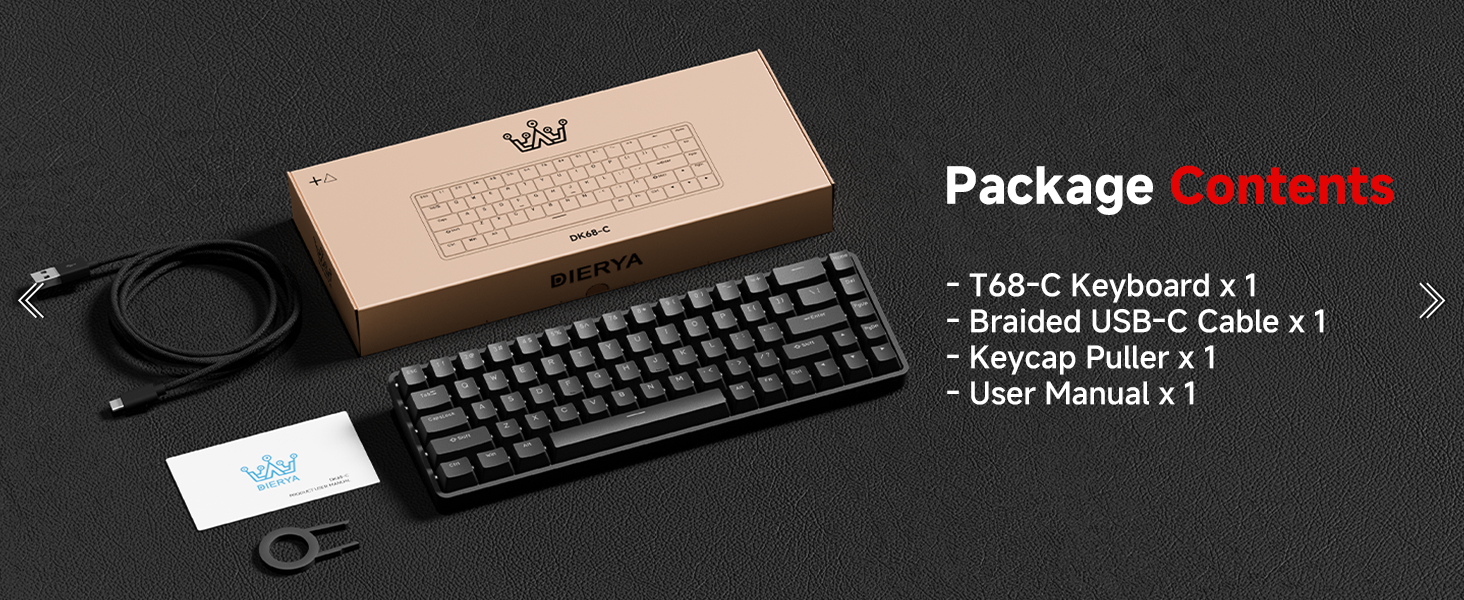
Image 2.1: Illustration of the DIERYA DK68-C keyboard and its included accessories: USB-C cable, keycap puller, and user manual.
3. Setélan
The DIERYA DK68-C keyboard is designed for plug-and-play functionality with Windows operating systems.
- Sambungkeun kibor: Insert the USB-C end of the provided braided cable into the port on the back of the keyboard.
- Nyambung ka Komputer: Colokkeun tungtung kabel USB-A kana port USB anu sayogi dina PC Windows anjeun.
- Pamasangan supir: The keyboard will be automatically recognized by your Windows system, and necessary drivers will install without user intervention.
- Tés awal: Buka éditor téks atanapi panyungsi teras cobian ngetik pikeun mastikeun sadaya konci fungsina leres.
Catetan: This keyboard is optimized for Windows systems. While it may function with other operating systems, full feature compatibility is not guaranteed. Console compatibility depends on specific game support for keyboard input.
4. Parentah Operasi
4.1 Fitur konci
- Saklar Magnét: Equipped with magnetic switches for adjustable actuation and rapid trigger response.
- Rapid pemicu: Allows keys to register input and reset based on movement distance, enabling faster repeated presses.
- Aktuasi anu tiasa disaluyukeun: Customize the actuation point from 0.1mm to 4.0mm for each key, tailoring sensitivity to your preference.
- Laju Polling 8000Hz: Provides ultra-low latency (under 0.3ms) for highly responsive input during intense gaming.
- Lampu tukang RGB: Features 16.8 million color RGB lighting with various customizable effects.
- Tata perenah konci 68 kompak: A space-saving design that retains essential keys, including arrow keys, and provides additional functions via the Fn key.
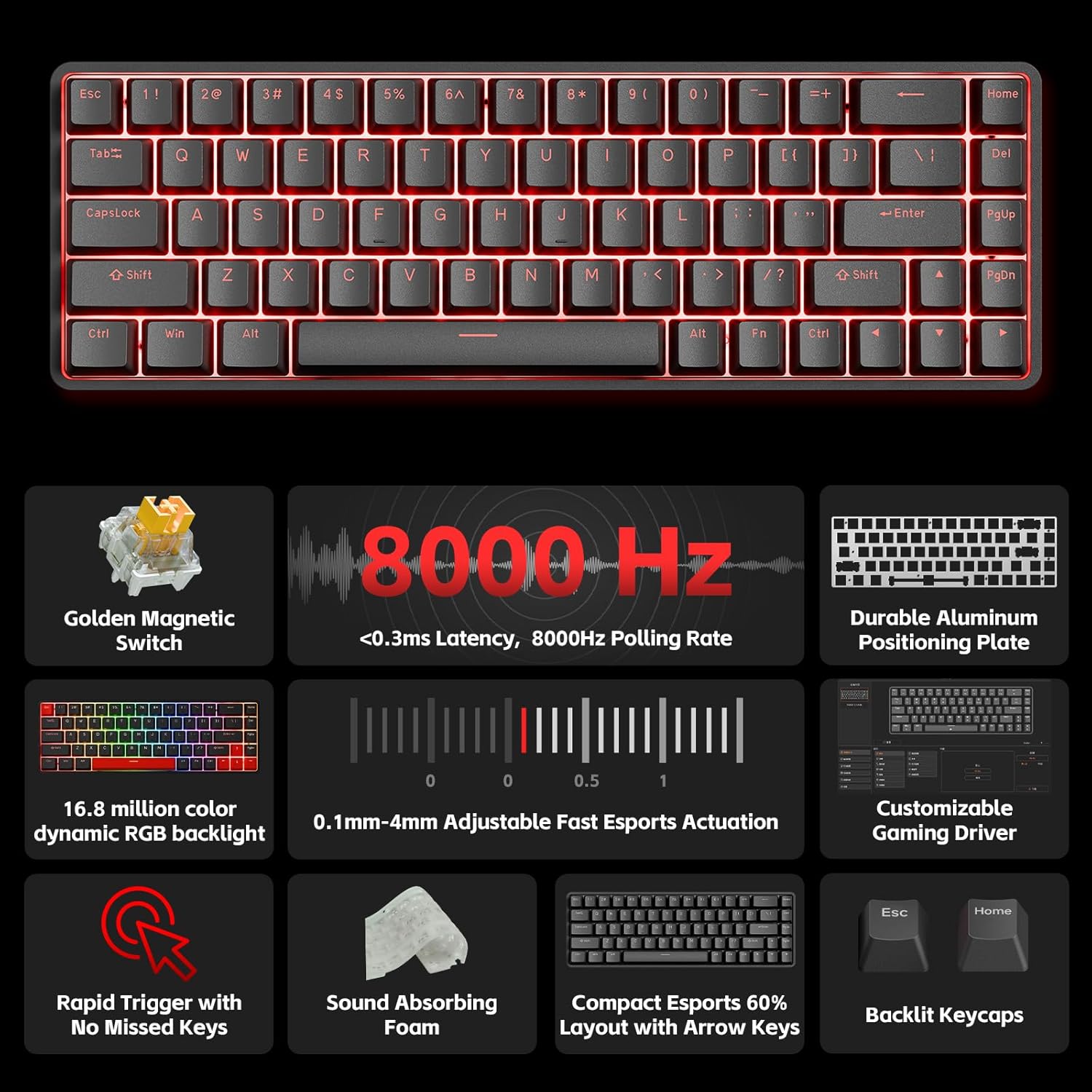
Gambar 4.1: Ngaliwatanview of the DIERYA DK68-C's key features, including magnetic switches, 8000Hz polling rate, RGB backlight, and customizable driver.
4.2 Adjustable Actuation and Rapid Trigger
The magnetic switches allow for precise control over key sensitivity.
- Rentang Aktuasi: The actuation point can be set between 0.1mm and 4.0mm. A lower value means a more sensitive key press.
- Rapid pemicu: This feature dynamically adjusts the reset point of a key, allowing for quicker successive presses. For example, a key can reset as soon as it begins to move upwards, rather than requiring a full release.
These settings are typically configured using the dedicated software or web-based customization tool provided by DIERYA.

Image 4.2: Visual representation of the 0.1mm to 4.0mm adjustable actuation range for the magnetic switches.
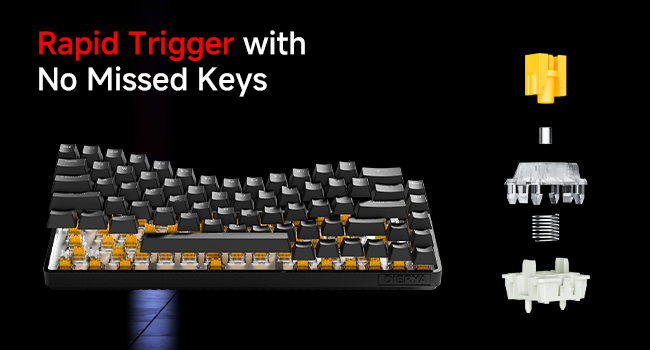
Image 4.3: Diagram illustrating the components of a magnetic switch and the concept of rapid trigger for precise input.
4.3 Lampu latar RGB
The keyboard features dynamic RGB backlighting with 16.8 million colors. Lighting effects and colors can be customized through the web-based customization tool. This allows for personalized visual effects and macros without requiring software installation.
4.4 Kombinasi Tombol Fungsi (Fn)
Due to its compact 68-key layout, some functions are accessed by holding the Fn key in combination with other keys. Refer to the keyboard's keycap legends or the web-based customization tool for specific combinations, which typically include:
- Kadali Multimedia: Play/Pause, Volume Up/Down, Mute.
- Tombol Fungsi (F1-F12): Accessed via Fn + number row keys.
- Penyesuaian cahaya: Changing RGB modes, brightness, speed.
- Tombol panah: Dedicated arrow keys are present, but additional navigation functions might be available via Fn.
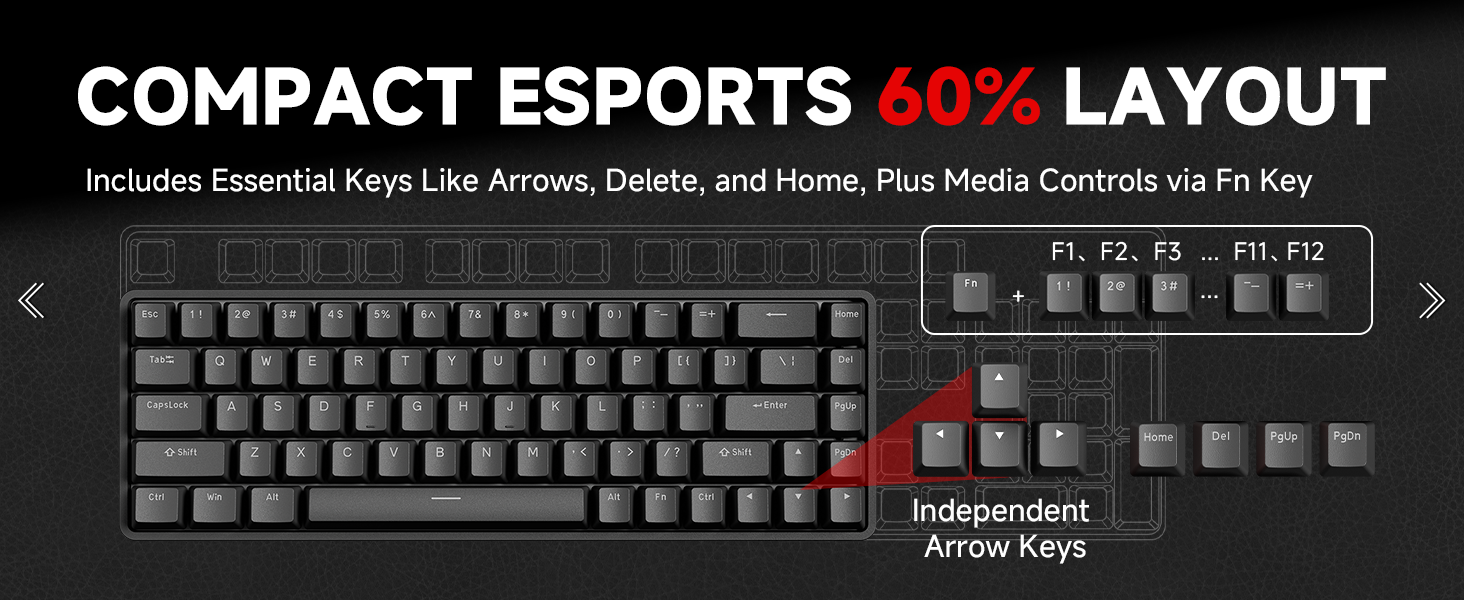
Image 4.4: Diagram illustrating the compact 60% layout and how F-keys and other functions are accessed using the Fn key.
4.5 Customization Software
The DIERYA DK68-C supports a web-based customization tool for advanced settings. This tool allows you to:
- Adjust actuation points for individual keys.
- Configure Rapid Trigger settings.
- Atur ulang konci sareng jieun makro.
- Personalize RGB lighting effects and colors.
Access the official DIERYA website for the link to the customization tool.
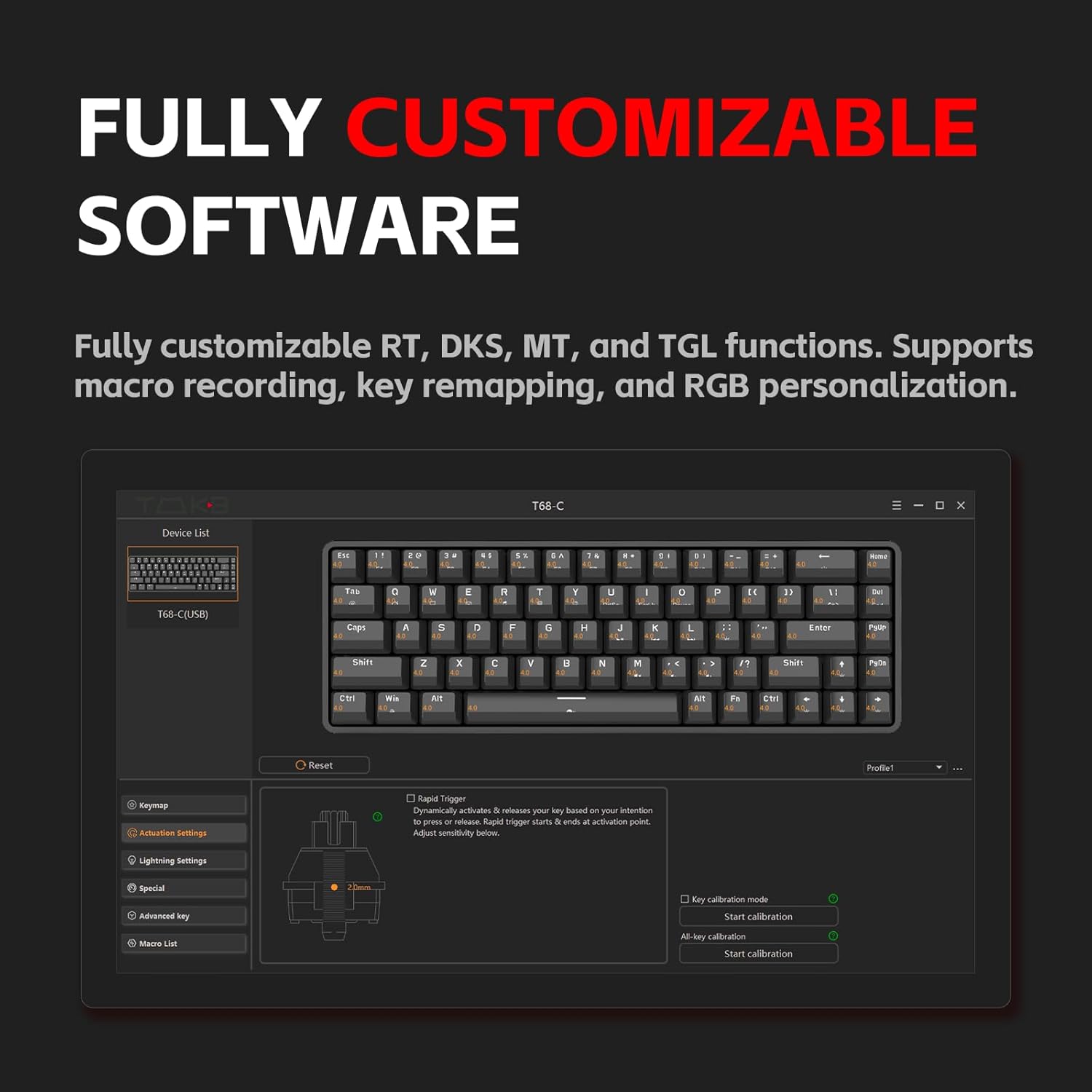
Image 4.5: Screenshot of the customization software interface, showing options for key remapping, lighting settings, and advanced key functions.
5. Pangropéa
5.1 Ngabersihan kibor
Ngabersihkeun sacara rutin ngabantosan ngajaga kinerja sareng penampilan kibor.
- Pegatkeun sambungan: Salawasna pegatkeun sambungan kibor tina komputer anjeun sateuacan diberesihan.
- Ngaleungitkeun lebu: Anggo hawa anu dikomprés pikeun miceun lebu sareng kokotor tina antara tutup tombol.
- Ngabersihan Keycap: Use the provided keycap puller to carefully remove keycaps. Clean them with a soft cloth lightly dampened with water or a mild cleaning solution. Ensure keycaps are completely dry before reattaching.
- Beberesih permukaan: Wipe the keyboard surface with a soft, lint-free cloth. Avoid harsh chemicals or abrasive materials.
5.2 Perawatan Saklar
The magnetic switches are designed for durability. Avoid spilling liquids on the keyboard, as this can damage the switches and internal components. If a switch feels inconsistent, ensure no debris is lodged within it.
6. Cara ngungkulan
If you encounter issues with your DIERYA DK68-C keyboard, refer to the following common solutions:
| Masalah | Solusi anu mungkin |
|---|---|
| Keyboard teu ngabales |
|
| Konci teu kadaptar atanapi teu ngetik dua kali |
|
| Lampu RGB teu jalan atanapi teu leres |
|
| Fn key combinations not working |
|
7. Spésifikasi
| Fitur | Rincian |
|---|---|
| Modél | DK68-C |
| Tipe kibor | 60% Gaming HE Keyboard |
| Pindah Tipe | Saklar magnét |
| Rentang Aktuasi | 0.1mm - 4.0mm (Tiasa disaluyukeun) |
| Laju Polling | 8000Hz |
| Latén | <0.3 ms |
| Lampu tukang | RGB (16.8 juta warna) |
| Konektipitas | USB-C kabel |
| Alat nu cocog | PC (Windows) |
| Diménsi | 12.99 x 5.28 x 1.97 inci |
| Item Beurat | 1.59 pon |
8. Garansi jeung Rojongan
DIERYA products are manufactured to high-quality standards. This product is covered by a manufacturer's warranty against defects in materials and workmanship. The specific warranty period and terms may vary by region and retailer. Please retain your proof of purchase for warranty claims.
For technical support, warranty inquiries, or further assistance, please visit the official DIERYA websitus atanapi ngahubungan departemén layanan palanggan maranéhna. Inpormasi kontak biasana tiasa dipendakan dina bungkusan produk atanapi resmi websitus.
Sumberdaya Online:
- DIERYA Resmi Websitus: Visit the DIERYA Store
- Web-based Customization Tool: Refer to the official website for access.


