EasySMX S10 Wireless Controller User Manual
Modél: S10
Merk: EasySMX
Bubuka
Hatur nuhun pikeun meuliasing the EasySMX S10 Wireless Controller. This manual provides detailed instructions on how to set up, operate, and maintain your controller, ensuring optimal performance and longevity. The S10 controller is designed for a versatile gaming experience across multiple platforms, featuring advanced technologies like TMR anti-drift joysticks, mechanical buttons, and a 6-axis gyro.
Eusi pakét
- EasySMX S10 Wireless Controller
- Kabel Ngecas USB-C
- Manual pamaké
- Swappable D-Pad (if applicable)
Produk Leuwihview
Familiarize yourself with the key features and components of your EasySMX S10 controller.

Gambar 1: Hareupeun view of the EasySMX S10 Wireless Controller, showcasing desain ergonomis na perenah tombol.

Gambar 2: The One-Tap Wake-Up feature allows instant activation of your Switch console directly from the controller.

Gambar 3: TMR Sticks provide zero-drift and ultra-smooth analog input, enhancing precision and durability during gameplay.

Gambar 4: Advanced Mecha-Buttons offer ultra-fast 0.3mm actuation and a lifespan of over 5 million presses, featuring soft-press tactile feedback and micro-switches with liquid silicone padding.

Gambar 5: Equipped with ALPS Linear HD Rumble Motors, the controller provides immersive tactile feedback for an enhanced gaming experience.

Gambar 6: The Clicky Micro-switch Triggers feature 0.3mm lightning-fast actuation, providing quick and responsive input.
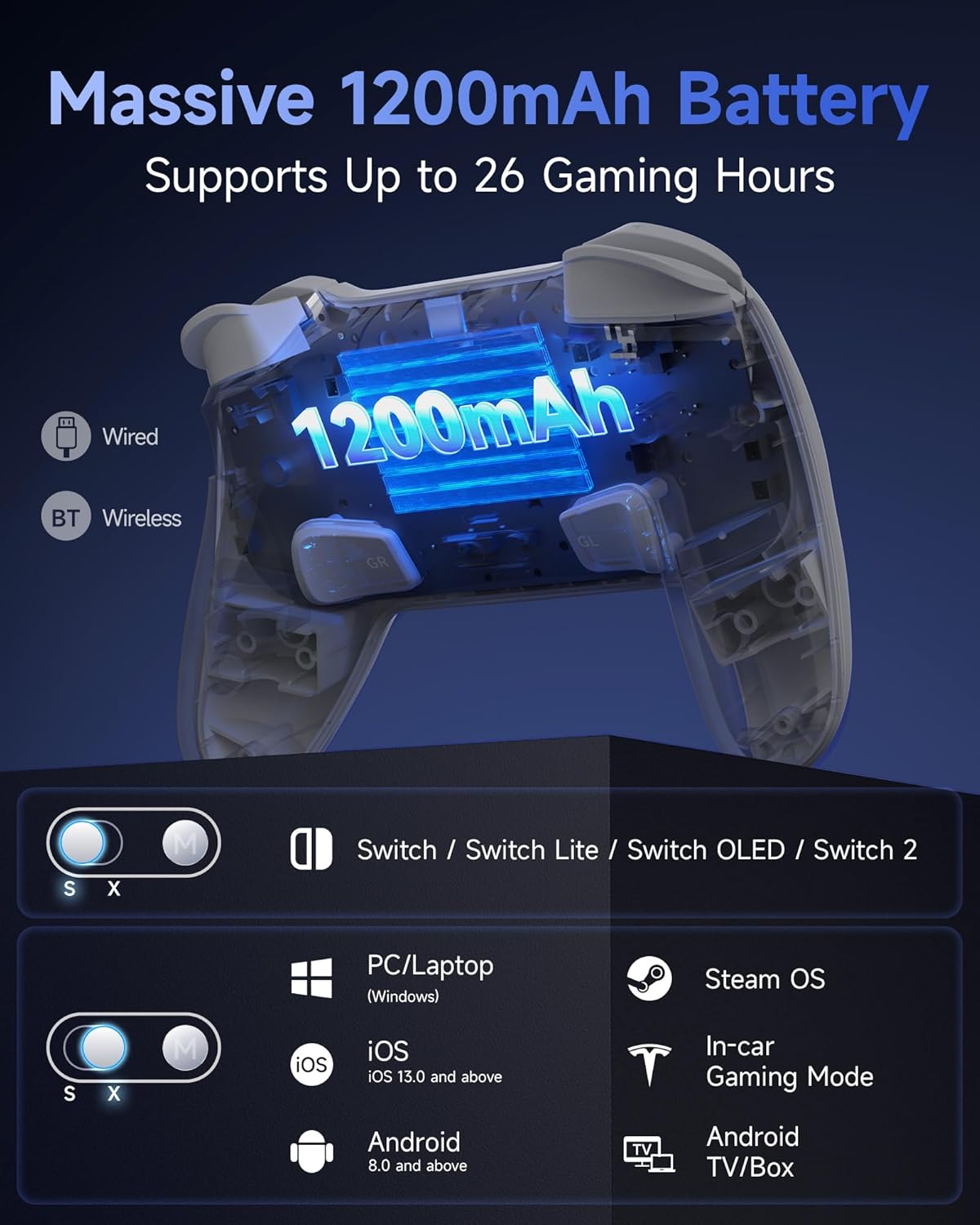
Gambar 7: The controller features a massive 1200mAh battery supporting up to 26 hours of gaming. It supports wired and Bluetooth wireless connections, compatible with Switch/Switch Lite/Switch OLED/Switch 2, PC/Laptop (Windows), iOS (13.0 and above), Android (8.0 and above), Steam OS, and Android TV/Box.
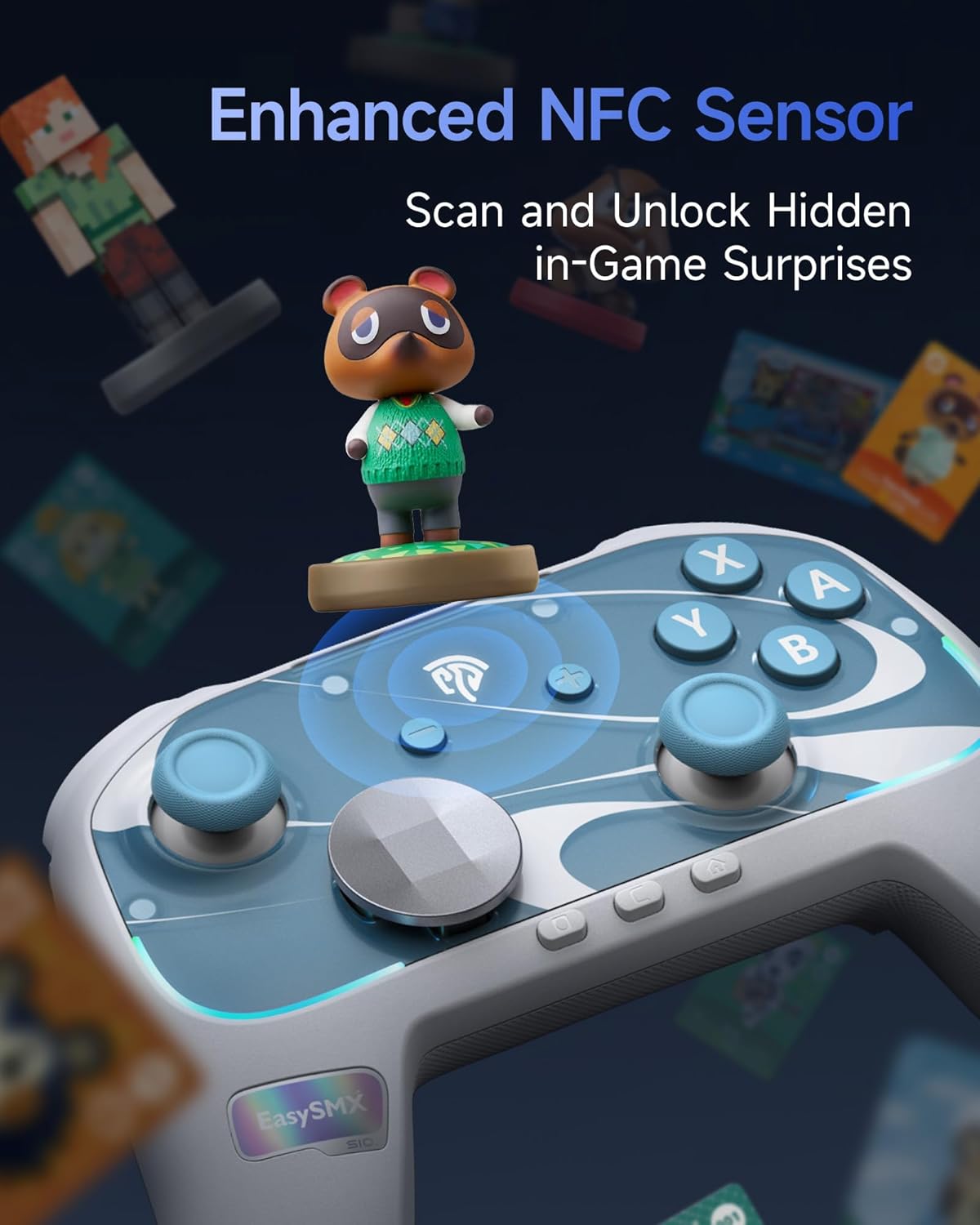
Gambar 8: An enhanced NFC sensor allows scanning and unlocking hidden in-game surprises, particularly useful for amiibo functionality on compatible platforms.
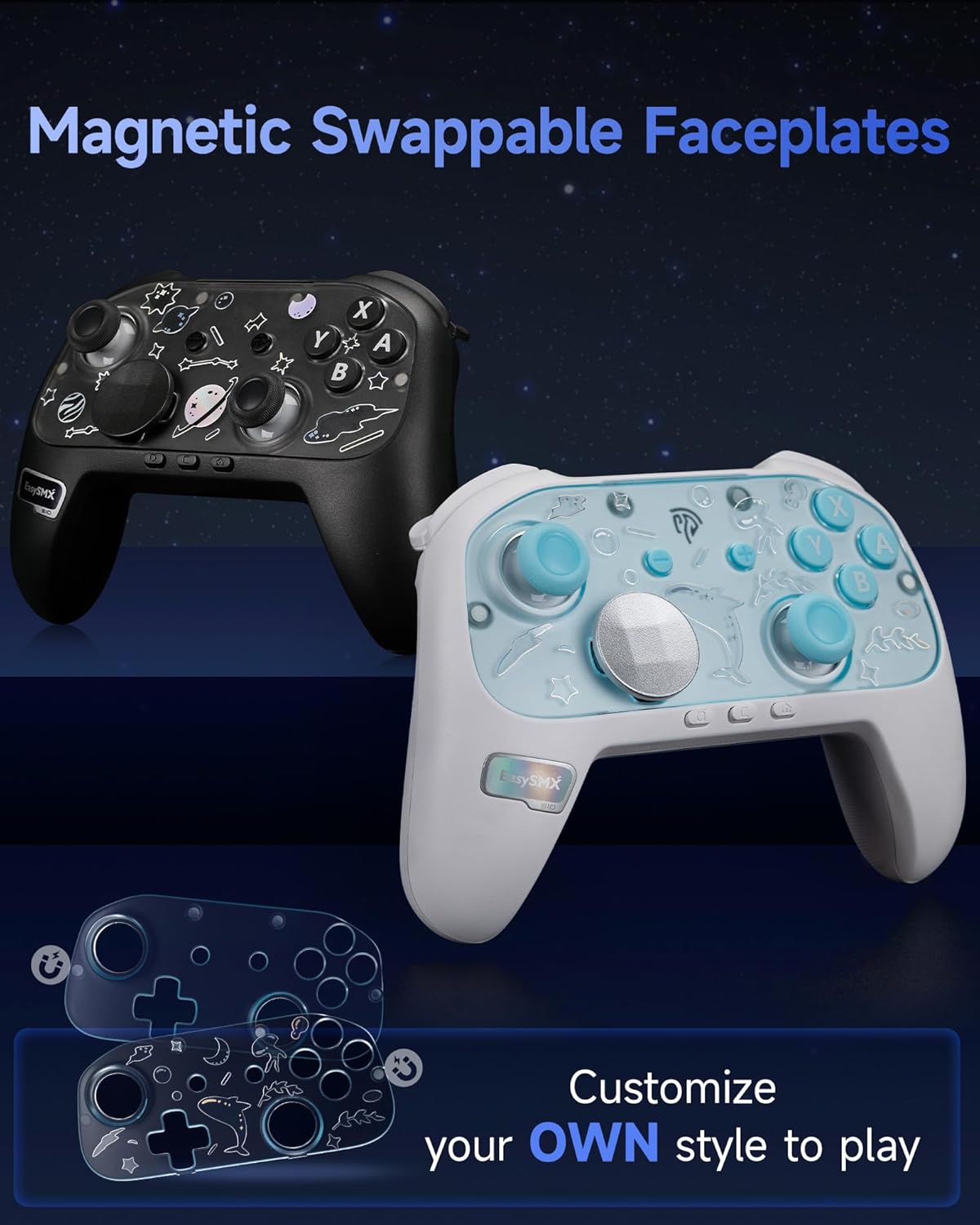
Gambar 9: The controller features magnetic swappable faceplates, allowing for customization of its appearance.
Disetél
Ngecas Controller
Before first use, fully charge the controller. Connect the USB-C charging cable to the controller's charging port and the other end to a USB power source (e.g., console, PC, USB wall adapter). The indicator lights will show charging status and turn off when fully charged.
Nyambung ka Nintendo Pindah
- On your Switch console, go to Setélan Sistim > Controllers sarta Sénsor > Disconnect Controllers to clear previous connections.
- Pilih Robah Pakem / Orde from the HOME Menu.
- Pencét jeung tahan tombol Tombol papasangan on the top of the EasySMX S10 controller for 3 seconds until the LED indicators start flashing rapidly.
- Sakali nyambung, LED pamuter anu saluyu dina controller bakal hurung padet.
- To wake up the Switch console from sleep mode, simply press the Tombol HOME dina controller.
Nyambungkeun ka PC (Windows)
The controller supports both wired and Bluetooth connections for PC.
Sambungan kabel:
- Connect the controller to your PC using the USB-C cable. The PC should automatically detect and install the necessary drivers.
Sambungan Bluetooth:
- Ensure your PC has Bluetooth enabled. Go to Setélan > Paranti > Bluetooth & alat sejenna.
- Pencét Tambahkeun Bluetooth atawa alat sejen > Bluetooth.
- Pencét jeung tahan tombol Tombol papasangan on the controller for 3 seconds until the LED indicators flash rapidly.
- Select "EasySMX S10" or similar from the list of available devices.
- Once paired, the controller's LEDs will indicate a stable connection.
Nyambungkeun ka ios / Alat Android
- Enable Bluetooth on your iOS (13.0+) or Android (8.0+) device.
- Pencét jeung tahan tombol Tombol papasangan dina controller pikeun 3 detik.
- Milarian pikeun "EasySMX S10" or similar in your device's Bluetooth settings and pair.
Parentah Operasi
Fungsi Tombol Dasar
- Tombol HOME: Power on/off, wake up console, return to home screen.
- Tombol A/B/X/Y: Tombol aksi baku.
- L/R/ZL/ZR Buttons: Tombol taktak sareng pemicu.
- +/- Tombol: Start/Select or equivalent.
- D-Pad: Input arah.
- Tongkat Analog Kénca/Katuhu: Movement and camera control.
- Tombol Potret Layar: Ngarekam cuplikan layar.
- Tombol Turbo: For setting turbo functions (refer to advanced settings).
Nyaluyukeun Lampu RGB
The controller features customizable RGB lighting. Specific button combinations or software (if available) can be used to cycle through lighting modes, colors, or turn off the lights. Refer to the quick start guide included in the package for exact button sequences.
Using the NFC Sensor
The enhanced NFC sensor is primarily for amiibo functionality on compatible Nintendo Switch games. To use, simply tap your amiibo figure or card to the NFC detection area on the controller (usually near the center or top) when prompted by the game.
Swapping D-Pad/Faceplates
The controller features magnetic swappable D-pads and faceplates for customization. Gently pull the existing D-pad or faceplate to remove it, then align and place the desired replacement. The magnets will secure it in place.
Pangropéa
- beberesih: Paké kaen lemes, garing pikeun ngusap controller. Keur kokotor bandel, rada dampen lawon jeung cai. Ulah make bahan kimia kasar atawa bahan abrasive.
- Panyimpenan: Nyimpen controller dina tiis, tempat garing jauh ti sinar panonpoé langsung jeung hawa ekstrim.
- Perawatan batré: To prolong battery life, avoid fully discharging the controller frequently. Charge it regularly, even if not in use for extended periods. Do not expose the battery to high temperatures.
- Hindarkeun tetes: Nangtayungan controller tina tetes jeung dampak, nu bisa ngaruksak komponén internal.
Pamérésan masalah
Controller Henteu Nyambungkeun / Nyapasangkeun
- Pastikeun controller dieusi.
- Pastikeun Bluetooth diaktipkeun dina alat Anjeun.
- Try restarting your console/PC and the controller.
- Pupus sambungan Bluetooth samemehna dina alat Anjeun tur coba masangkeun deui.
- Ensure the controller is in pairing mode (LEDs flashing rapidly).
- For Switch, ensure "Pro Controller Wired Communication" is enabled in System Settings if using wired mode.
Input Lag atanapi Pemutusan
- Pastikeun teu aya gangguan nirkabel anu kuat di caket dieu (contona, router Wi-Fi, alat Bluetooth anu sanés).
- Move closer to the console/PC.
- Pastikeun controller geus dicas pinuh.
Buttons/Sticks Not Responding
- Perform a hard reset on the controller (if applicable, usually a small reset button on the back).
- Ensure the controller's firmware is up to date (check EasySMX official website for tools/instructions).
- Bersihkeun sakuriling kancing sareng iteuk pikeun miceun kokotor.
spésifikasi
| Fitur | Rincian |
|---|---|
| Modél | S10 |
| Konektipitas | Bluetooth, Kabel (USB-C) |
| Kasaluyuan | Nintendo Switch/Switch Lite/Switch OLED/Switch 2, PC (Windows), iOS (13.0+), Android (8.0+), Steam OS, Android TV/Box |
| Kapasitas batré | 1200 mah |
| Kahirupan batré | Nepi ka 26 jam |
| Tipe Joystick | TMR Anti-Drift Joysticks |
| Jenis Tombol | Mechanical Buttons (0.3mm actuation) |
| Pemicu | Clicky Micro-switch Triggers (0.3mm actuation) |
| Ngarumpuyuk | ALPS Linear HD Rumble Motors |
| Giroskop | 6-Axis Gyro |
| NFC sénsor | Yes (for amiibo) |
| Kustomisasi | Swappable D-Pad, Magnetic Swappable Faceplates, RGB Lighting |
| Diménsi | 18.6 x 14.8 x 7.5 cm |
| Beurat | 0.52 g |
Garansi sareng Rojongan
EasySMX products come with a standard manufacturer's warranty. For detailed warranty information, technical support, or to register your product, please visit the official EasySMX websitus atanapi ngahubungan layanan palanggan maranéhna. Simpen resi pameseran anjeun salaku bukti pameseran.


