1. Bubuka
Thank you for choosing the Jesebang S75 Wireless Earbuds. These earbuds are designed to provide a high-quality audio experience with advanced features such as Bluetooth 5.4 connectivity, Environmental Noise Cancellation (ENC) for clear calls, IPX7 waterproofing, and a secure over-ear hook design, making them ideal for sports and active lifestyles. This manual provides detailed instructions for setup, operation, and maintenance to ensure optimal performance and longevity of your device.
2. Naon dina Box
Mangga parios eusi pakét pikeun mastikeun yén sadaya barang aya:
- S75 Wireless Earbuds (2 units)
- Portable Charging Case (1 unit)
- Kabel Ngecas USB-C (1 unit)
- Silicone Earplugs (S / M / L sizes, 3 pairs)
- Manual pangguna (dokumén ieu)

Image: Contents of the Jesebang S75 Wireless Earbuds package.
3. Setélan
3.1 Ngecas Earbuds sareng Case
Before first use, fully charge the earbuds and the charging case. The charging case features a dual LED digital display to show the battery levels of both the case and individual earbuds.
- Sambungkeun kabel ngecas USB-C anu disayogikeun kana port ngecas dina casing sareng kana sumber daya USB.
- The LED display on the charging case will illuminate to indicate charging status. The numbers will increase as the case charges, and the earbud battery indicators will show their charging progress.
- Once fully charged, the display will show '100' for the case and full battery icons for the earbuds. A full charge typically takes approximately 2 hours.

Image: Charging the S75 Earbuds and Case with LED display.
3.2 Nyapasangkeun sareng Alat Anjeun
The S75 earbuds feature one-step auto-pairing for convenience.
- Papasangan awal: Buka wadah ngecas. Earbuds bakal otomatis hurung tur asup kana mode papasangan.
- Dina alat anjeun (smartphone, tablet, jsb.), aktipkeun Bluetooth sareng milarian alat anu sayogi.
- Select "S75" from the list of found devices to connect. You will hear a voice prompt confirming the connection.
- Sambungan deui otomatis: After the first successful pairing, the earbuds will automatically reconnect to the last paired device when you open the charging case.

Image: One-step auto-pairing process for Jesebang S75 Earbuds.
Video: Hiji leuwihview of the Jesebang S75 Wireless Earbuds, demonstrating features like battery life, Bluetooth 5.4, sound quality, ENC, IPX7 waterproofing, ergonomic earhooks, and smart touch control. This video illustrates the product's key functionalities and design.
4. Ngoperasikeun Earbuds
4.1 Maké Earbuds
The S75 earbuds are designed with soft, elastic earhooks for a secure and comfortable fit, especially during physical activity.
- Choose the silicone earplugs (S, M, L) that best fit your ear canal for optimal sound and comfort.
- Lembut selapkeun earbud kana saluran ceuli anjeun.
- Adjust the earhook to rest securely over and behind your ear. Ensure a snug fit to prevent movement during exercise.

Image: Proper wearing of Jesebang S75 Earbuds with earhooks.
4.2 Smart Touch Controls
The S75 earbuds feature highly sensitive touch sensors for easy control of music, calls, and voice assistant functions.
| Aksi | Fungsi |
|---|---|
| One Click (L/R) | Puter/Reureuh musik |
| Short Tap (L/R) | Ngajawab / mungkas Telepon |
| Long Tap (L/R) | Nolak Telepon |
| One Click Tap R | Volume Up |
| One Click Tap L | Volume Turun |
| Long Tap 2s L | Lagu saméméhna |
| Long Tap 2s R | Lagu salajengna |
| Triple Click (L/R) | Aktipkeun Asisten Sora |
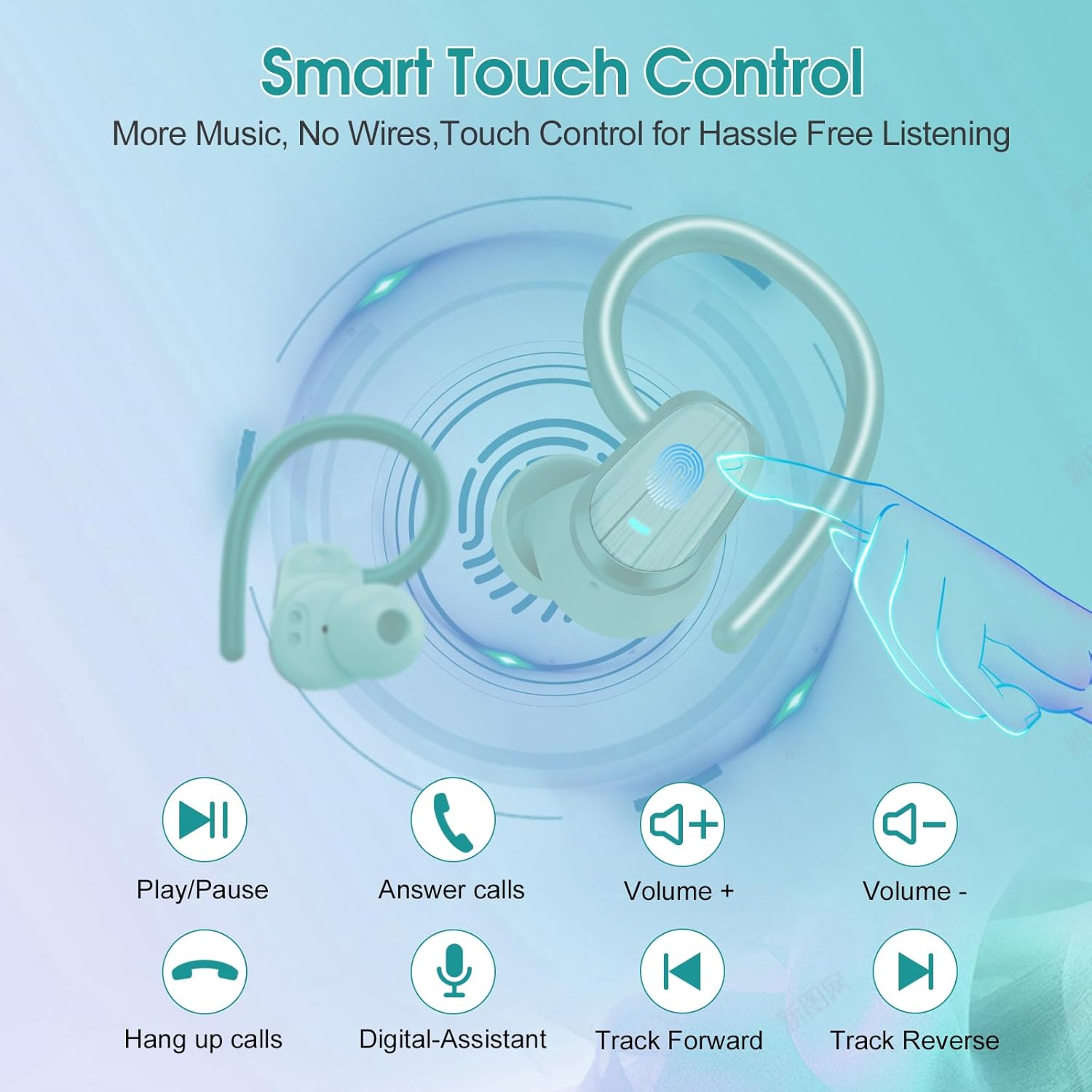
Image: Smart Touch Control functions on the S75 Earbuds.
5. Pangropéa
5.1 Waterproofing (IPX7)
The S75 earbuds are rated IPX7 waterproof, meaning they can withstand immersion in water up to 1 meter for 30 minutes. This makes them suitable for workouts, running, and protection against sweat and rain.
- Do not intentionally submerge the earbuds for extended periods or in depths greater than specified.
- Pastikeun port ngecas geus garing saméméh ngecas pikeun nyegah karuksakan.
5.2 beberesih
Pembersihan rutin ngabantosan ngajaga kualitas sora sareng kabersihan.
- Anggo lawon anu lembut, garing, henteu lint pikeun ngusap earbuds sareng wadah ngecas.
- Remove the silicone earplugs and clean them with mild soap and water. Ensure they are completely dry before reattaching.
- Ulah make bahan abrasive, alkohol, atawa cleaners kimiawi.
6. Cara ngungkulan
If you encounter any issues with your Jesebang S75 earbuds, please refer to the following common solutions:
| Masalah | Solusi |
|---|---|
| Earbuds teu dipasangkeun | Ensure earbuds are charged. Turn off and on your device's Bluetooth. Forget "S75" in your device's Bluetooth settings and re-pair. |
| Ngan hiji earbud jalan | Place both earbuds back in the charging case, close the lid, wait a few seconds, then open the lid again. This should reset the connection between them. |
| Volume lemah atawa kualitas sora goréng | Adjust volume on both your device and earbuds. Ensure earplugs are correctly sized and seated in your ear canal. Clean any debris from the earbud speakers. |
| Kasus ngecas teu ngecas | Pariksa kabel USB-C sareng adaptor kakuatan. Pastikeun port ngecas beresih jeung bébas tina lebu. |
| Earbuds teu ngecas bisi | Ensure the charging contacts on both the earbuds and the case are clean and dry. Verify the charging case itself has sufficient battery. |
7. Spésifikasi
Key technical specifications for the Jesebang S75 Wireless Earbuds:
- Ngaran modél: S75
- Téknologi konektipitas: Nirkabel (Bluetooth)
- Vérsi Bluetooth: 5.4
- Kisaran Bluetooth: 15 méter
- Jenis Supir Audio: Supir dinamis
- Ukuran Supir Audio: 14.2 milimeter
- Tingkat tahan cai: IPX7 Waterproof
- Penempatan Ceuli: Leuwih Ceuli
- Faktor Bentuk: Dina Ceuli
- Kahirupan batré (Earbuds): Nepi ka 10 jam (sakali muatan)
- Total Waktu Maén (kalayan Kotak Pangisi Daya): Nepi ka 50 jam
- Waktu Ngecas: Kurang leuwih 2 jam (pikeun muatan pinuh)
- Beurat barang: 3.17 ons
- Pabrikan: Dongguan Huien Electronic Technology Co., Ltd
8. Garansi jeung Rojongan
Your Jesebang S75 Wireless Earbuds come with a standard return policy of 30 days from the date of purchase for refunds or replacements, as per Amazon's policy. For specific warranty details beyond this period, please refer to the information provided by the manufacturer or contact Jesebang customer support directly.
For further assistance, technical support, or inquiries, please visit the official Jesebang store on Amazon or contact their customer service channels.
Toko Online: Jesebang Store


