Bubuka
This manual provides detailed instructions for the installation, operation, and maintenance of your BOTSLAB 2K Wireless Doorbell Camera R810SE. This device offers advanced security features including 2K resolution, a 180° head-to-toe field of view, two-way audio, AI smart notifications, and a long-lasting 5200mAh battery. Please read this manual thoroughly before use to ensure proper functionality and safety.
Eusi pakét
Pastikeun yén sadaya item anu didaptarkeun di handap kalebet kana pakét anjeun:
- Video Doorbell x 1
- Stasion Basis x 1
- Flat Mount Plate x 1
- Angle Mount Bracket x 1
- Plat adaptor x 1
- Stiker Posisi x 2
- Pin Ejector x 1
- Kabel Ngecas Tipe-C x 1
- Paket Sekrup x 1
- Pitunjuk Mimitian Gancang x 1
- Instruction Sticker x 3
- Buku Panduan x 2

Image: All components included in the BOTSLAB 2K Wireless Doorbell Camera R810SE package, laid out for identification.
Disetél
1. Ngecas Awal
Before first use, fully charge the doorbell camera using the provided Type-C charging cable. The 5200mAh rechargeable battery ensures extended operation.
2. Instalasi Aplikasi sareng Nyiptakeun Akun
- Download the "Botslab" app from your device's app store (Google Play for Android, App Store for iOS).
- Buka aplikasi tur turutan parentah dina layar pikeun nyieun hiji akun anyar atawa asup lamun anjeun geus boga akun.
- Add your new BOTSLAB 2K Wireless Doorbell Camera R810SE by scanning the QR code on the device or manually selecting it from the list.

Image: Screenshot showing the Botslab app icon and download options for Google Play and Apple App Store.
3. Nyambungkeun ka Wi-Fi
Ensure your doorbell is within range of your 2.4GHz Wi-Fi network. The device only supports 2.4GHz Wi-Fi. Follow the in-app instructions to connect the doorbell and its base station to your home network.
4. Pilihan Pamasangan
The doorbell offers multiple installation methods:
- Self-Adhesive: Use the provided 3M adhesive for a quick, non-drilling installation on smooth surfaces.
- Dipasang dina témbok: Use the screw pack and flat mount plate or angle mount bracket for a secure, permanent installation.

Image: Visual representation of the doorbell being installed using both 3M adhesive and screw mounting options, along with flat and angled brackets.
Parentah Operasi
1. Hirup View and 2K Resolution
Access the live feed from your doorbell camera through the Botslab app. The 2K resolution provides clear and detailed video. The 180° diagonal field of view allows for a comprehensive "head-to-toe" perspective, capturing visitors, packages, and pets.
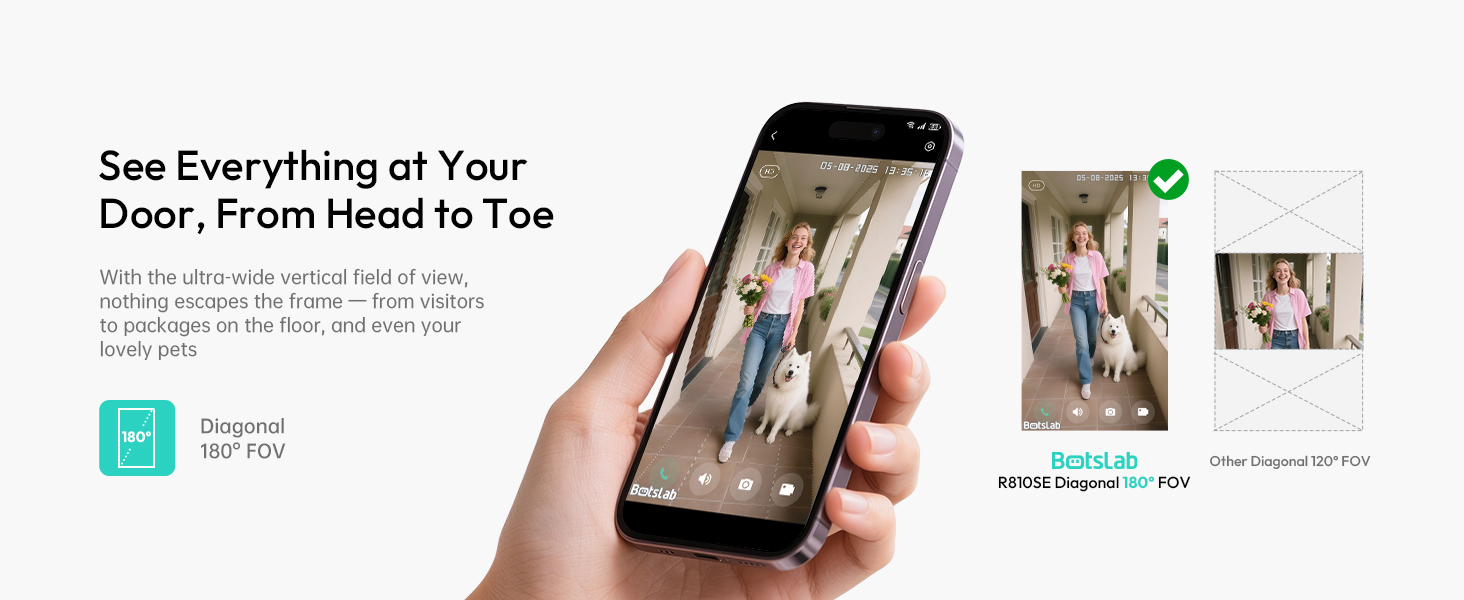
Image: Comparison showing the wide 180-degree head-to-toe view of the Botslab doorbell versus a narrower 120-degree view from another device, highlighting the comprehensive coverage.
2. Komunikasi Audio Dua Arah
Utilize the two-way audio feature in the app to speak with visitors at your door from any location. This function also allows for voice changing to protect your privacy.
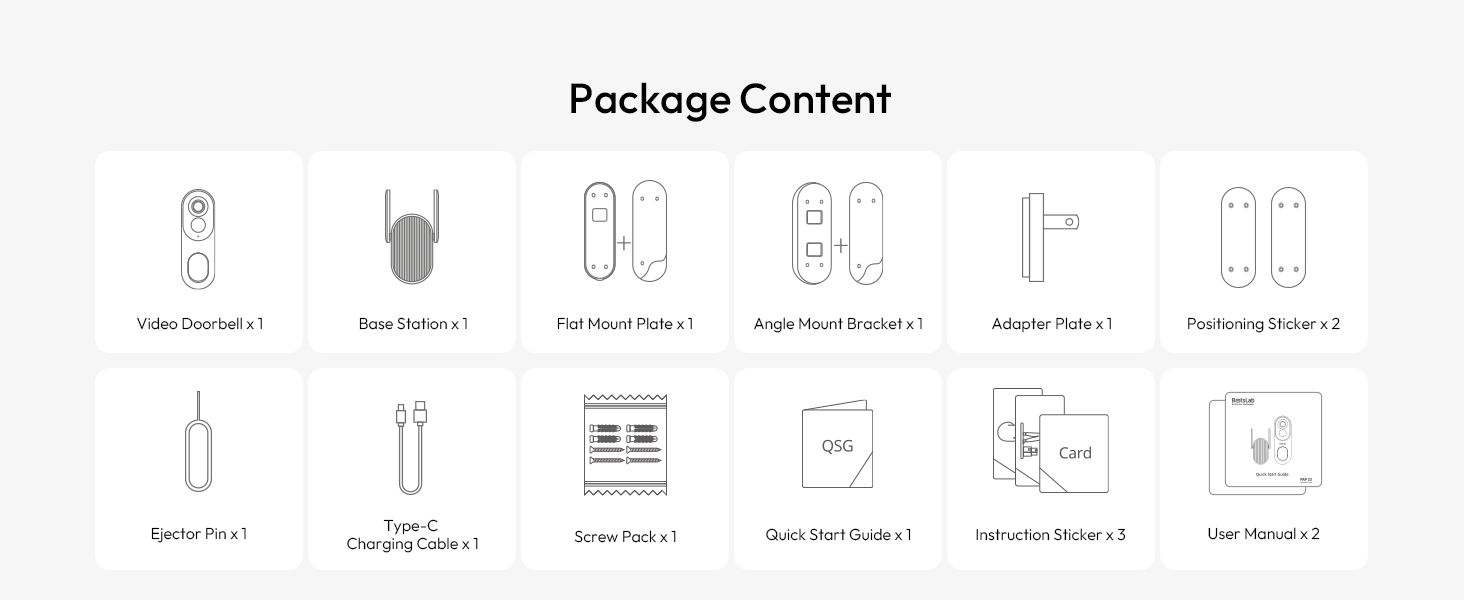
Image: Illustration of the two-way audio feature, showing a user interacting with a visitor at the door via the app, with options for voice changing (normal, male, funny).
3. AI Smart Notifications (BOTSLAB IQ)
The BOTSLAB IQ system provides intelligent, descriptive notifications about events at your doorstep, such as identifying visitors or detecting specific objects. This reduces the need to constantly check the app.
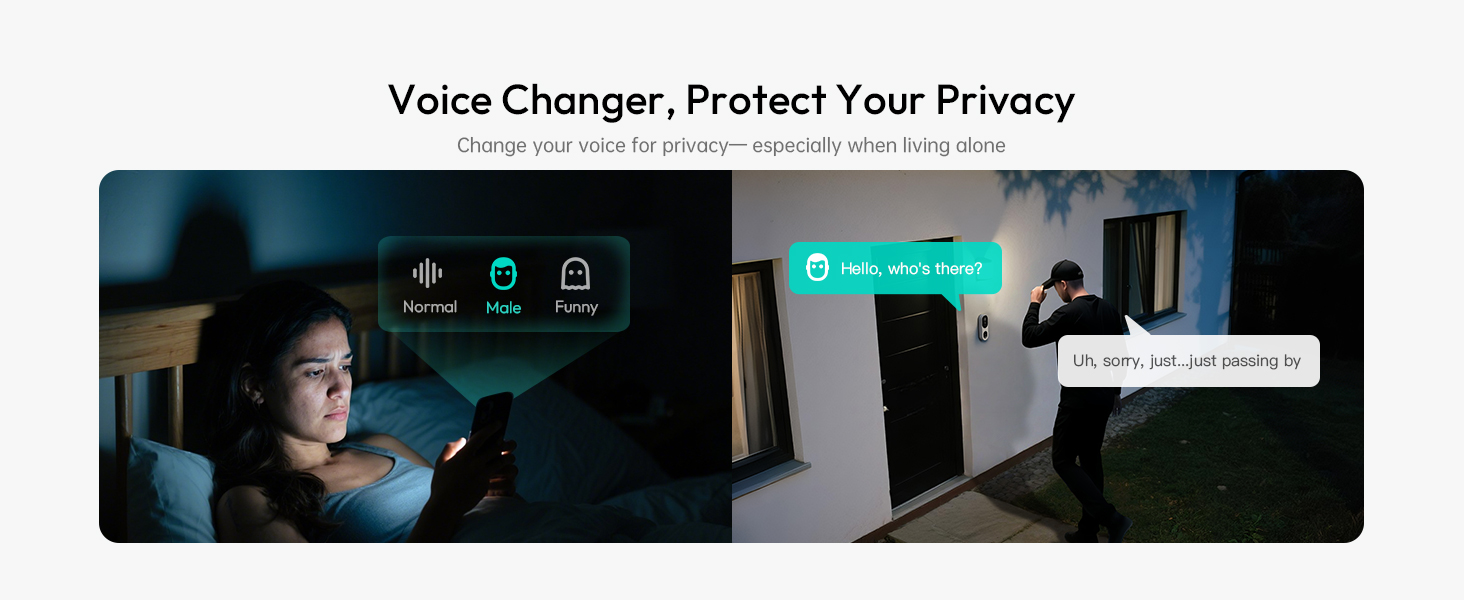
Image: Comparison of a detailed Botslab IQ notification ("A man in a black hoodie has been loitering around your door") versus a generic motion detection alert from another system.
4. Intelligent Search
Use the intelligent search function within the app to quickly find specific events, people, vehicles, or objects in your recorded footage by typing or speaking keywords.

Image: A visual representation of the intelligent search feature, showing a search bar with "Man in sunglasses" and various video thumbnails appearing around a central image of a man in sunglasses.
5. Pilihan Panyimpenan
- Panyimpenan awan: Enjoy 48 hours of free cloud storage for event recordings.
- Panyimpenan Lokal: Expand storage with a microSD card (up to 256GB, not included) in the base station for longer recording history and secure local data storage.

Image: Diagram illustrating both 48-hour cloud storage and expandable local storage via a microSD card in the base station.
6. Pamaduan Smart Home
The doorbell is compatible with Amazon Alexa and Google Assistant for voice control, notifications, and audio communication.
Image: A child interacting with a smart speaker, demonstrating compatibility with Alexa and Google Assistant for notifications and audio communication.
7. Anti-Theft Alert
If the doorbell is tampered with or removed, a siren will sound, and you will receive an immediate notification on your phone.
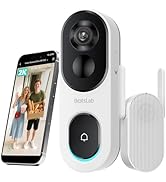
Image: A hand attempting to remove the doorbell from its mount, triggering a siren and a phone notification indicating "Doorbell Removed."
Pangropéa
1. Manajemén batré
The doorbell features a 5200mAh rechargeable battery designed for up to 150 days of use on a single charge. Recharge the battery using the provided Type-C cable when the battery level is low. Full charging before initial use is recommended.
2. Résistansi Cuaca
The BOTSLAB R810SE is IP66 weatherproof, designed to withstand various weather conditions, including rain and snow, within a temperature range of -4°F to 122°F (-20°C to 50°C).

Image: The doorbell shown installed outdoors, with illustrations of it enduring rain and snow, highlighting its IP66 weatherproof rating and wide temperature range.
3. beberesih
To maintain optimal performance, periodically clean the camera lens and the doorbell's exterior with a soft, damp lawon. Ulah make bahan kimia kasar atawa bahan abrasive.
Pamérésan masalah
- Henteu Daya / Henteu Hurung: Ensure the battery is fully charged. Connect the doorbell to the Type-C charging cable and allow it to charge for several hours.
- Teu Bisa Nyambung ka Wi-Fi:
- Verify your Wi-Fi network is 2.4GHz. The doorbell does not support 5GHz networks.
- Ensure the doorbell is within range of your Wi-Fi router.
- Restart your Wi-Fi router and the doorbell, then attempt to reconnect via the Botslab app.
- Kualitas pidéo goréng:
- Check your Wi-Fi signal strength in the app. A weak signal can affect video streaming quality.
- Bersihkeun lénsa kaméra pikeun miceun lebu atanapi kokotor.
- Bewara Teu Ditampi:
- Ensure notifications are enabled in the Botslab app settings and in your phone's system settings for the app.
- Check the doorbell's motion detection sensitivity settings in the app.
- Masalah Audio Dua Arah:
- Ensure your phone's microphone and speaker permissions are granted to the Botslab app.
- Pariksa setélan volume dina telepon anjeun sareng dina aplikasi.
spésifikasi
| Ngaran modél | R810SE |
| Resolusi Video | 2K (3 MP) |
| widang View | 180° Diagonal (Head-to-Toe) |
| Sumber Daya | Battery Powered (5200mAh rechargeable battery) |
| Konektipitas | Wi-Fi 2.4GHz |
| Panyimpenan | 48-hour Cloud Storage (free), Local Storage (microSD card up to 256GB, not included) |
| Résistansi Cuaca | IP66 |
| Suhu Operasi | -4°F nepi ka 122°F (-20°C nepi ka 50°C) |
| Ukuran (L x W x H) | 2.19 x 1.59 x 6.3 inci |
| Beurat | 1.34 pon |
| Alat nu cocog | Amazon Alexa, Asisten Google |
Garansi sareng Rojongan
Émbaran jaminan
BOTSLAB offers a 365-day professional service and lifetime technical support for its products. For specific warranty details, please refer to the documentation included with your purchase or contact customer support.
Rojongan Palanggan
For any issues or questions, please contact BOTSLAB customer support through the following channels:
- Botslab App: Utilize the 24h live chat feature within the app (Me > Support).
- Amazon Message Center: Contact the seller directly through your Amazon order history.
- Surélék: service@botslab.com
- Websitus: global.botslab.com
- Média Sosial: Join the Botslab Users Group on Facebook.
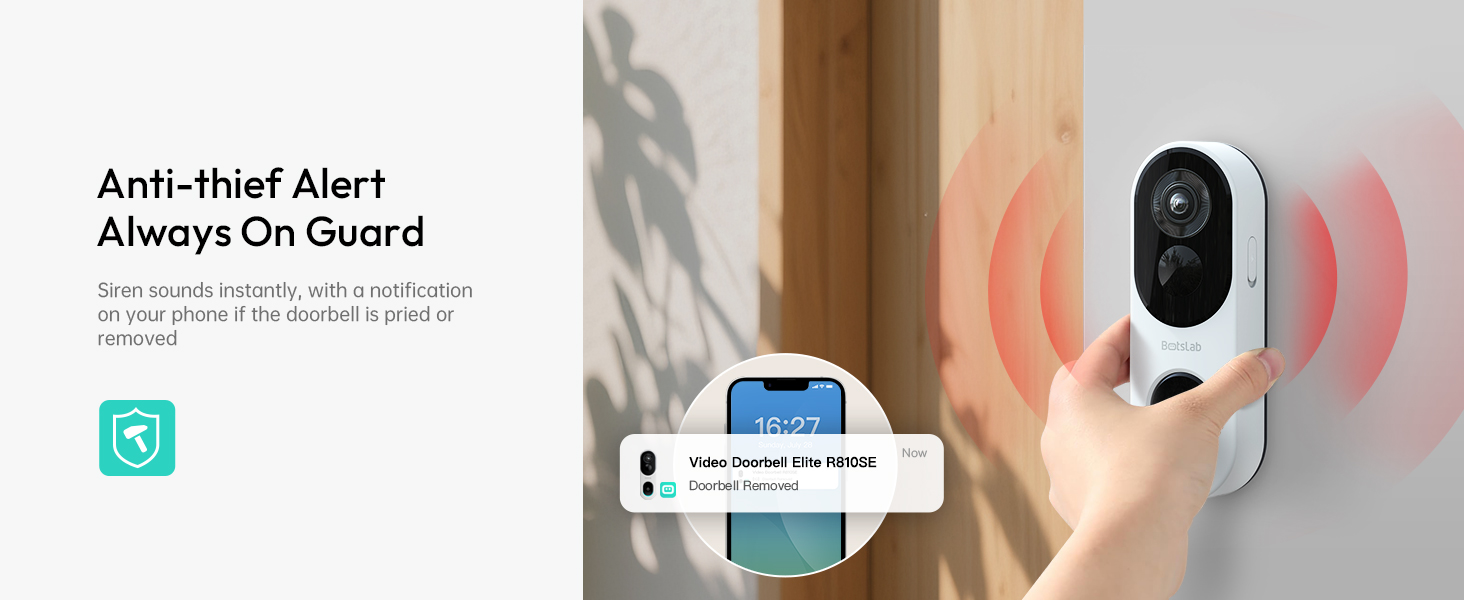
Image: Diagram outlining various customer support options including the Botslab app, website, email, and Facebook group.


